Recording expenses: rent, electricity, the generator and repairs
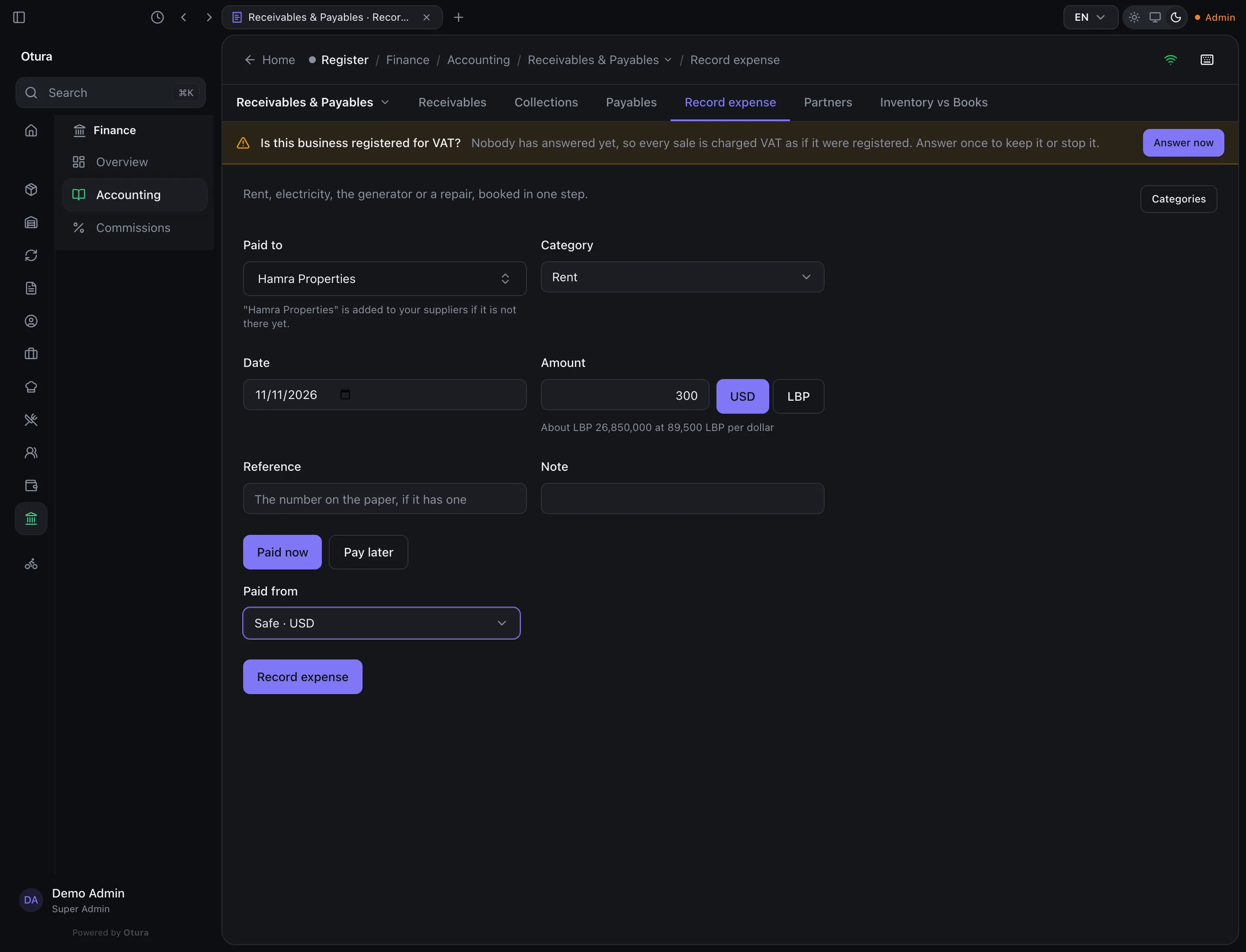
Book a cost in one step: who was paid, a category, the amount and the box it left, or Pay later. The category decides the line on the P&L, and a cost-of-sales category counts above gross profit.
Checked against the product on 11 November 2026
FinanceAccountingReceivables & PayablesRecord expense books a cost in one step, for a bill with no goods behind it: rent, electricity, the generator, a repair. Goods you receive into stock go through Getting stock in. You need the right to post journal entries.
Record one
Say who was paid
Under Paid to, search your suppliers or type a name. A new name is added to your suppliers, and it remembers the category for next time.Choose a category
The Category decides the line on the P&L.Enter the date, amount and currency
The Amount is what was paid, in dollars or lira. Turn on VAT recoverable only when the paper shows VAT you can claim back: the amount includes it. The Reference is the number on the paper, if it has one.Say how it was paid
Paid now, then Paid from: the safe, a bank, or another box that can pay. Or Pay later: it goes to Payables, due on the Due date, or by the supplier's terms when that is left empty.Press Record expense
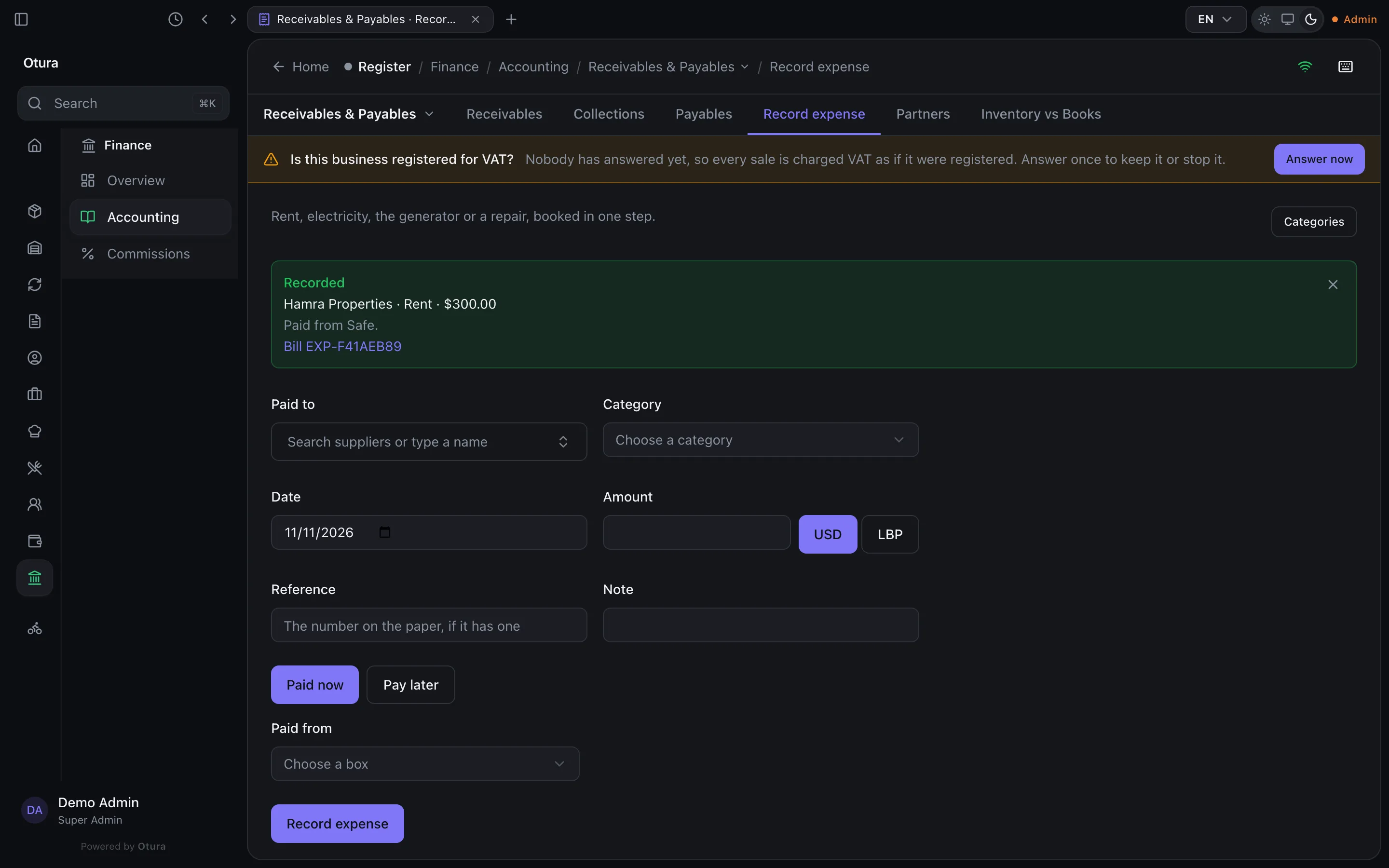
The page says Recorded, with the bill's number and where it was paid from.
What it does to the books
| Paid now | Pay later | |
|---|---|---|
| Debit | The category's account | The category's account |
| Credit | The box it was paid from | 4210 Accounts Payable |
| The box | Goes down by the amount | Does not move |
| On the P&L | On the day of the expense | On the day of the expense |
If the button is pressed twice, or the connection drops and you press it again, the same expense is not booked twice. If the first try went through, a second try that says something different is refused by its number: already booked as …. A bill already booked takes no edit from this page.
Categories
Categories on the page opens the list. Each has its own account. Add one, rename your own, or retire one you no longer use. A seeded category keeps its name.
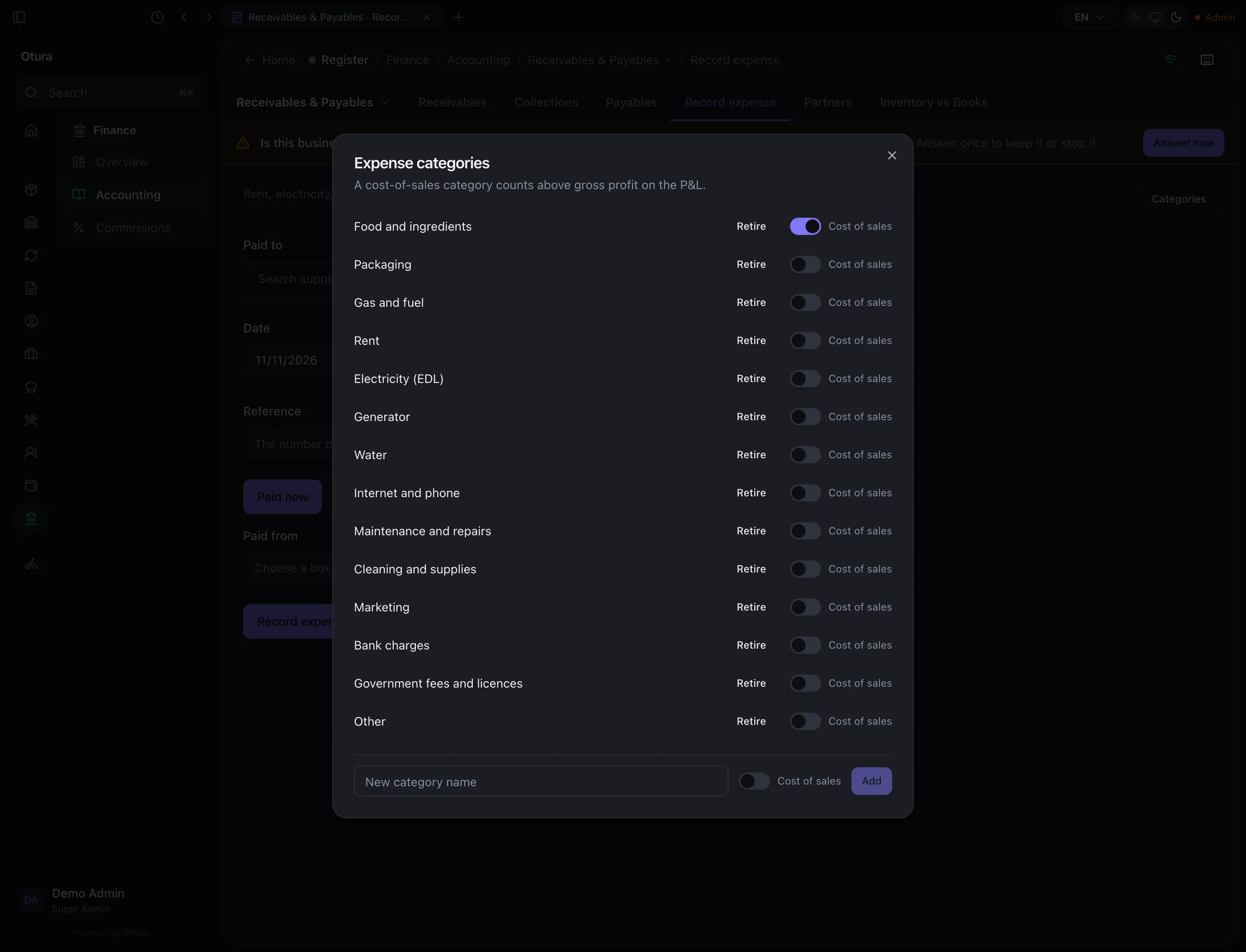
The Cost of sales switch on a category moves it between Overheads and Cost of Sales on the P&L. It moves the line and never the profit. A restaurant starts with food, packaging, gas and Other as cost of sales; a shop starts with none of them. A shop that sells plates with no stock behind them reads its cost of sales from these categories (see What Cost of Sales is made of).
A bill keyed on Rapid Invoice Entry takes a category on each line, and a supplier can have a default category. A bill with no category posts to 6015 as it always did.
What is refused
| What you did | What happens |
|---|---|
| Pressed Record expense with something missing | The page says what: Say who was paid: pick a supplier or type a name. |
| A box that does not hold the money | Refused before anything is booked. |
| A date in a closed month | Refused before anything is booked, with the month's name: reopen it, or date the expense in an open month. |
When part of the page did not load, a line at the top says so with Retry. Until it does load, an empty category or box list does not mean the business has none.