Payroll, NSSF and income tax
Setting up Lebanon’s statutory rates, running a month’s payroll for staff paid in dollars or lira, reading a payslip, approval by a second person, and what reaches your books.
Checked against the product on 13 October 2026
Payroll pays each active employee their monthly salary and allowances (from Pay), less unpaid leave, works out their NSSF and income tax and your employer contributions, and posts the month to your books when it is approved. Each run uses one exchange rate, fixed when the run is created, so a lira salary and a dollar salary sit on one payslip list.
Once: the statutory settings
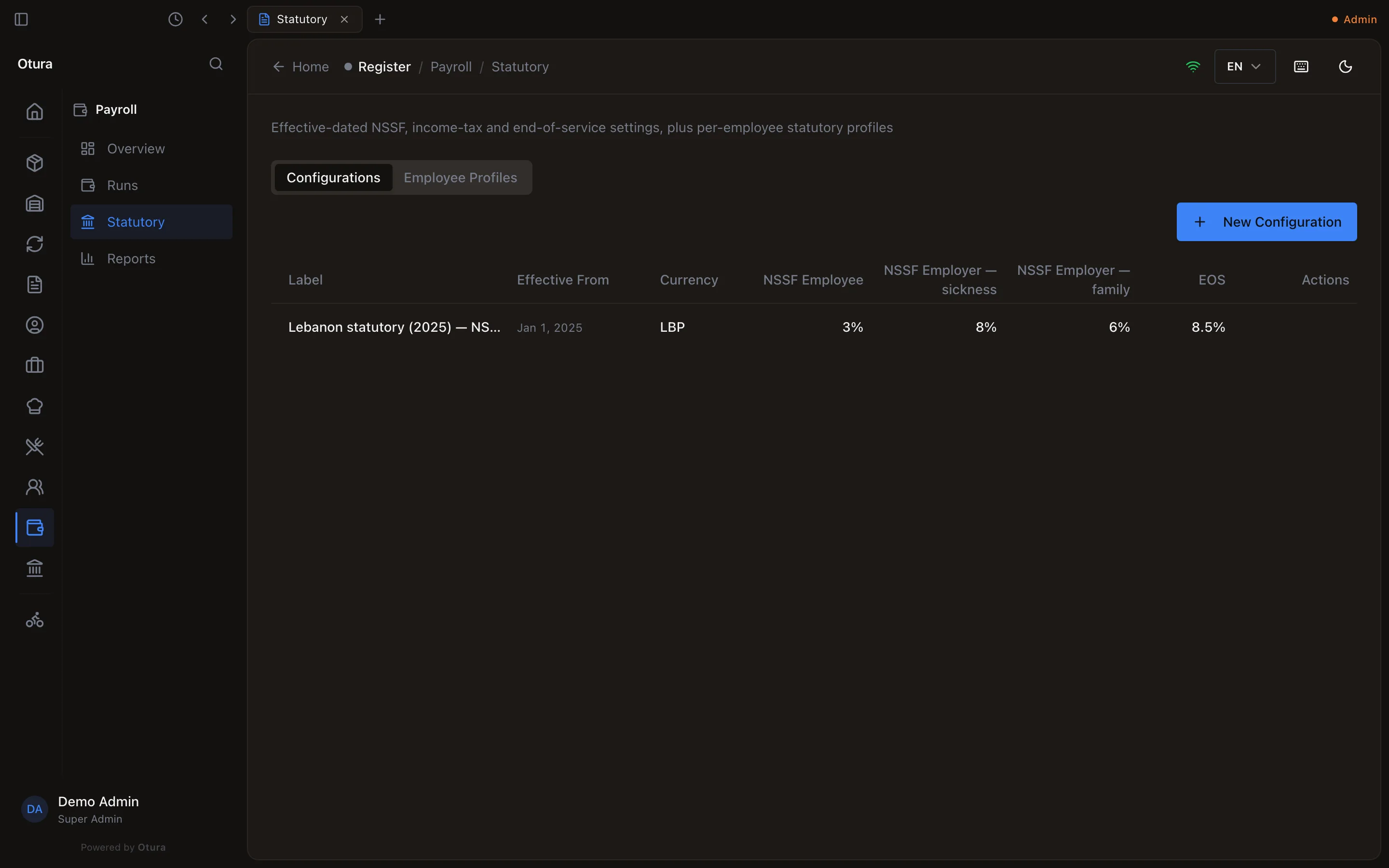
In PayrollStatutory, click Seed Lebanon defaults. A run cannot be calculated without a configuration in force for its period. The Lebanon 2025 configuration holds:
| What | Rate | On |
|---|---|---|
| NSSF sickness and maternity, employee | 3% | gross, up to LBP 120,000,000 a month |
| NSSF sickness and maternity, employer | 8% | gross, up to LBP 120,000,000 a month |
| NSSF family allowances, employer | 6% | gross, up to LBP 18,000,000 a month |
| End-of-service indemnity, employer | 8.5% | gross, no ceiling |
| Income tax | 2% to 25% | yearly gross less family deductions, in seven brackets (MoF Decision 959/2025), divided by 12 |
The family deductions are LBP 450,000,000 a year for the employee, 225,000,000 for a dependent spouse and 45,000,000 for each child, up to five. Whether an employee has a dependent spouse, how many children, and whether they are registered with NSSF at all is set on the Employee Profiles tab with Edit profile. A configuration cannot be edited: to change a rate, create a New Configuration with a later Effective From.
A month's payroll
New Run
In PayrollRuns, click New Run. Give it a Label, the Period Start, Period End and Pay Date, and the Exchange Rate (USD → LBP) — left empty, today's rate. Click Create Run: the run opens.
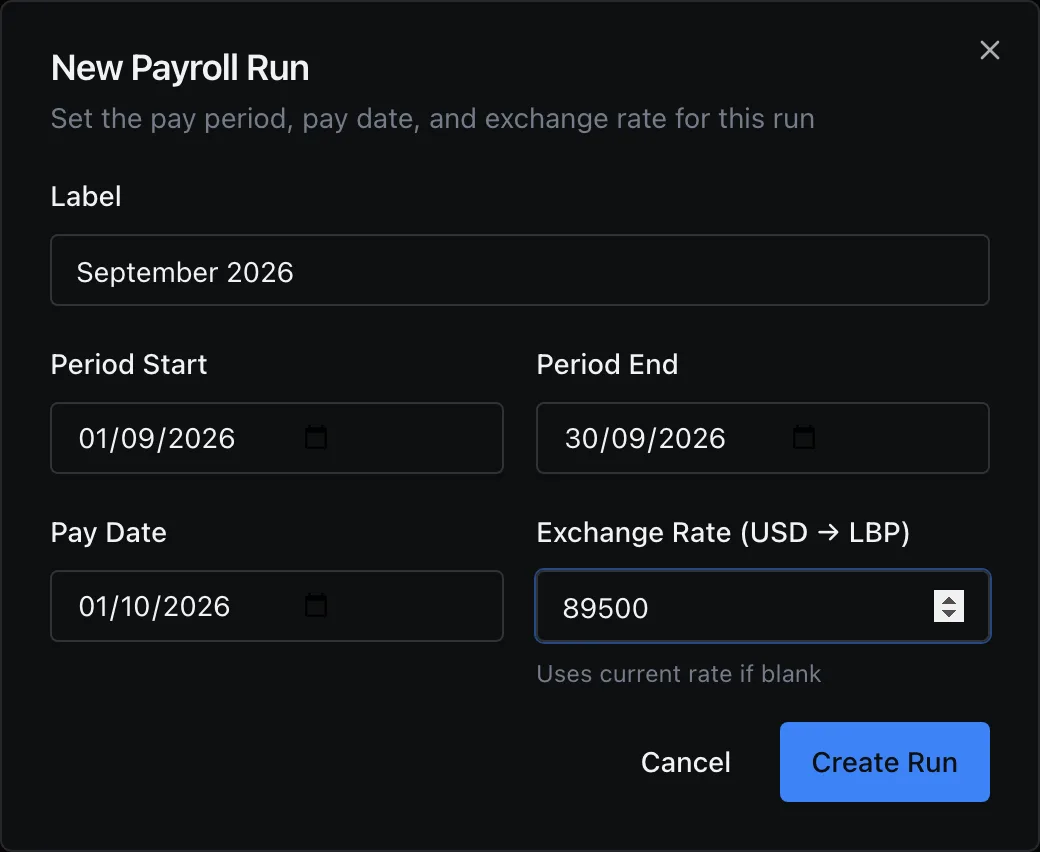
A run for September at 89,500. Two runs cannot pay the same days: a run over a period another run (not cancelled) already covers is refused, naming that run.
Calculate
Click Calculate. Everyone employed during the period gets a payslip: active, on leave, or terminated during it. Someone hired or leaving mid-month is paid for their days; a suspended employee is left out. The totals and the payslips appear. An employee with no pay set is not on the run, and the run says so above the totals, naming them, with Set their pay; set it and click Recalculate.
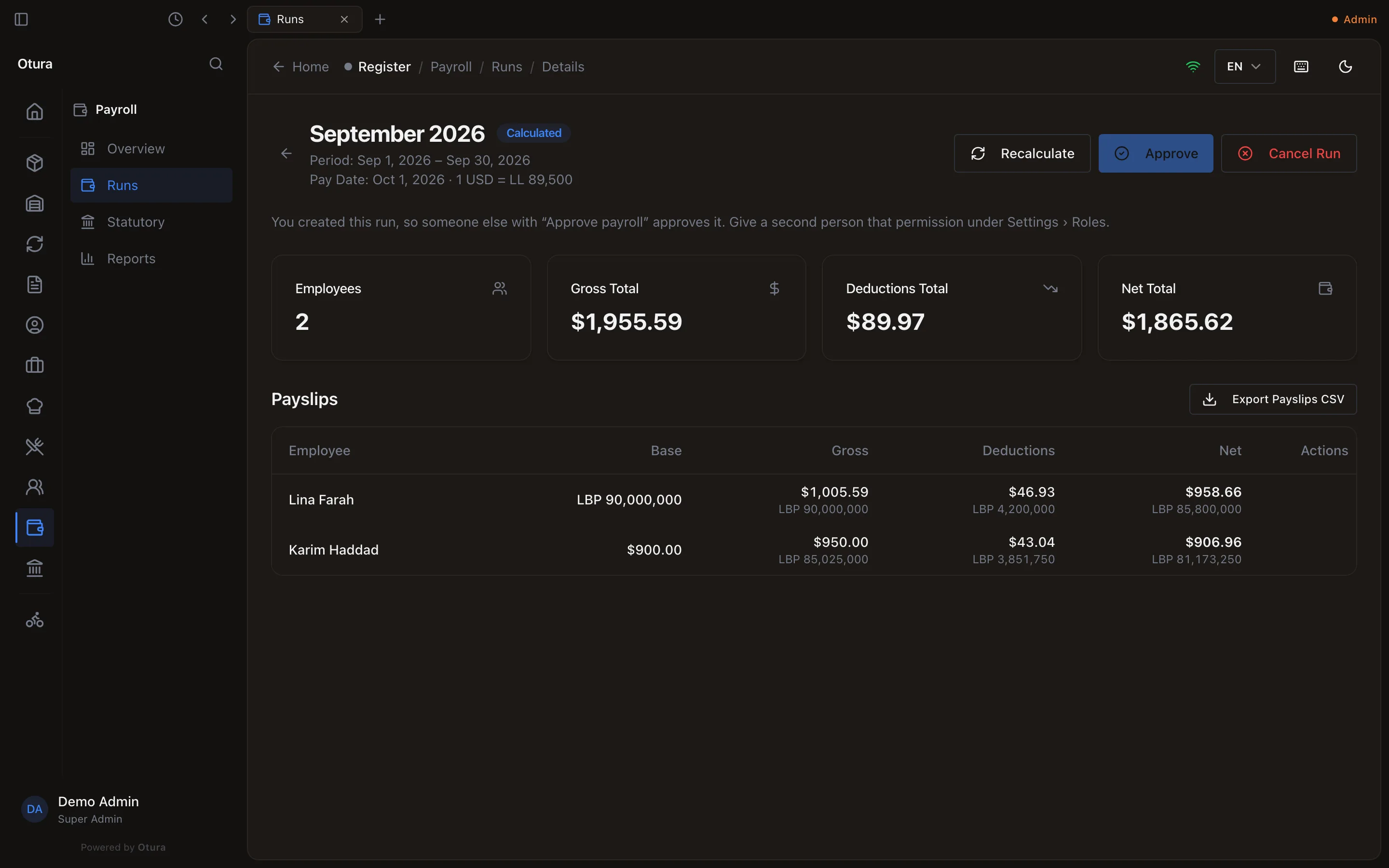
A calculated run: Lina is paid in lira, Karim in dollars. Read a payslip
Click View on a payslip for its lines: Earnings, Deductions and Employer Contributions, in dollars and lira, and the Net Pay. Print prints it. A salary agreed in lira keeps its exact lira on every line; its dollars are worked out from the run's rate.
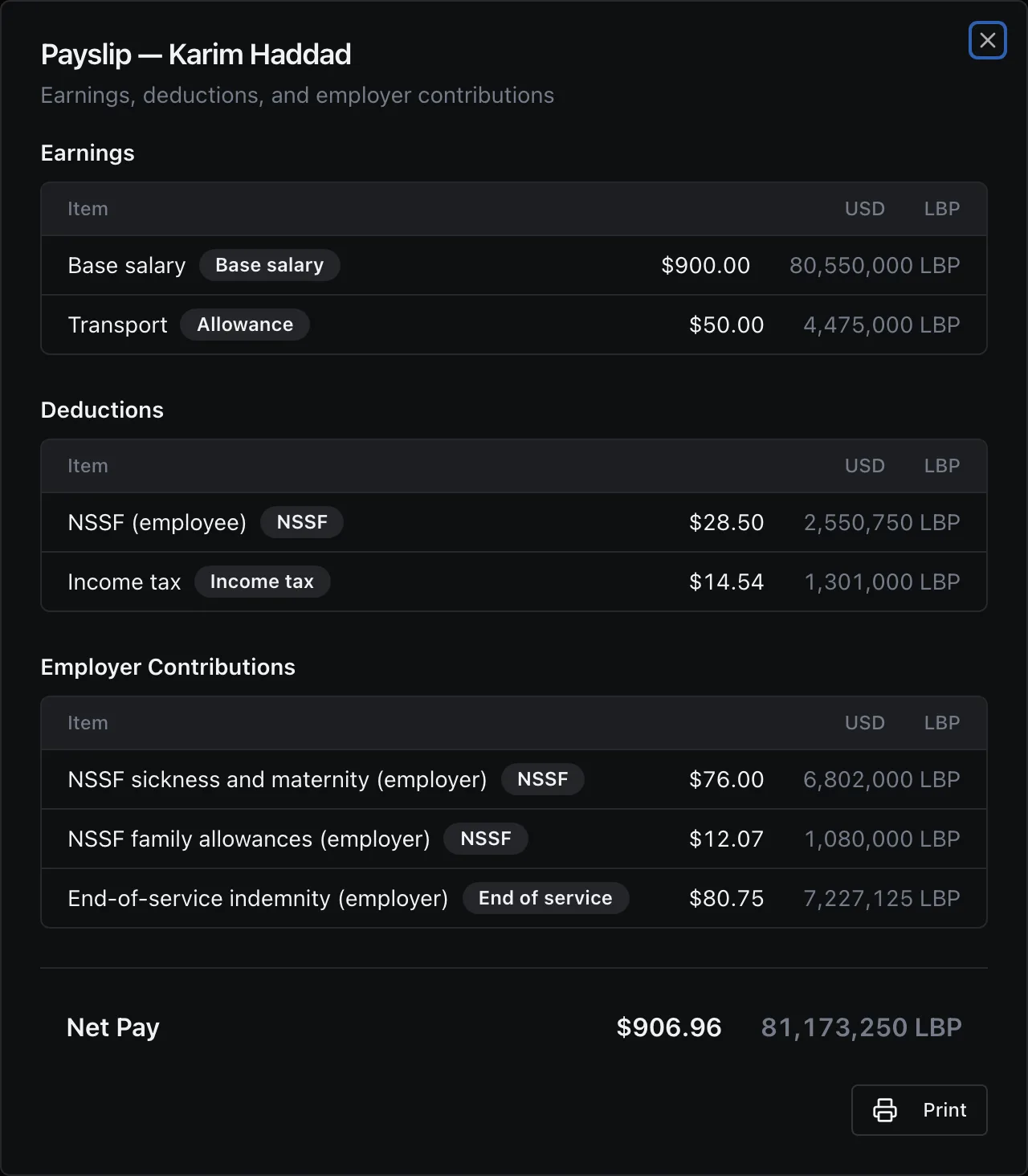
Karim's payslip: 3% NSSF on $950 and the 2025 income-tax brackets. A second person approves
Whoever created the run cannot approve it: the run says You created this run, so someone else with “Approve payroll” approves it, and Approve is not offered to them. Another person with Approve payroll opens the run, clicks Approve and confirms. Approval freezes the payslips and posts the month to the books. In a shop where the owner is the only one who approves, give a manager View payroll and Approve payroll as permission exceptions.
Mark paid
When the salaries are paid, click Mark Paid and confirm. Cancel Run is offered until then; cancelling an approved run reverses its entry in the books.
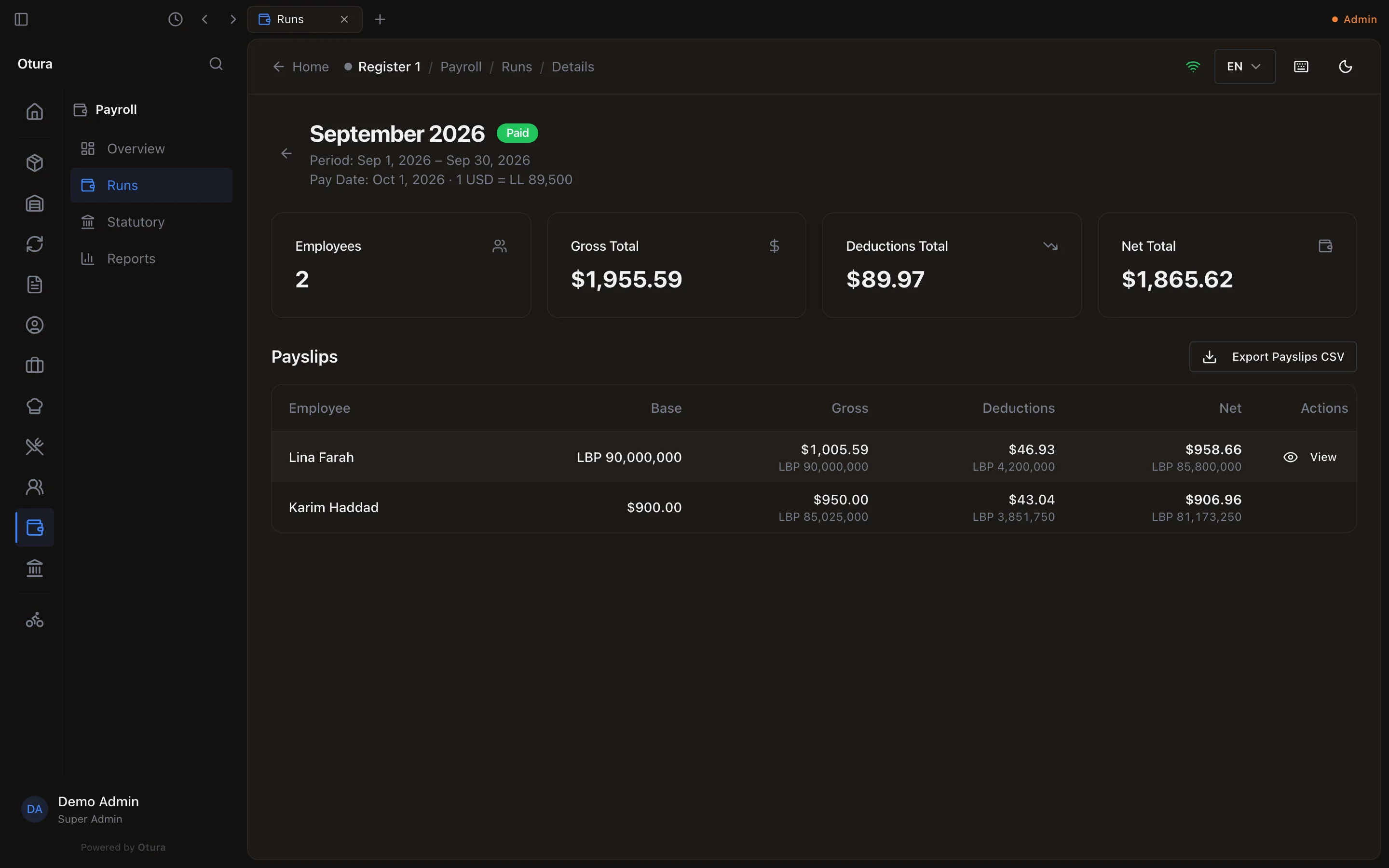
The run, paid.
What reaches the books
Approval posts one journal entry for the run: salaries, employer NSSF and end-of-service as expenses, against what is owed to employees, to NSSF, to the tax office and for end of service. It is under AccountingJournal Entries. A business without a chart of accounts is refused at approval with Accounting module is not initialized. Please seed the chart of accounts first: seed it from AccountingOverview first (see The chart of accounts).
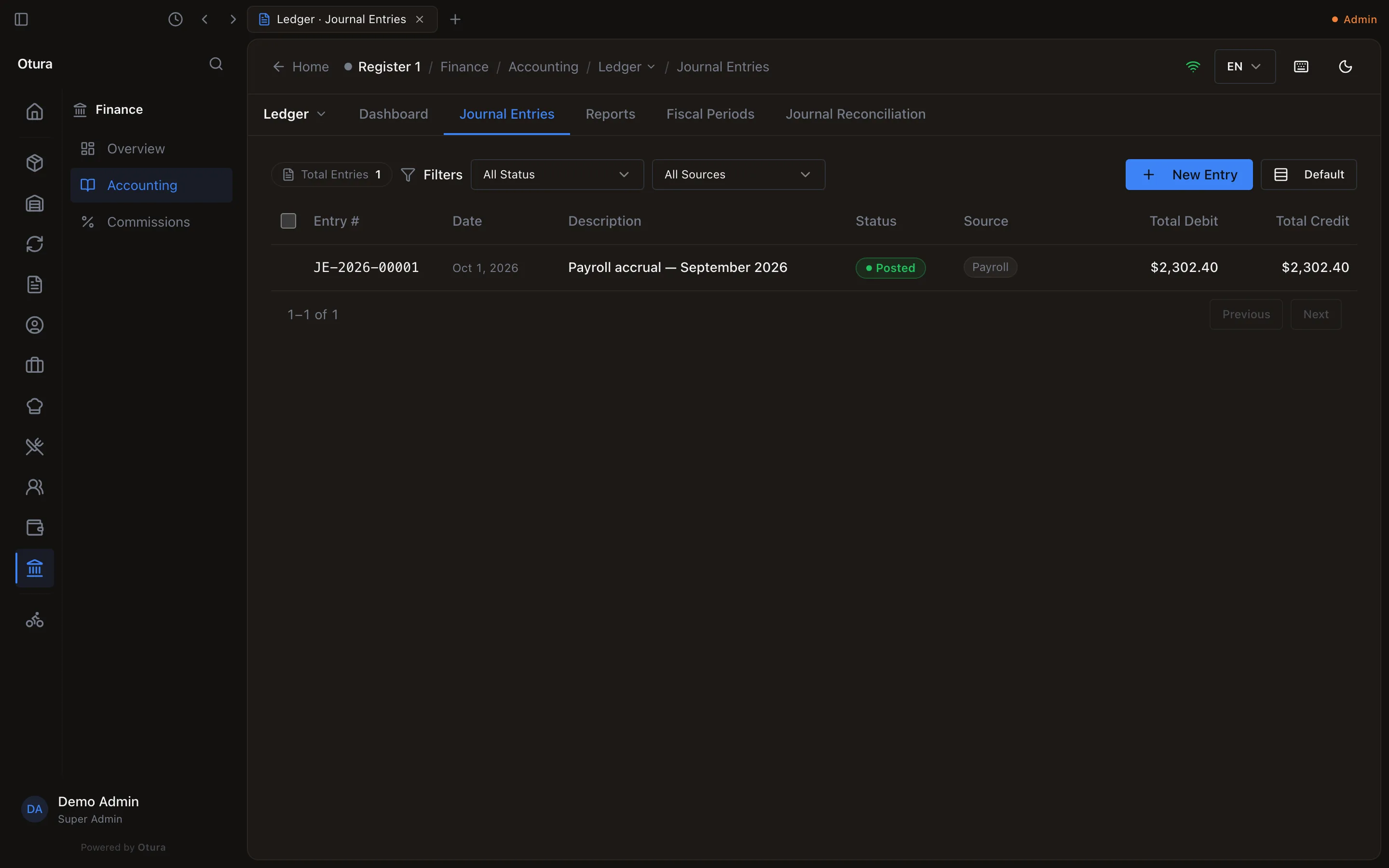
PayrollReports shows a run's Register, Department Cost and EOS Liability. Employees with a linked login see their own payslips under My HR › Payslips.