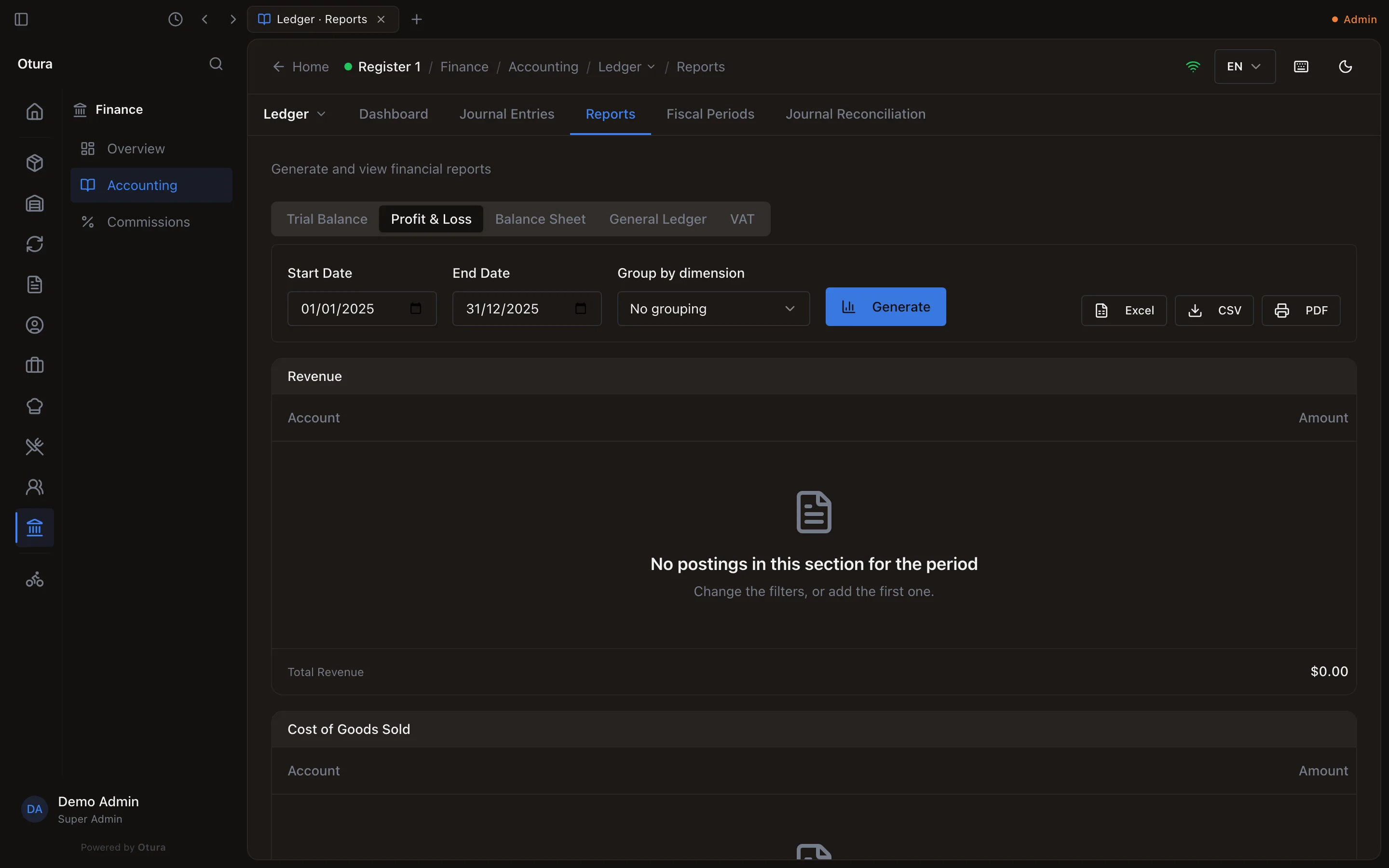
Fiscal years, month-end and year-end close
How Otura files your books into fiscal years and months, how a month is closed and locked once it is over, how the year-end close moves the year’s profit into retained earnings, and how the next year opens.
Checked against the product on 25 October 2026
Every entry in your books — a sale, a supplier bill, a payment, an entry you type — is filed in the month of its date, and every month belongs to a fiscal year. You manage them on FinanceAccountingLedgerFiscal Periods. A month stays open while it is running; once it is over and its figures are checked, you close it; once they have been reported — to the Ministry of Finance, to the bank — you lock it. When the year is over, the year-end close posts the entry that starts the next year from zero.
Your fiscal years
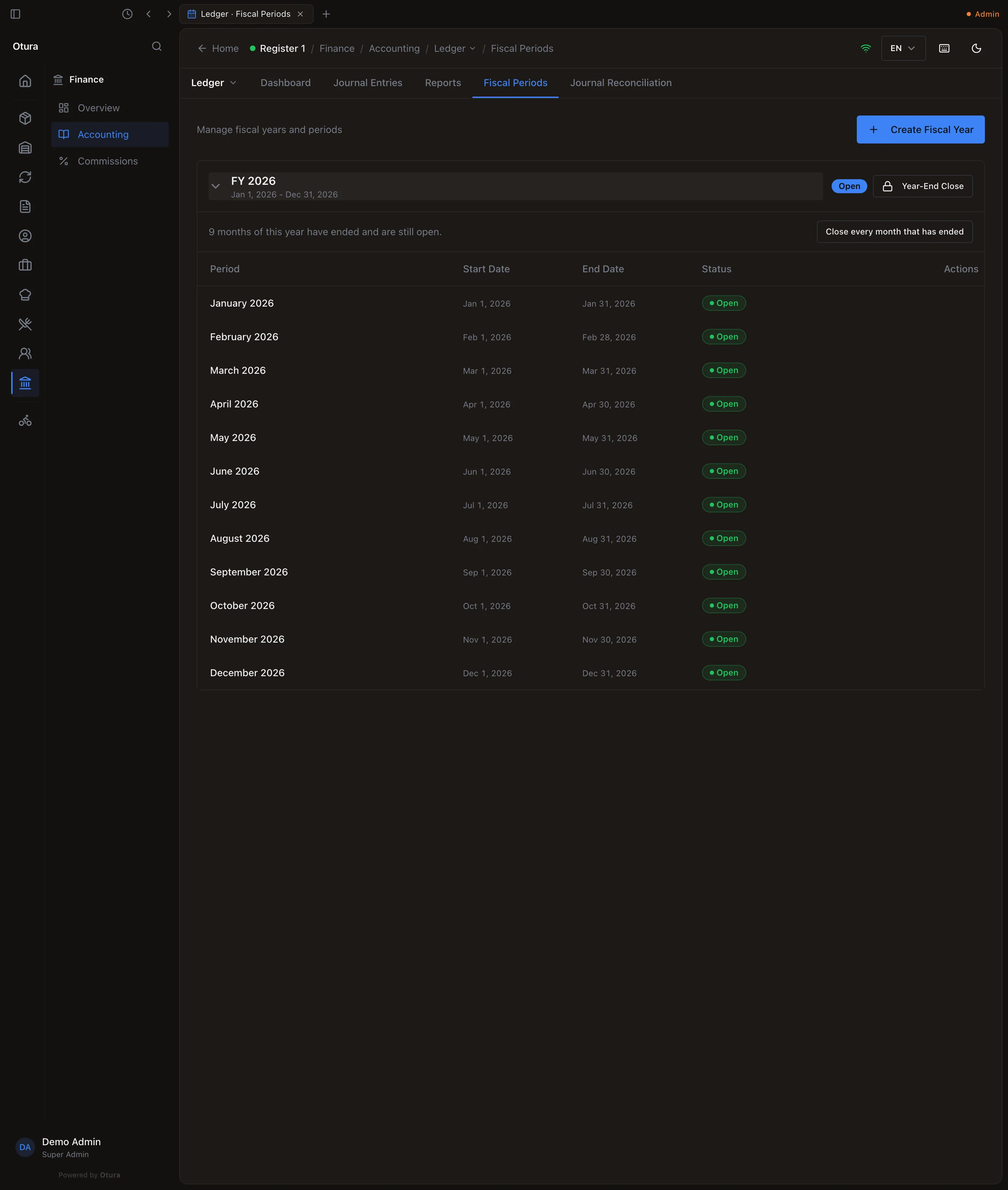
Seeding the chart of accounts opens the current calendar year, FY 2026, with twelve months, all open (see Chart of accounts). Fiscal Periods lists your years; click one to see its months, each with its Start Date, End Date and Status. Point at a month for its buttons.
The next year opens by itself
You do not have to create next year before 1 January. The first sale, bill or payment dated in a year nobody has opened opens it: the year after your latest one, as long as it is, named FY 2027 (or FY 2026/27 for a year that straddles two). A year-end close opens the year after it too. Otura opens at most two years at once, and never a year before your first one or a gap between two: those you create yourself. This happens whatever your plan includes: the books keep up with your sales.
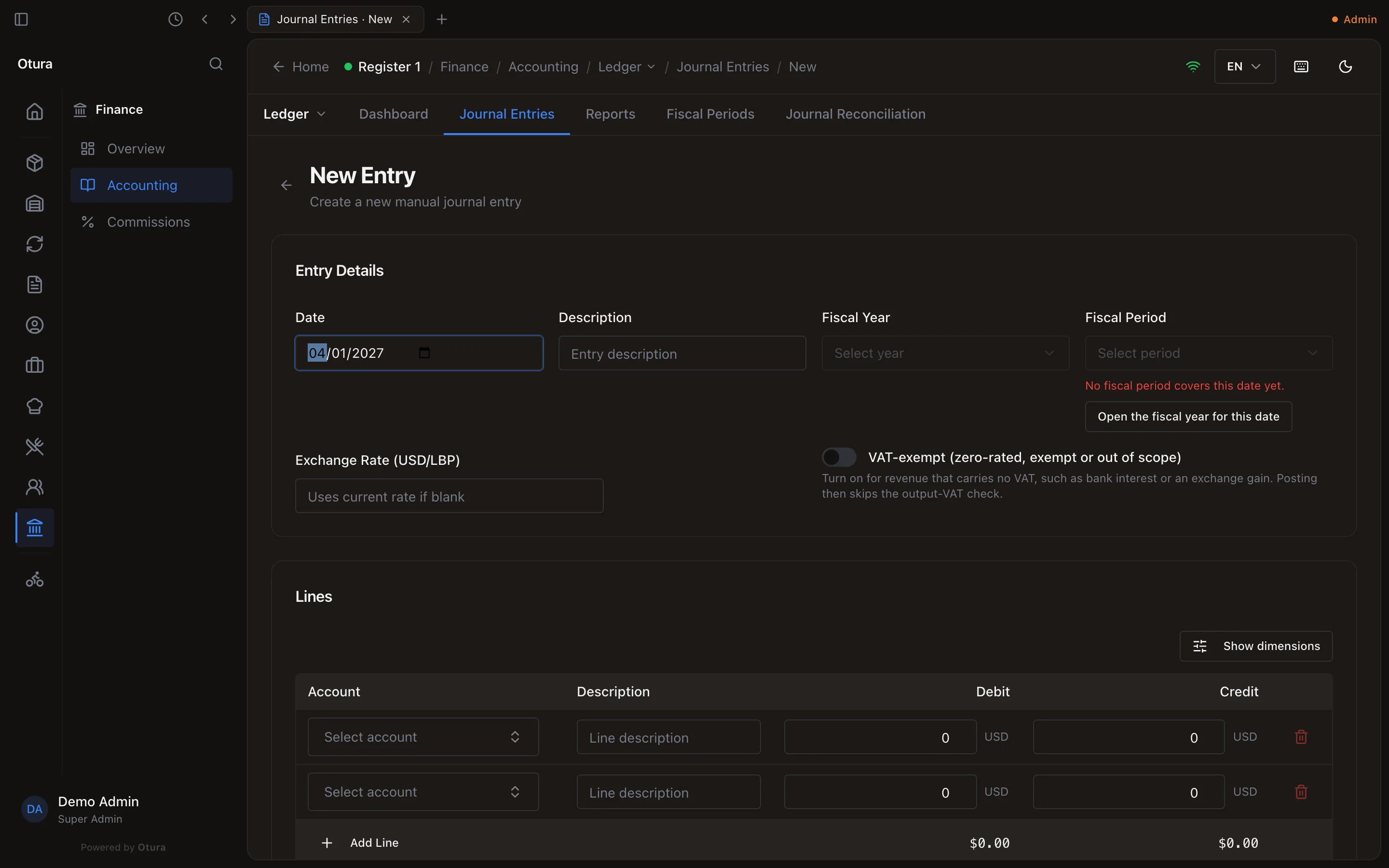
A journal entry you type is the exception, because you choose its date. Dated in a year nobody has opened, New Entry says No fiscal period covers this date yet. and offers Open the fiscal year for this date. It opens the year the same way — the year after your latest — and the entry is filed in its month at once. It refuses a date more than a year ahead (… is more than a year ahead. Check the date, or create its fiscal year under Fiscal Periods.), and for a date before your first year or between two years it says to create that year under Fiscal Periods.
Create a year yourself
For the year before your first one — the year you are bringing your books in from, say — Create Fiscal Year asks for a Year Name (up to 50 characters), a Start Date and an End Date after it. Otura makes one month for every calendar month the year touches, all open; a year that does not start on the 1st begins with a short month.
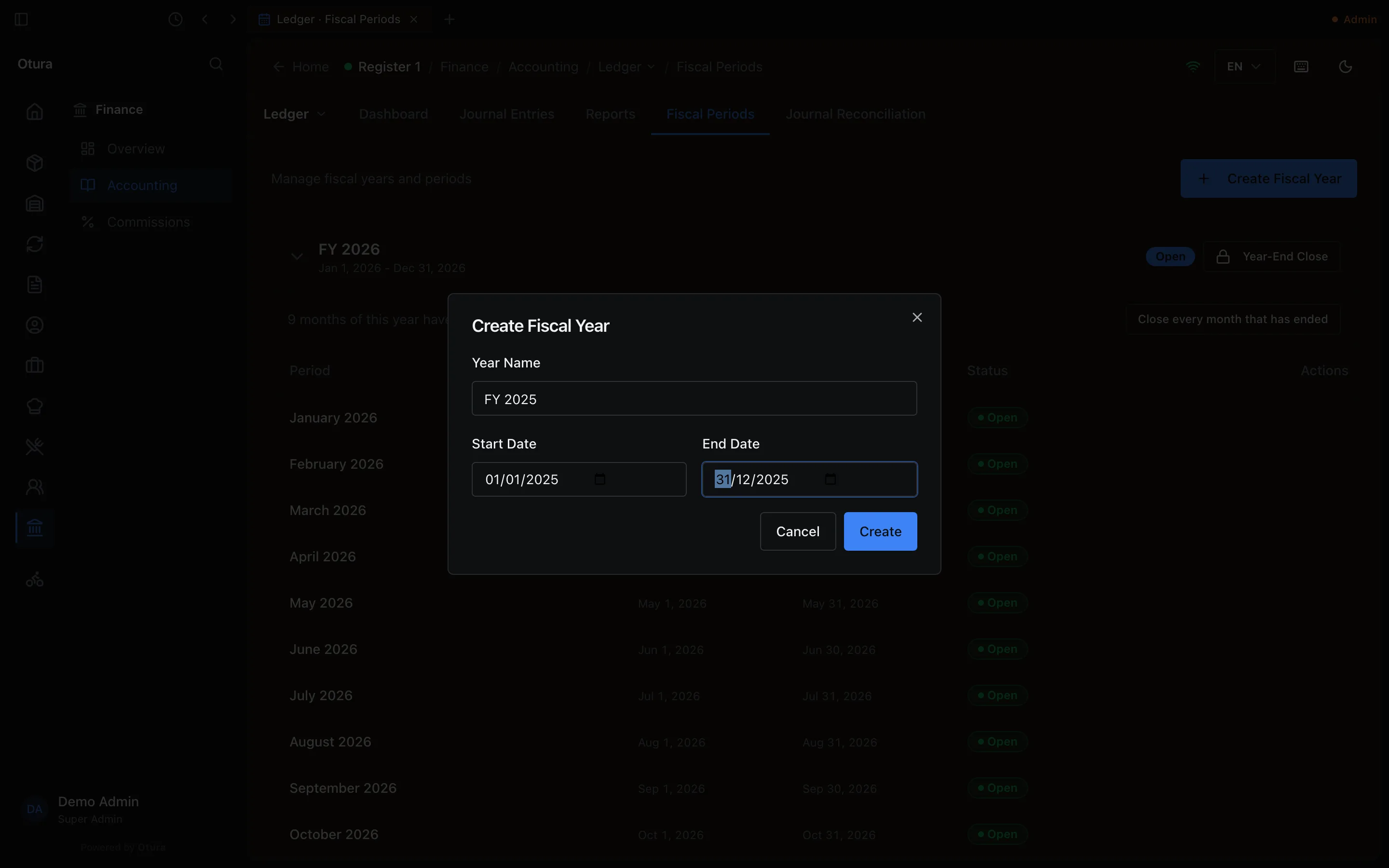
Two years may not share a day. A year that overlaps another is refused, naming it: FY 2025 overlaps FY 2026 (2026-01-01 to 2026-12-31). Each day belongs to one fiscal year: start the new year after that one ends, or end it before that one starts.
A month's status
| Status | What it means | Buttons |
|---|---|---|
| Open | Entries dated in it can be saved and posted. | Close, once the month is over |
| Closed | Nothing more can be posted into it, by hand or by a document. | Lock, and Reopen while its year is open |
| Locked | Closed for good. Nothing dated in it can ever be posted again. | None |
Close a month
A month is closed once it is over. On the month still running, Close is greyed and says why: October 2026 has not ended yet: sales and documents still post into it. Close it once the month is over. (A month closed early would refuse every sale of its remaining days.)
Close on an ended month first brings your lira cash and bank boxes to the rate of its last day: if their dollar value moved, it posts a Lira revaluation at … entry on that day, with the difference to 7600 Exchange Gain or 6600 Exchange Loss. Then the month closes. Close does not ask first; a closed month can be reopened.
When several months have ended and are still open — a whole year, at the year end — the year says how many (11 months of this year have ended and are still open.) and offers Close every month that has ended. It closes them in order, oldest first, each exactly as its own Close would, and stops at the first one refused, with the reason.
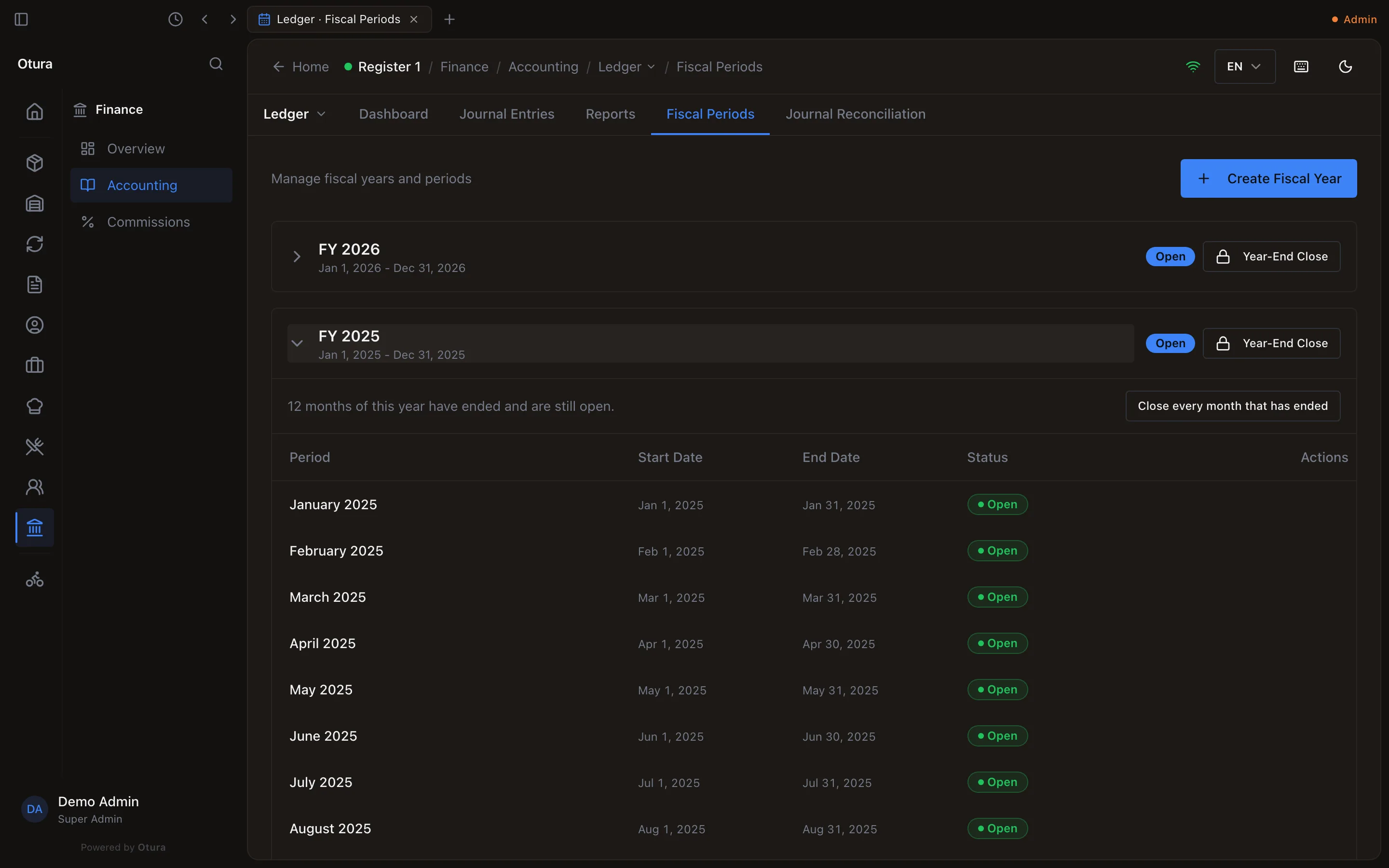
After a close, two warnings may follow:
- Drafts left in the month: … cannot be posted into this month now. Reopen the month to post them, or discard them from Journal Entries.
- Postings of the month that never reached the books — a sale whose entry failed: One sale or payment dated in this month never reached the books. Post it from Journal Reconciliation. When several months close together, one warning counts them all and names the first month that has one. See FinanceAccountingLedgerJournal Reconciliation.
Lock a month
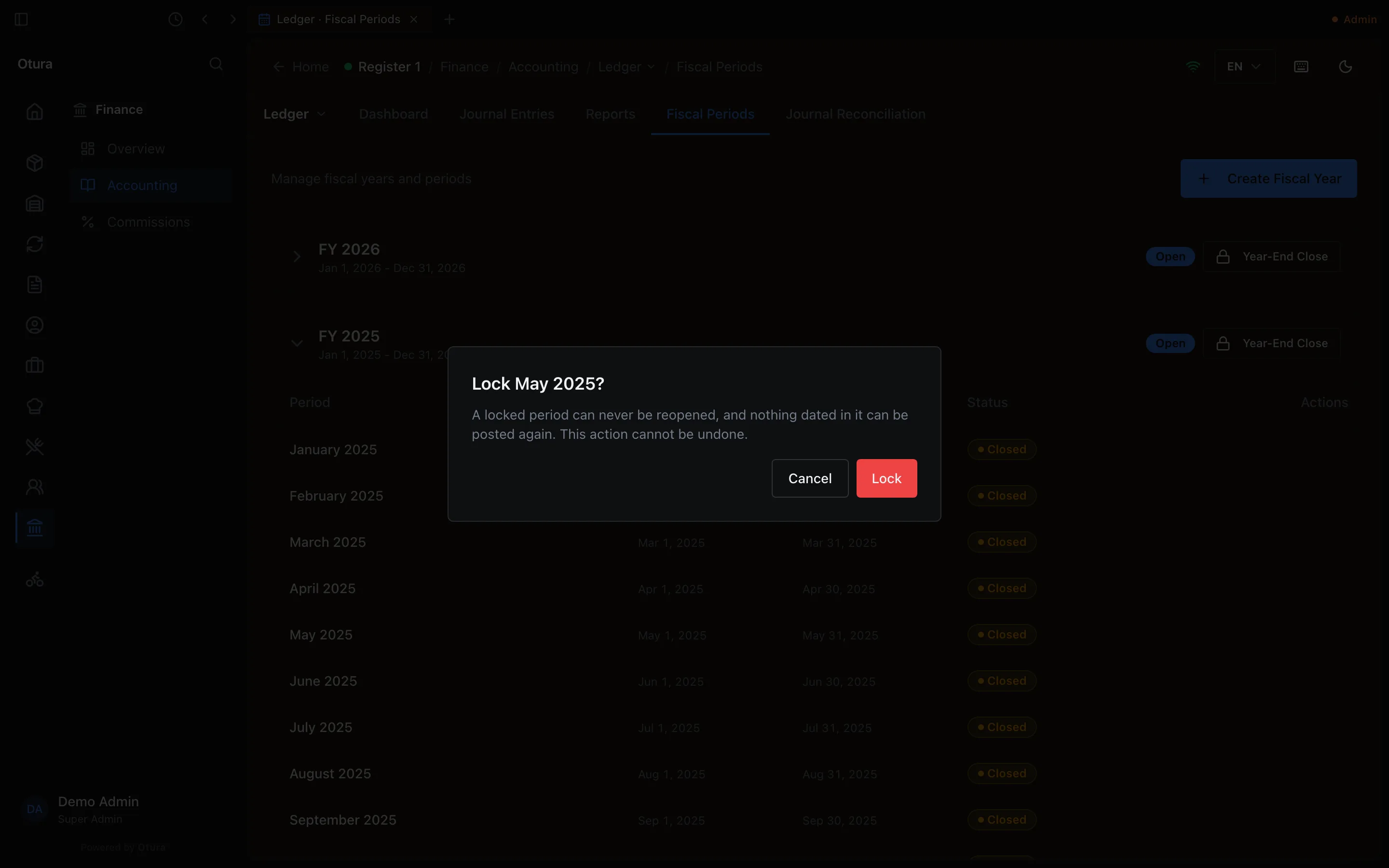
Lock, on a closed month, asks first: Lock May 2025? A locked period can never be reopened, and nothing dated in it can be posted again. This action cannot be undone. Lock a month once its figures have been reported and must never move.
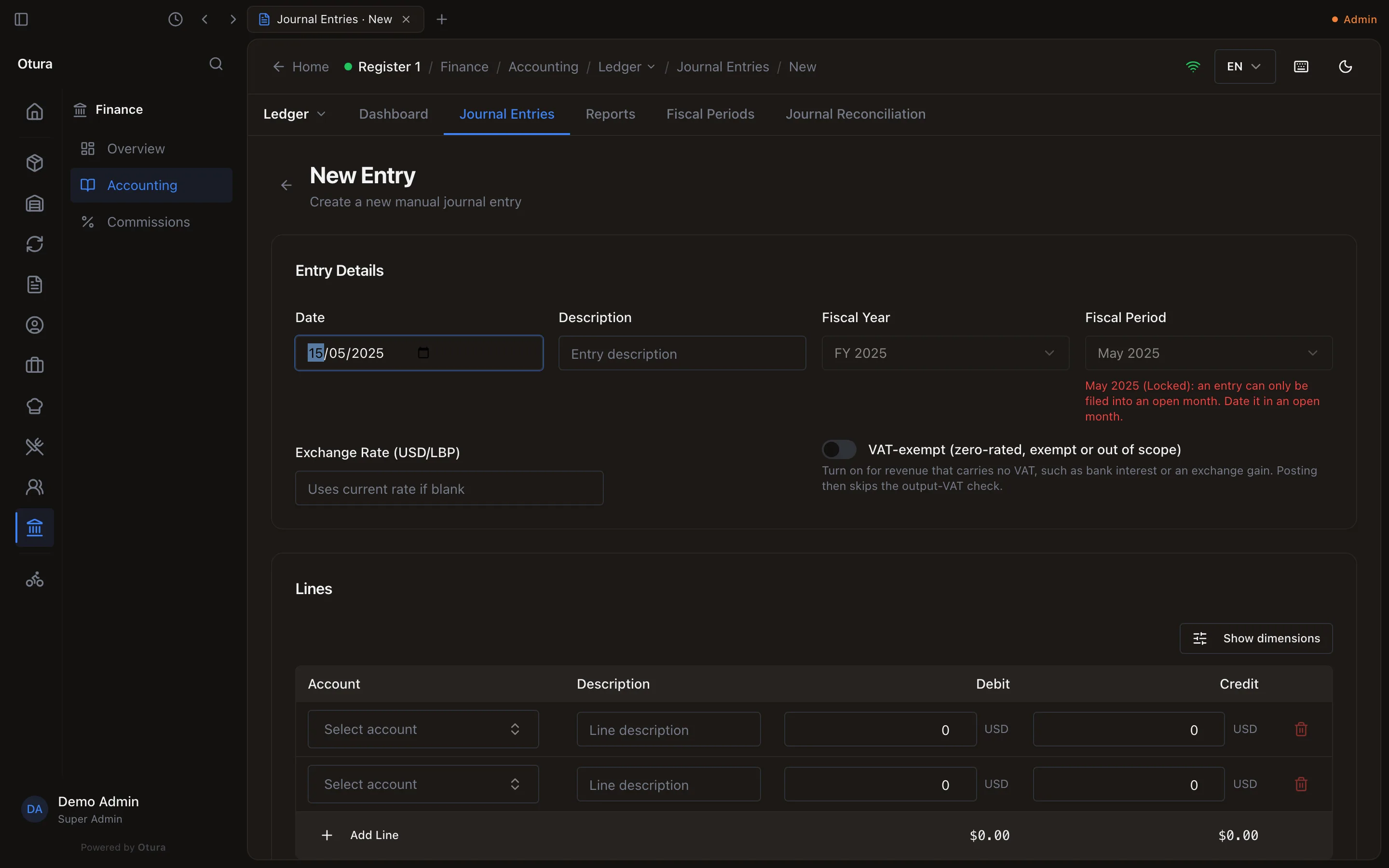
An entry dated in a closed or locked month
A month that is not open takes no new entry. Typed with a date in one, New Entry says so under the date before you type a line — May 2025 (Locked): an entry can only be filed into an open month. Date it in an open month. — and will not save. To correct a closed month, post a correcting entry dated in an open one, or reopen the month if it is only closed and its year is still open. A till sale that reaches the books late, dated in a month you have since closed, is not lost: its posting waits on Journal Reconciliation, which can post it in the next open month.
Year-End Close
Close every month
Every month of the year must be closed or locked. Use Close every month that has ended (above), then lock the months you have reported.
Make sure nothing is missing
Year-End Close is refused while any sale or payment dated in the year never reached the books: Cannot close FY 2025: 1 posting(s) dated in it never reached the books. Post them from Journal Reconciliation first. The closing entry is final, so a missing sale posted afterwards would land in the next year.
Close the year
Press Year-End Close beside the year. It asks first: Every month of the year must be closed or locked first. This posts the closing entry, which moves the year's income and expenses into Retained Earnings, and closes the year. Its months cannot be reopened afterwards. and Confirm Year-End Close does it.

The closing entry, Year-end closing entry for FY 2025:
- is dated the year's last day, filed in its last month, posted, with the source Year End, and records who closed the year;
- brings every income and expense account of the year to zero;
- puts the difference, the year's profit or loss, on 1210 Retained Earnings (on a chart without it, on 1220 Current Year Earnings) — a loss of $500 is a debit of $500.
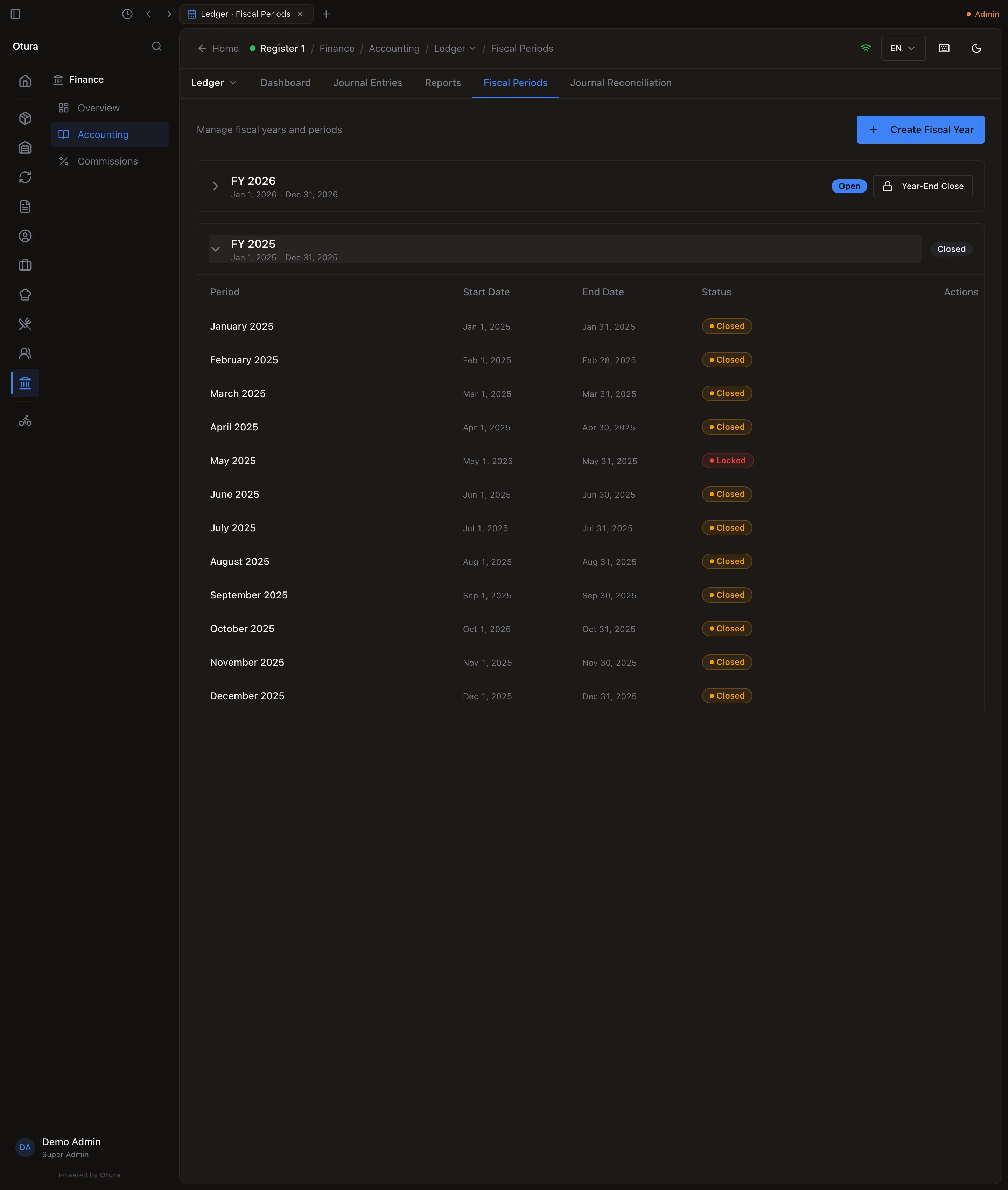
The year then reads Closed, its Year-End Close button is gone, and its months offer only Lock: a closed year's months cannot be reopened. A year already closed cannot be closed again. The next year is opened if it was not already.
Last year's reports after the close
The closing entry is not income or expense, so last year's Profit & Loss still shows the year as it traded: the rent, the sales, the net loss. The balance sheet shows last year's result in Retained Earnings. See Financial reports.
Where the month close and the year-end fit in your routine, with the VAT return between them, is in Your money routine. What the month close does to your lira is in How money moves.