Serial numbers and warranties
Phones, tools and appliances sold by serial number: the till asks for each unit’s serial, keeps its warranty, and frees it when it comes back.
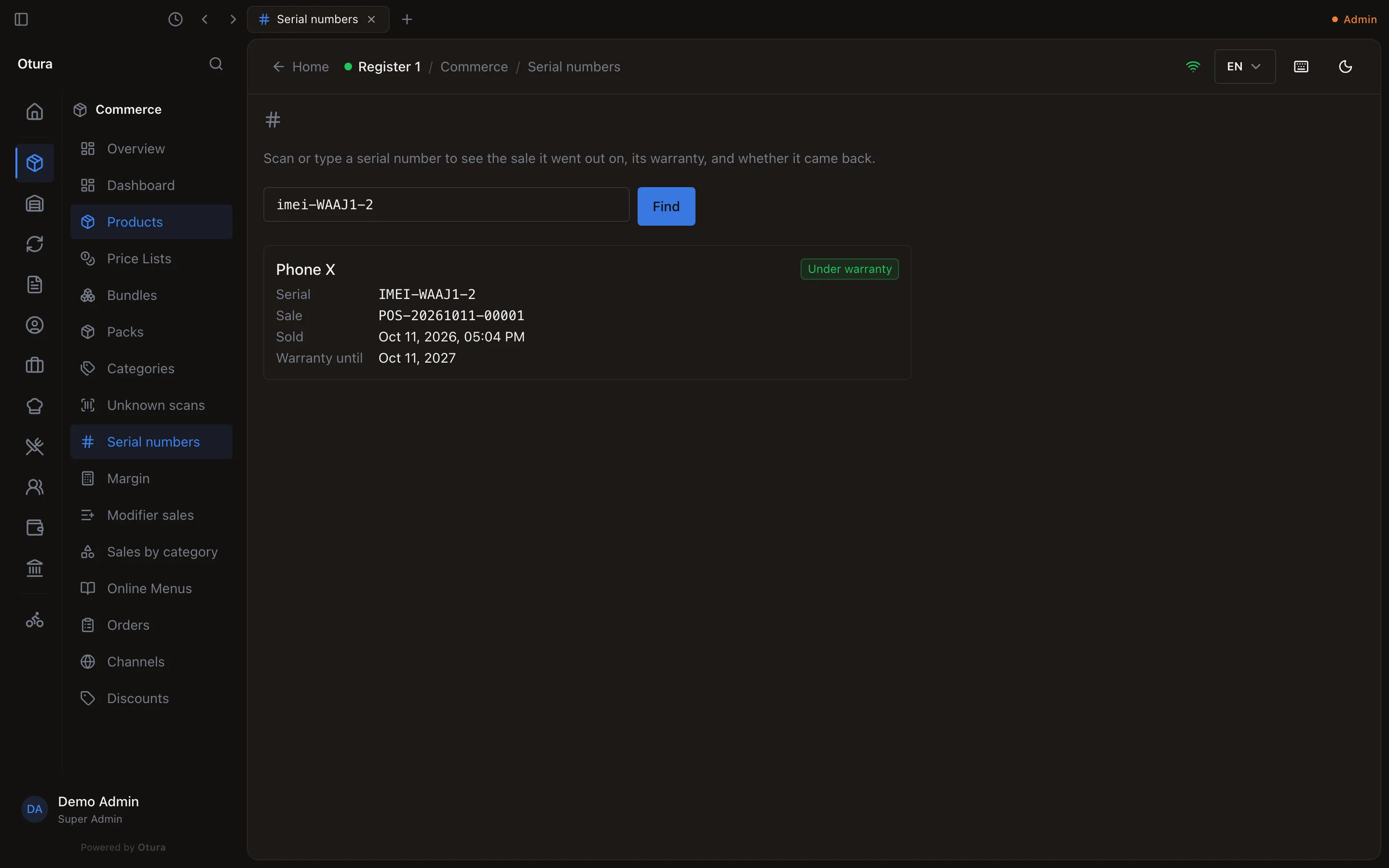
Checked against the product on 12 October 2026
A phone shop is asked two questions about a unit on the counter: was this one ours, and is it still under warranty? Mark a product as sold by serial number and the till keeps the answer for every unit it sells.
Marking a product
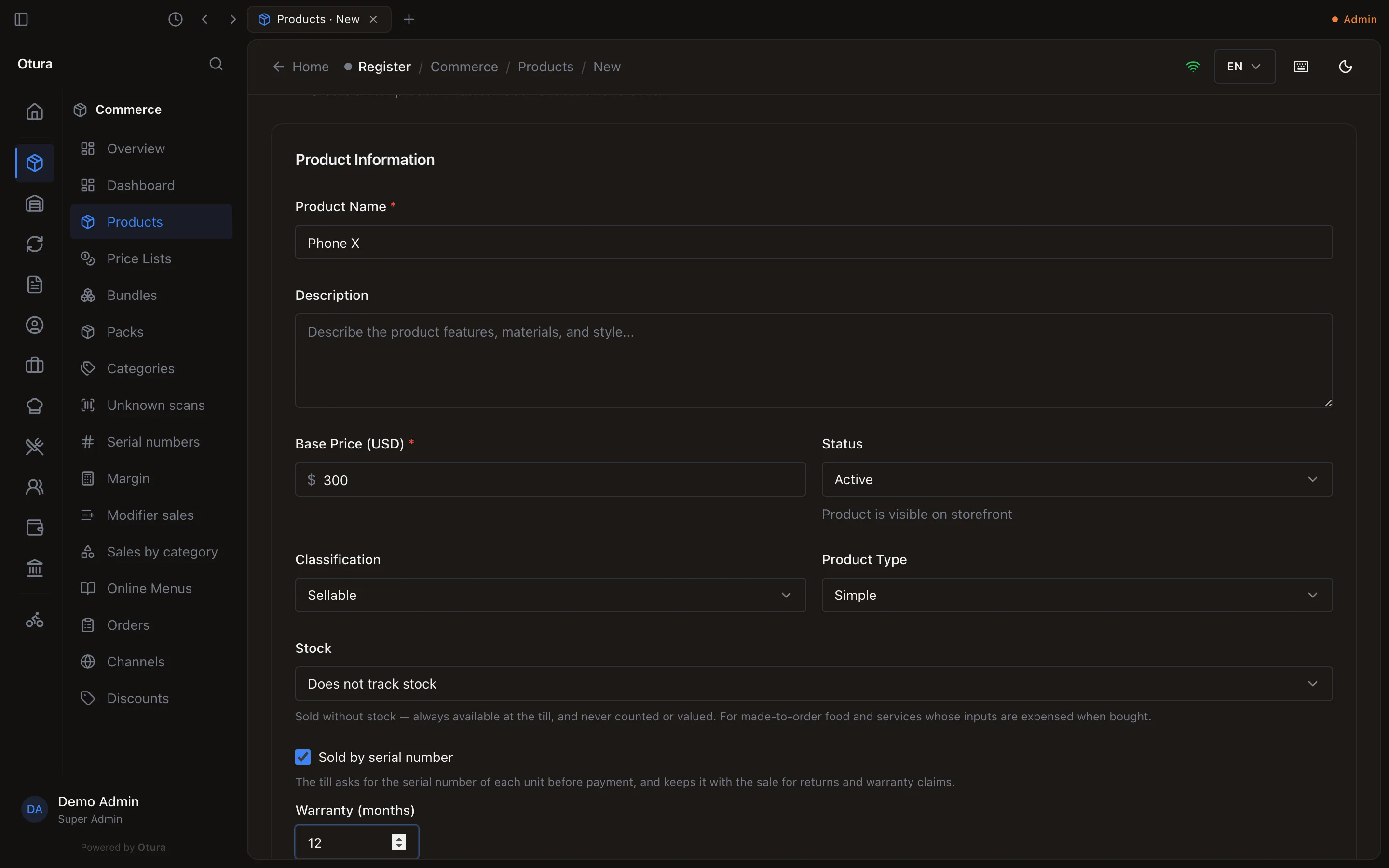
On the product's page, tick Sold by serial number. A Warranty (months) box appears: from 1 to 240, or empty for no warranty. The warranty is counted from the day of sale and kept with each unit sold, so changing it later does not change what earlier customers were sold.
Selling one
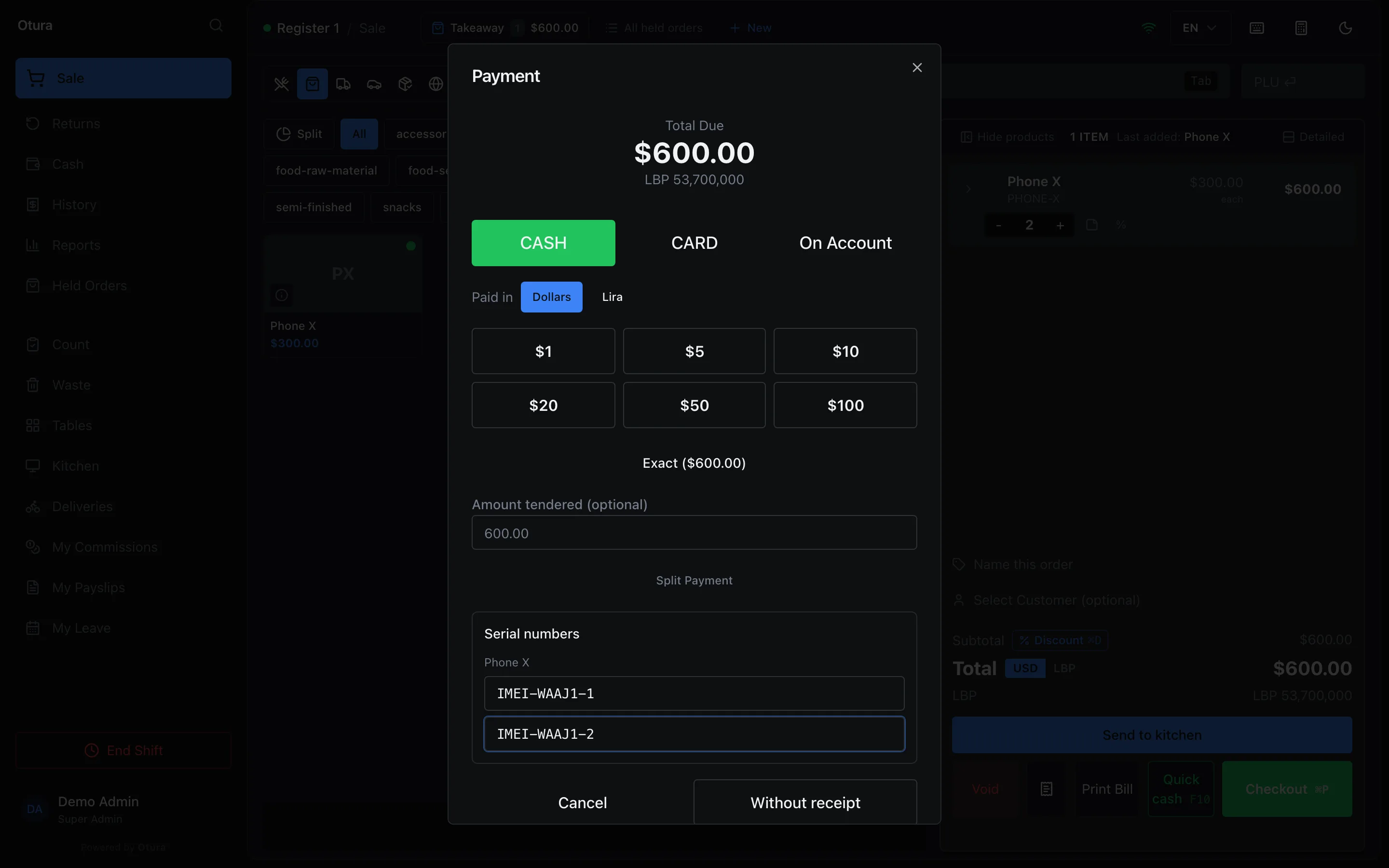
When the order has a product sold by serial number, the payment screen shows Serial numbers with one box per unit. A pack counts its units: two boxes of three drills ask for six serials. Scan or type each one. A scanner's Enter moves to the next empty box; it never takes the payment, so the last scan cannot ring the sale up before you have looked at the tender. Payment waits until every unit has a serial and no serial is given twice. With quick cash, the payment screen opens anyway, so the serials can be scanned.
Serials are kept in one spelling, in capitals with single spaces, so imei 001 and IMEI 001 are the same unit. A serial already sold and not returned refuses the sale, naming the sale it went out on.
A sale taken while the till is offline carries the serials scanned with it and records them when it is sent. It is never refused for them, because it has already happened at the counter.
A till not yet updated to ask for serial numbers keeps selling: its sales are kept without serials. Update every till that sells these products, so each unit sold is on record.
Returns and voids
When every unit of a product on a sale comes back, its serials are freed without asking. When only some do, the return asks Which … came back? with the serials still out on that sale: tick the ones in the customer's hand. Process Return waits until that many are ticked. A sale sent from an offline till without every serial says so, and lets you tick fewer, or none, so a unit with no serial on record never frees one that is still with a customer. A partial return taken on a till not yet updated for serial numbers frees none; the units stay out until a return that names them. A voided sale frees all its serials. A freed serial can be sold again. See Returns and exchanges.
On the receipt
The receipt prints the serial numbers under the line that sold them, as S/N: IMEI-001, IMEI-002, with Warranty until and the warranty's last day when the product has one. A product rung on two lines has its serials under the first. To leave them off, switch off Serial numbers and warranty in the receipt's sections (see Receipt settings).
Looking a unit up
Open ProductsSerial numbers, scan or type the serial and click Find. Every sale it went out on is listed, newest first: the product, the sale number, when it was sold, the warranty's last day, and whether it came back. Each one is marked Under warranty, Warranty ended, No warranty or Returned; a unit from a voided sale shows Sale voided. The page needs the right to view the catalogue.