Tracked and untracked items
Choose whether selling an item reduces its stock. Goods you count, and dishes with a recipe, are tracked; services and fees usually are not.
Checked against the product on 13 October 2026
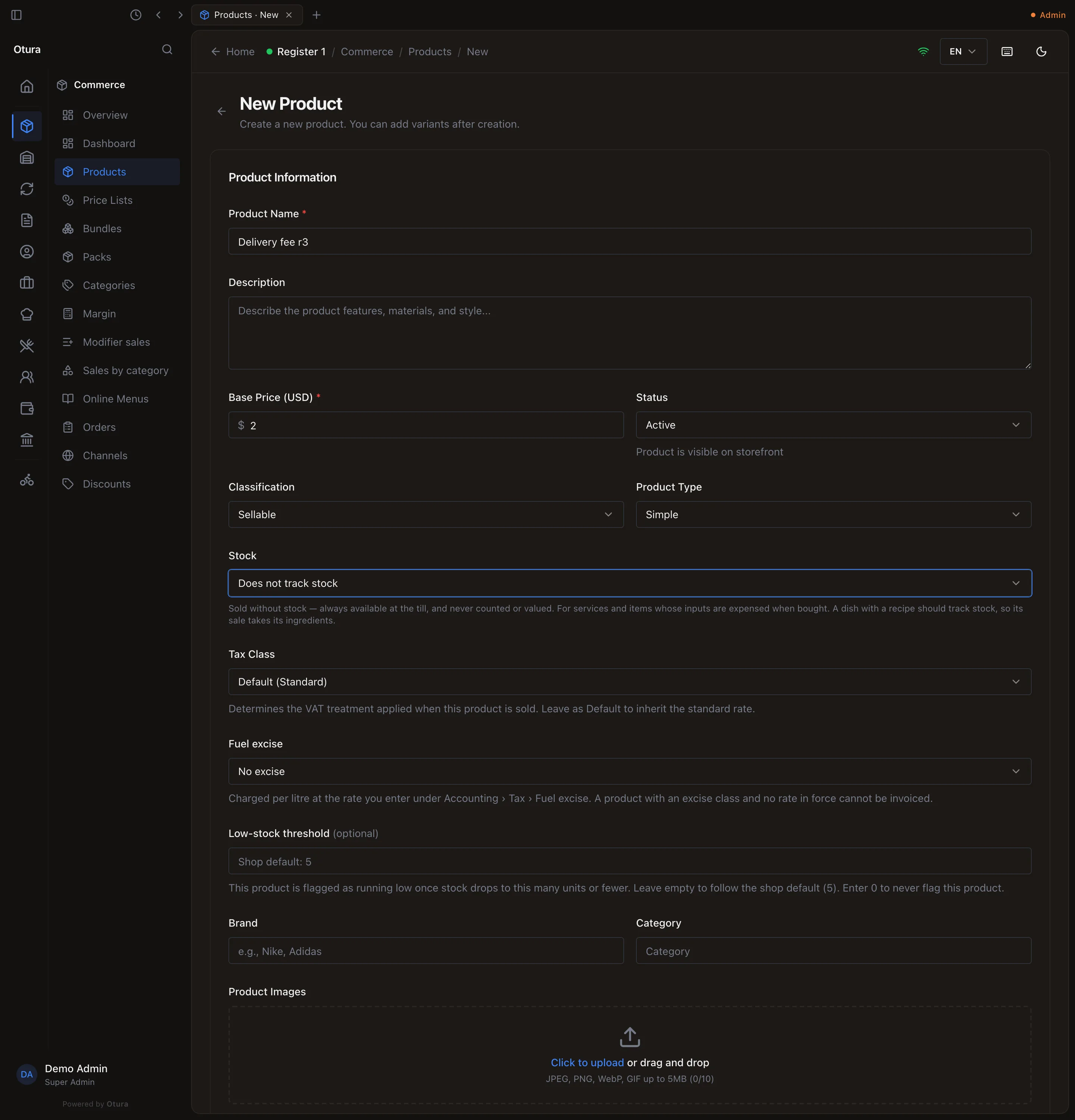
Every product has a Stock setting on its form, with two choices. It applies to all of the product's variants. Bulk Upload sets it from the file's Stock Tracking column.
| Setting | What it means | Use it for |
|---|---|---|
| Tracks stock | “Selling this reduces its stock, and it cannot be sold once it runs out.” The default. | Anything you buy in and count: shoes, drinks, groceries, ingredients. |
| Does not track stock | “Sold without stock — always available at the till.” No stock is needed and none is deducted. | Services, delivery or service fees, and items whose inputs you expense when bought. Not a dish with a recipe: its sale would take no ingredients. |
What changes
| Tracks stock | Does not track stock | |
|---|---|---|
| Can it be sold with no stock? | No — the till refuses it, and it is hidden while “Hide out of stock” is on. A dish made to order from a recipe needs only its ingredients. | Yes, always |
| Does a sale reduce stock? | Yes, at the register’s location | No |
| Cost of goods on the sale | Recorded from the stock sold | None |
| Recipe ingredients deducted? | Yes, for a made-to-order dish — see Recipes | No — a recipe on an untracked product is ignored |
| Purchase orders and goods receipts | Yes | Refused |
| Quick Count at the till | Yes | Refused, naming the item |
| Products list stock column | The quantity on hand | “not tracked” |
| Running low / Out of stock filters | Included | Never flagged |
A purchase order for an untracked product is refused with: “… does not track stock, so it cannot be ordered on a purchase order. Record its purchase as a supplier invoice instead, or set the product to track stock.” A goods receipt is refused the same way (“…cannot be received on a goods receipt…”). Record what you buy for it on a supplier invoice with Receive stock switched off.
Negative stock
Otura never lets a tracked item's stock go below zero, and there is no setting to allow it. If you need to sell something before its stock is entered, either receive the stock first or set it to Does not track stock.
A tracked item can also be refused while it has stock, when all of that stock is past its expiry date and the shop does not sell expired stock. See Never selling expired stock.
The same form has Sold by serial number, for phones, tools and appliances. See Serial numbers.
Switching an item between the two
- Tracked → untracked while it holds stock: the stock stays where it is, frozen. Sales stop reducing it, but it still shows on the Inventory screen and in stock valuation. Adjust it to zero first if you no longer want it counted.
- Untracked → tracked: sales start reducing stock immediately. If the item has no stock record at the register's location it becomes unsellable at once — receive stock first.