Modules and plans
The parts of Otura your plan includes, switching one off when you do not use it and back on, and what a page belonging to a module that is off says.
Checked against the product on 22 October 2026
Otura is made of modules: Point of sale, Inventory, Staff, Payroll, Accounting, Restaurant and so on. Your plan decides which ones the business may use; SettingsModules lists them all, grouped, with the plan at the top. A module turned off takes its pages, menu entries and actions away for everyone in the business; nothing it recorded is deleted.
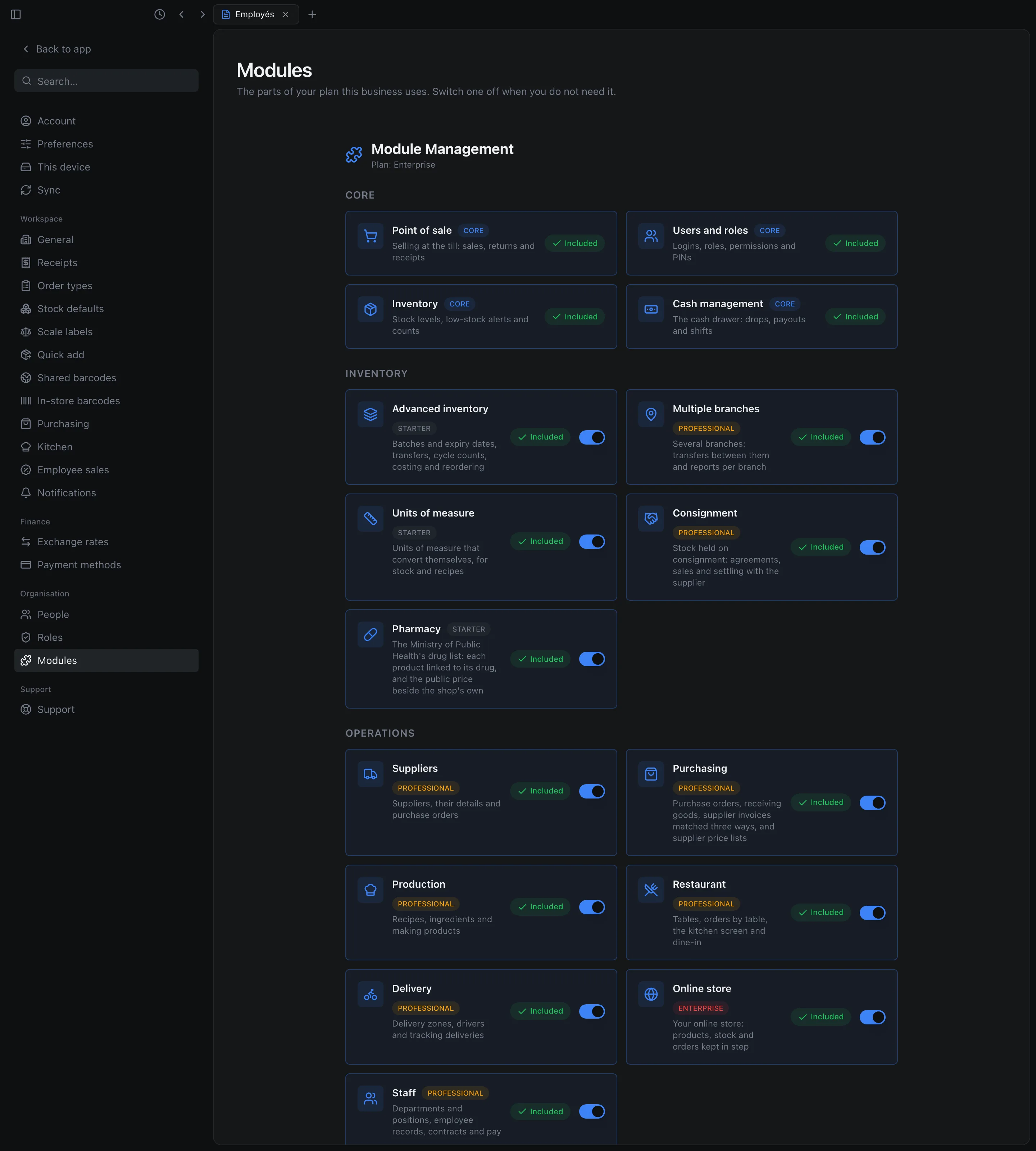
- Core modules are always on and have no switch.
- A module in your plan is marked Included and has a switch. One that is not in your plan is marked Not in your plan, with Upgrade.
- A few modules are in no plan: Otura turns them on for one business at a time, on request. Until then they are marked On request, with Contact Otura; once turned on, they are Included like the others. Add tills is one: it lets the business add registers beyond its first (see Adding a register).
Switching a module off, and on
Off
Click the module's switch. Otura asks first, and names any module that goes off with it because it depends on this one. Click Turn off.
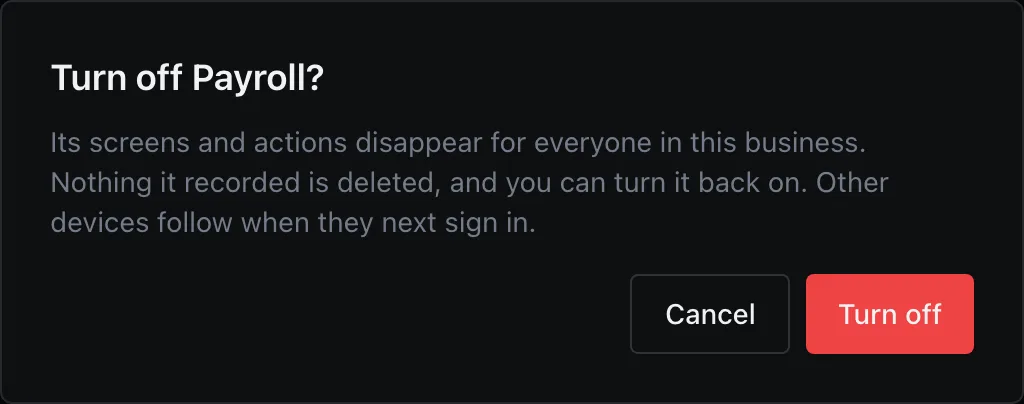
Turning Payroll off. On
Click the switch again: it is on at once, and nothing is asked.
A page whose module is off
Its menu entries are gone. Opening one of its pages from a bookmark or an old link says which module it needs: This needs the Payroll module, which this business doesn't have turned on. An owner can turn it on in Settings › Modules, or add it to the plan. Someone allowed to see Settings › Modules also gets Open Settings › Modules under it.
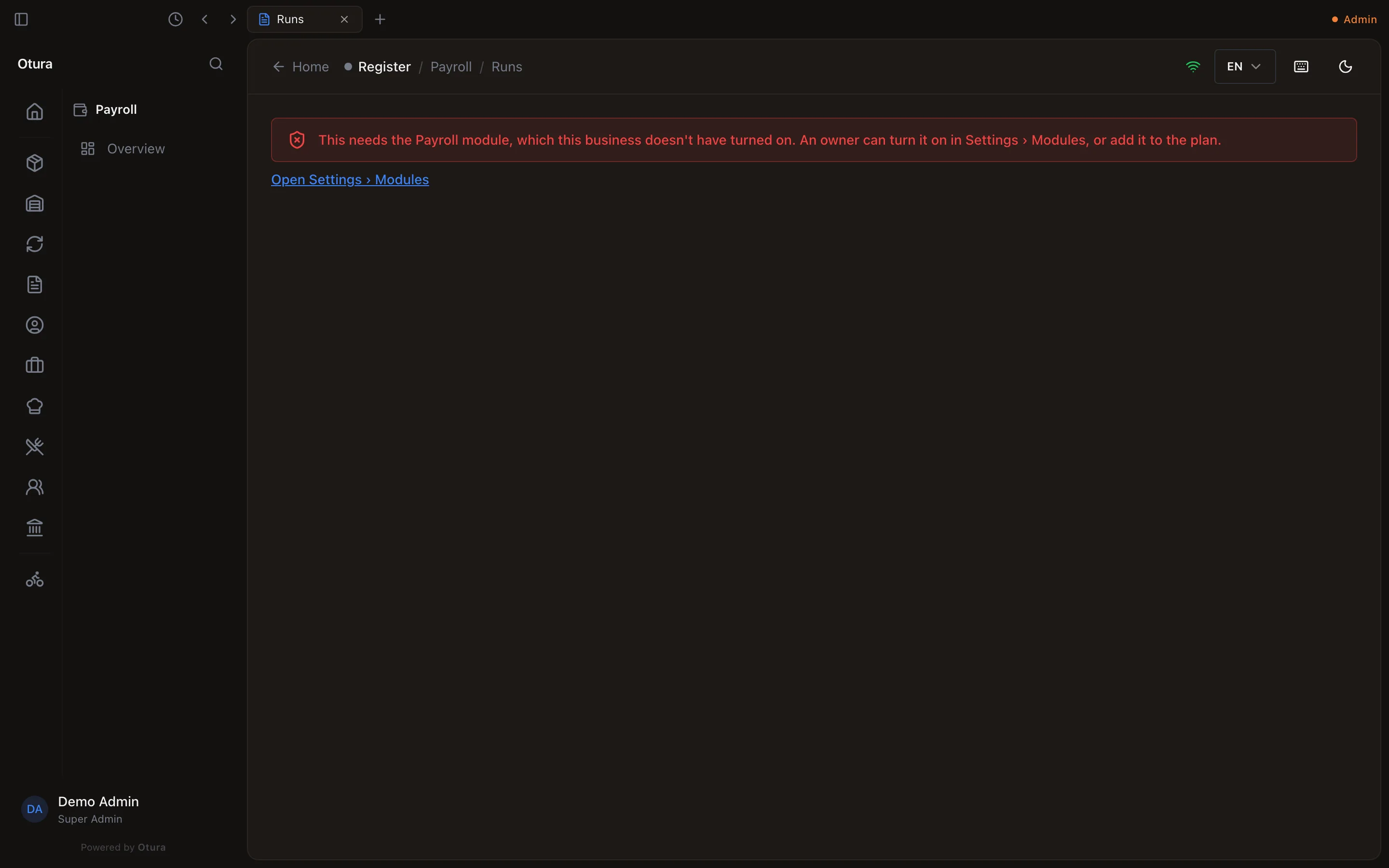
That is different from a page refused for a missing permission, which no module switch fixes: see Roles and permissions.
When your provider changes your plan
Your plan, and any module added to it for you, is set by your provider. When they change it, the server applies the change straight away:
- A module the new plan does not include is refused from your next action, with the message above. Anything it recorded is kept, and comes back if the module does.
- A module the new plan adds can be used from your next action.
- A module your provider added for you on top of the plan stays when the plan changes, until they remove it.
- On a trial, you have every module of the plan you are trying, as a paying business on that plan does.
The menus catch up the next time each device signs in, as they do after a switch.