Journal entries
Type a journal entry in dollars or in lira, finding each account by its code or name, keep it as a draft until it is right, then post it, reverse it or discard it.
Checked against the product on 13 October 2026
Most entries in your books are written by the documents that cause them: a sale, a supplier bill, a payment, the count at End of Day. A journal entry is for everything else — rent paid by the owner, an accrual, a correction, cash the owner puts into the safe. You type it on FinanceAccountingLedgerJournal Entries, and it is filed in the month of its date: see Fiscal years, month-end and year-end close.
Before the first entry
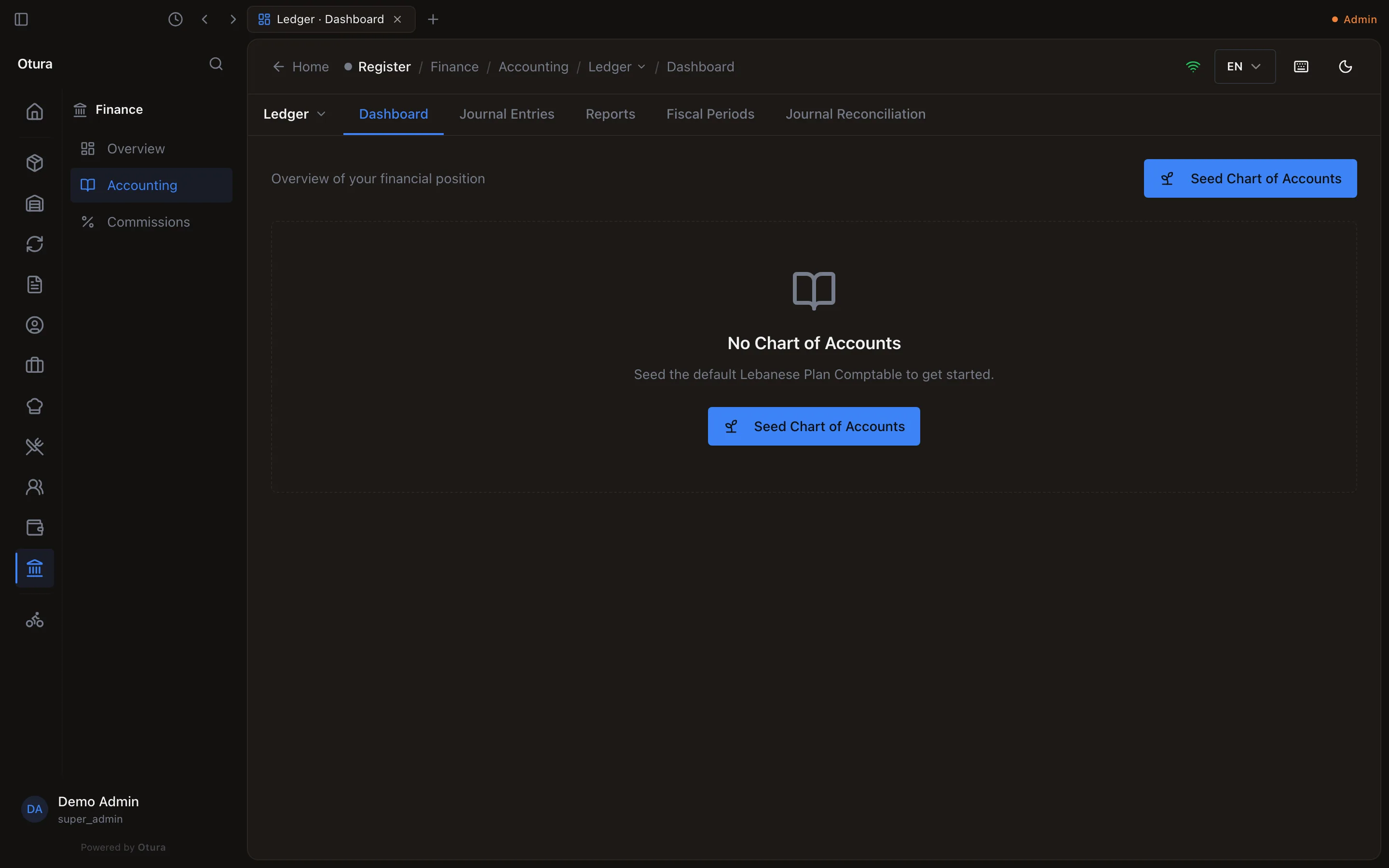
The books need a chart of accounts and a fiscal year. A business with no accounts sees Seed Chart of Accounts on FinanceAccountingLedgerDashboard. It adds the standard Lebanese chart (the codes this page uses, such as 5120 Bank Account - USD), the accounts Otura posts to automatically, and, if the business has no fiscal year yet, one for the current calendar year. The button is offered only to someone who may set up the chart, and disappears once there are accounts.
Type an entry
Open New Entry
On Journal Entries, press New Entry.
Date and description
Date starts at today. Fiscal Year and Fiscal Period fill themselves in from the date: you do not choose them. If no year covers the date yet, the form says No fiscal period covers this date yet. and offers Open the fiscal year for this date (see the next year). Description is optional.
The lines
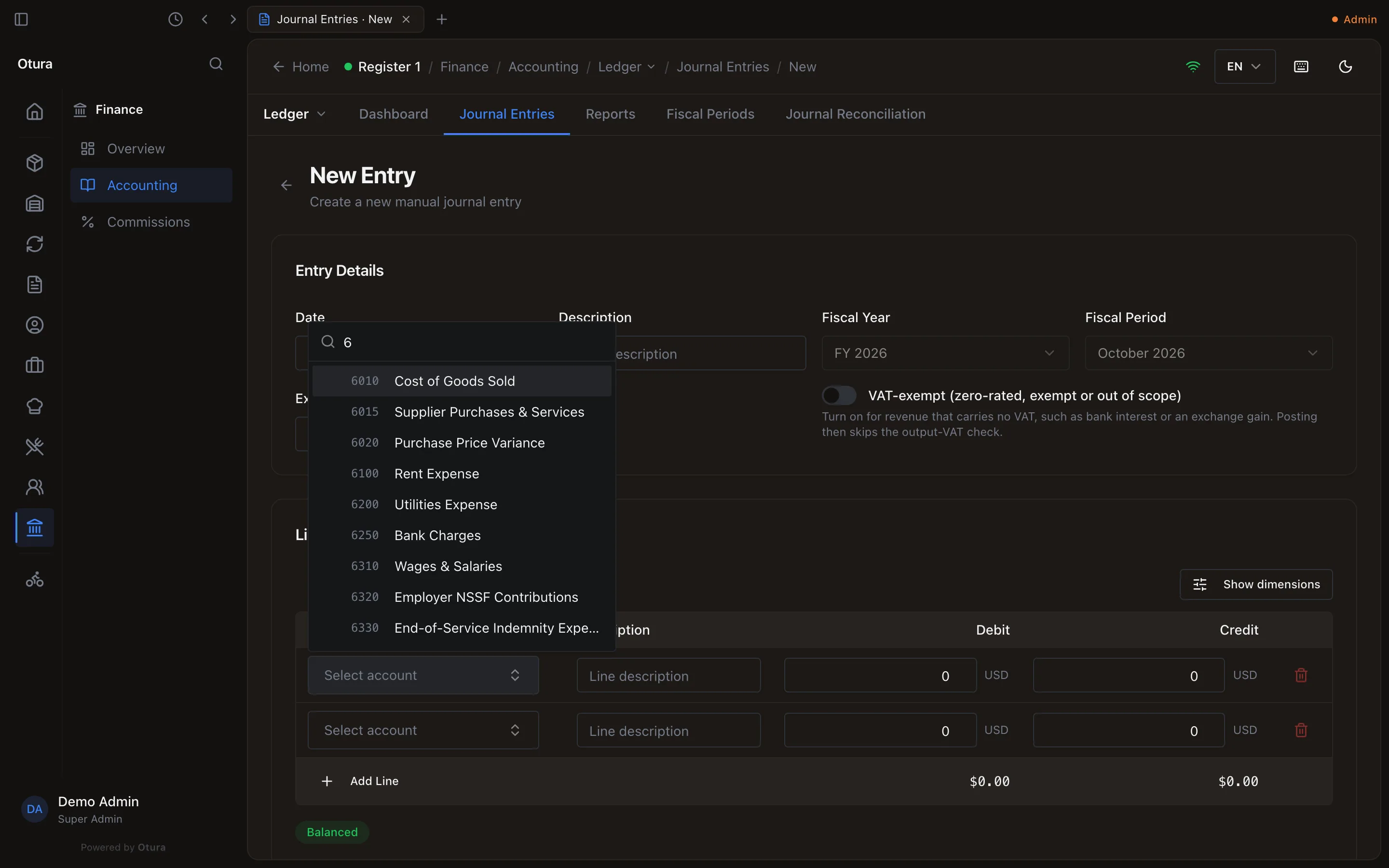
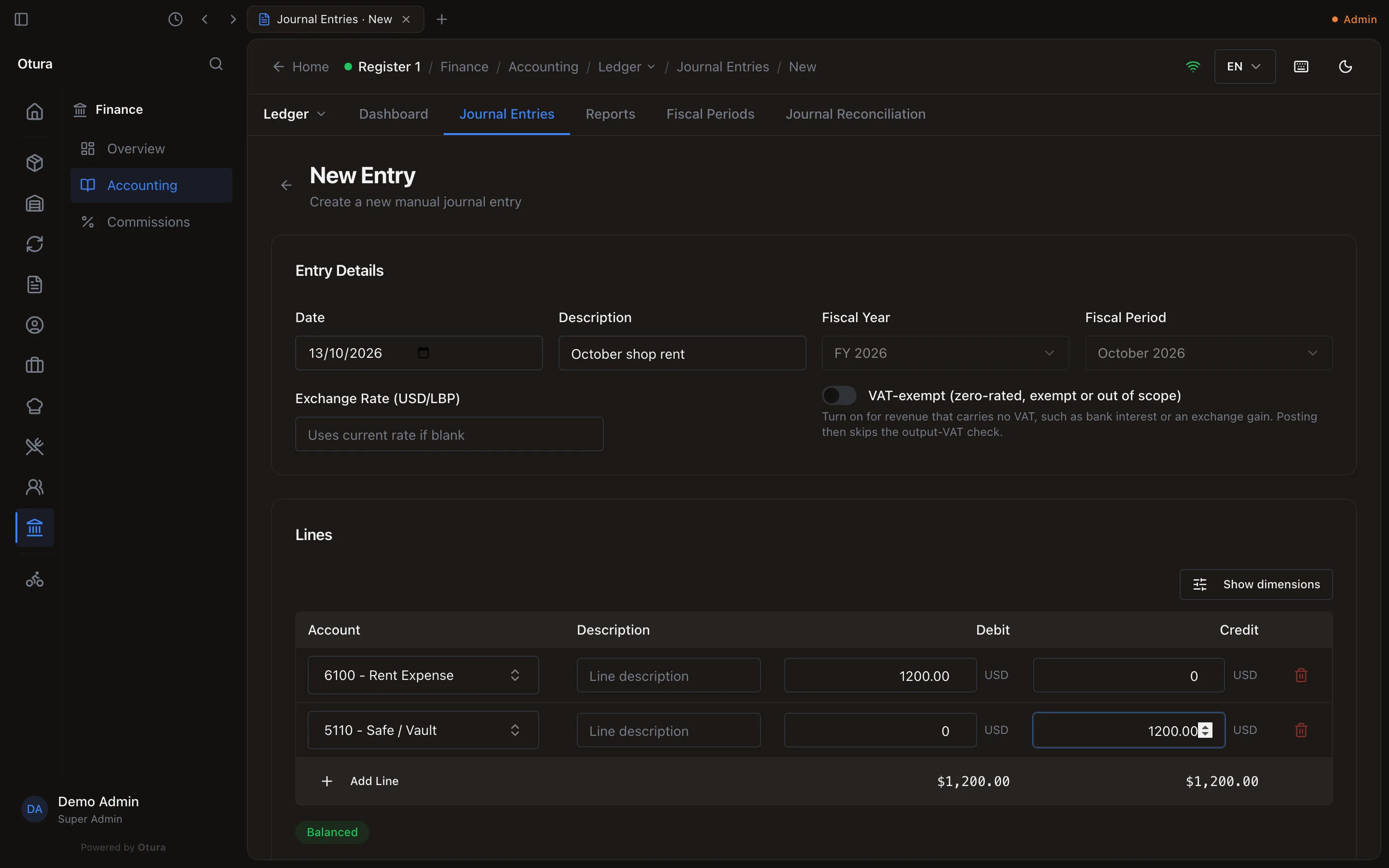
Each line takes an Account, an optional Description, and an amount in Debit or Credit — not both. Find the account by typing the start of its code or a word of its name in Code or name. Only active accounts are offered, and not the headings other accounts sit under (6000 Operating Expenses, for example): you post to the accounts beneath them. If the account is not in your chart yet, Add Account at the bottom of the list opens the chart's own form with what you typed, and the new account is put on the line. The form starts with two lines; Add Line adds more, and the bin removes one while there are more than two. If the business tags entries with dimensions (cost centre, department, channel, project), Show dimensions adds them under each line.
Balance it
The totals sit under the lines, with Balanced or Unbalanced by and the difference. The entry cannot be saved until debits equal credits.
Save it
Press Save as draft at the bottom of the form. The entry is saved as a Draft, with its number: nothing reaches the ledger until it is posted.
A line on a lira account
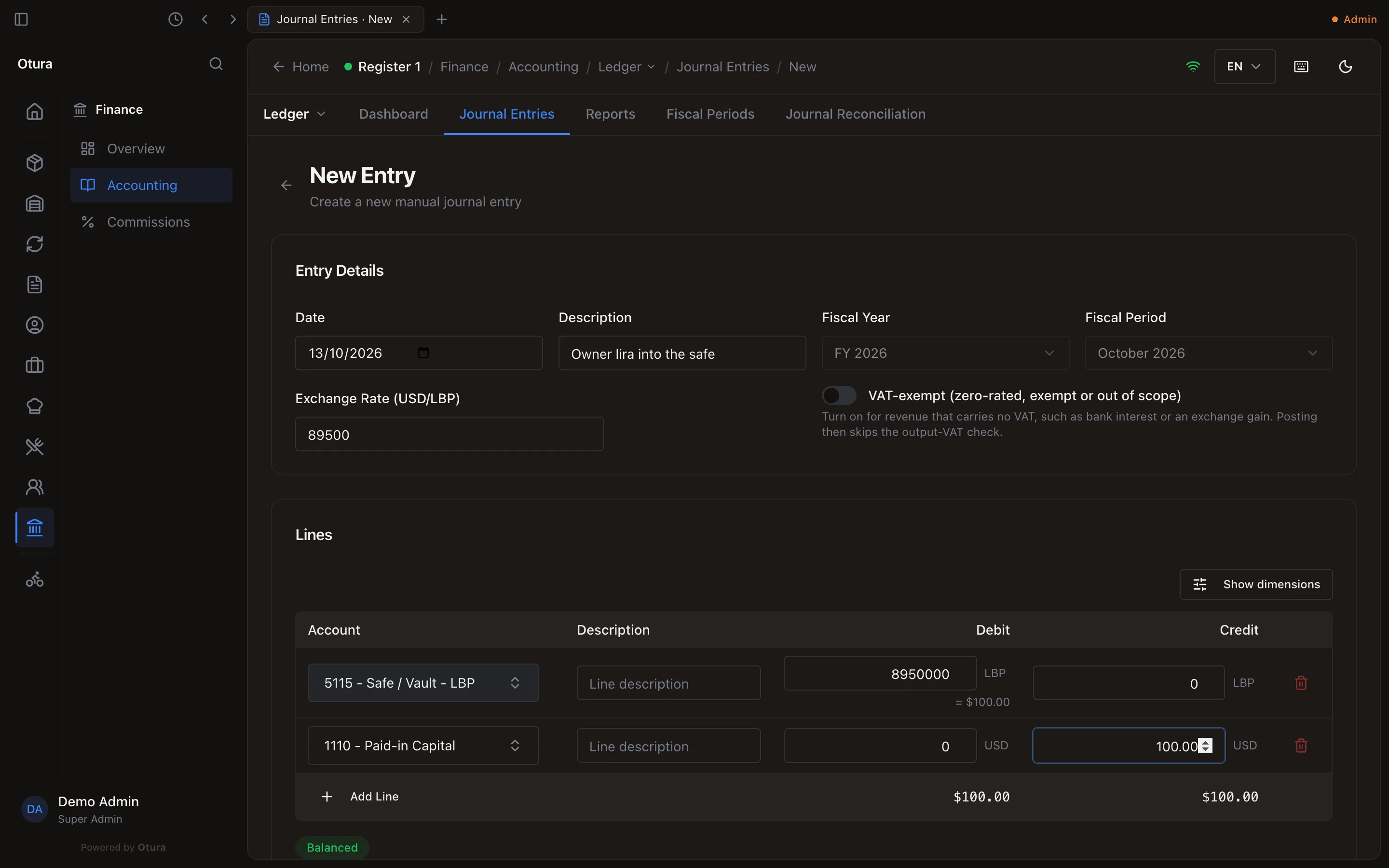
On a lira account — in the standard chart 5105 Cash Register - LBP, 5115 Safe / Vault - LBP and 5130 Bank Account - LBP — the line takes the lira you counted, tagged LBP, and shows its dollars beneath (= $100.00). The dollars are worked out at the rate in Exchange Rate (USD/LBP), or at today's rate (SettingsFinanceExchange rates) when you leave it blank. The entry balances in dollars. If there is no rate to use, the form says A lira line needs an exchange rate. Type the rate the lira was counted at. and will not save.
Changing a line to an account in the other currency clears its amounts, so dollars are never read as lira or the other way round.
Drafts
Click an entry on the list to open it. A draft you typed has Post, Discard and Edit.
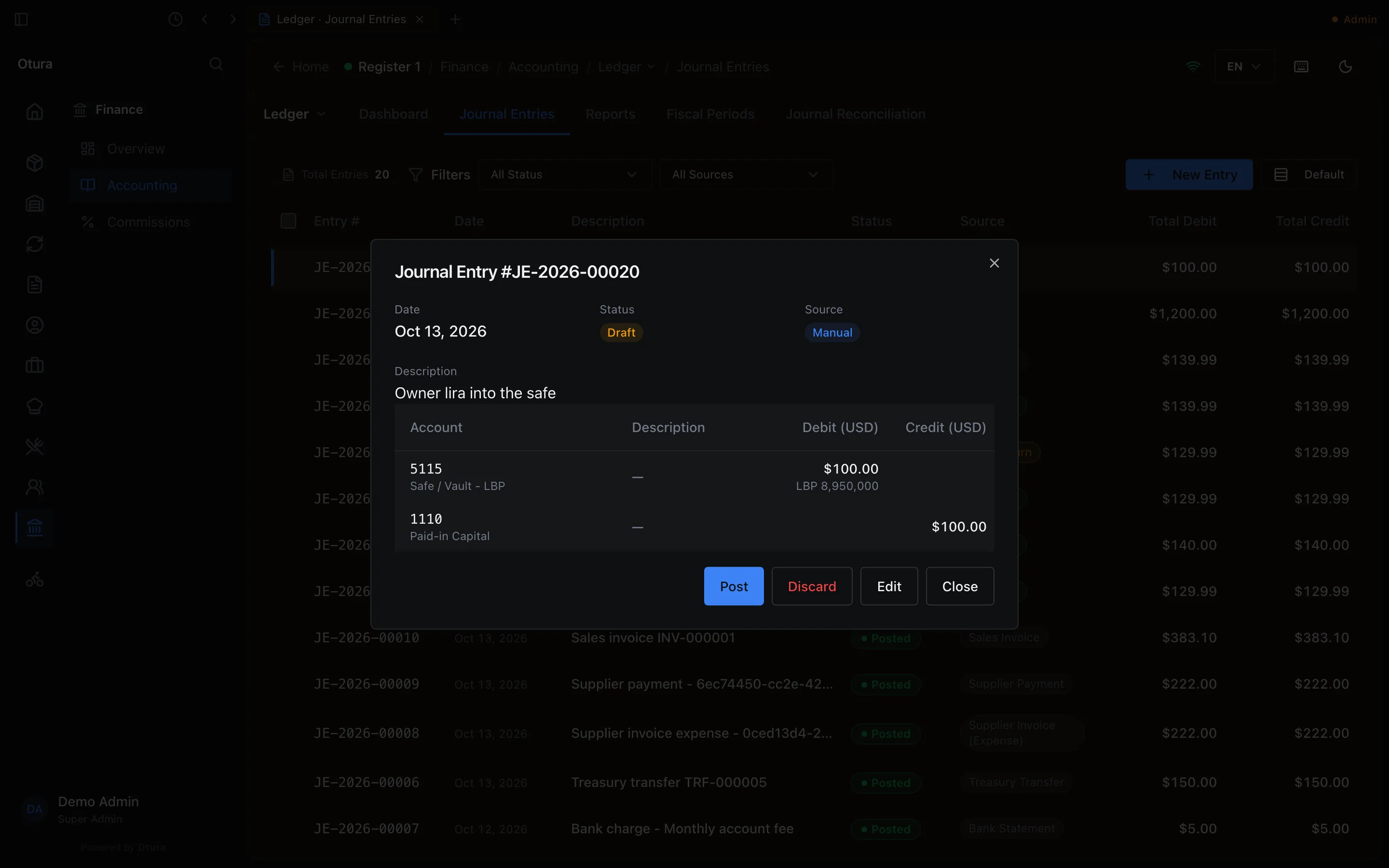
- Edit opens it in the form (Edit entry JE-…); Save changes keeps it a draft.
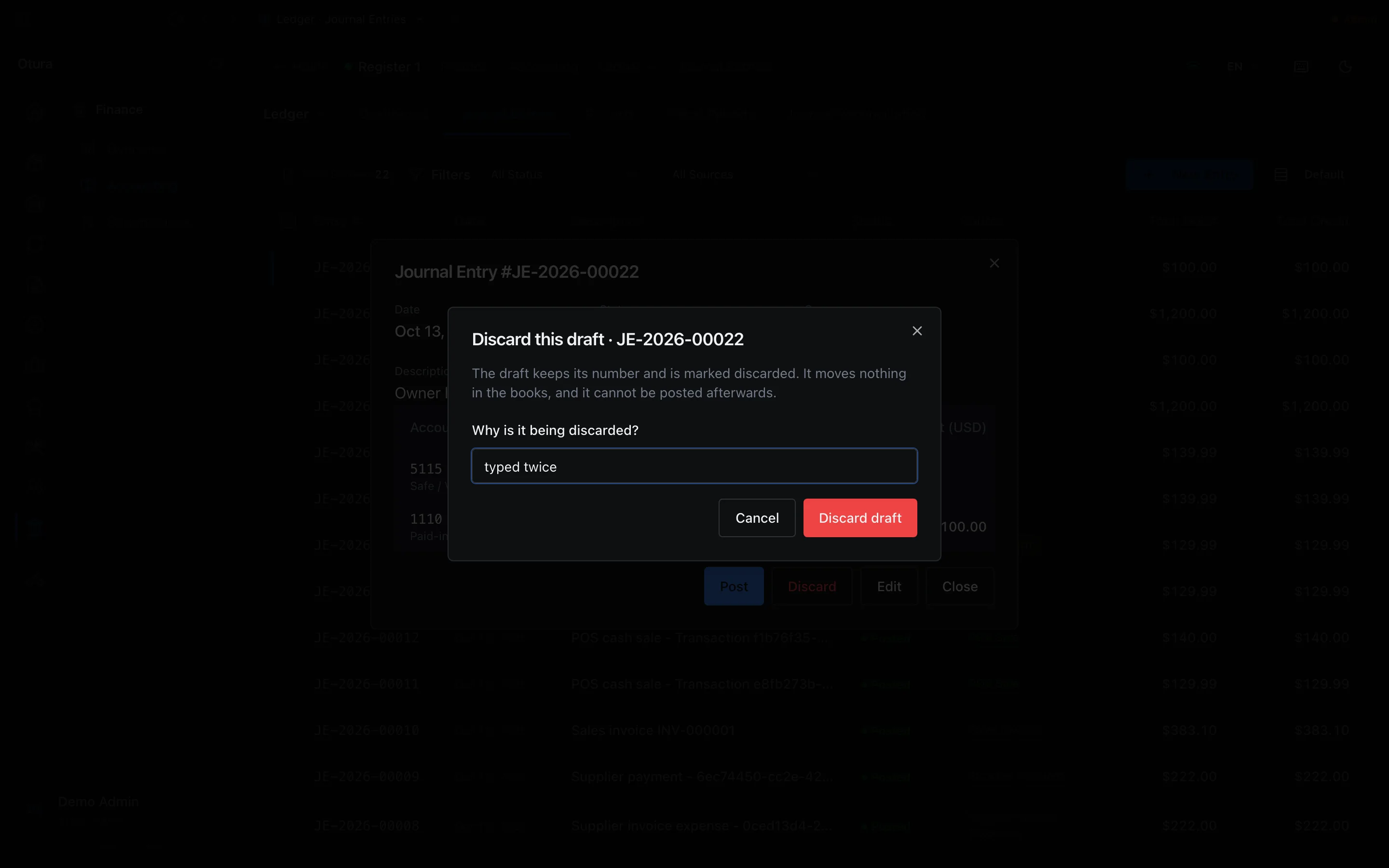
- Discard asks Why is it being discarded? — a reason is required — and Discard draft marks it Discarded. The draft keeps its number and is marked discarded. It moves nothing in the books, and it cannot be posted afterwards. Discarded entries are left off the list unless you choose Discarded in the status filter.
A draft is filed in the month of its date. A month that is closed or locked takes no new draft: dated in one, the form says, for example, May 2025 (Locked): an entry can only be filed into an open month. Date it in an open month. and will not save. A draft already in a month when it is closed stays a draft and cannot be posted there; see Close a month.
Post
Posting puts the entry's lines on the ledger. There are two ways:
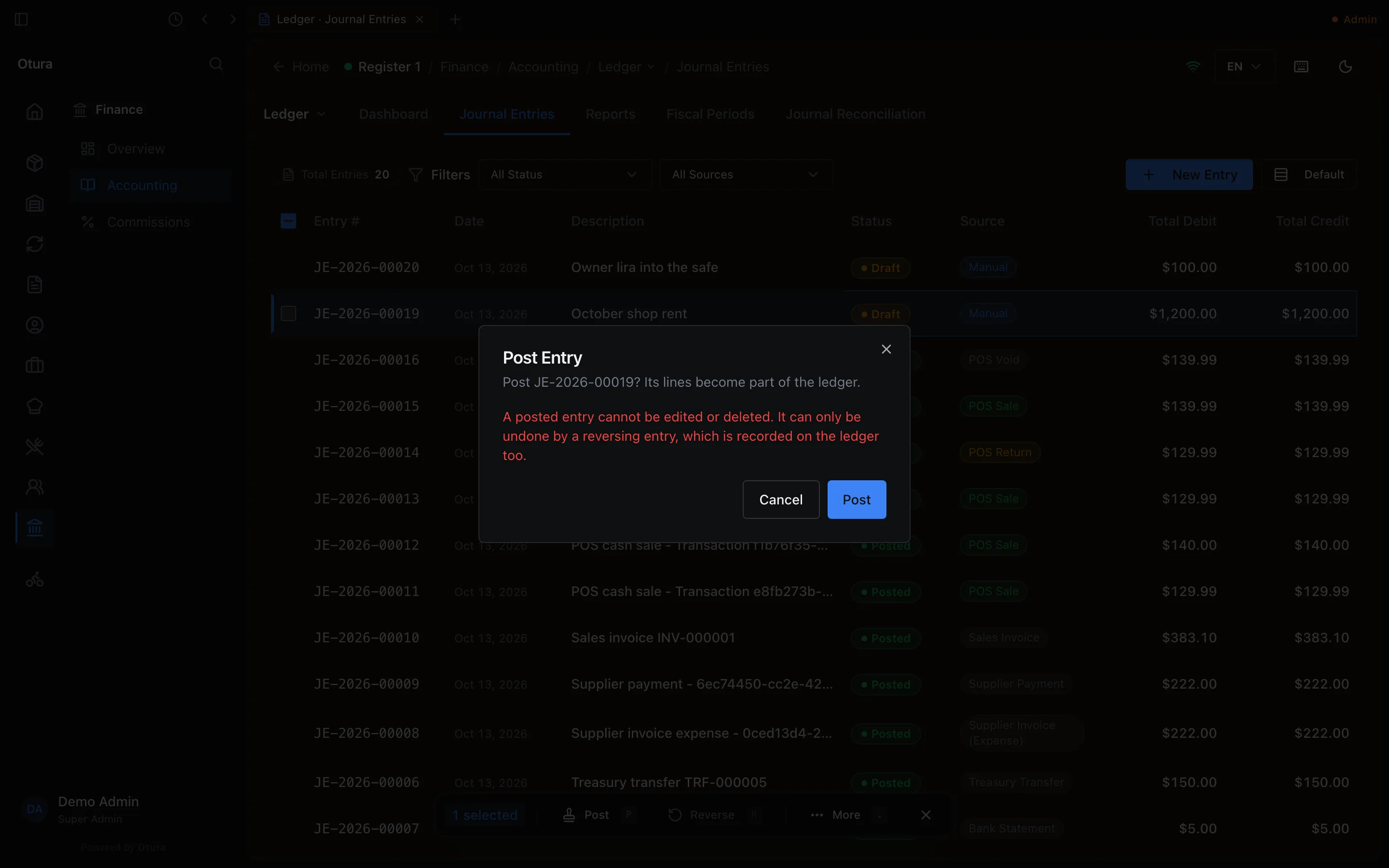
- On the list, tick one or more drafts and press Post (or the P key). It asks first: Post JE-…? Its lines become part of the ledger. A posted entry cannot be edited or deleted. It can only be undone by a reversing entry, which is recorded on the ledger too. Several drafts post together or not at all.
- In an open draft, Post posts it at once, with no question: you are looking at it.
Otura refuses to post an entry that:
- is not balanced, or has fewer than two lines;
- is dated in a month that is not open;
- uses an account that has since been made inactive;
- leaves out a dimension one of its accounts requires;
- credits a revenue account without the output VAT that goes with it — Revenue of $… must be accompanied by approximately $… of output VAT (11%). Add the VAT line on 4420 VAT Output / Payable, or, for income that carries no VAT (bank interest, an exchange gain), turn on VAT-exempt (zero-rated, exempt or out of scope) under the date before saving.
An entry dated on a day whose cash has already been counted at End of Day is refused with the reason, and Post anyway lets someone with Post to the books post it regardless.
A posted entry on a lira account keeps the lira you typed: the detail shows it under the dollars on that line.
Reverse a posted entry
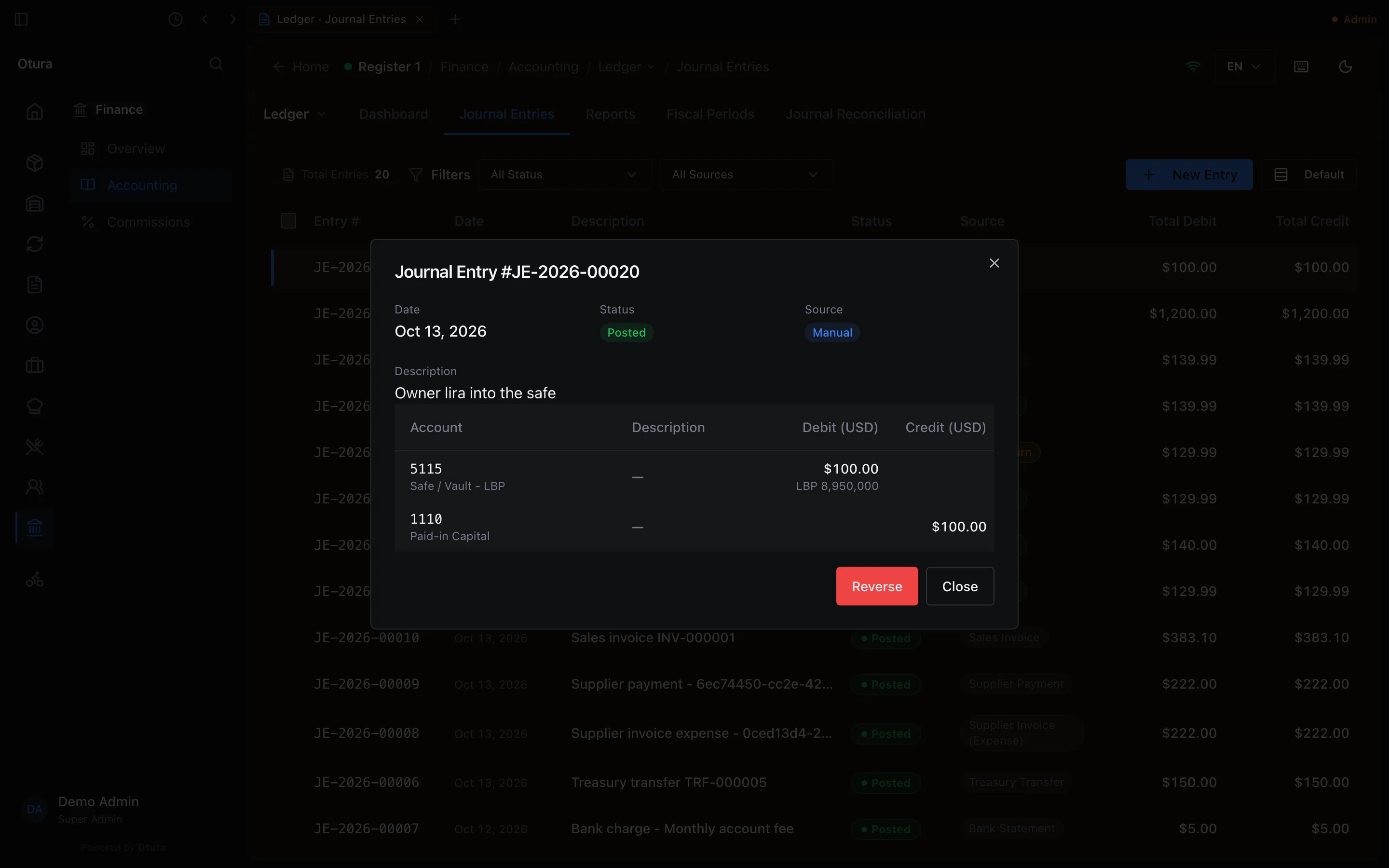
A posted entry is never edited. To undo one you typed, open it and press Reverse (or tick it on the list and press R), give the Reason for reversal, and press Confirm Reverse.
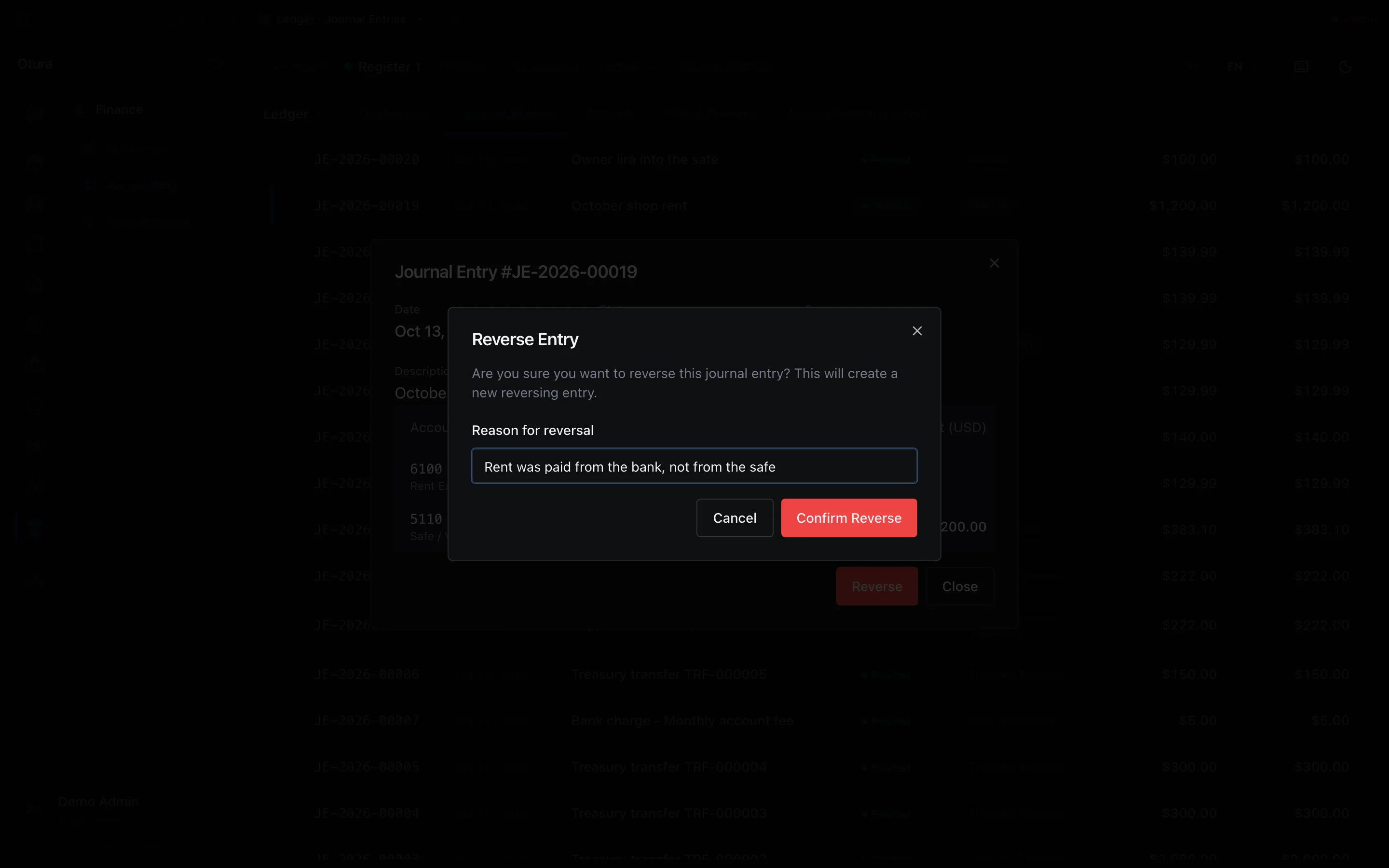
What it does in the books:
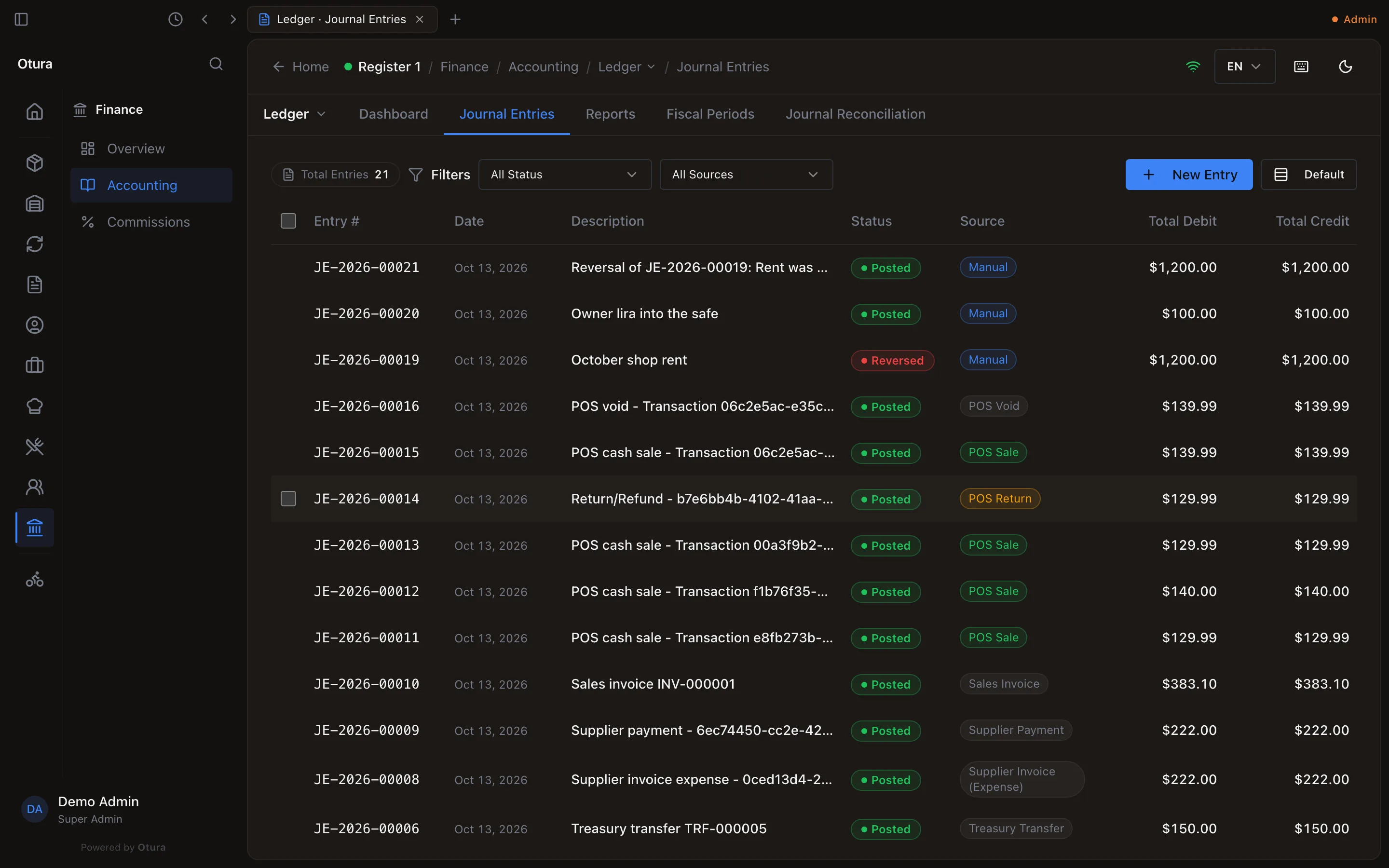
- It posts a new entry, Reversal of JE-…: followed by your reason, with every debit and credit swapped, in dollars and in lira, at the original's rate. It is dated today and filed in today's month; you do not choose its date.
- The original stays on the ledger, marked Reversed.
Reverse is refused when:
- the entry is itself a reversal. Its detail has no Reverse, and on the list it says A reversing entry cannot be reversed again. To put the original amounts back, post them as a new entry.
- the entry was posted by a document — a sale, a bill, a payment. The detail says Posted by … Undo it from that document, so the document and its books move together. Void or reverse the document instead;
- the original is in a closed month: … is in a closed period, so it cannot be reversed without changing figures already signed off. Post a correcting entry dated today instead.
- today's month is not open.
Find an entry
The list shows every entry, newest date first, 20 to a page: Entry #, Date, Description, Status, Source, Total Debit and Total Credit (in dollars). Source is Manual for entries typed here and names the document for the rest (Supplier Payment, Purchase Return, Day Close, …). Narrow it with the status filter (Draft, Posted, Reversed, Discarded) and the source filter.
Entry numbers run JE-2026-00001, JE-2026-00002, … The year in the number is the year the entry was typed, not its date: an entry dated 31 December 2025 and typed in January 2026 is numbered JE-2026-….
Months, closing and the year end
Closing and locking months, the year-end close and the next year are on their own page: Fiscal years, month-end and year-end close.