Leave: requests, balances and self-service
Leave types, an employee’s opening days, recording and approving a request, and how an employee asks for time off from My Leave.
Checked against the product on 13 October 2026
PeopleLeave has three tabs: Requests, the inbox where leave is approved; Leave Types, the kinds of leave your shop gives; and Balances, the days each employee has. Approving a request spends days from the employee's balance, and unpaid leave is taken off their next payslip (Payroll).
Recording and approving a request
New Request
On Requests, click New Request and choose the Employee. If your shop has no leave type yet, choose New leave type… at the end of the Leave Type list, type its name (Annual leave) and click Add. A type made here is paid and needs approval; change that, or give it accrual, on Leave Types.
The dates
Choose the Start Date and End Date. Days is counted for you, both dates included (Monday to Friday is 5). Type your own for a half day, such as 0.5.
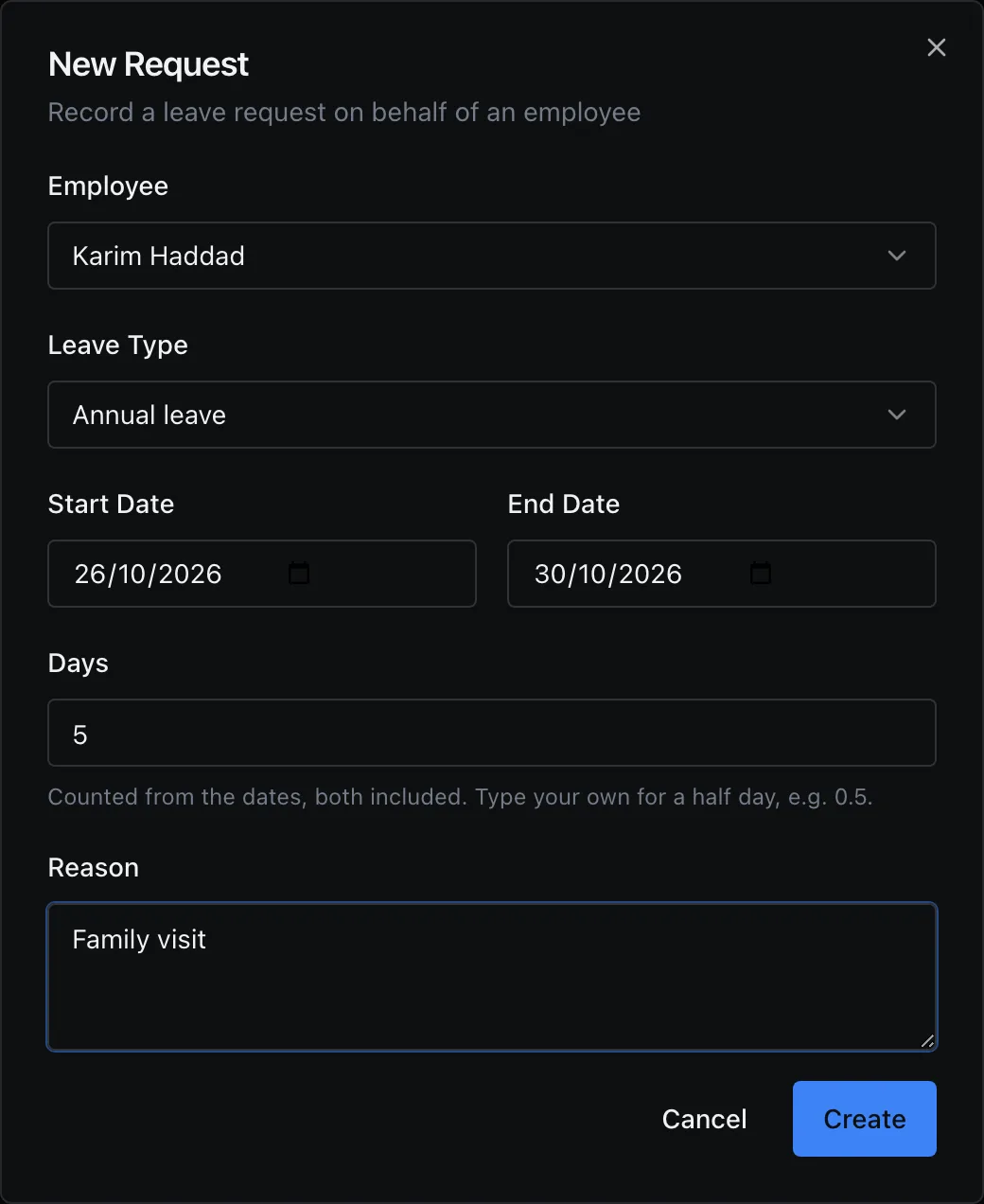
A week of annual leave: the days are counted from the dates. Approve
Click Create: the request is Pending. Right-click it and choose Approve…, add Review Notes if you like, and click Approve. Its days come off the employee's balance. Approve selected and Reject selected decide several at once.
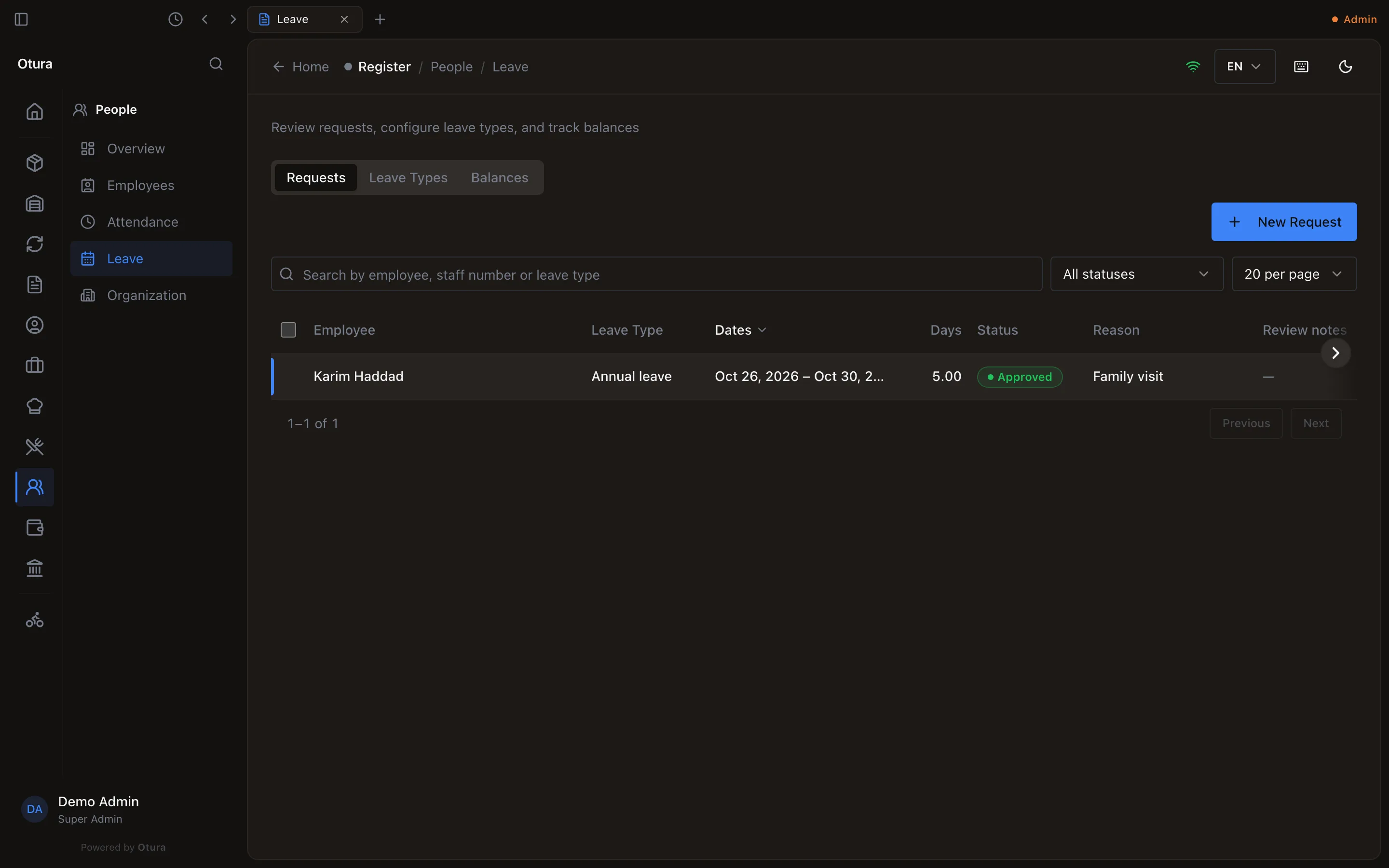
The request, approved.
An employee cannot have two requests over the same days: a second one while the first is pending or approved is refused, This employee already has pending leave from … to …, which covers some of these days. Rejecting or cancelling the first frees the days.
Balances, and opening days
A request is approved only if the employee has the days: otherwise Insufficient leave balance: 0 available, 5 requested, unless the leave type Allow negative balance. Days come from two places:
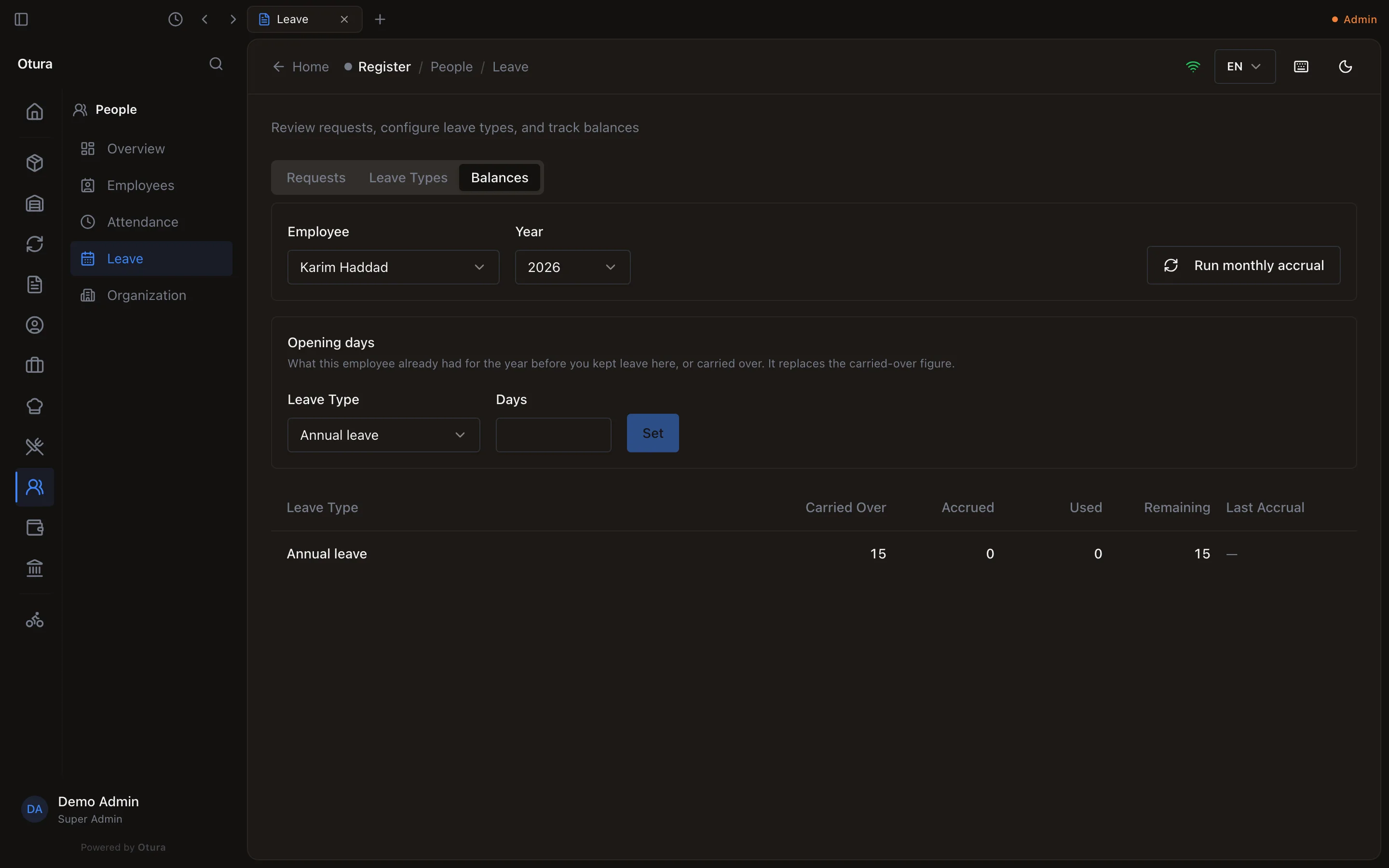
- Opening days: what the employee already had for the year when you started keeping leave in Otura, or carried over from last year. On Balances, choose the employee and the year, then under Opening days choose the Leave Type, type the Days and click Set. It replaces the carried-over figure; it cannot be set below the days already used.
- Accrual: a leave type with a monthly accrual rate adds that many days to everyone each month, when someone clicks Run monthly accrual.
Asking for leave yourself
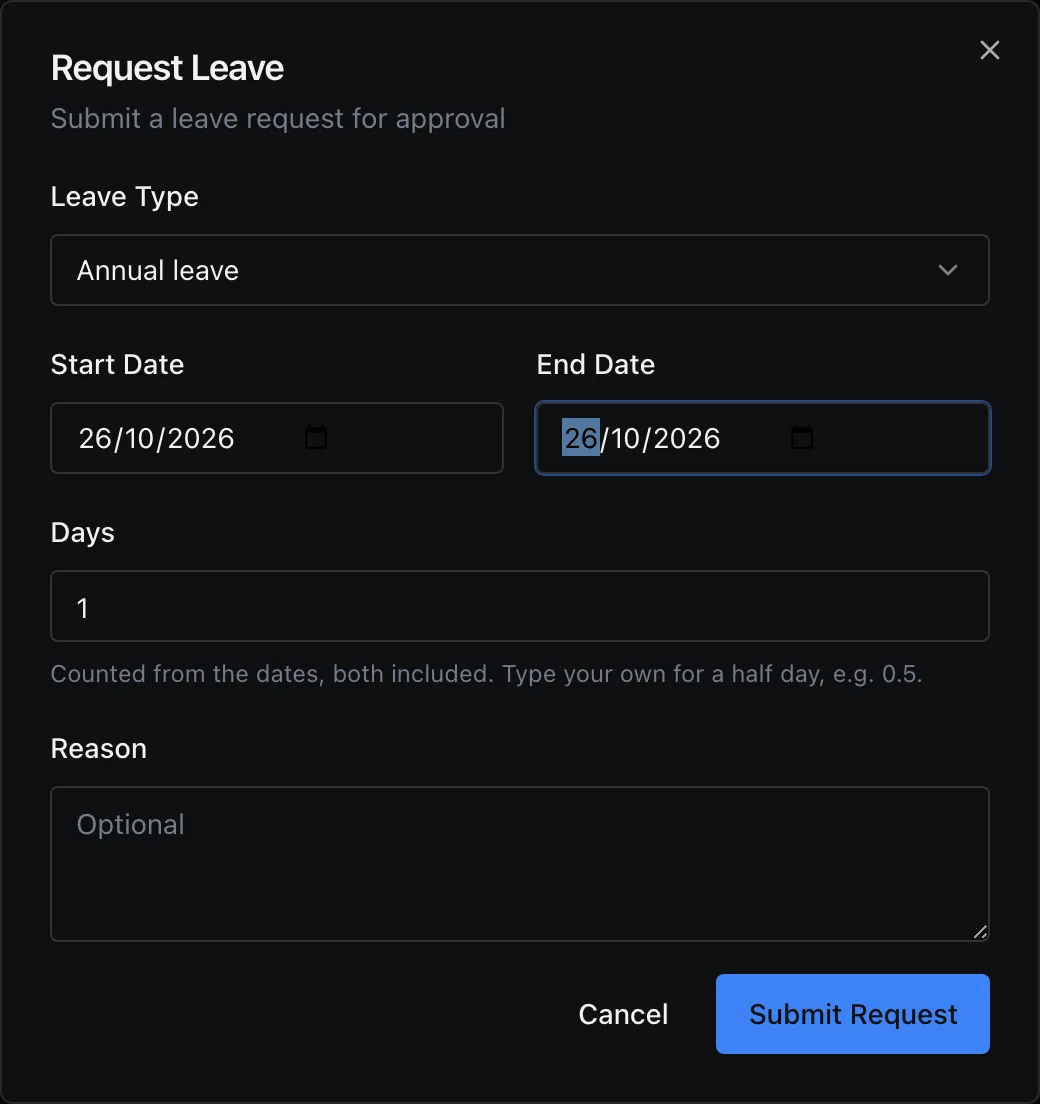
An employee whose Login account is linked to their employee record (see Hiring someone) chooses My HR in the menu under their name at the foot of the sidebar, then Leave, clicks Request Leave, chooses the type and dates (the days are counted the same way) and clicks Submit Request. It arrives in PeopleLeave as Pending, and Requests on their page shows its status. Someone with no linked employee record sees No employee profile linked.