Loyalty points
Customers earn points on what they pay and spend them at the till for money off; tiers earn faster. Set the rates, redeem at checkout, and look a card up.
Checked against the product on 13 October 2026
A customer on a sale earns points on what they pay, and can spend points at the till for money off a later sale. Points live on a loyalty card with a number (LYL-00000003). A customer gets a card the first time they buy something on the program; it can also be issued ahead with Enroll (see Customers).
Set up the program
CustomersLoyalty, tab Program Settings:
| Field | What it decides |
|---|---|
| Status | Active earns and redeems. Paused or Archived stops both. |
| Points per Dollar | Points earned for each $1 the customer pays. 2 means a $45 payment earns 90 points. |
| Points for $1 off | How many points a customer spends to take $1 off a sale. 100 means 500 points are worth $5.00. |
| Minimum Redeem Points | The fewest points that can be spent at once. Below it the till does not offer to redeem. |
| Loyalty Tiers | Optional. Each tier has a name, the lifetime points that reach it, and a multiplier for the points earned. |
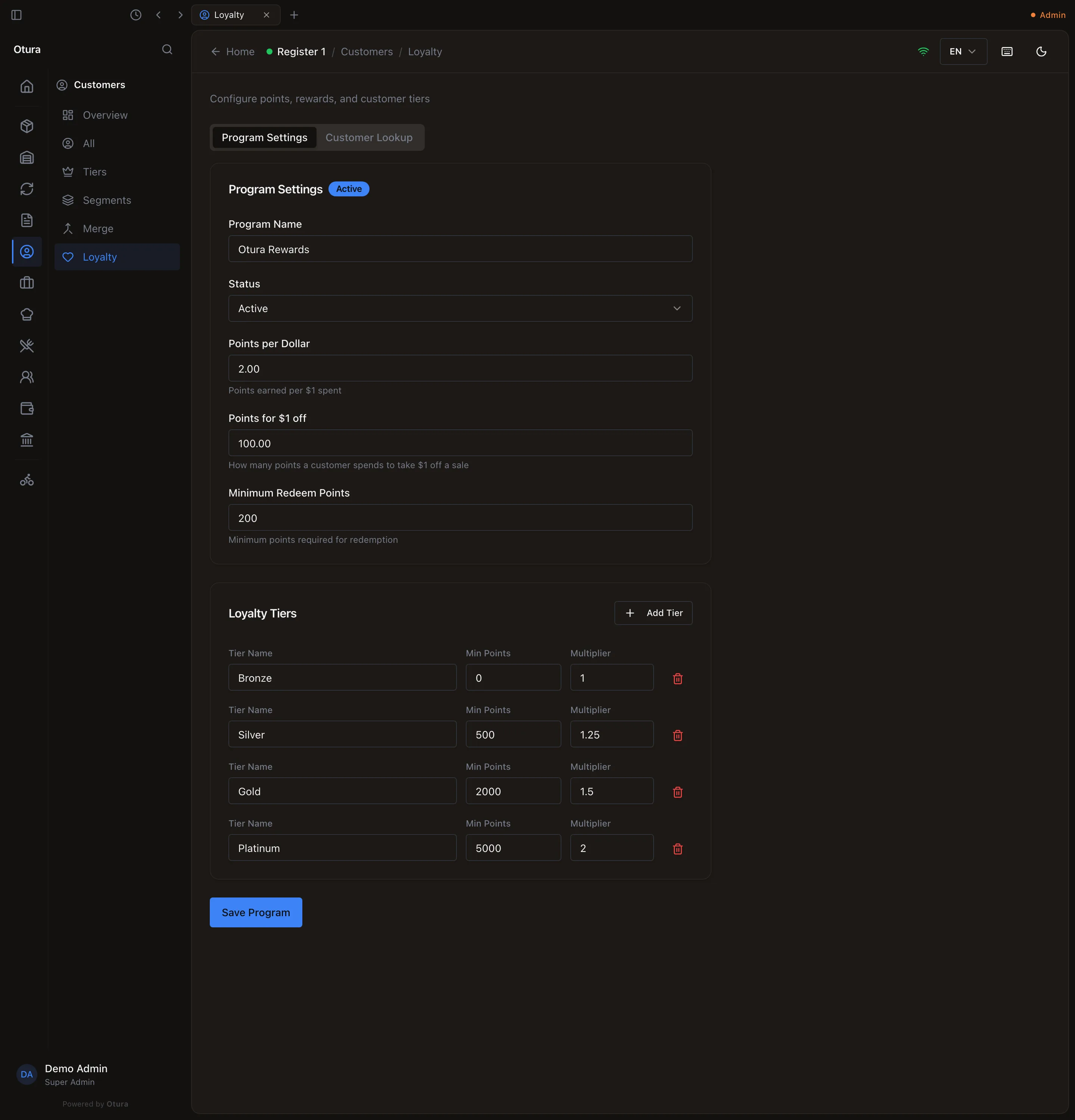
A tier is reached by lifetime points — everything ever earned, whatever has been spent — and multiplies what the customer earns from then on: a Platinum customer at ×2 earns 4 points per dollar when the rate is 2. Press Save Program; removing every tier and saving leaves the program with none.
Earn and redeem at the till
Put the customer on the sale
Select Customer (optional) in the cart, and pick them.Checkout
The payment window shows Redeem Points when the customer holds at least the minimum, with their Points Balance. Type how many points to spend (or Max for all of them). The window shows what they are worth, = $5.00 credit, and the amount due drops by that much.Take the rest
Pay what is left as usual. The points come off the card with the sale; if the sale fails, nothing is spent.
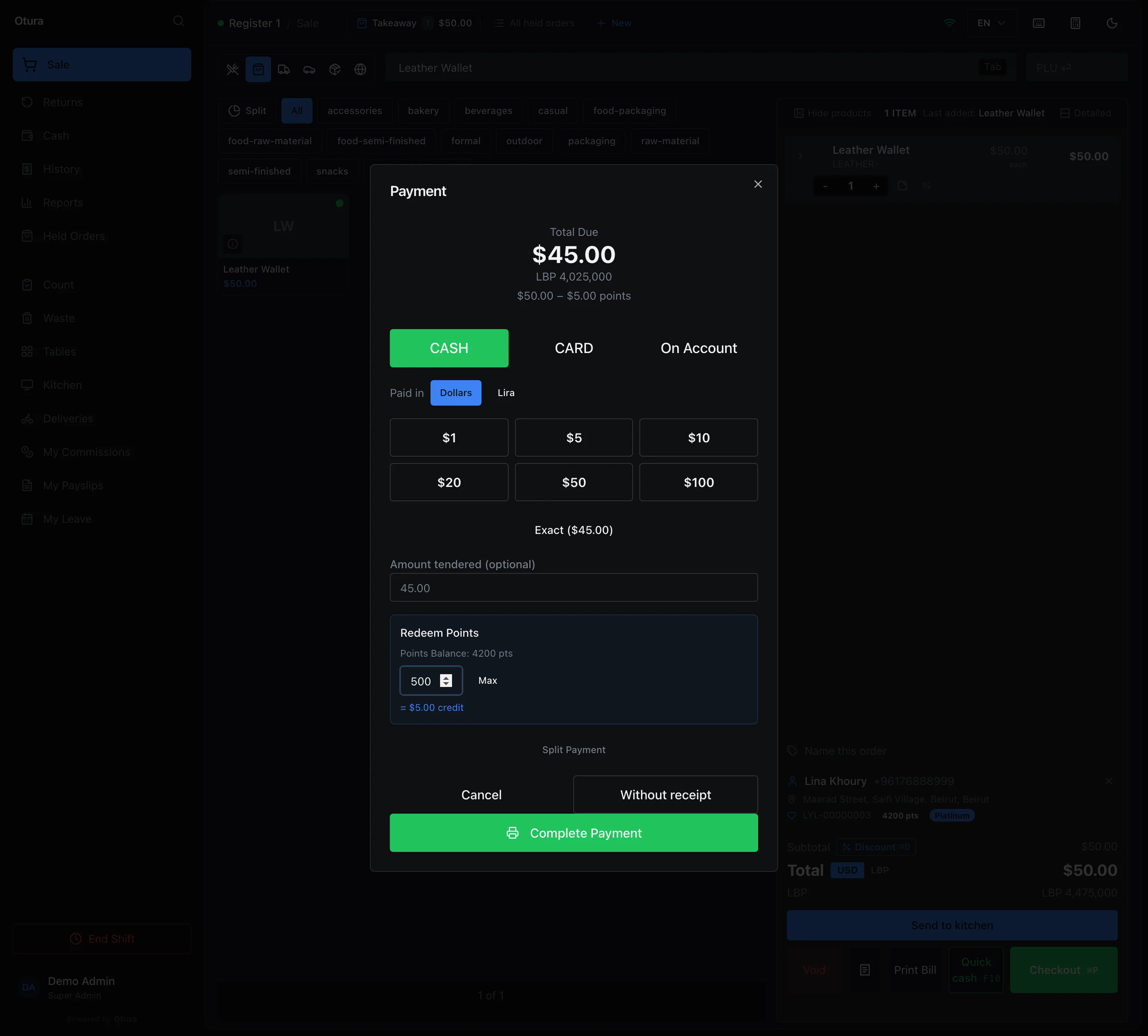
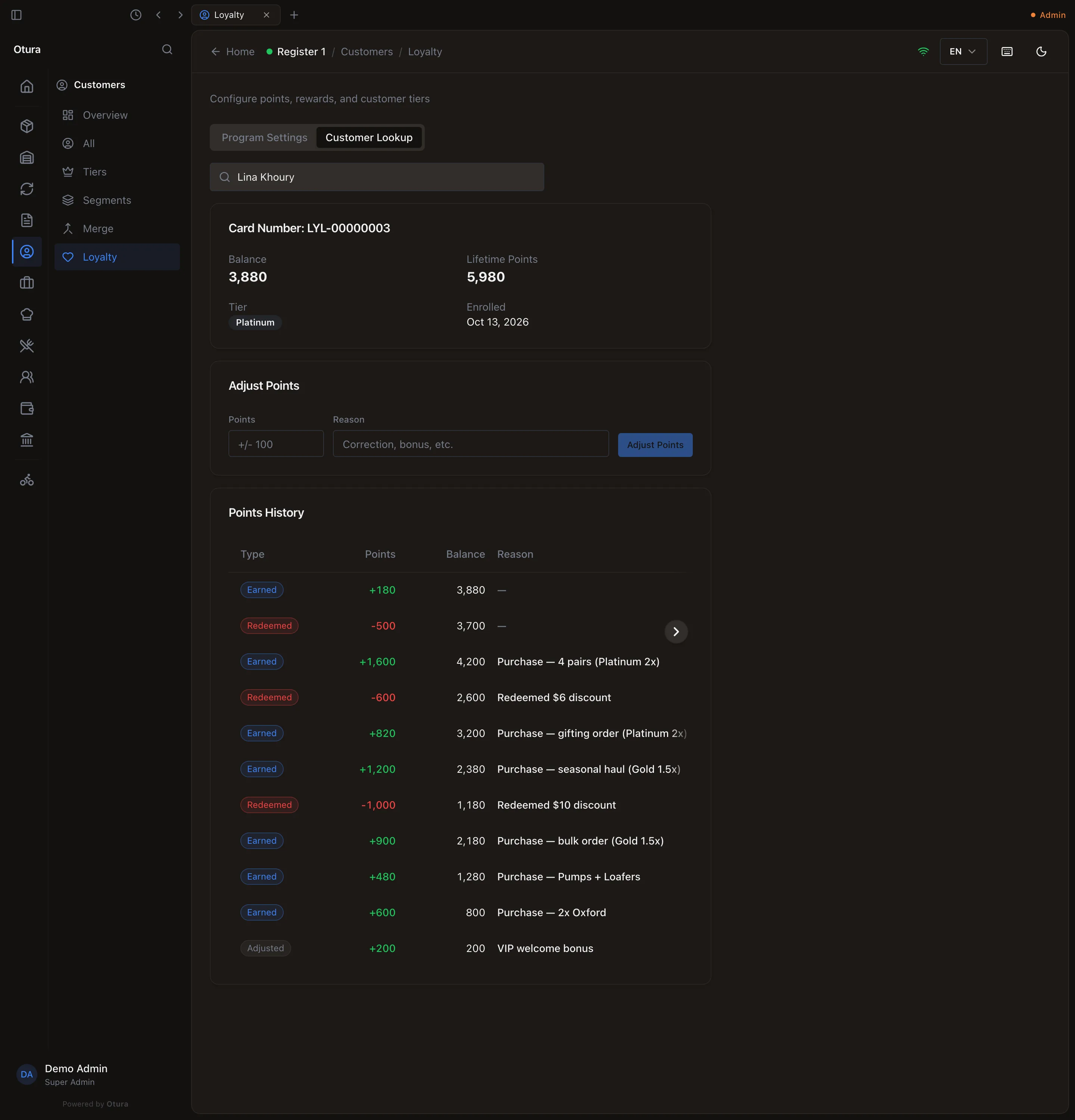
Points are earned on what the customer actually paid, after the points they spent: on that sale Lina paid $45.00, so she earned 45 × 2 = 90 points, doubled to 180 by her Platinum tier. Her card went from 4,200 to 4,200 − 500 + 180 = 3,880.
You cannot spend more points than the sale is worth: 500 points are worth $5.00, more than the $4.00 due. Redeem fewer points. Points cannot be used on an employee sale.
A return or a void gives back the points the returned goods were paid with, as points, never as cash, and takes back the points they earned. It is never refused for points: if the customer has spent them already, the balance can go below zero.
Look a card up, or adjust it
Tab Customer Lookup: search the customer and pick them. The card shows its Card Number, Balance, Lifetime Points, Tier and enrolment date, then Points History, each movement with its type (Earned, Redeemed, Adjusted, Reversal) and the balance after it. Adjust Points adds (or, with a minus, removes) points with a Reason; it cannot take a card below zero.