Receivables and collections: who owes you, and getting paid
See what each business customer owes and how late it is, call the late ones and note their promises, record the money when it comes in against the right invoices, and prove the customers’ balances against your books.
Checked against the product on 13 October 2026
A business customer who buys on account — a B2B sales invoice, or a till sale put on their account — owes you until they pay. Each such invoice is an open item on the customer, due on the date its payment terms give it (a customer with 30-day terms invoiced on 24 August is due on 23 September). You follow them up on SalesReceivables (also under FinanceAccountingReceivables & Payables), with four tabs — Aging, Receipts, Statement, Reconcile — and Collections beside them.
Aging: who owes what, and how late
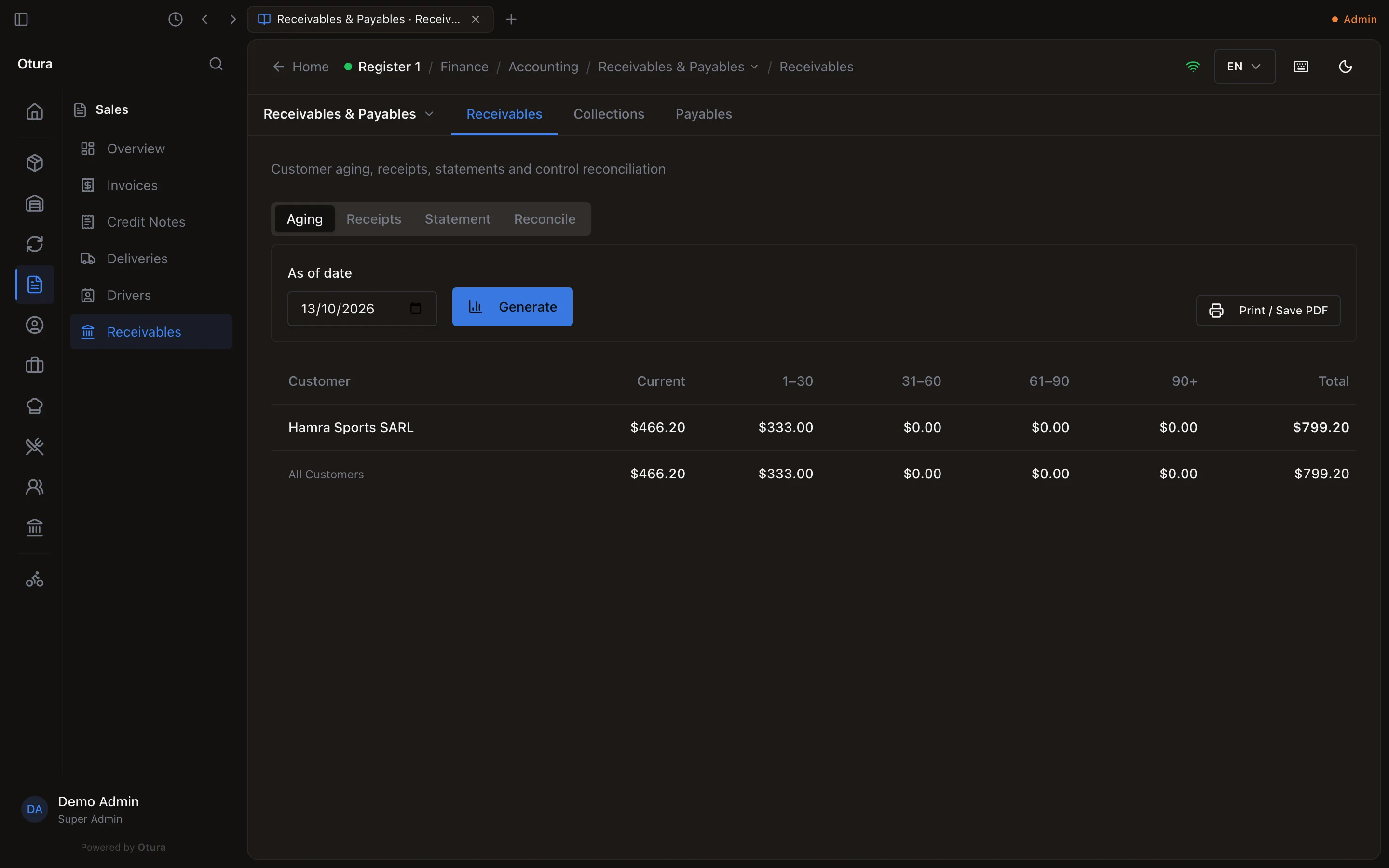
Aging lists each customer with a balance on the As of date (today to start with), split by how late it is: Current (not yet due), 1–30, 31–60, 61–90, 90+ days past due, and the Total; All Customers sums them. An on-account credit (money received and not yet applied) counts against the customer's balance. For an earlier date, each invoice is shown as it stood that day — one paid since still appears, unpaid. Print / Save PDF prints it.
Collections: who to call this morning
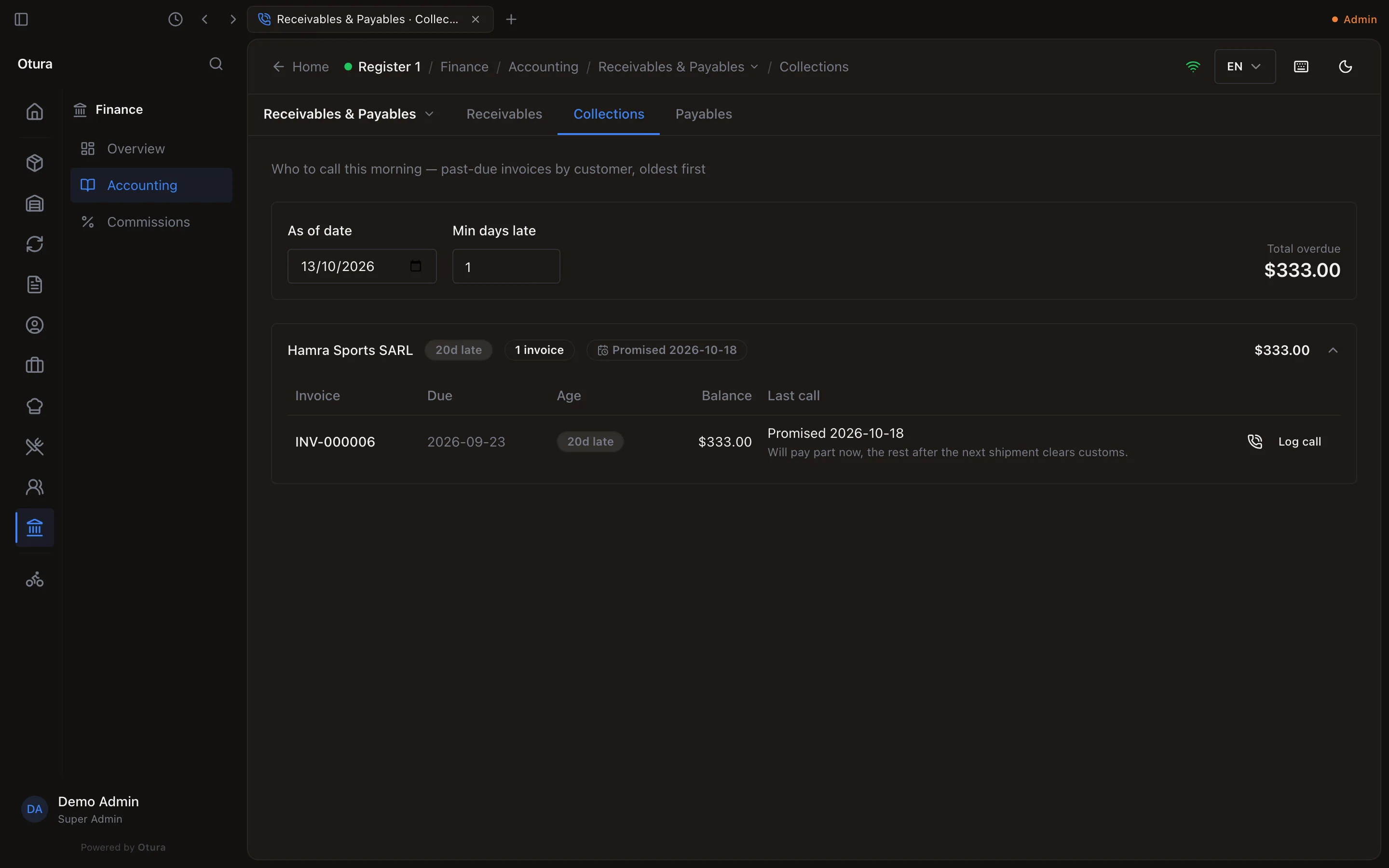
Collections lists the customers with invoices past due, oldest first: how many days late the oldest is (20d late), how many invoices, and what is overdue; Total overdue sums them. Min days late hides anything less late. Open a customer to see each overdue invoice with its Due date, Age, Balance and Last call.
Log the call
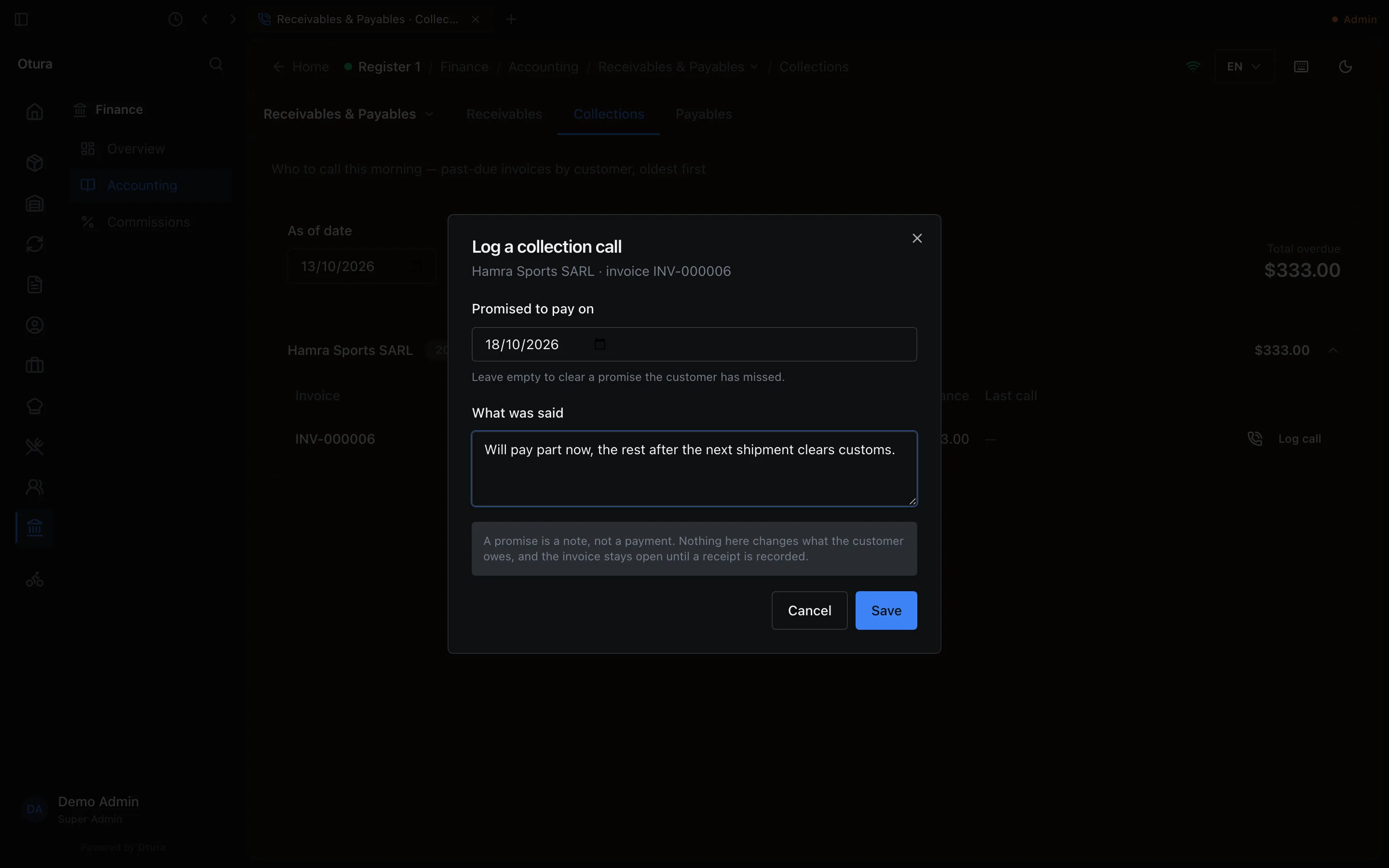
Log call on an invoice records what the customer said: Promised to pay on and What was said. The invoice then reads Promised …, and Promise missed once that day passes unpaid. A promise is a note, not a payment. Nothing here changes what the customer owes, and the invoice stays open until a receipt is recorded.
If you set a number of days after which a customer is blocked from buying on account, a customer past it is marked Past the … -day block, and a new on-account sale to them is refused. Days late are counted on your business's day, in Beirut time.
Record the money when it comes in
Who paid, and how
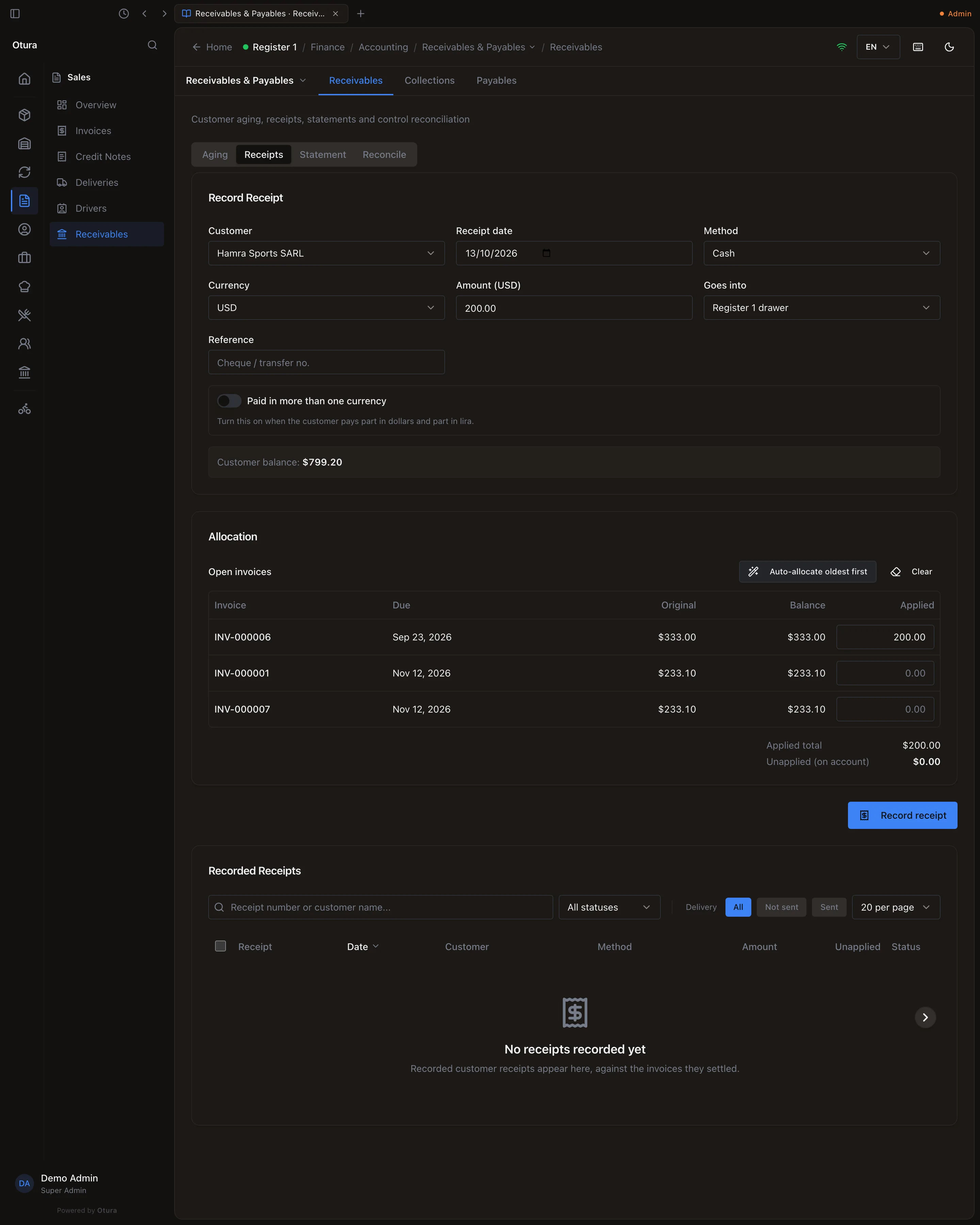
On Receipts, under Record Receipt: the Customer, the Receipt date, the Method (Cash, Cheque, Transfer), the Currency (USD or LBP, with the rate for lira), the Amount and a Reference (cheque or transfer number). Goes into chooses the cash box, vault or bank account the money went into. Paid in more than one currency takes part in dollars and part in lira. The form shows the Customer balance.
Which invoices it pays
Allocation lists the customer's Open invoices with what each still owes. Type an amount under Applied, or press Auto-allocate oldest first. What you do not apply is shown as Unapplied (on account): The remainder will be parked as an on-account credit. You can apply it to an invoice later.
Record it
Record receipt gives it its number (RCP-000001), lists it under Recorded Receipts, posts debit the box or bank, credit 4110 Accounts Receivable, and lowers the invoices it paid.
Reverse on a receipt asks for a reason and warns: This posts a reversing journal entry and puts the settled invoices back on the customer’s balance. It cannot be undone — putting the money back means recording a new receipt.
Statement of account
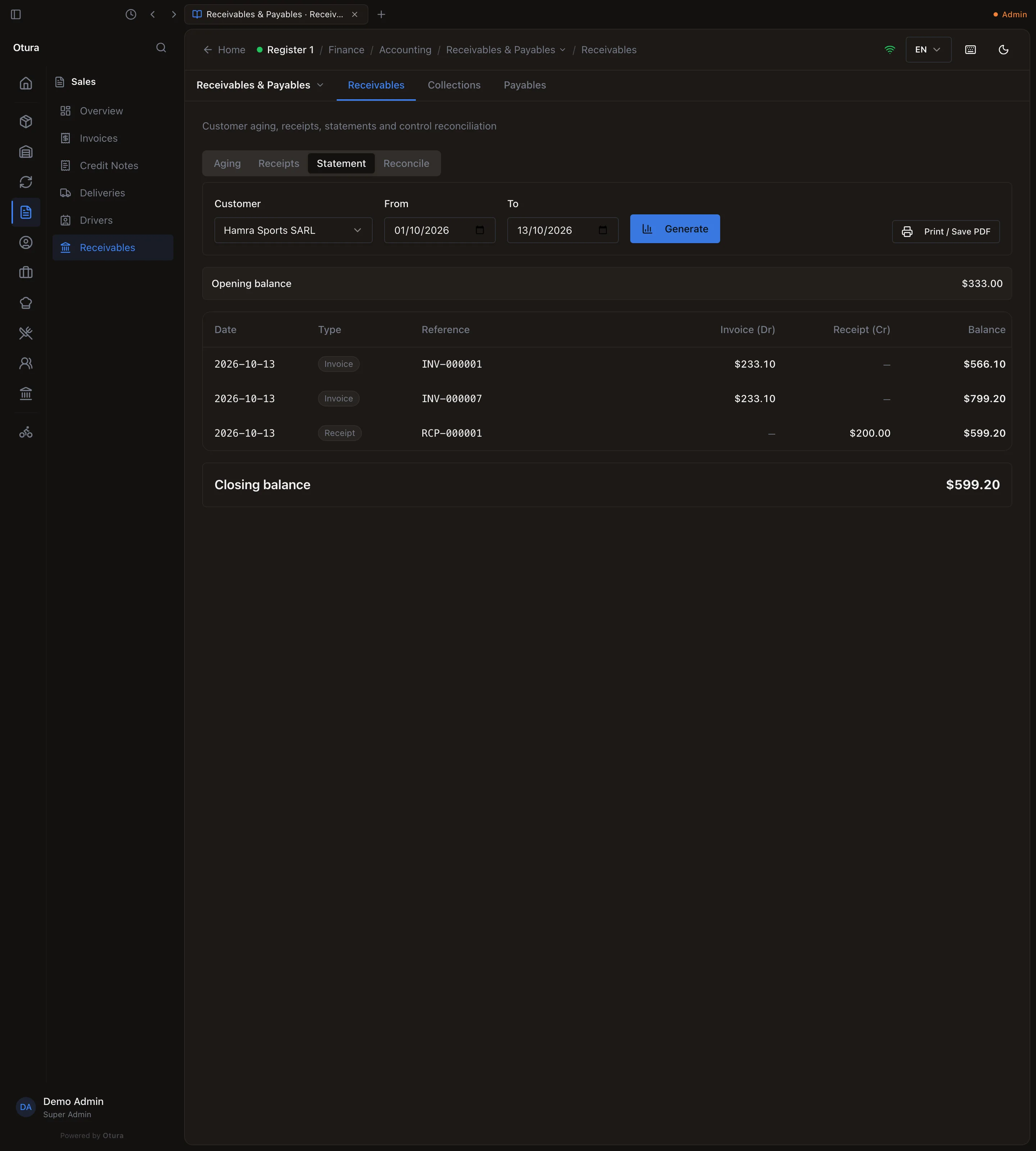
Statement, for a customer and two dates, lists the Opening balance, every invoice, receipt, credit note, till sale on account and refund with its reference, the running Balance, and the Closing balance — the page to send a customer who asks what they owe. Print / Save PDF prints it.
Reconcile with the books
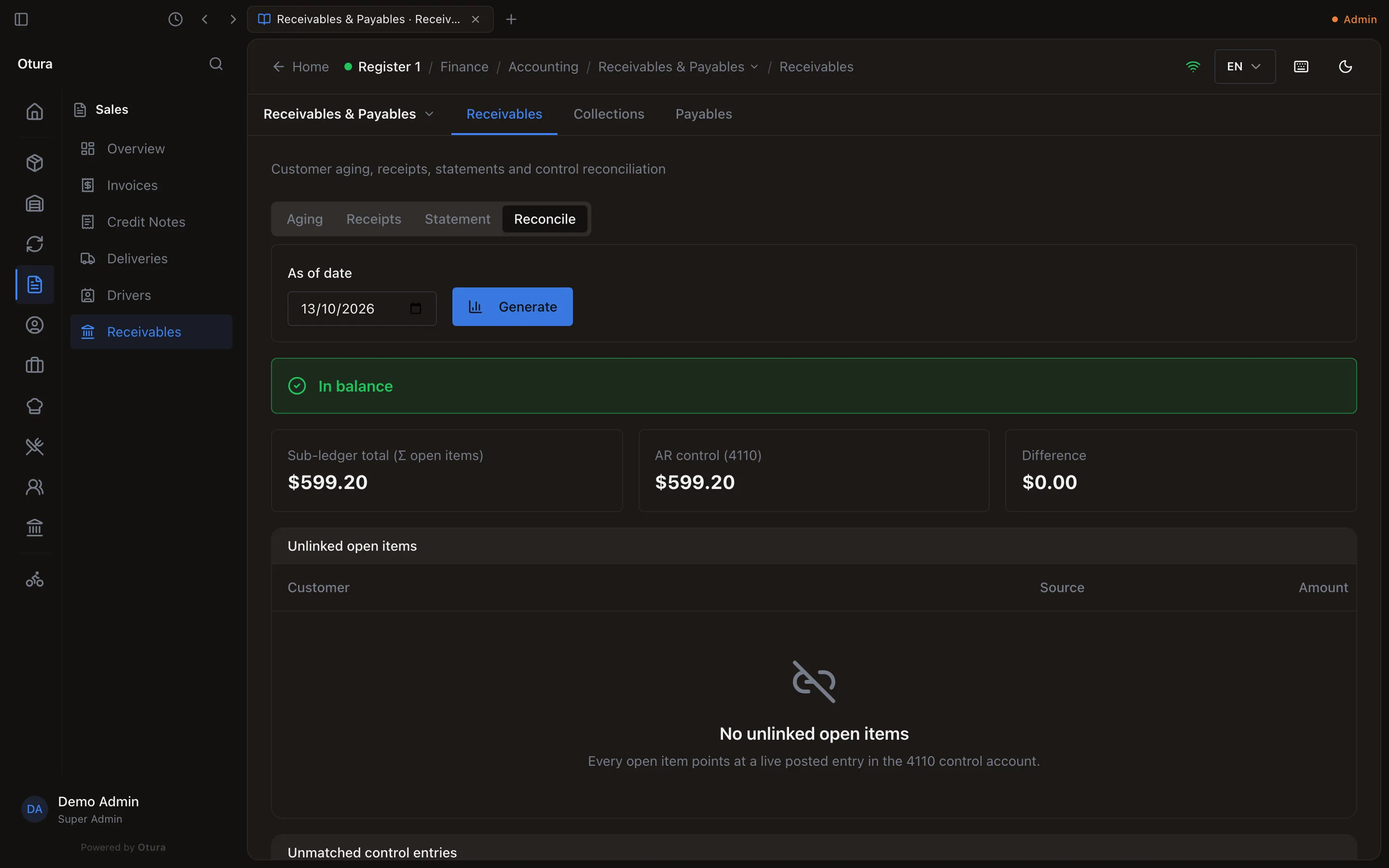
Reconcile, as of a date, adds up what every customer owes (Sub-ledger total) and compares it with AR control (4110) in the books. When they agree it reads In balance; when not, Unlinked open items and Unmatched control entries list what explains the difference — an entry typed by hand on 4110, for example. For an earlier date, the customers' side is what they owed that day, so a month can be reconciled after its receipts arrived.
With the Accounting module off
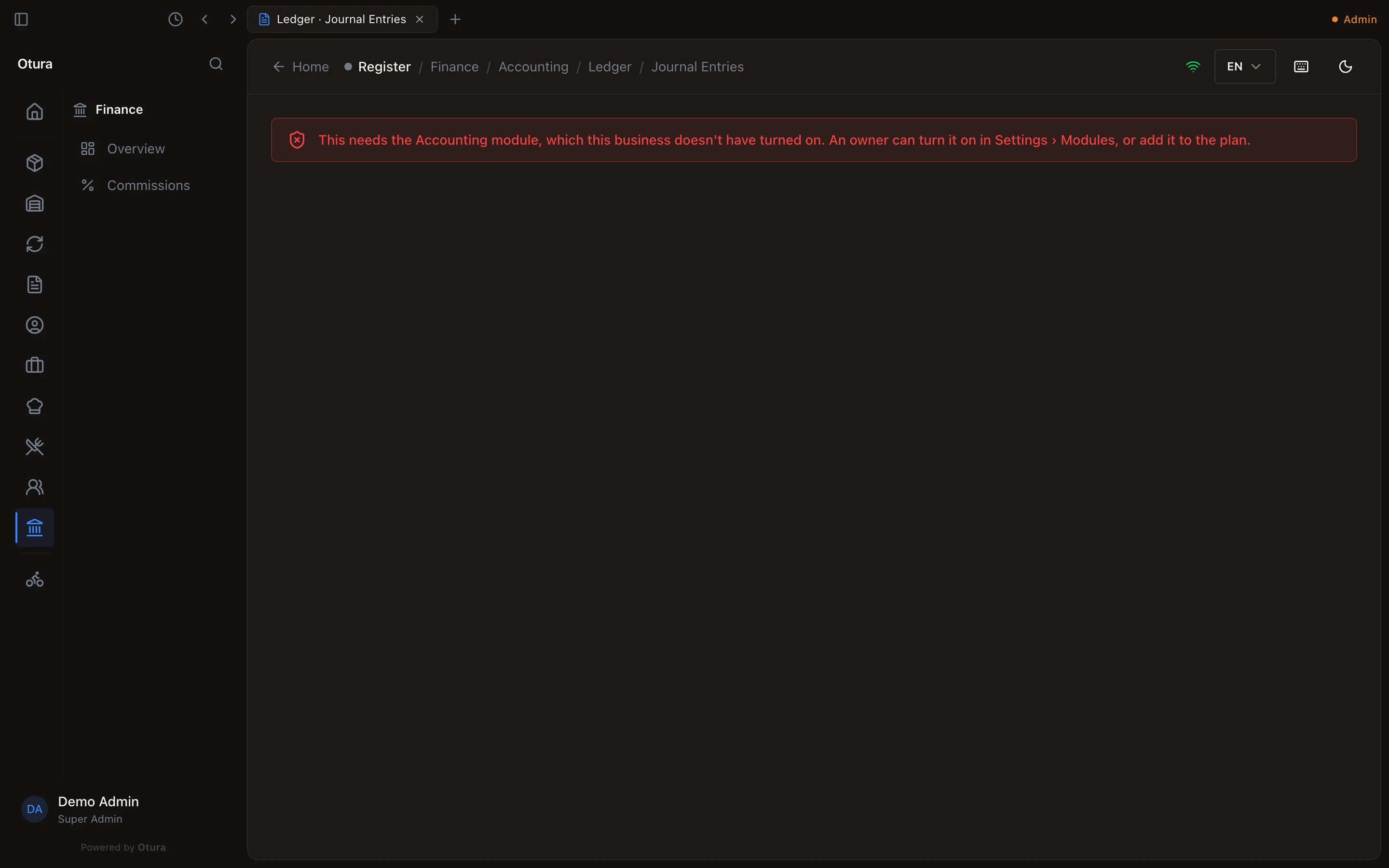
A business can switch the Accounting module off in SettingsModules. The ledger pages then refuse, naming the module — This needs the Accounting module, which this business doesn't have turned on. An owner can turn it on in Settings › Modules, or add it to the plan. — and the Accounting entries leave the menu. Receivables and Collections keep working: aging, receipts, statements and calls.
| Where it comes from | Opens an open item | Lowers it |
|---|---|---|
| B2B sales invoice on account | When issued | A receipt, a credit note |
| Till sale on account | When paid at the till | A receipt, a till refund to the account |