Cash boxes, transfers and End of Day
Name the places your money sits, record every move between them, count them at the end of the day, and see where a shortage or overage went in the books.
Checked against the product on 25 October 2026
Your money sits in a few physical places: each till's drawer, the safe, the bank. Otura calls each one a treasury account, or box, and ties it to one asset account in your chart. A box is not a second set of books: what it holds is what its ledger account holds. Everything here is under FinanceAccountingCash & Bank, in five tabs: Treasury, Cash Transfers, Card Payouts, End of Day and Reconciliation (see Bank reconciliation).
For the whole picture (every place money sits, what each sale, drop or payout does to it) see How money moves. For the order to do things in each day, month and year, see Your money routine.
1. Set up your boxes
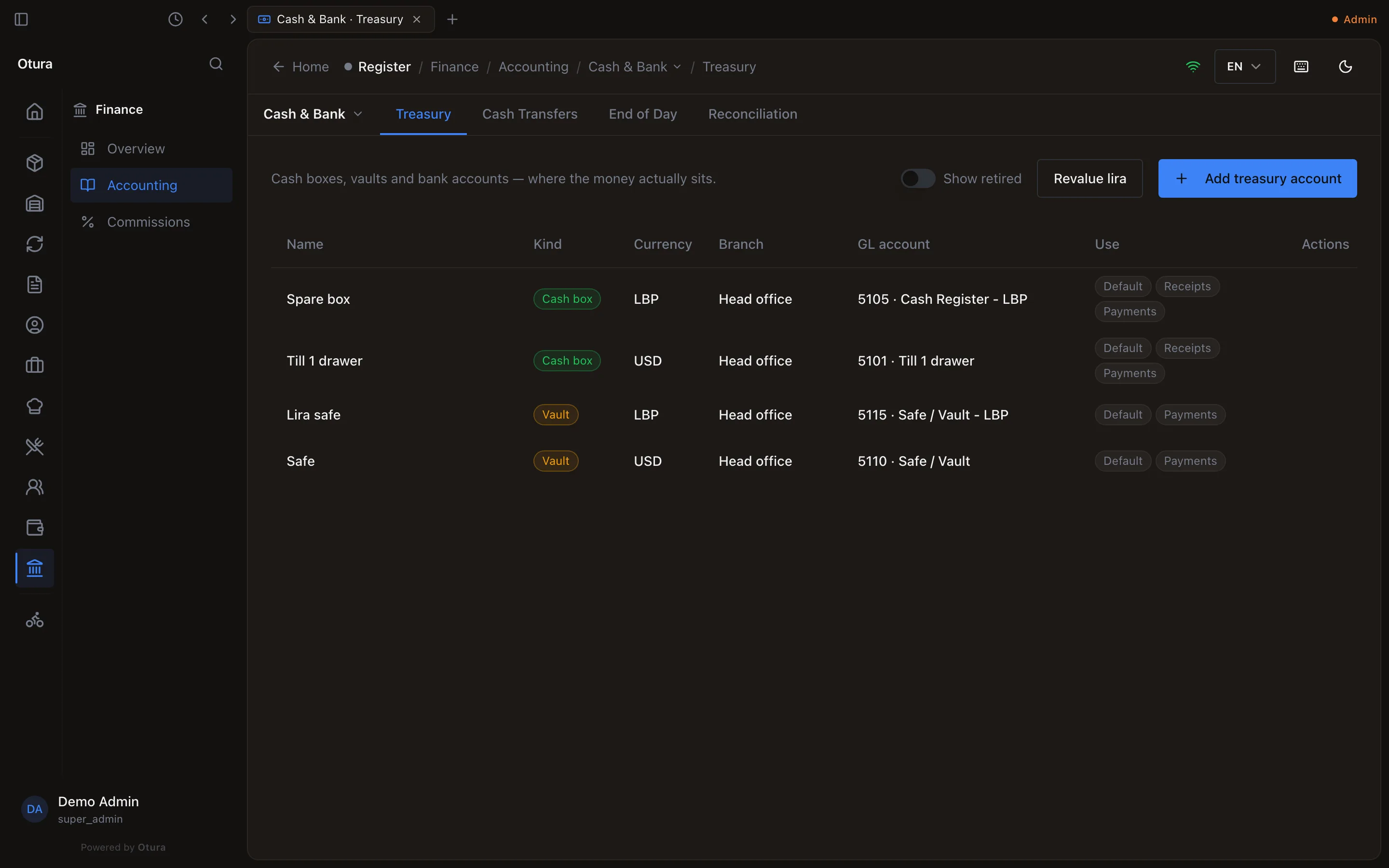
On FinanceAccountingCash & BankTreasury, press Add treasury account for each place money sits:
| Kind | For | Counted at End of Day |
|---|---|---|
| Cash box | A till drawer, or petty cash | Yes |
| Vault | The safe | Yes |
| Bank | A bank account | No: banks are reconciled against their statement |
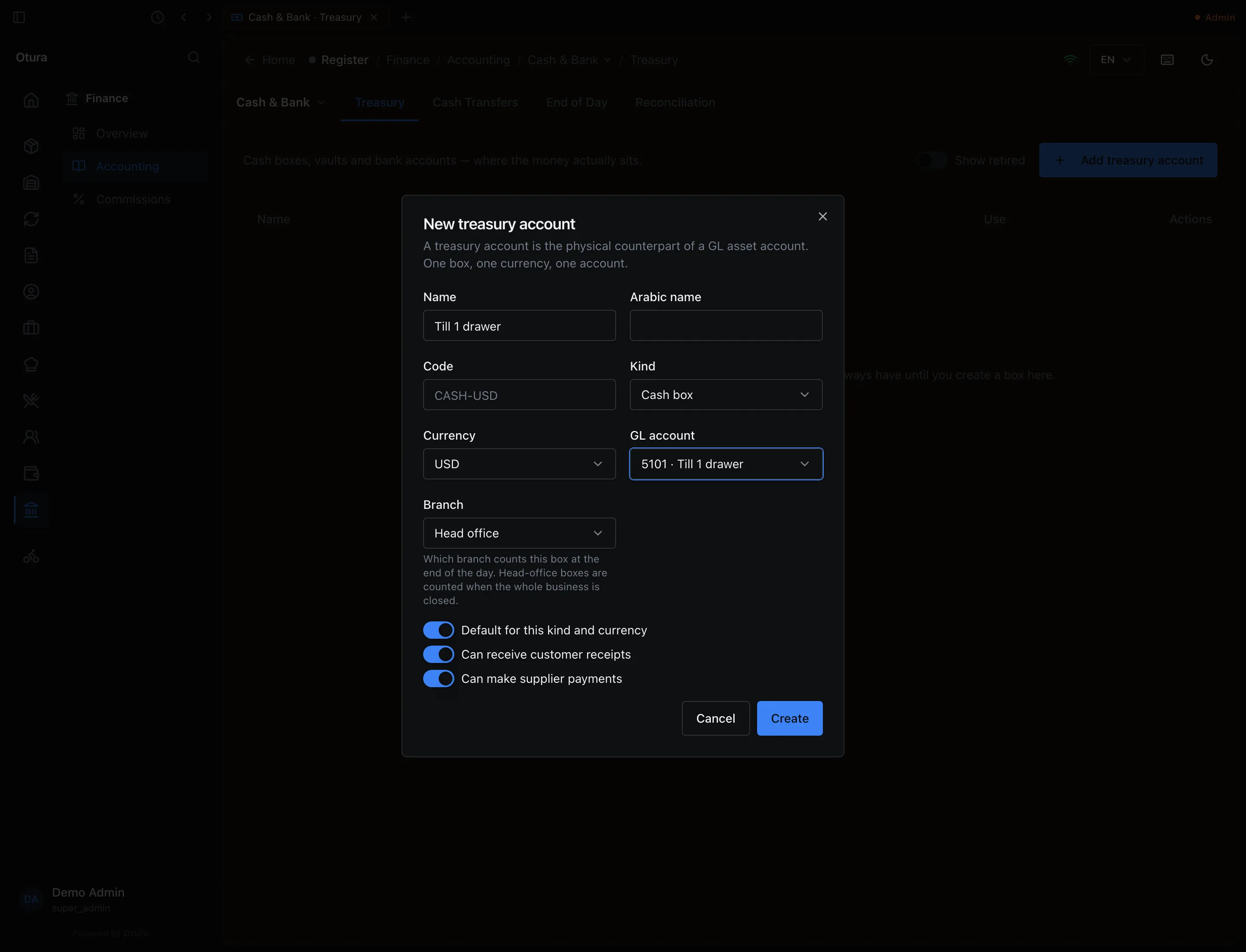
The form asks for:
- Name (and an optional Arabic name and Code);
- Kind and Currency (USD or LBP): one box holds one currency;
- GL account: the asset account the box is kept on, in the box's currency. Each account can hold one box only. New account for this box opens a new one for it, the next free code from 5101 under 5000 Financial Accounts;
- Branch: which branch counts the box at the end of the day. Head office boxes are counted when the whole business is closed;
- three switches: Default for this kind and currency, Can receive customer receipts and Can make supplier payments. A vault starts with receipts off.
Once a box exists, its kind, currency and GL account cannot be changed. For another currency, retire it and open a new box.
Each till's own box
Each register gets its own drawer boxes by itself: when the chart of accounts is seeded (for the registers that exist then) and whenever a register is created afterwards. It gets a dollar box, Register 1 drawer, on a new account under 5100, and, where the business's currencies are dollars with lira second, a lira box, Register 1 drawer - LBP, under 5105. Both sit at the register's branch and the register is already linked to them.
A register made before that has no box of its own: it posts its cash to the shared 5100 Cash Register account (and its lira to 5105), along with every other till that has none, and Registers shows Shared cash account (Cash Register). To have its drawer counted on its own, and checked against its float each morning (below), give it a box:
A cash box for the drawer
On Treasury, add a Cash box in USD. Under GL account, choose New account for this box, or an asset account you added for it in Chart of Accounts.
Link the till
On StoreRegisters, select the till and choose the box under Dollar cash box. (A lira box is chosen the same way under Lira cash box.)
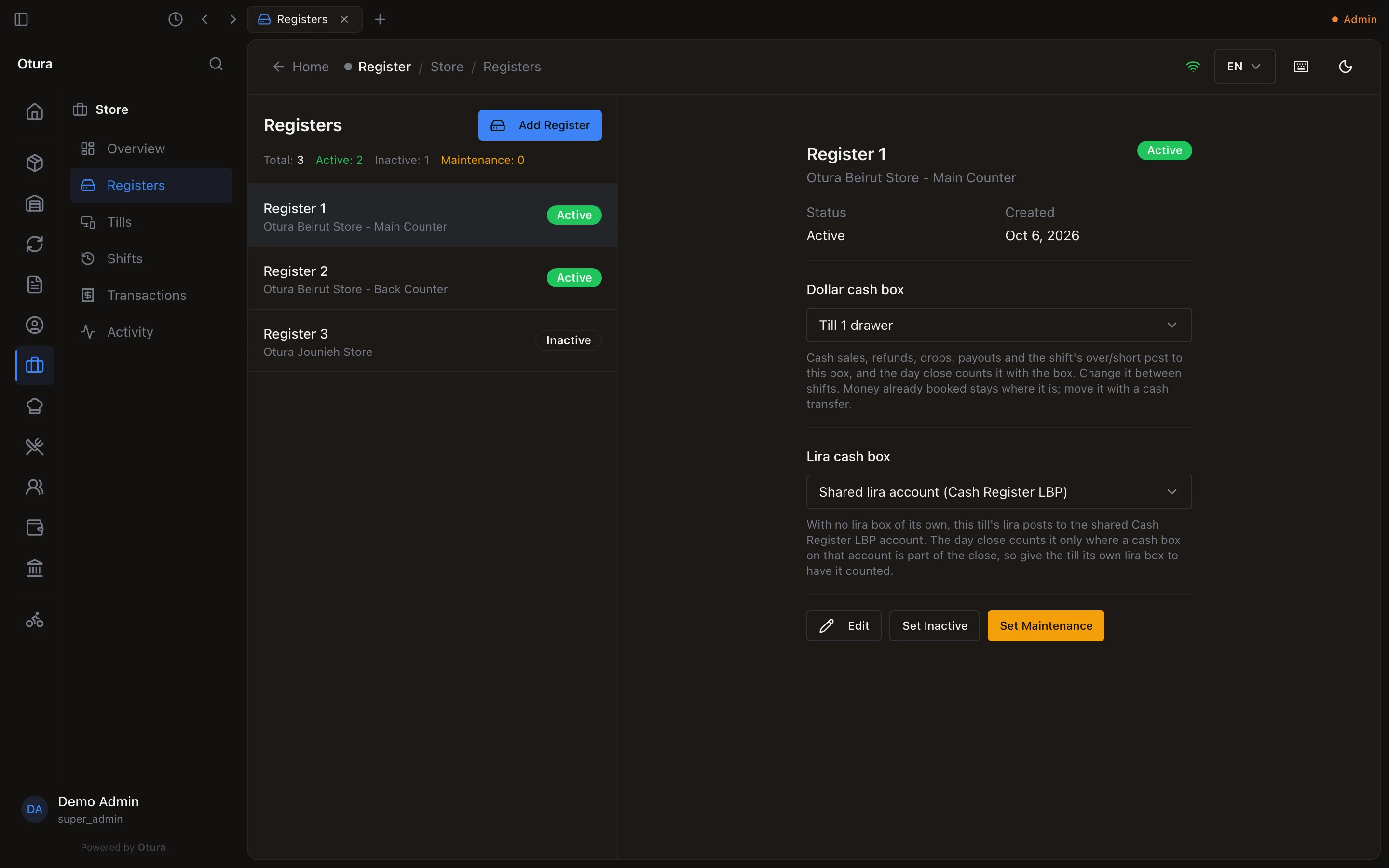
Register 1 now pays into Till 1 drawer.
From then on, the till's cash sales, refunds, voids, drops, payouts and shift over/short post to that box. The link can only change between shifts: with a shift open, Otura refuses with Close the open shift on Register 1 first. Its sales so far are booked to the current account, and its count would land on the new one. Money already booked stays where it is; move it with a cash transfer.
Retire a box
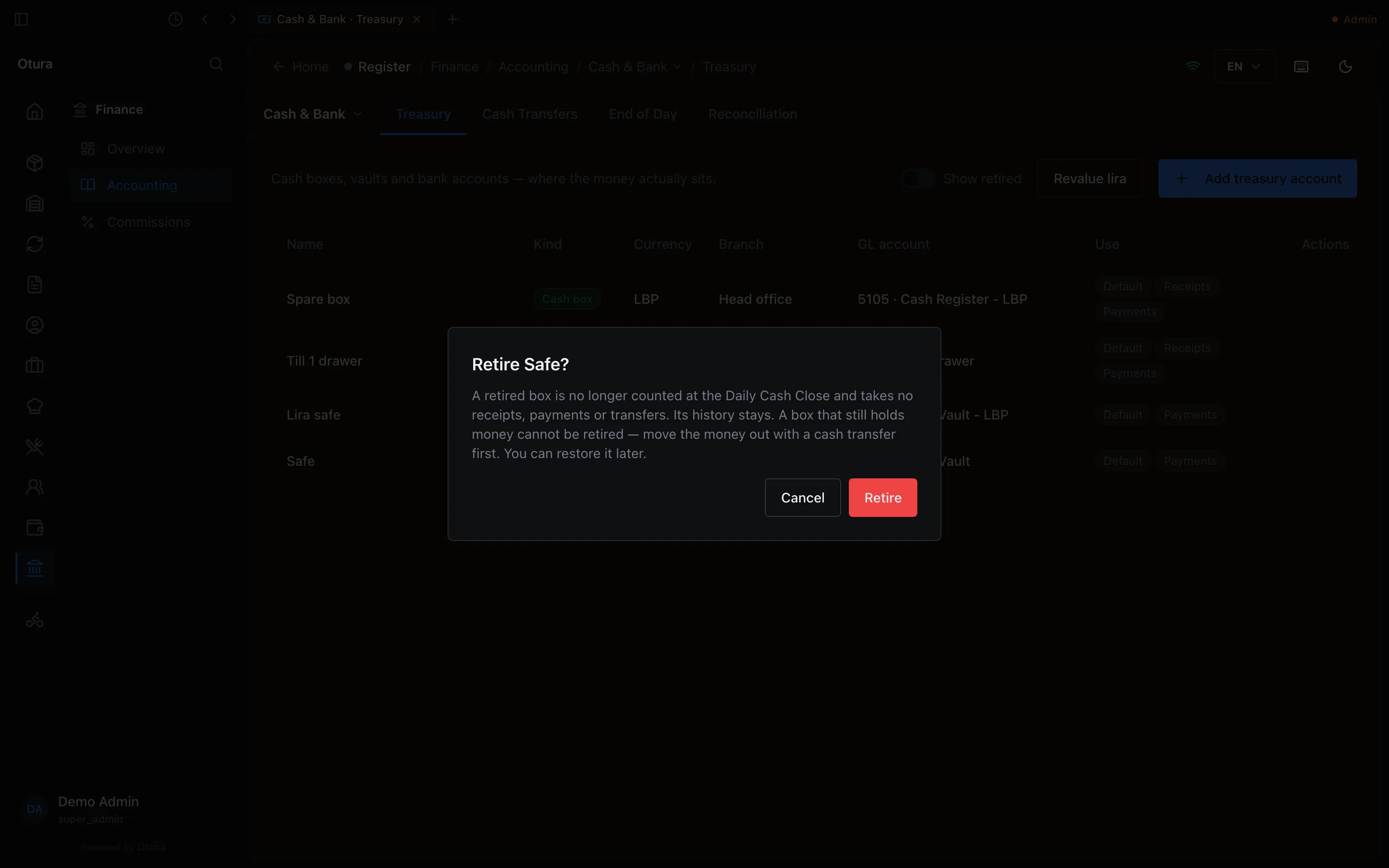
A box you stop using is retired: Retire on its row. A retired box is not counted at End of Day and takes no receipts, payments or transfers; its history stays. Otura refuses to retire a box that still holds money (Safe still holds 500.00 USD in the books. Move it to another box with a cash transfer first, then retire it.) or one a till still pays into. Show retired lists retired boxes, each with Restore.
2. The float, at the start of a shift
When a shift opens on a till that has its own box, Otura compares the float the cashier counted with what the books say the box holds: the dollars first, then, on a till that takes lira, the lira against the lira box. If they differ, it asks Does the drawer match the books?, and offers to record the difference as a float moved from the safe:
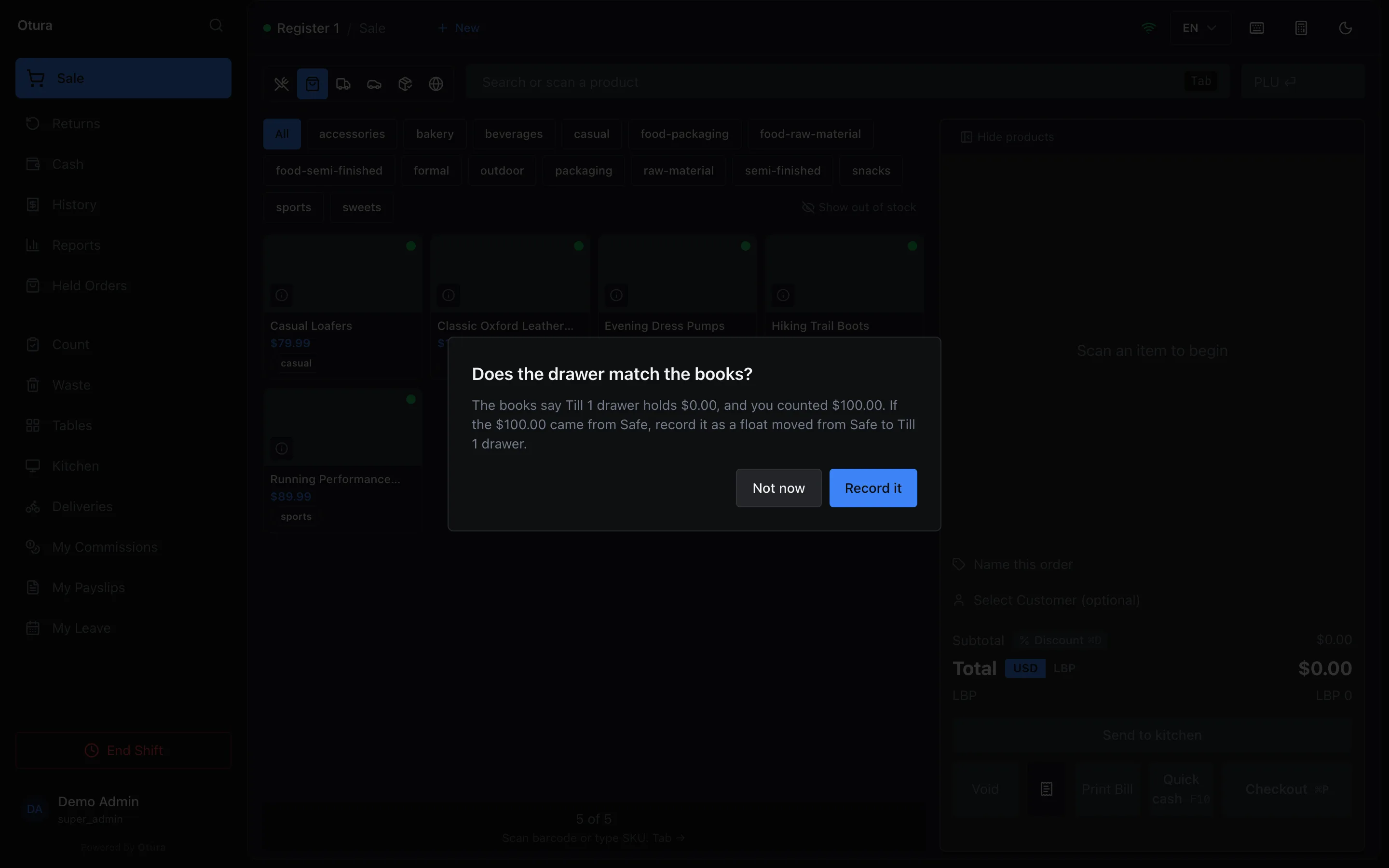
- Record it posts a Float to box cash transfer from the safe (the default vault of the box's currency at its branch, or the head-office one) to the drawer for the difference, and says so: Recorded $100.00 as float (TRF-000001). If the drawer holds less than the books say, the transfer goes the other way, back to the safe.
- Not now records nothing.
The question is not asked when the drawer has already moved (a sale, refund, payout, drop or pay-in on this shift), when the difference is under a cent (one lira, for a lira box), or when the box is shared with another till that has ever worked a shift: there the books cannot tell whose float is whose. On a shared box, record the float yourself as a Float to box transfer. If there is no safe to take it from, the prompt says so and asks a manager to record it in Cash Transfers.
3. Move money between boxes
Every time money moves between your own boxes (the evening drop to the safe, a deposit, a float, lira bought with dollars), record it on FinanceAccountingCash & BankCash Transfers with New transfer. The form, Move money, asks:
- Out of and Into: the two boxes;
- Purpose: Drop to vault, Deposit to bank, Float to box, Withdrawal from bank or Internal move;
- Date (today, by default) and the Amount, in the currency of the box it comes out of;
- an optional Reference and Notes.
The books: the box it went into is debited, the box it came out of credited, by the same amount. The entry shows in Journal Entries with the source Treasury Transfer.
Lira for dollars: an exchange
Choose a box of the other currency under Into and the move becomes an Exchange. The form then asks for the Amount handed over and the Amount received, each in its own box's currency, and the Rate (USD to LBP), filled in with today's rate. Before you record it, it shows the deal rate and the gain or loss against that rate.
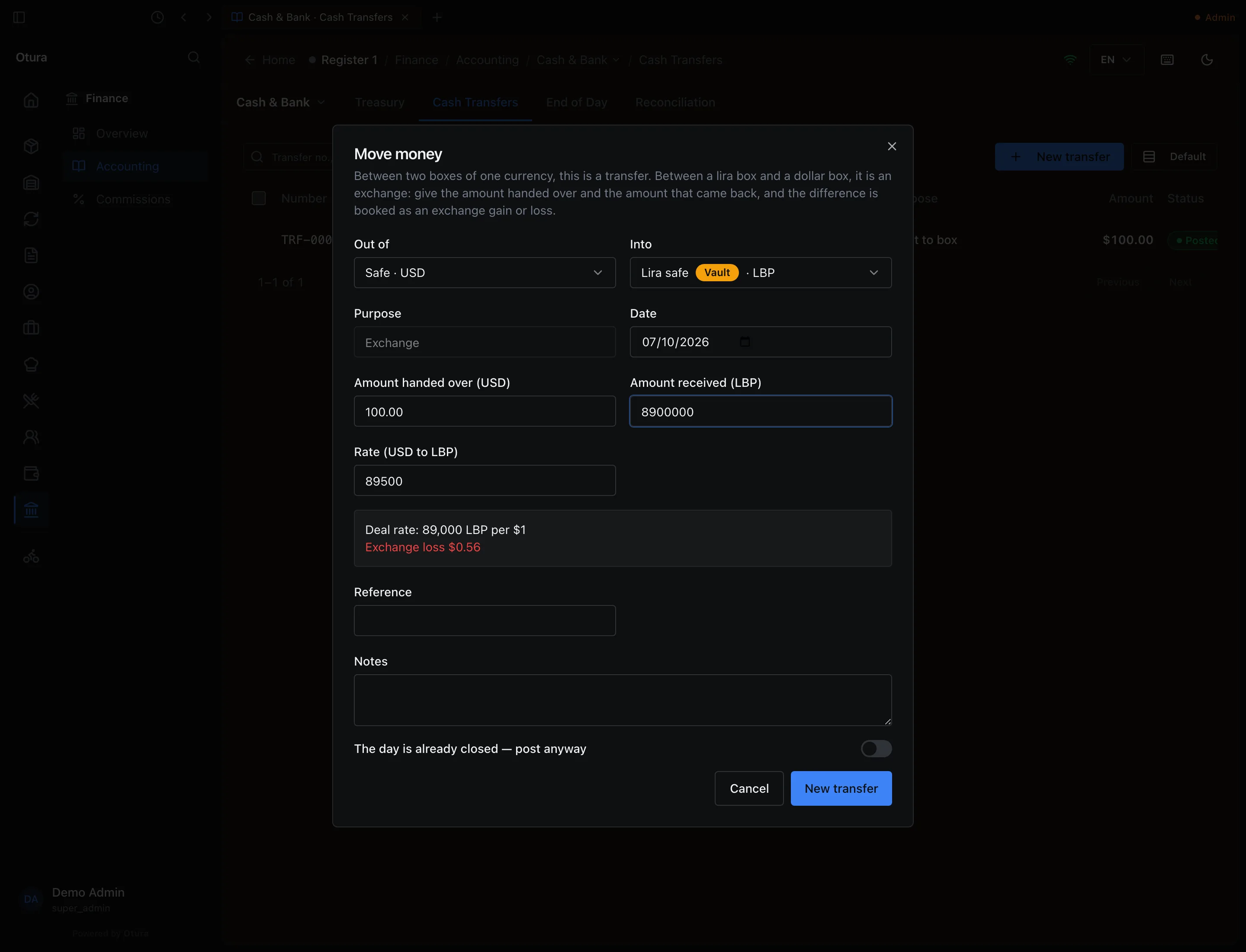
The books: the lira box takes what came back, the dollar box gives what was handed over, and the difference goes to 6600 Exchange Loss (or 7600 Exchange Gain). In the example, LBP 8,900,000 is worth $99.44 at 89,500, so the safe gives $100.00, the lira safe takes $99.44, and $0.56 is an exchange loss. Reversing an exchange undoes all three lines.
When a transfer is refused
- A drawer with a shift open. Cash going in or out of a drawer during a shift is recorded at the till (a drop, payout or pay-in), where the shift counts it. Here it is refused: Register 1 has a shift open on Till 1 drawer. Cash that goes into or out of a drawer during a shift is recorded at the till, where the shift counts it. …
- More than the box holds. A cash box or vault cannot go below zero in the books. The message says what it holds and where the move would leave it, and offers Record anyway, for the rare case the books are behind the cash.
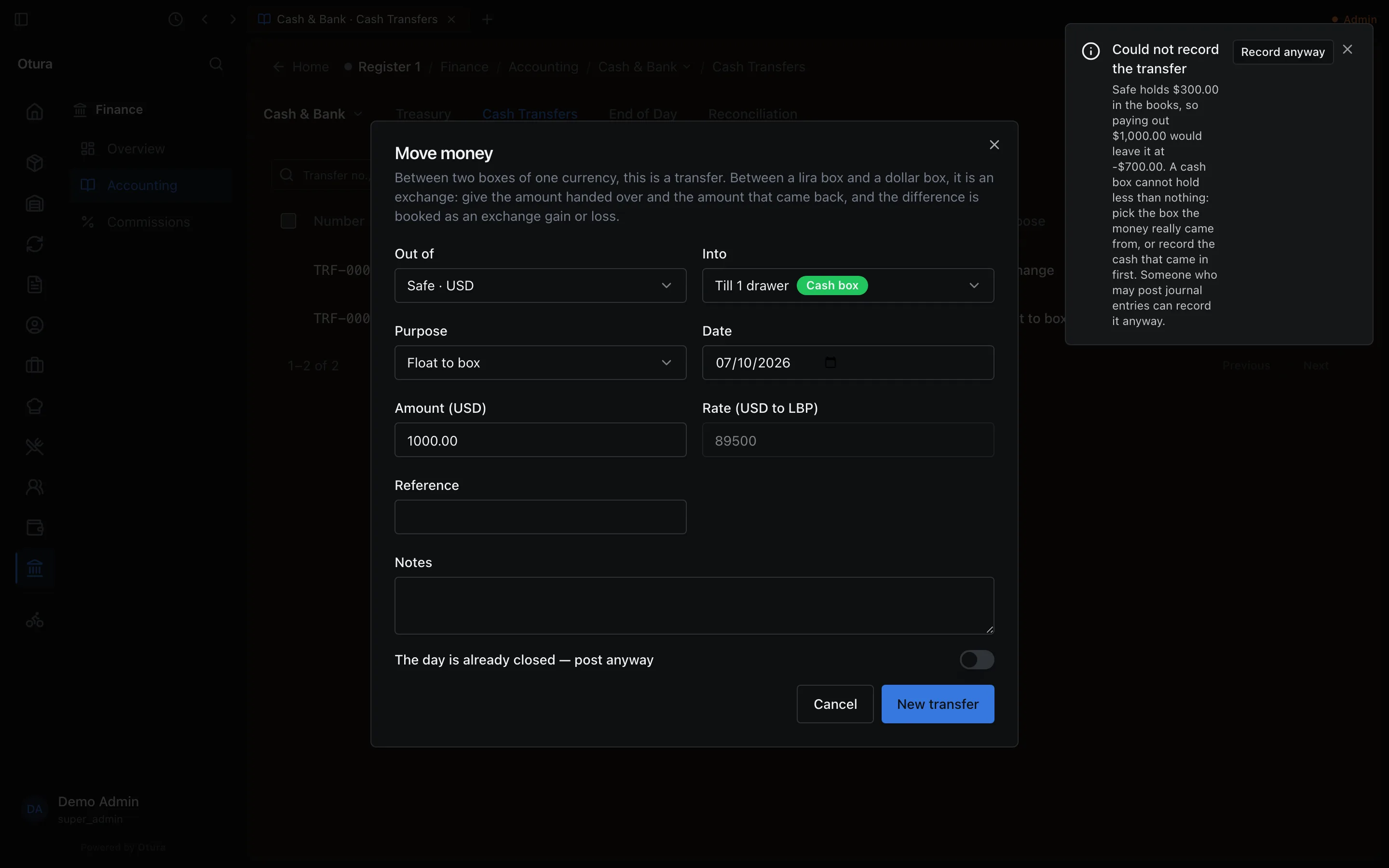
The safe holds $300.00; a $1,000.00 move out of it is refused. - A day already counted. A transfer dated on a day whose cash was counted and closed is refused, because it would change a count somebody signed off. To record it on that day anyway, turn on The day is already closed — post anyway in the form.
Undo a transfer
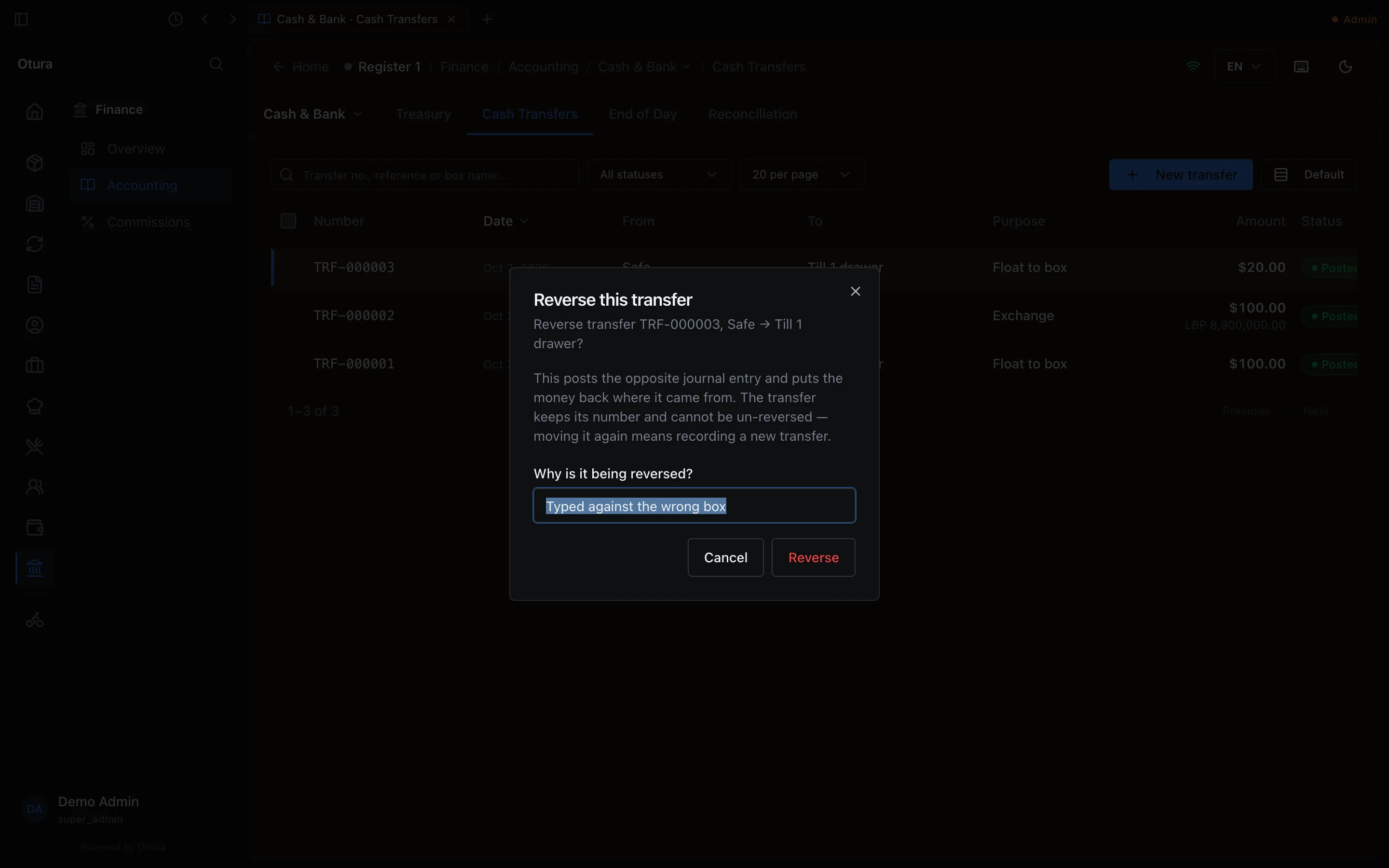
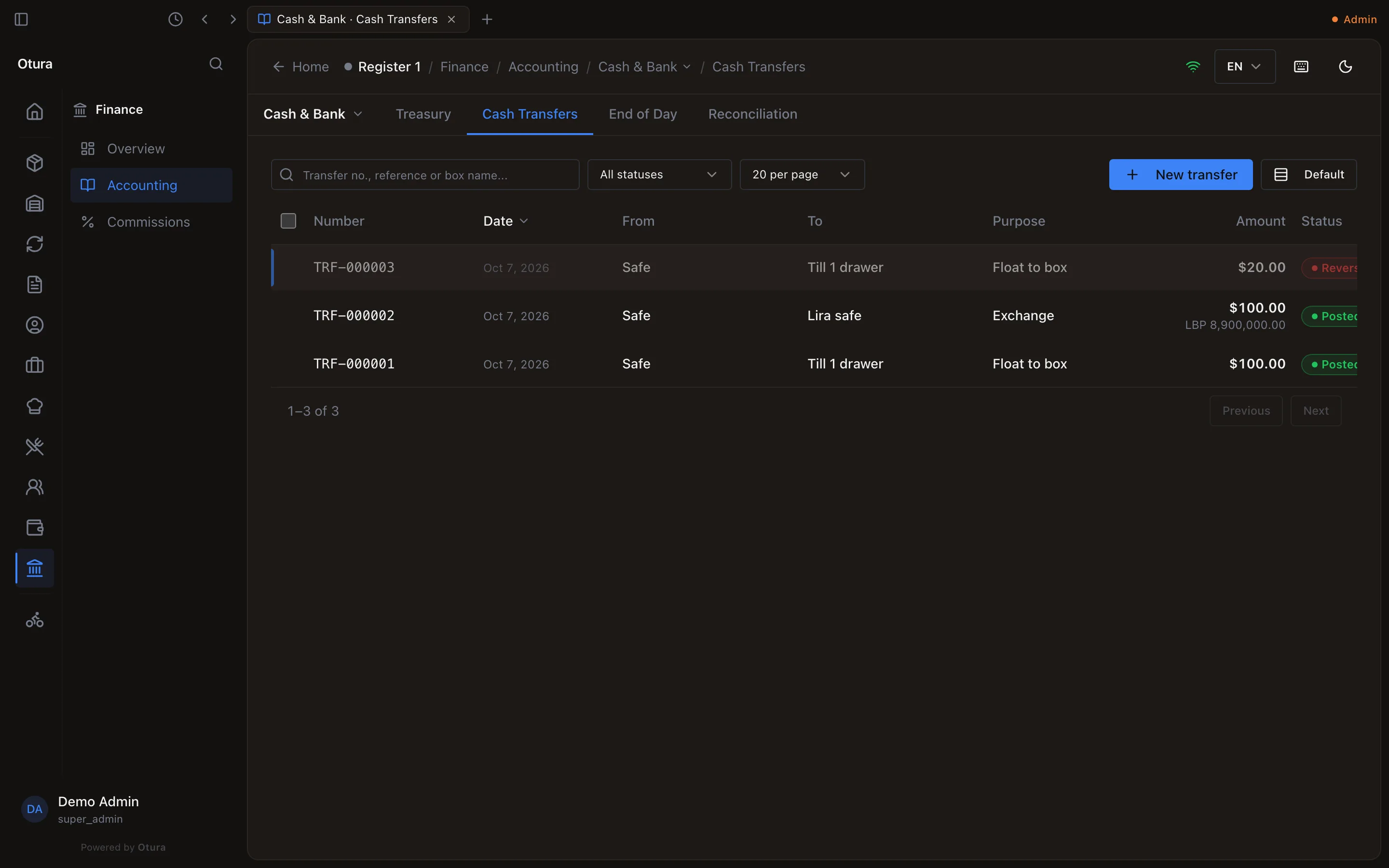
A transfer recorded by mistake is reversed, not deleted. Right-click it in the list (or select it and press R) and choose Reverse, give the reason, and press Reverse. Otura posts the opposite entry, dated today, and the transfer is marked Reversed. It keeps its number and cannot be un-reversed: to move the money after all, record a new transfer. If today is already counted, the refusal offers Reverse anyway.
4. End of Day: count the boxes
At the end of the day, count every cash box and vault on FinanceAccountingCash & BankEnd of Day. Pick the Day (today, by default). Once any box sits at a branch, the page also asks what you are Closing: one branch's boxes, or the Whole business, which counts the head-office boxes and every branch not closed on its own. The page first shows What we sold: each register shift and the back-office invoices, by how the customer paid. A till whose cash lands in a box being counted must have its shift closed first: a shift still open on one is listed as something that stops the day closing (Register 1 still has an open shift; its drawer books its own cash difference.).
Count, without looking
Under Count the boxes, type what you find in each box, in the box's own currency. What the books expect is hidden until you review, so the count is yours. Type 0 for an empty box: a box left blank keeps you on this step with Not counted yet: Spare box. Type 0 for a box that is empty.
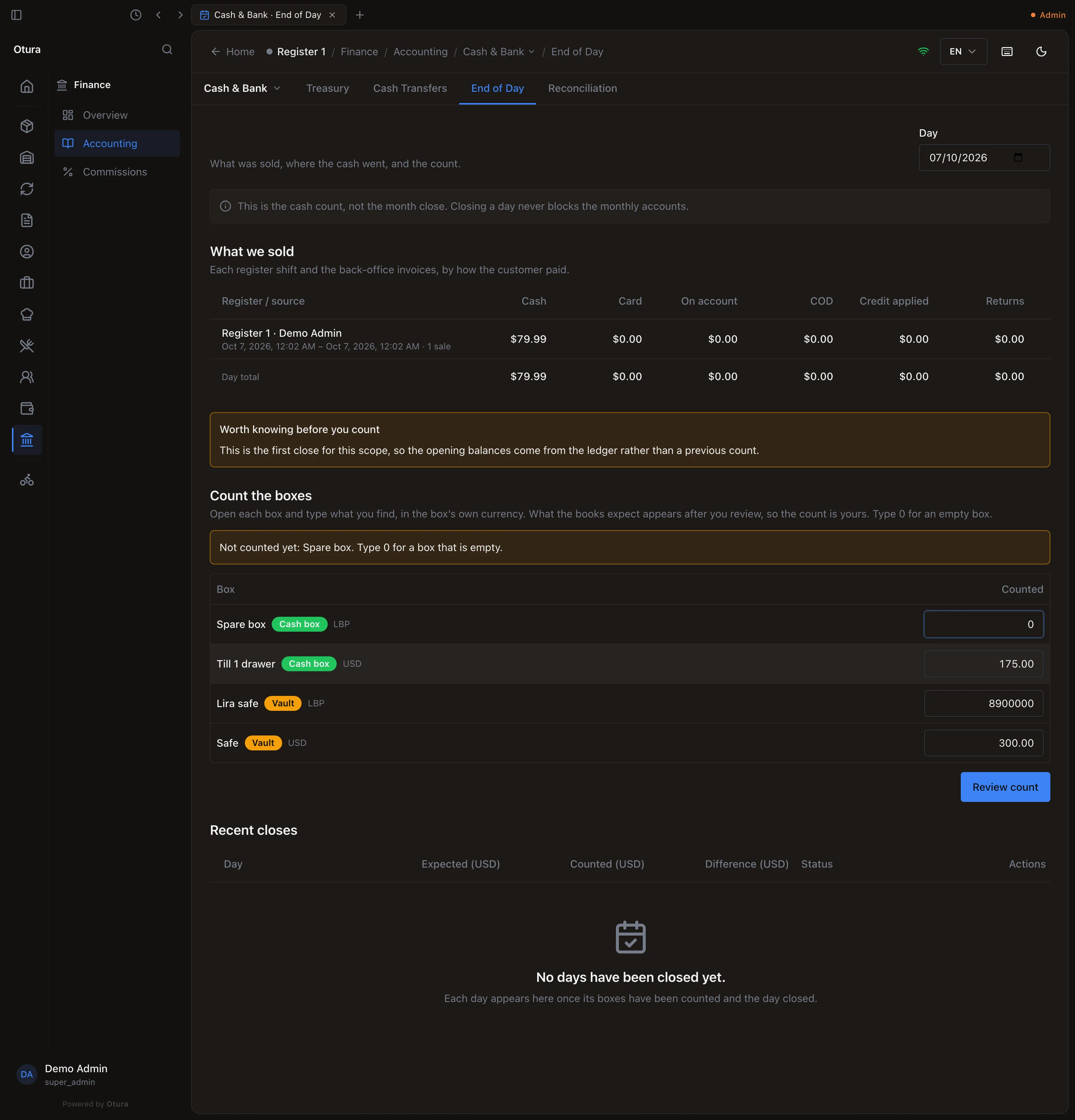
The blind count. The Spare box was left blank at first. Review the count
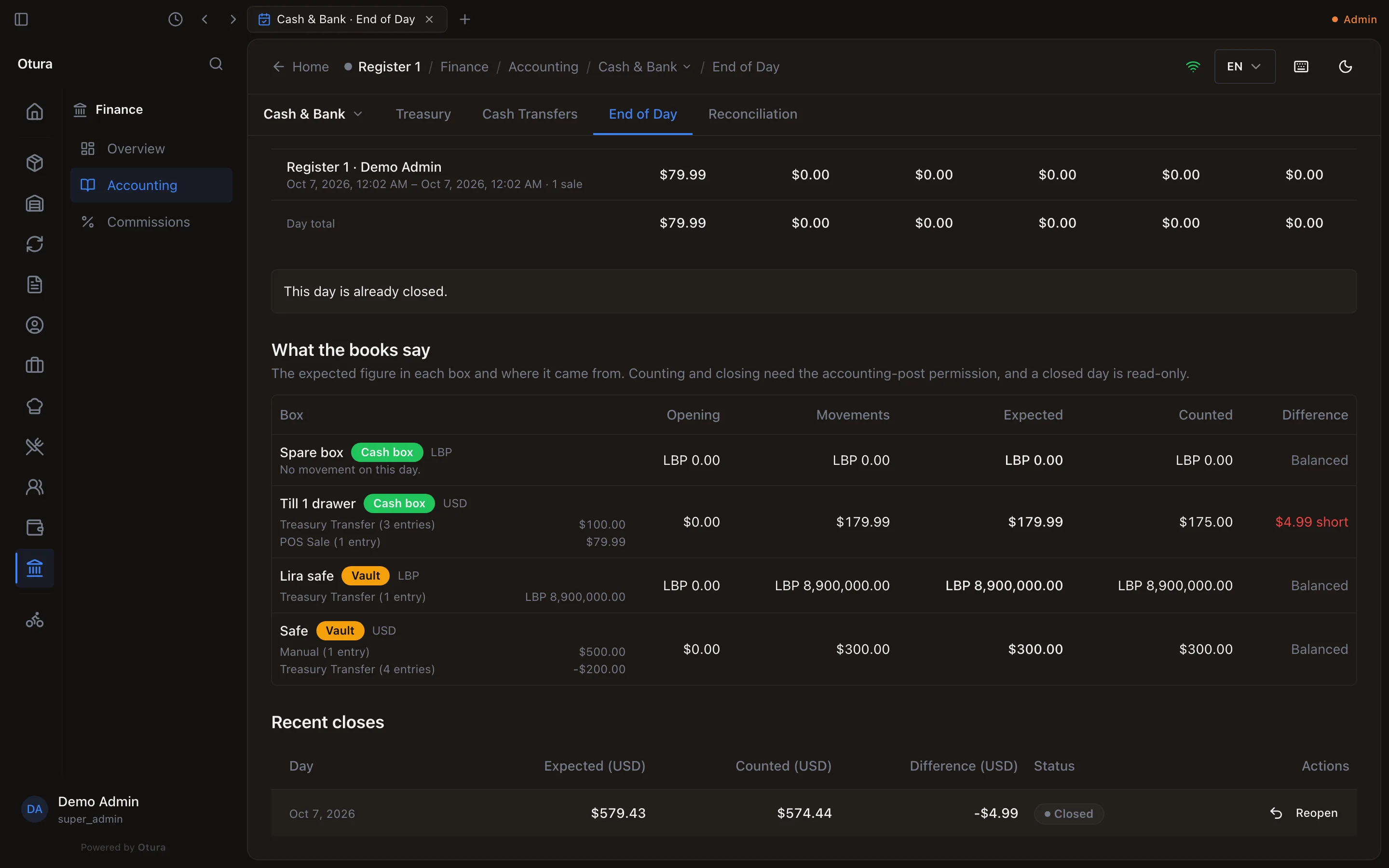
Press Review count. Each box now shows its Opening, the Movements since, what the books Expected, what you Counted, and the Difference: short, over or Balanced. Under each box, the movements are listed by where they came from (POS Sale, Treasury Transfer, …). If something is off, Recount.
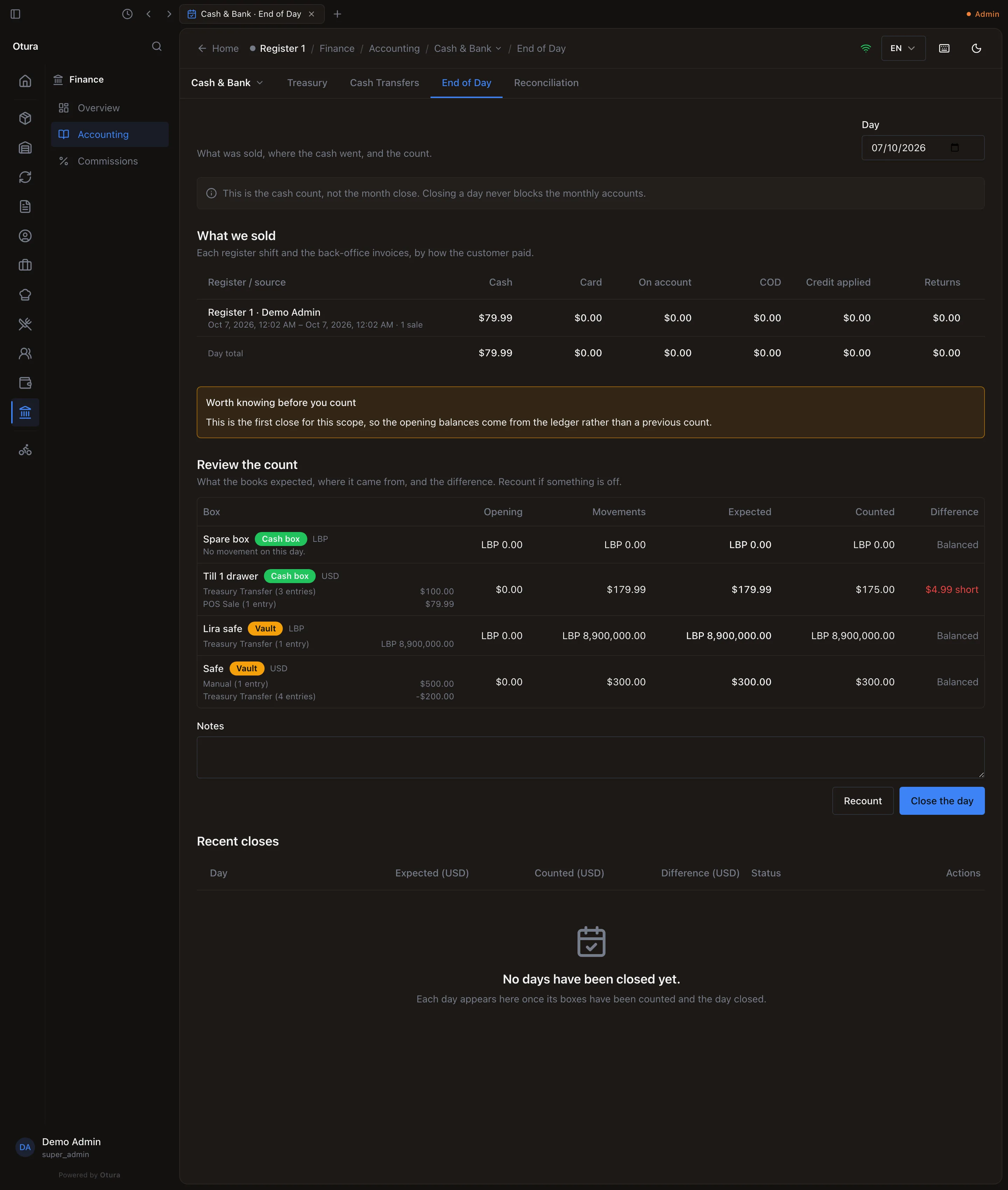
The drawer is $4.99 short; everything else balances. Close the day
Add a note if you want, and press Close the day. The message Day closed confirms it, and the day appears under Recent closes.
What the books expect
Expected is the box's last accepted count plus every movement on its ledger account since then: sales, refunds, transfers, the shift's over/short, manual entries. The very first close has no earlier count, so it opens from the ledger instead, and the page says so. A movement dated into a day already counted, but entered after that count, is included in the next close's expected figure. The page warns you about it before you count, and the close is refused until you turn on Close anyway in the warning, which needs the Post to the books permission.
What happens in the books
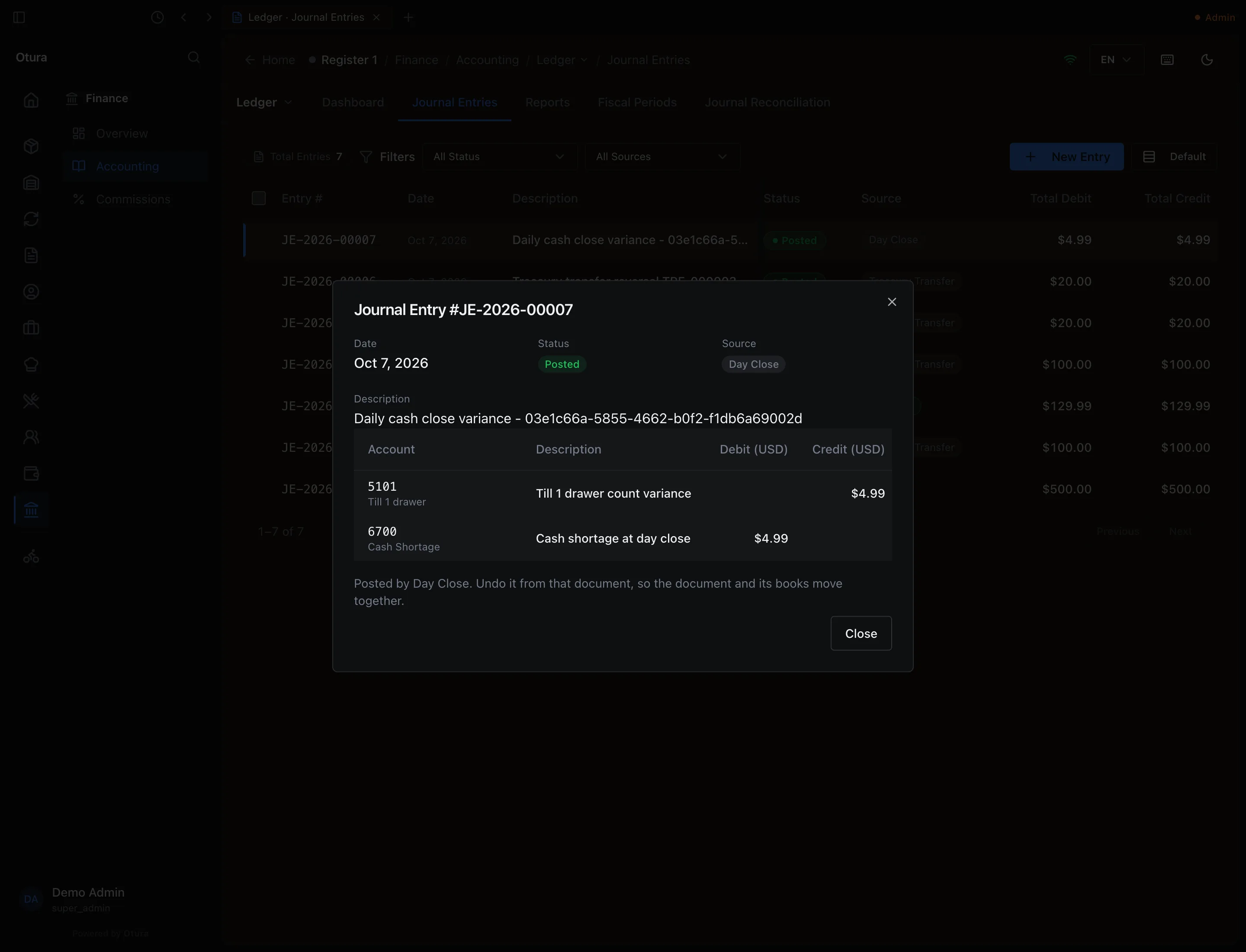
A difference posts one journal entry, dated the day closed, with the source Day Close:
| Debit | Credit | |
|---|---|---|
| A box is short | 6700 Cash Shortage | the box’s account |
| A box is over | the box’s account | 7700 Cash Overage |
One entry covers all the boxes counted. A day where everything balances posts nothing. Shortages and overages are not netted against each other.
Recent closes, and Reopen
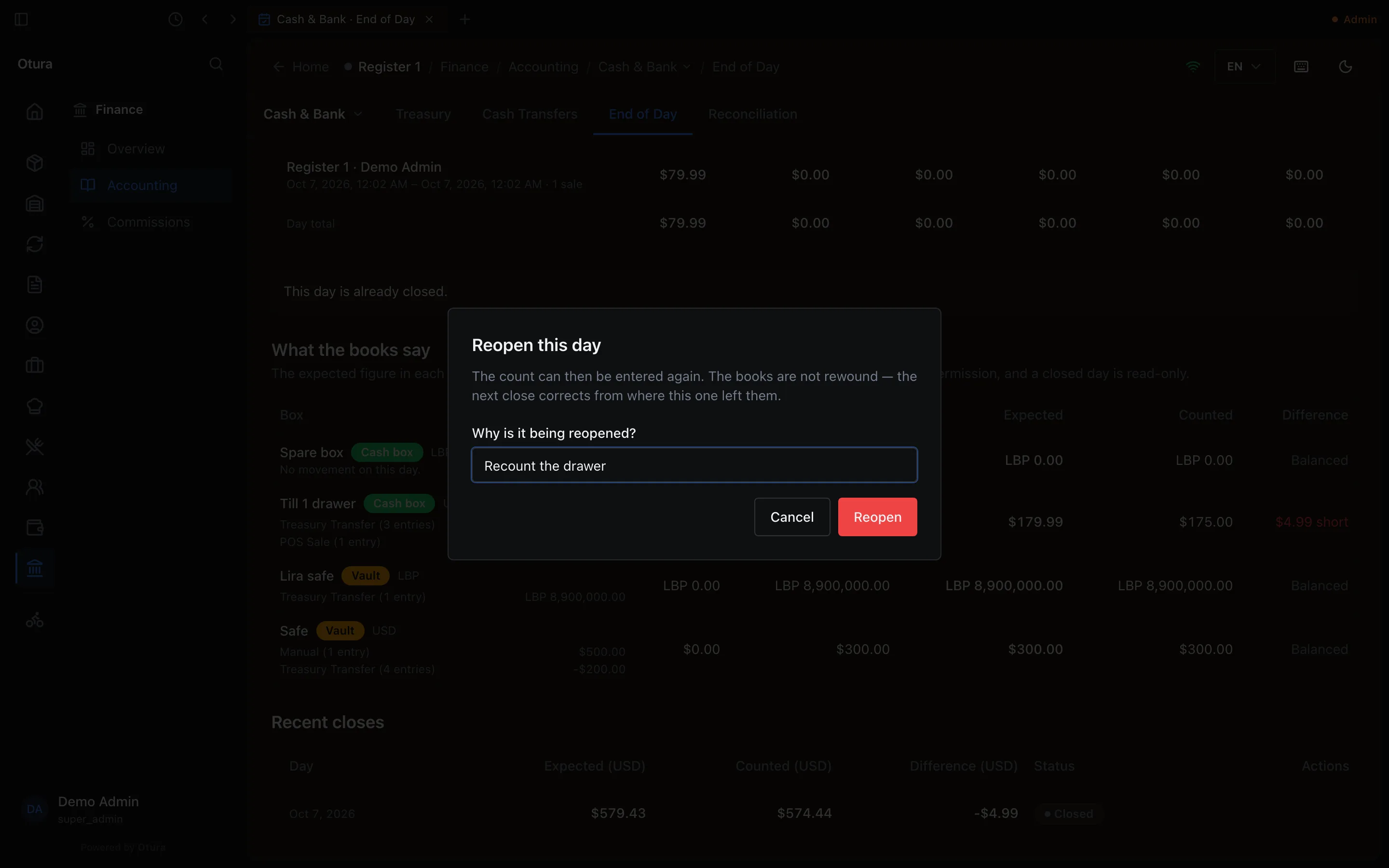
Recent closes lists the last 30 closes with the expected, counted, short, over and difference in dollars, the branch where a branch was closed on its own, and their status. If a count was wrong, someone with Administer accounting can press Reopen on its row and give the reason. The message Day reopened confirms it, the close is marked Reopened, and the count can be entered again. The books are not rewound: the next close corrects from where this one left them. Days are reopened latest first.
5. Find the difference afterwards
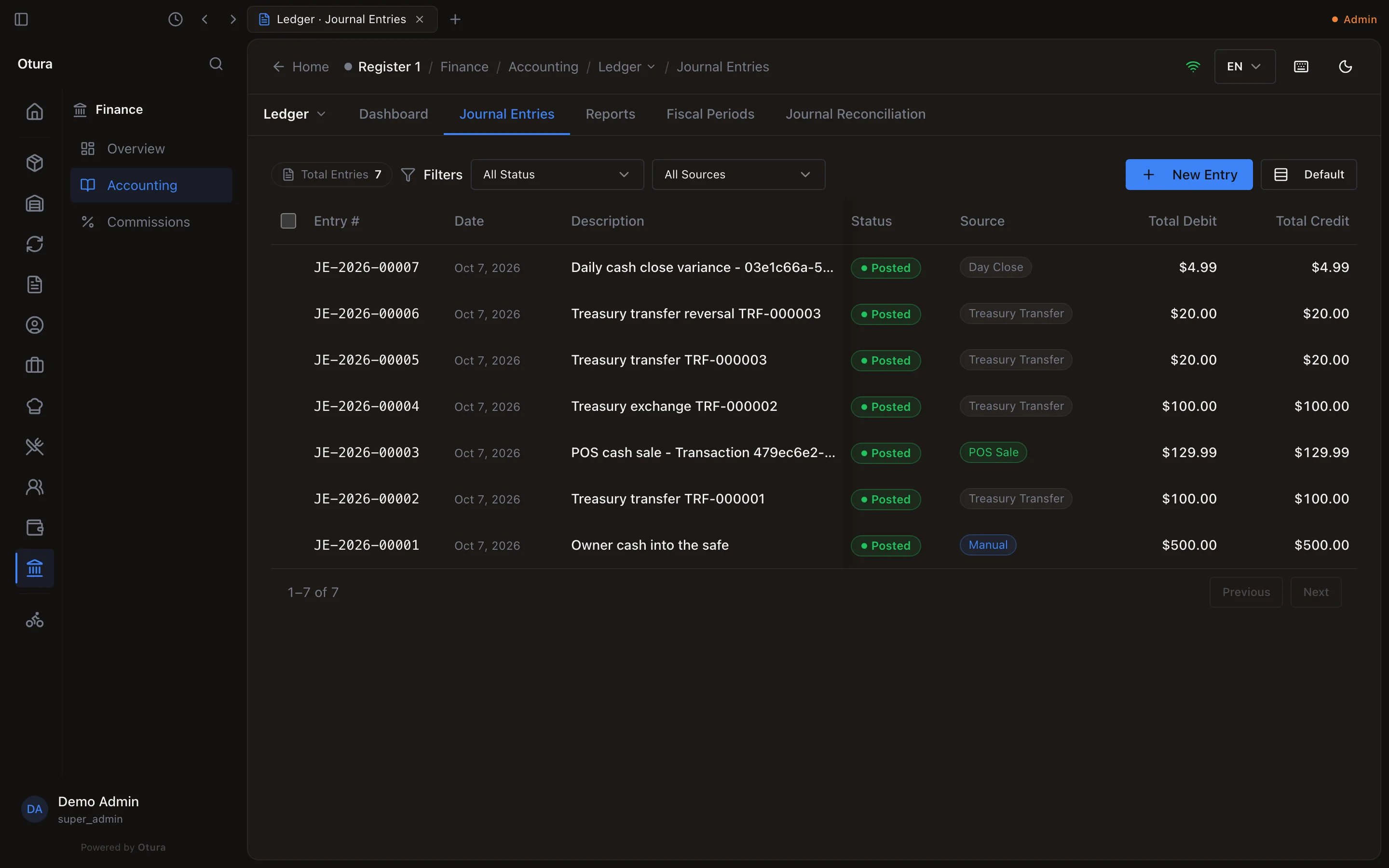
The shortage is a journal entry like any other. On FinanceAccountingLedgerJournal Entries, it is the entry whose Source reads Day Close; open it (right-click, Open entry) to see its lines. It also shows on the 6700 and 7700 lines of the trial balance and general ledger, under Reports.
Cash found after a shortage
If the missing cash turns up later, put it back in the box and record it with a journal entry dated the day you found it. Do not reopen the old day and do not record a transfer: the money did not move between boxes.
Write the entry
On Journal Entries, press New Entry. Give it a Description, then two lines: Debit the box's account and Credit 6700 Cash Shortage, by the amount found. The page shows Balanced when the two sides agree. Save it with Save as draft.
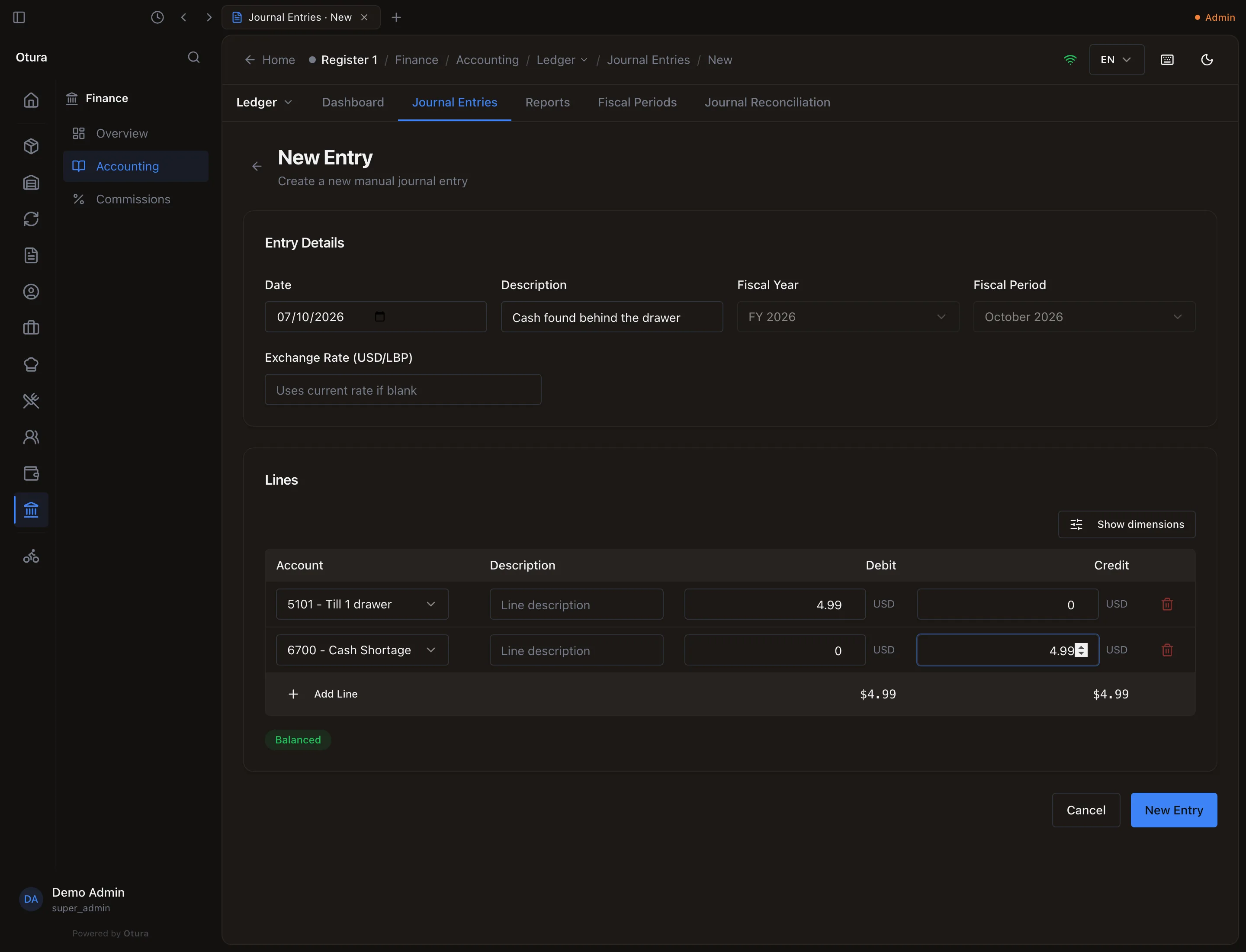
The $4.99 found: Dr the drawer, Cr 6700. Post it
Right-click the draft in the list, choose Post, and confirm. If that day's cash was already counted, Otura refuses first, because the entry changes a counted box: 2026-10-07 has already been counted and closed. Posting a movement into it changes a figure somebody signed off on — it requires the accounting-post permission. The message offers Post anyway; the next close then includes it in that box's expected figure, and asks you to turn on Close anyway (see What the books expect).
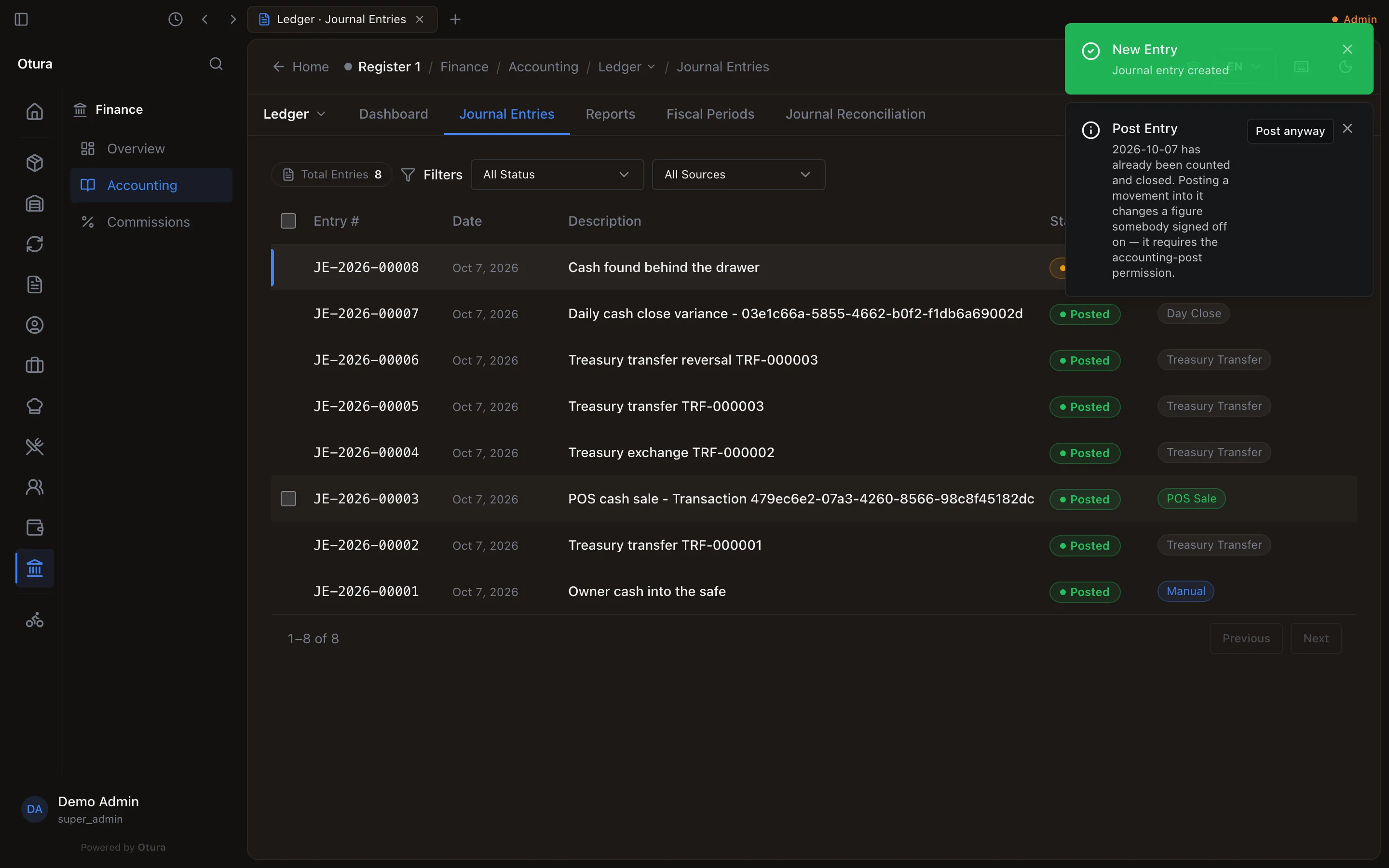
Posting into a counted day asks you to say so: Post anyway.
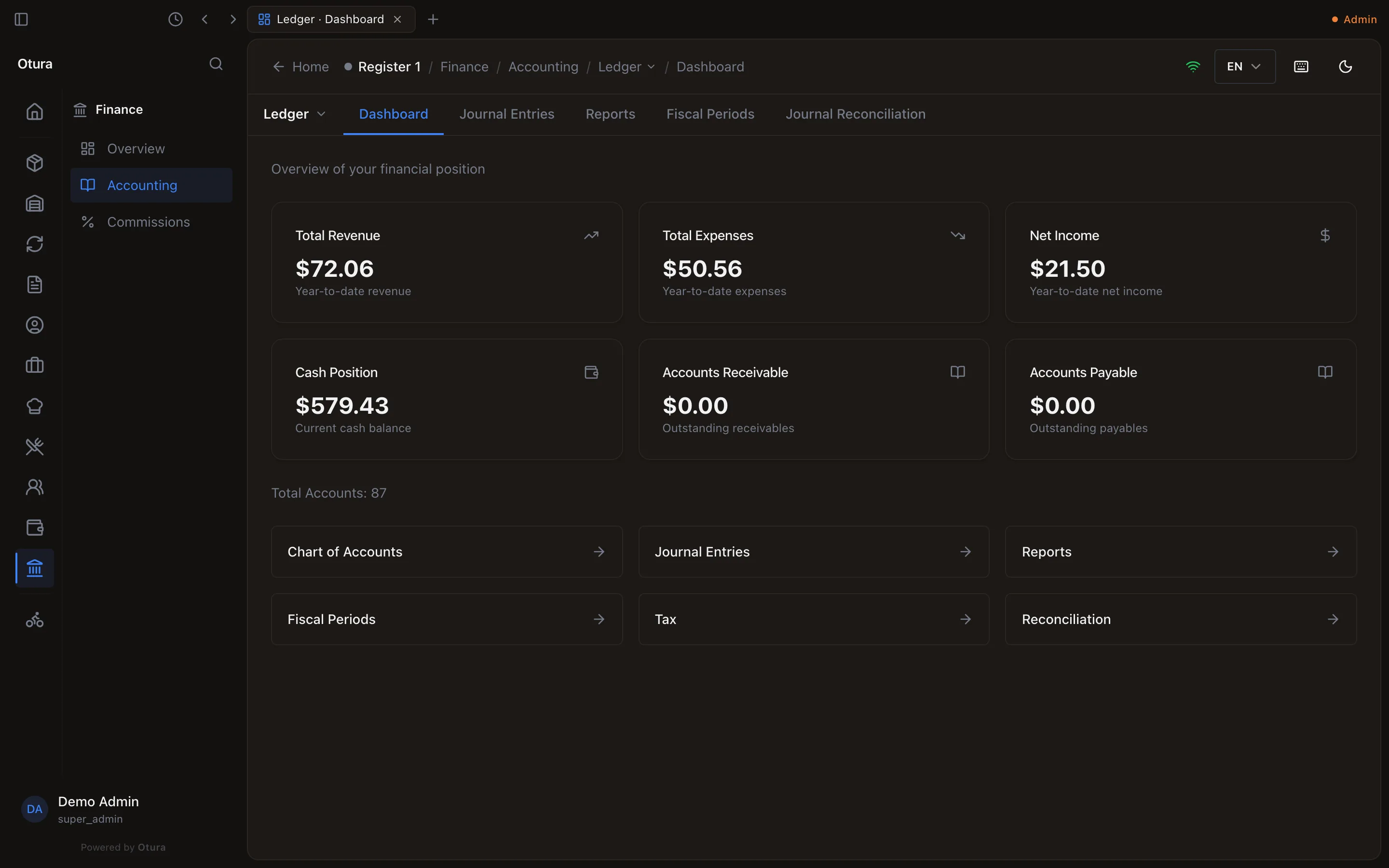
Cash Position
Cash Position, on FinanceAccountingLedgerDashboard, is what all your boxes and cash accounts hold today, in dollars: every box's account, plus the shared till, safe and bank accounts. Moving money between your own boxes does not change it. In the day above: the owner's $500.00 into the safe, the $79.99 sale, less the $0.56 lost on the exchange, makes $579.43 (the $4.99 found cancels the shortage).