The cash drawer during a shift: drops, payouts, pay ins and no sale
Taking cash out of the drawer to the safe, paying an expense from it, putting change into it, and opening it without a sale: the Cash screen, who may do what, and how the shift counts each.
Checked against the product on 25 October 2026
Cash moves in and out of the drawer during a shift for reasons other than sales: notes taken to the safe, a delivery paid in cash, change brought from the safe. Each is recorded on the till's Cash screen, so the shift expects exactly what the drawer should hold when it closes.
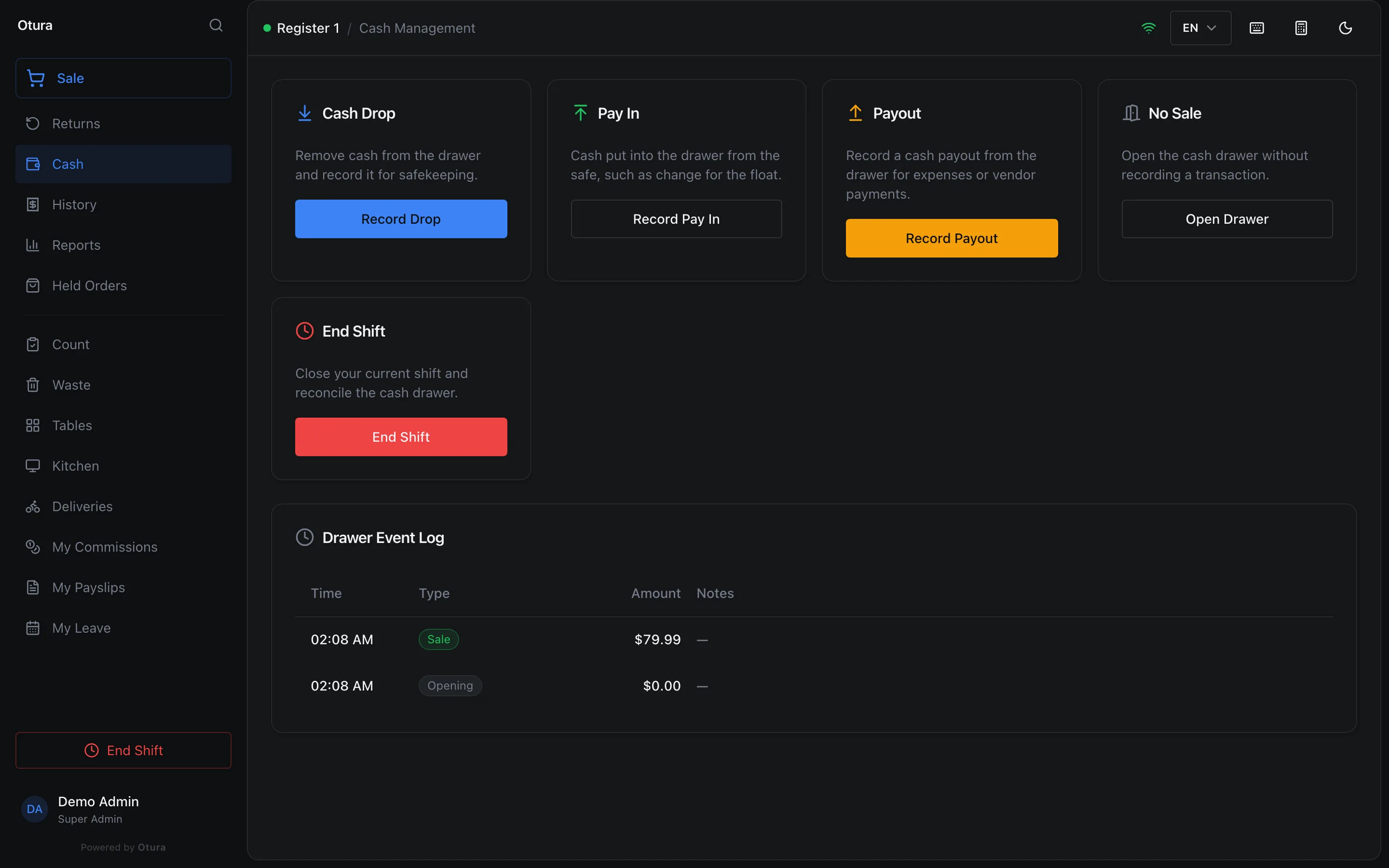
| Card | What it is | The shift | Who (standard roles) |
|---|---|---|---|
| Cash Drop | Cash taken from the drawer to the safe. | Expects that much less. | Everyone who sells (the Record cash drops right). |
| Pay In | Cash put into the drawer from the safe, such as change for the float. | Expects that much more. | Everyone who sells. |
| Payout | Cash paid out of the drawer for an expense or a supplier. The till asks for the reason. | Expects that much less. | Supervisor, Admin and Super Admin (the Record cash payouts right). A cashier is told: Paying out needs a supervisor. |
| No Sale | Opens the drawer without recording any money. | Nothing changes; the event is logged. | Everyone who sells. |
Taking cash to the safe: Cash Drop
Record Drop
On Cash, press Record Drop. Where the till takes lira, choose the Currency first: the lira drawer is counted on its own.
How much, and a note
Type the Amount (USD) (or Amount (LBP)) and, if you like, Notes (optional). Record Drop stays greyed out until the amount is more than 0; the server refuses a drop, payout or pay in of nothing too.
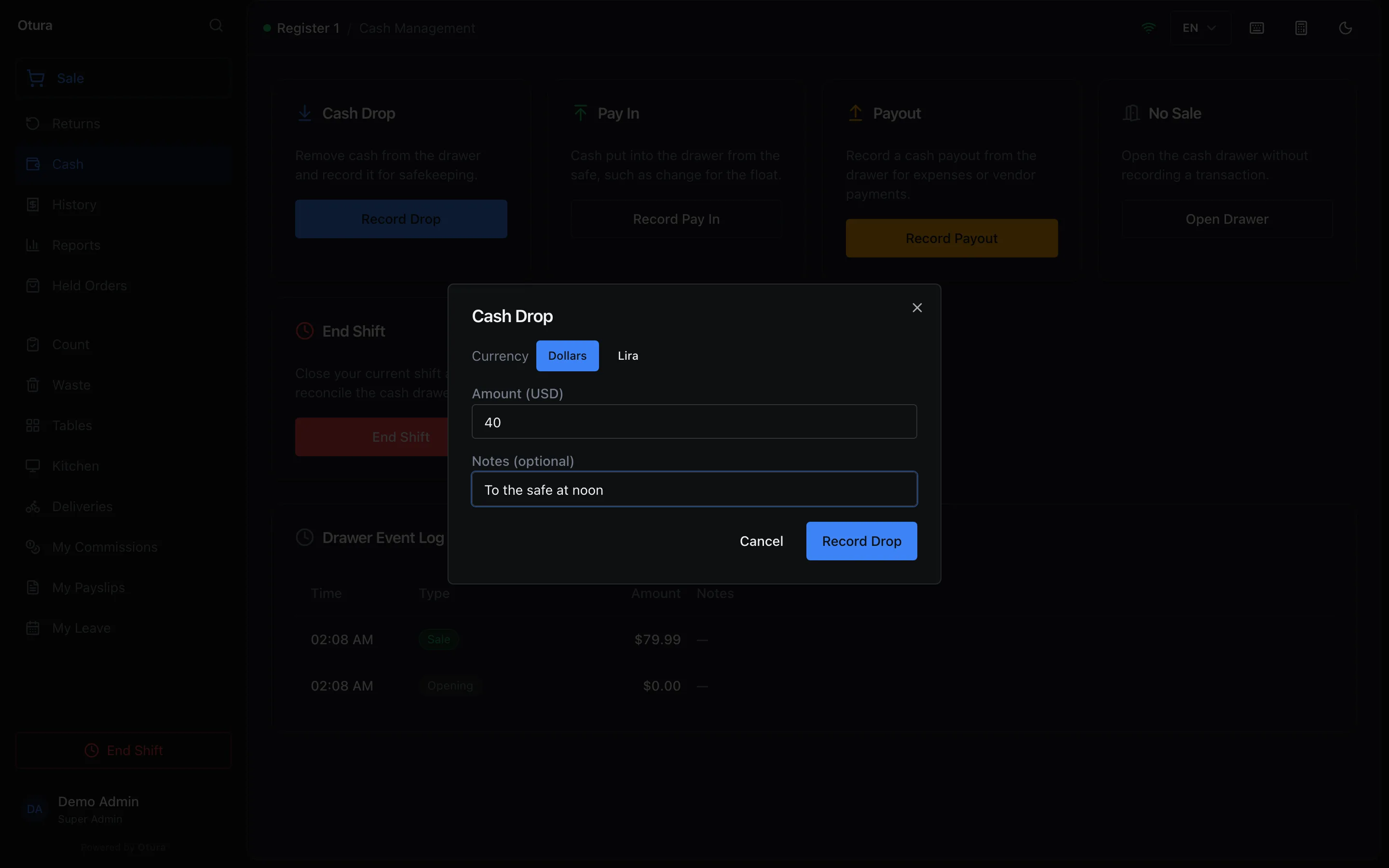
A $40.00 drop, with a note for whoever counts the safe. It is in the log
The drop is in the Drawer Event Log below the cards, with its time, its amount and its note, and on the X report's Cash Drawer as Cash drops.
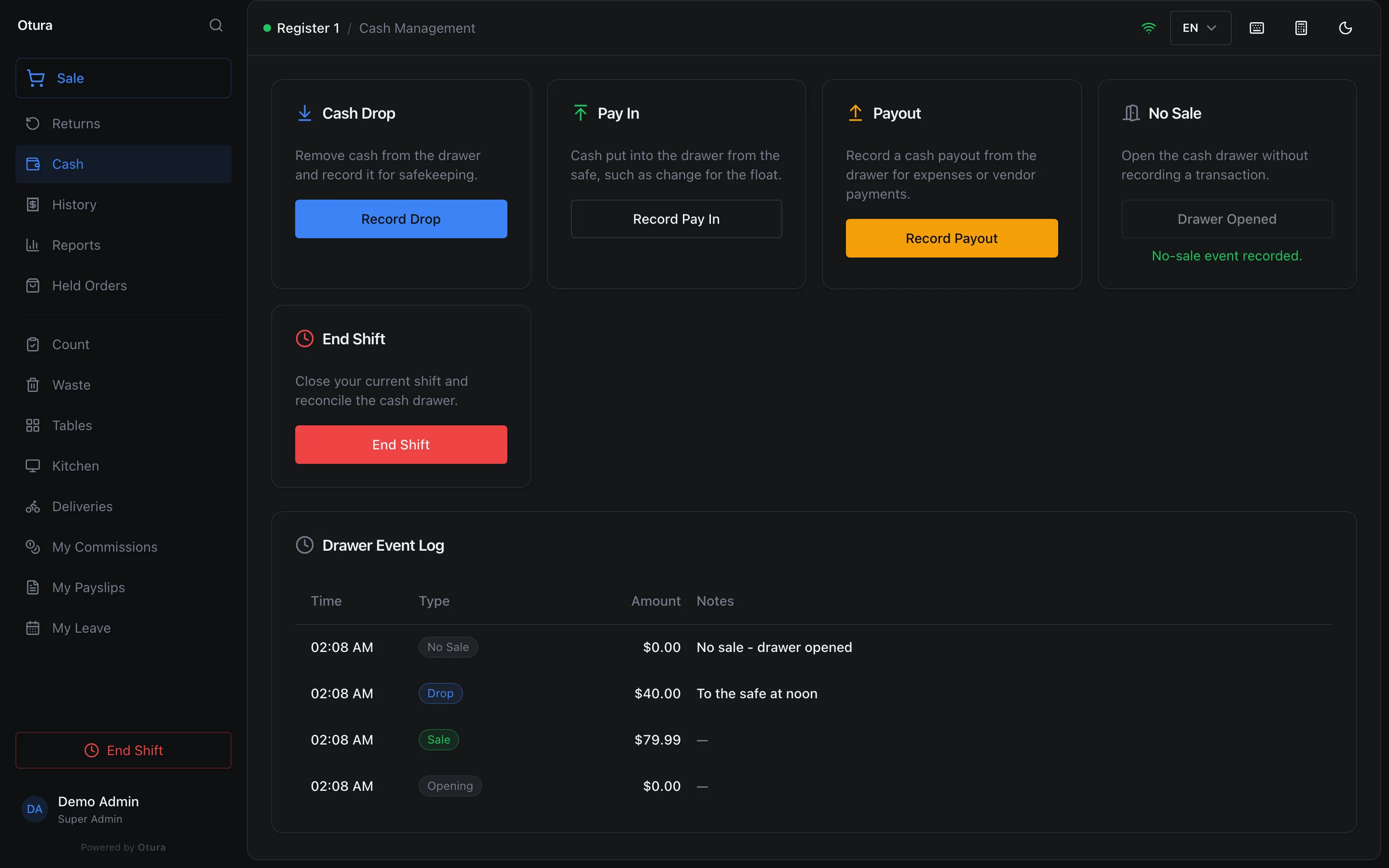
Every movement of the shift, newest first.
Paying an expense from the drawer: Payout
Press Record Payout. Where the till takes lira, choose the Currency (Dollars or Lira) first. Type the amount and the Reason (required), then Process Payout. The till keeps the button greyed out until there is a reason, and says A reason is required for payouts. if it is blank. A role can be given a limit on payouts under Settings › Roles; above it, the till refuses and names the limit. A lira payout is checked against the limit at today's rate.
Putting change in: Pay In
Press Record Pay In. Where the till takes lira, choose the Currency first. Type the amount and, if you like, Where it came from (optional), then Record Pay In. The books move the cash from the safe into this drawer.
A Pay In larger than the safe holds in the books is refused, and the message says what the safe holds. If you have the Post to the books permission, the till also offers Record anyway, for the day the books are behind the cash. Without that permission, record first the cash that came into the safe, or ask someone who has it. See Pay In for how the shift report shows it.
Opening the drawer: No Sale
Open Drawer opens the cash drawer and logs a No Sale in the Drawer Event Log, with its time. No money is recorded.
Where it shows
Reports › X-Report (Shift) shows the open shift's Cash Drawer: opening cash, cash sales, and each of drops, payouts, pay ins and refunds the shift had, then the Expected Cash. The shift report at close lists each movement under Cash moved in and out. See Closing a shift. For what each movement does to the safe and the books, and when to do it in the day, see How money moves and Your money routine.