Units and decimal quantities
The units Otura knows, how to add your own, and how to sell half a portion or 0.75 kg of something.
Checked against the product on 13 October 2026
A unit of measure says what one of something is: a piece, a kilogram, a litre, a box. Units decide two things you will notice at the till — the label next to the quantity, and whether the quantity can have decimals. They also let recipes use grams while you count cheese in kilograms.
The Units screen
StockUnits lists every unit with its category and Decimal Precision — how many digits a quantity in that unit may have after the decimal point. Below the list are the Conversions between units.
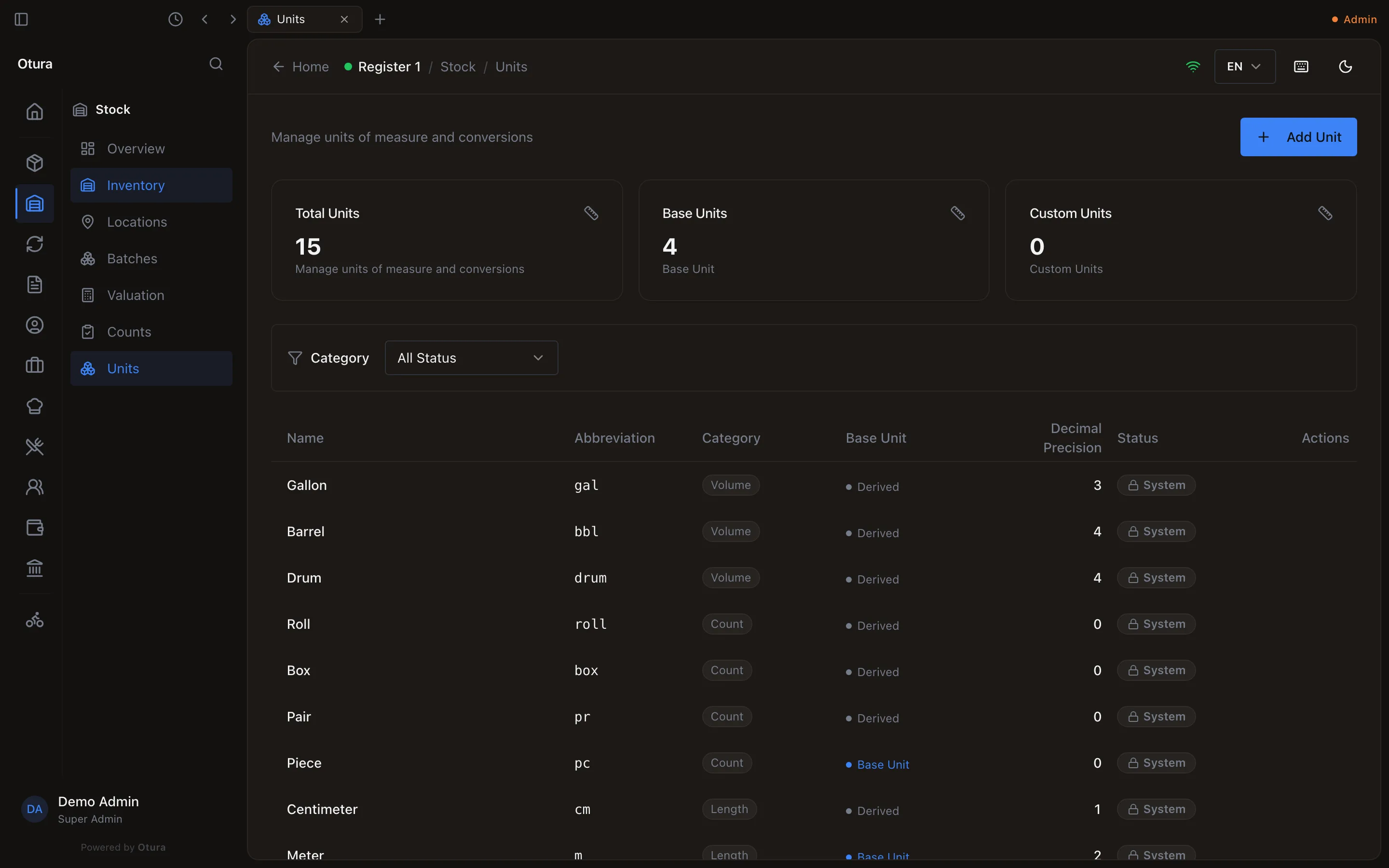
Units every business starts with
| Category | Units (decimal places) |
|---|---|
| Weight | Kilogram kg (3), Gram g (0), Milligram mg (0), Pound lb (3), Ounce oz (2) |
| Volume | Liter L (3), Milliliter mL (0), Centiliter cL (1), Gallon gal (3), Fluid Ounce fl oz (1), Cup (2), Tablespoon tbsp (1), Teaspoon tsp (1), Drum (4), Barrel bbl (4) |
| Length | Meter m (2), Centimeter cm (1) |
| Count | Piece pc, Pair pr, Dozen dz, Pack pk, Box, Case cs, Pallet plt, Roll (all 0) |
| Time | Hour hr (2), Minute min (0) |
They come with conversions: 1 kg = 1,000 g (and to mg, lb, oz), 1 lb = 16 oz, 1 L = 1,000 mL (and to cL, fl oz, cup, tbsp, tsp), 1 gal = 3.785 L or 128 fl oz, 1 drum = 200 L, 1 barrel = 158.99 L or 42 gal, 1 m = 100 cm, 1 pair = 2 pieces, 1 dozen = 12 pieces, 1 hour = 60 minutes. Pack, Box, Case, Pallet and Roll have no fixed size, so they have no conversion — use Packs for “a box of 24”.
Add your own unit
Click Add Unit
On StockUnits.Name it
Name (e.g. Portion) and Abbreviation (e.g. ptn). Both must be unique in your business.Choose a Category
Weight, Volume, Length, Count, Time or Custom.Set Decimal Precision
0 for whole numbers only; 1 allows 0.5; 2 allows 0.25; up to 8 can be stored, but the till accepts at most 4 decimals.Save Changes
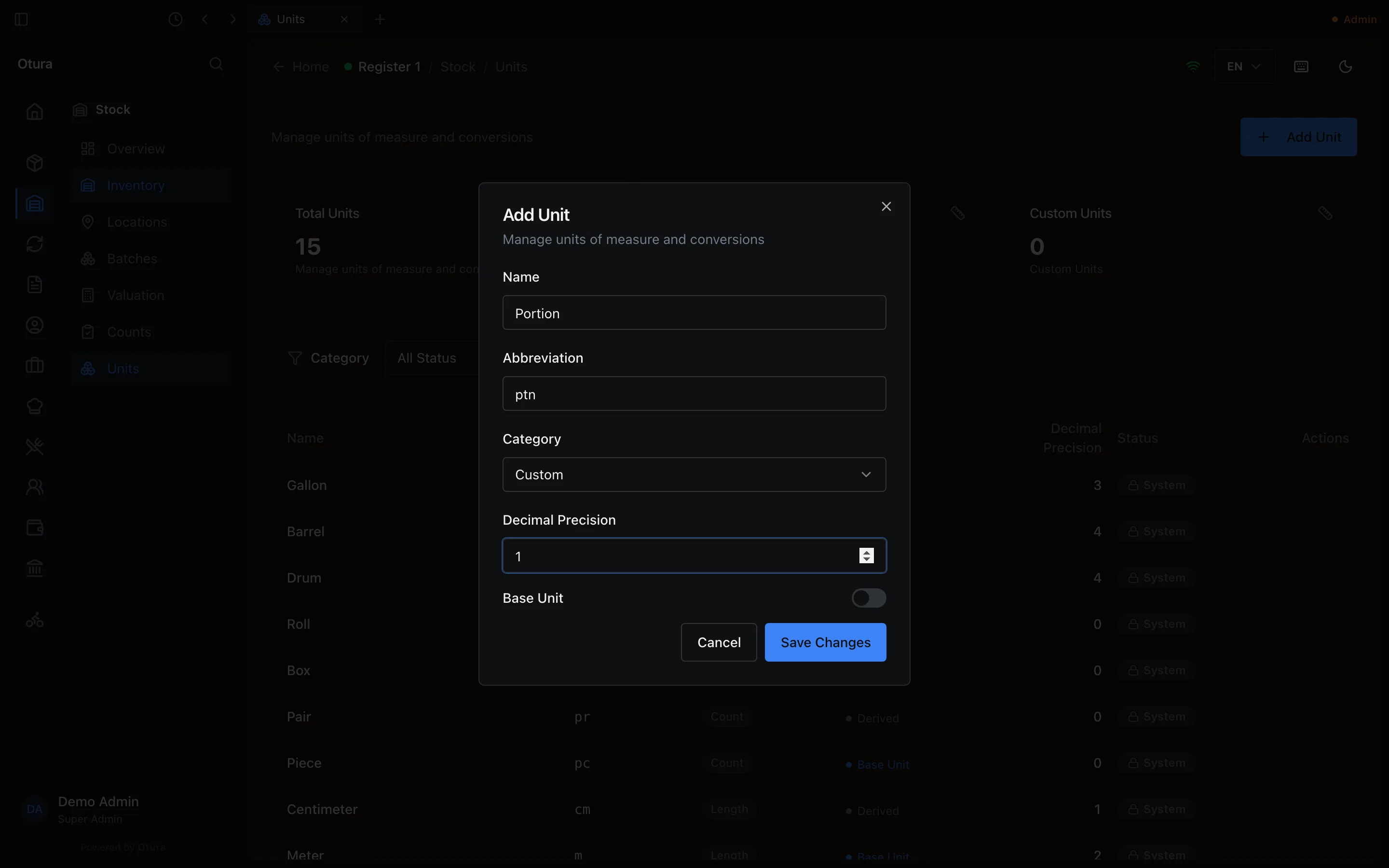
The Base Unit switch marks the unit in the list; it does not change how conversions work. Items created with Quick add get one of your base units as their selling unit — not necessarily the one you expect (it may be Kilogram) — so check a quick-added item's Selling UOM afterwards.
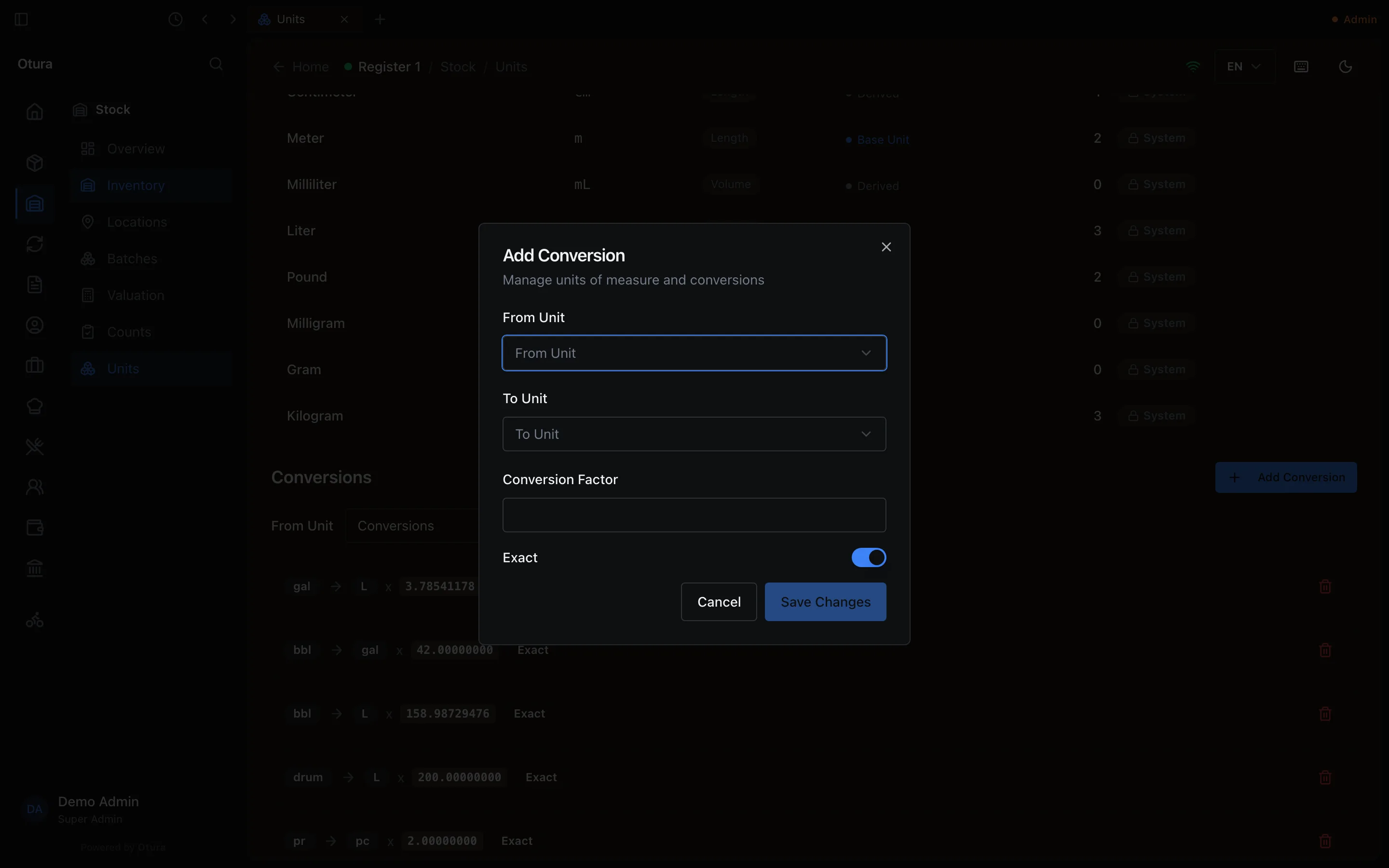
Conversions
Click Add Conversion, choose a From Unit and a To Unit of the same category, and enter the Conversion Factor — how many To units make one From unit (a custom Count unit “Tray” → 30 Piece: factor 30). When you add a conversion, Otura adds the reverse direction too, as it does for the built-in ones. A conversion cannot be edited; delete it and add it again.
Where units are used
| Setting | Where you set it | What it does |
|---|---|---|
| Default UOM | Product form (required for weighted products and ingredients) | The unit the product is counted in. Recipes convert their quantities into it. If the variant has no Selling UOM, it also sets the till label and how many decimals the cart accepts. |
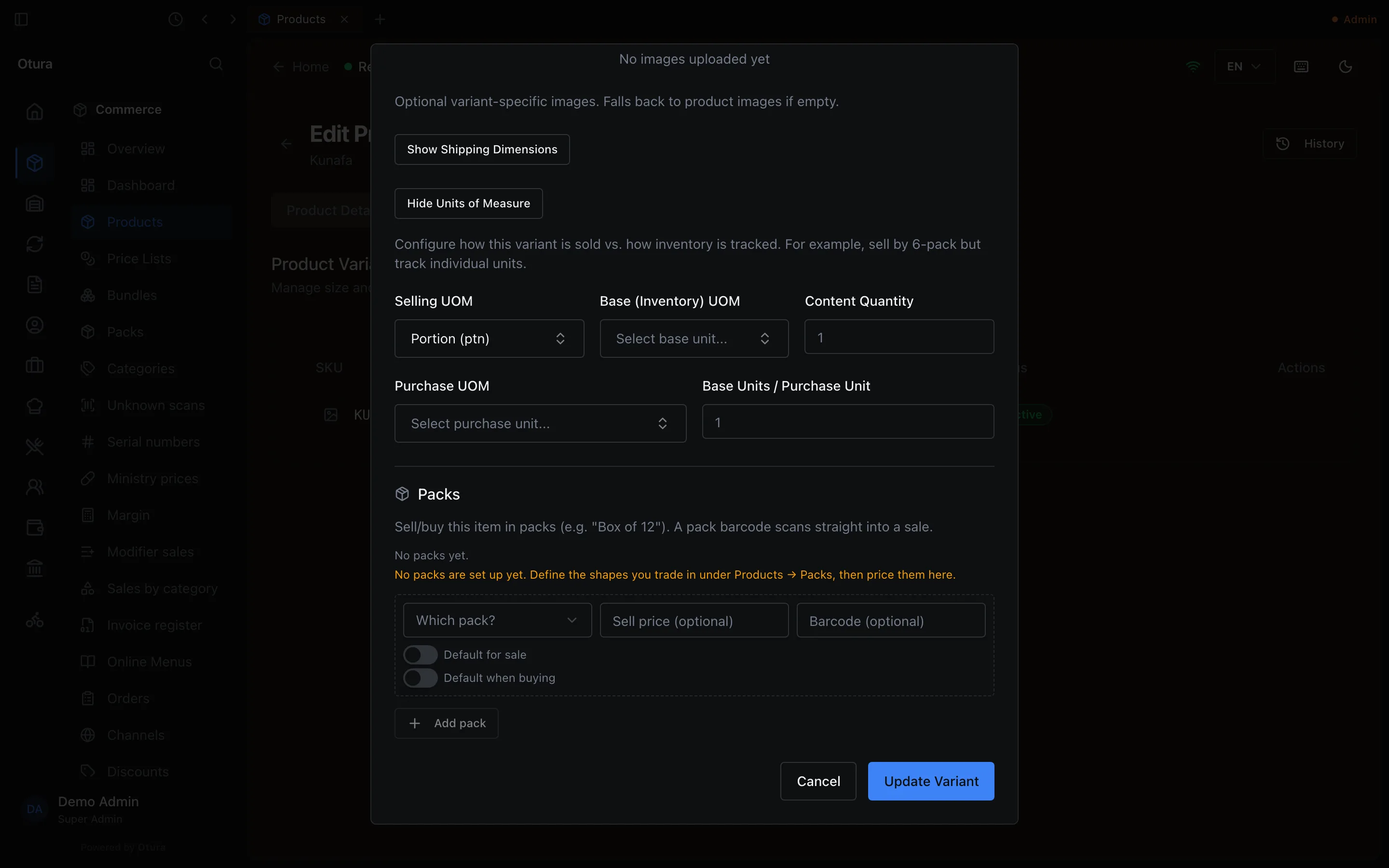
| Selling UOM | Variant › Show Units of Measure | The unit shown at the till and on receipts, and how many decimals the cart quantity accepts. |
| Base (Inventory) UOM + Content Quantity | Same section | How many stock units one sale deducts. Content Quantity 6 means selling 1 deducts 6 (a six-pack sold, six bottles counted). |
| Purchase UOM + Base Units / Purchase Unit | Same section | For purchase orders: receiving 1 purchase unit adds that many stock units (a 200 L drum adds 200 L) and divides its cost the same way. |
| Waste unit | Production › Waste, and the till's Waste | Back-office waste can be entered in any unit of the same kind as the stock unit and is converted: 500 g of rice stocked in kg takes 0.5 kg off. The till’s Waste screen takes the quantity in the stock unit. |
| Recipe line unit | Each recipe line | Lets a recipe say “300 g” while the ingredient is counted in kg. Sales deduct the right amount; the recipe’s Cost Rollup does not convert yet. |
Sell half a portion (or any fraction)
The quantity box on a cart line accepts decimals only if the item's unit allows them. An item with no unit, or a unit with 0 decimal places such as Piece, is sold in whole numbers. To sell halves:
Create a unit with at least one decimal place
For example “Portion”, Decimal Precision 1 — see Add your own unit.Make it the item's Selling UOM
Open the product, Variants tab, Edit the variant, Show Units of Measure, pick it as Selling UOM, then Update Variant.At the till, change the line's quantity
Add the item, tap the quantity number on its line, type0.5and pressEnter. The line is charged half the price. If a price list prices the item, half of that price is charged.
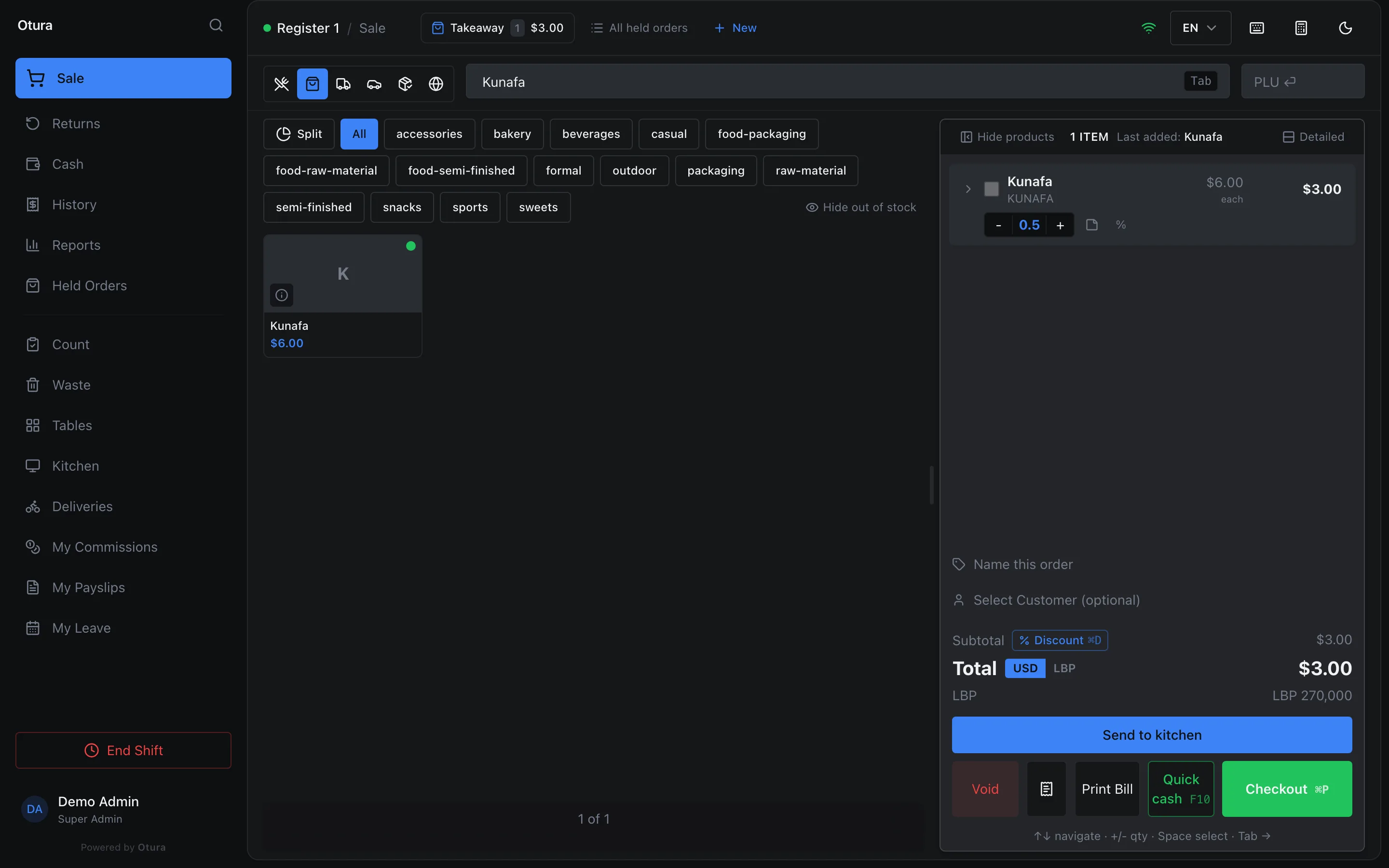
If the item has a recipe, half a portion uses half of every ingredient.
Weighed items
For things priced per kilo or litre, create the product with Product Type Weighted, a Default UOM such as Kilogram, and the price of one unit in Price per UOM (USD).
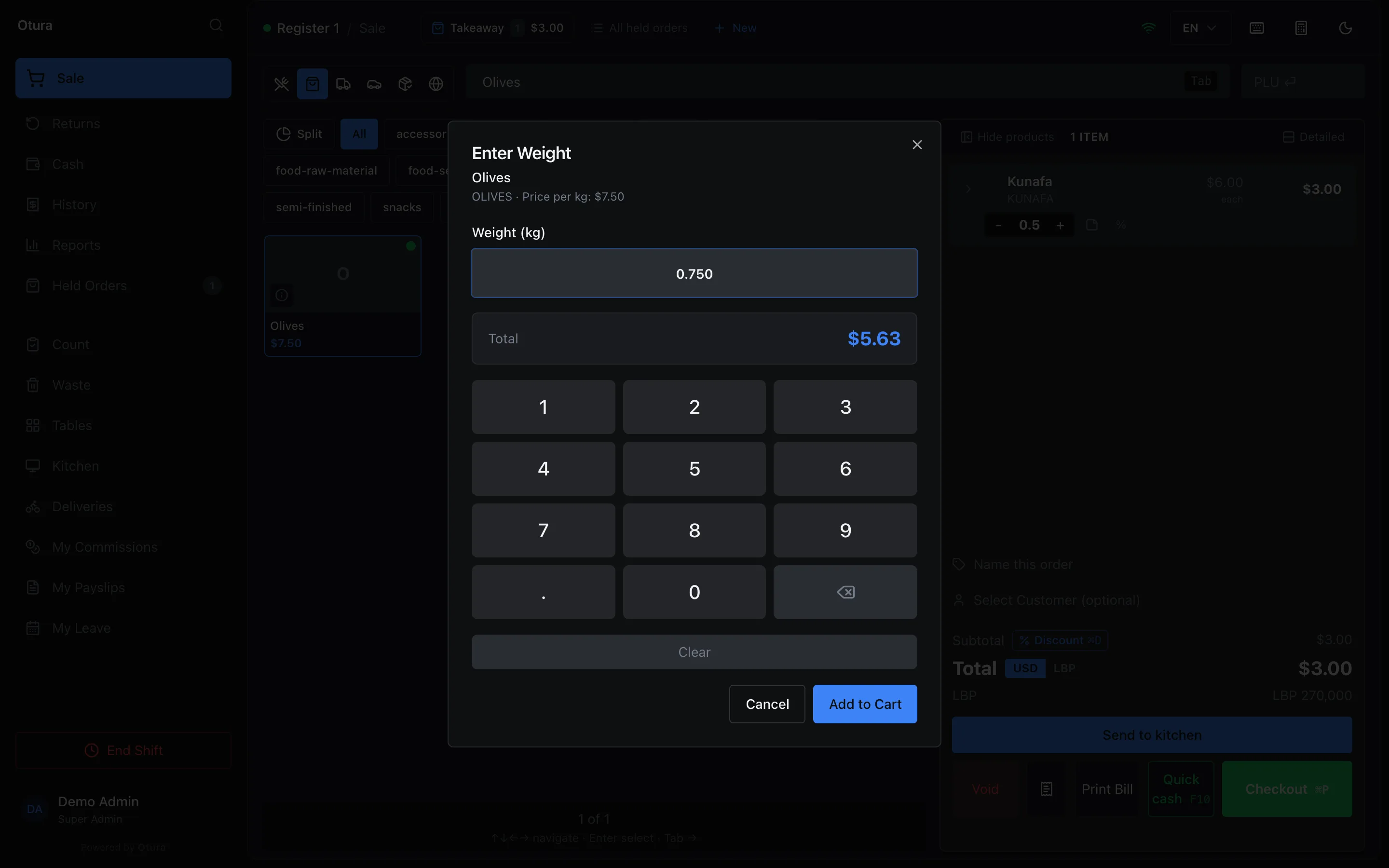
At the till, tapping it, scanning it, or typing its code into the search box or the PLU box opens Enter Weight. Type the weight (up to 3 decimals) on the keypad or keyboard, check the Total, and click Add to Cart. To correct it, tap the weight on the cart line.
Labels printed by a scale
A deli, butcher or produce scale prints a barcode with the weight or the price inside it. Once Otura knows how your scales print them, scanning such a label adds the item at the weight on the label, with no Enter Weight dialog. It works offline too.
Give each weighed product its scale number
On the product, edit its variant and type the scale's item number into PLU. Leading zeros do not matter: 42 and 00042 are the same, so two products cannot share one. Otura refuses a PLU or a barcode another product already has, and names that product.Describe your scales
Open SettingsWorkspaceScale labels. For most scales, click Use the standard weight label: prefixes 20 to 29, a 5-digit item code, and the weight in grams. For another layout, click Add a format and set the Prefixes, the Item code length, whether The label carries the weight or the price, and whether the scale prints a check digit before the value.Try a real label
Scan a label into Try a label. It shows the item code and the weight or price it read, or Not a scale label under these formats. Then click Save.
A weight label is in kilograms, so it is read only for a product sold by the kilogram. A price label fits any unit: it adds the quantity that price buys at the product's own price, so the line comes to the label's price, give or take a gram's worth. A barcode you have put on a product yourself is always read as that product, never as a scale label, so Otura keeps the two apart. A barcode or SKU you type that one of your scales could print (one of its prefixes, 13 digits, a valid last digit) is refused with … reads as one of this shop's scale labels; use another code. And Save refuses a prefix under which a code you already hold would read as a label, naming the product, so change that code first or leave the prefix out. A prefix your shop's own barcodes use (see Your own barcodes and labels) cannot be given to a scale: Use the standard weight label leaves it out of 20 to 29 for you, and Save refuses it in a format you set up yourself.
Labels are read on the sale screen. Count, Waste and the PLU box treat a label as an unknown code.