Online orders and channels
Orders from your online shop: each takes an invoice number when it is placed; confirm it to reserve the stock, ship and deliver it, or cancel it, which credits the invoice.
Checked against the product on 13 October 2026
An order a customer places on your online shop appears under CommerceOrders. It is an invoice from the moment it is placed: it takes the next number of your business's one invoice series (see One number series for every invoice), and the customer sees that number on their confirmation. Online orders are paid cash on delivery. What the customer does to place one is in Your online shop, as your customers see it.
The order is in your books from the moment it is placed: Dr cash-on-delivery receivable, Cr online sales, Cr VAT payable, with its VAT on the tax ledger the VAT return reads. It holds no stock until you confirm it.
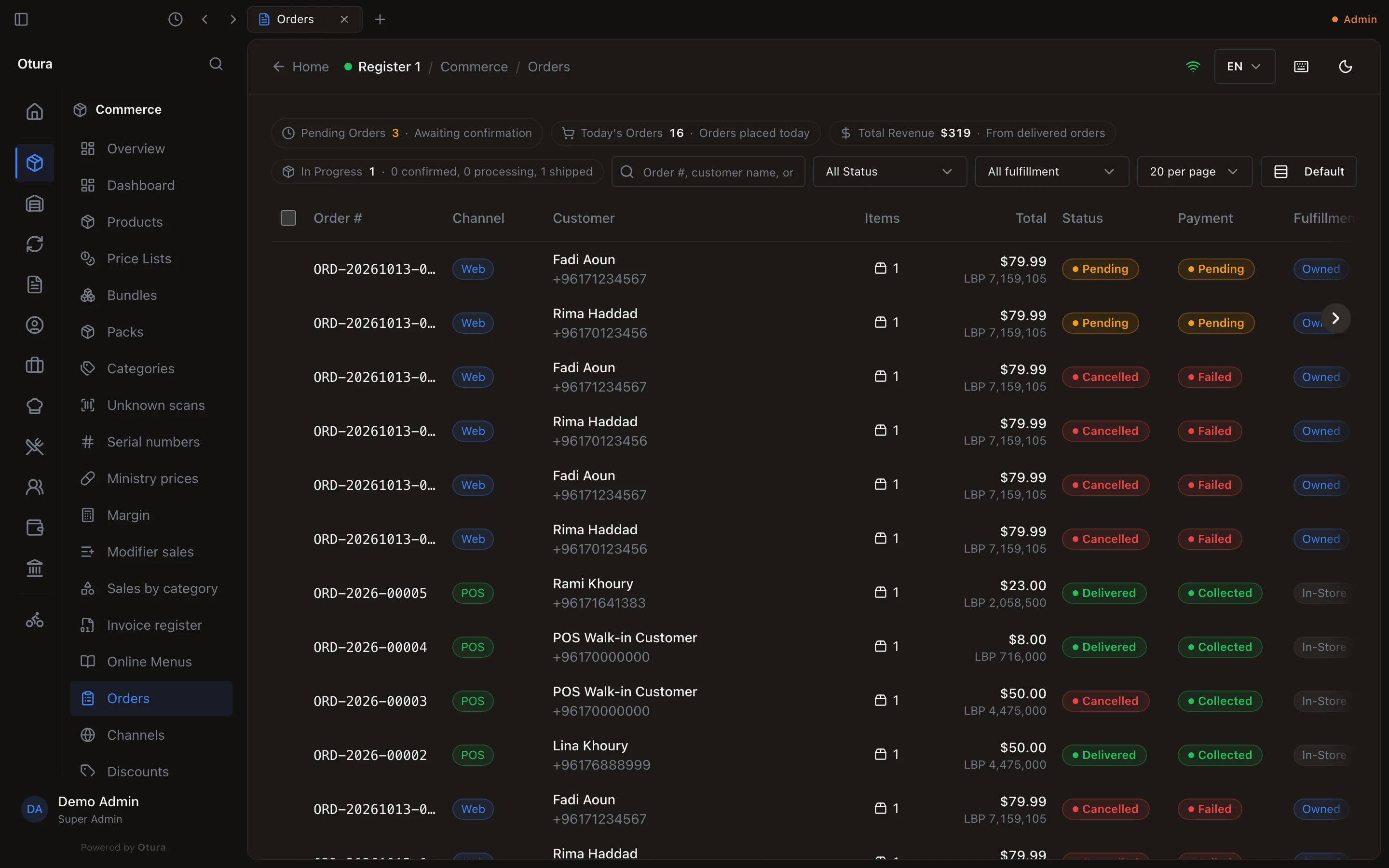
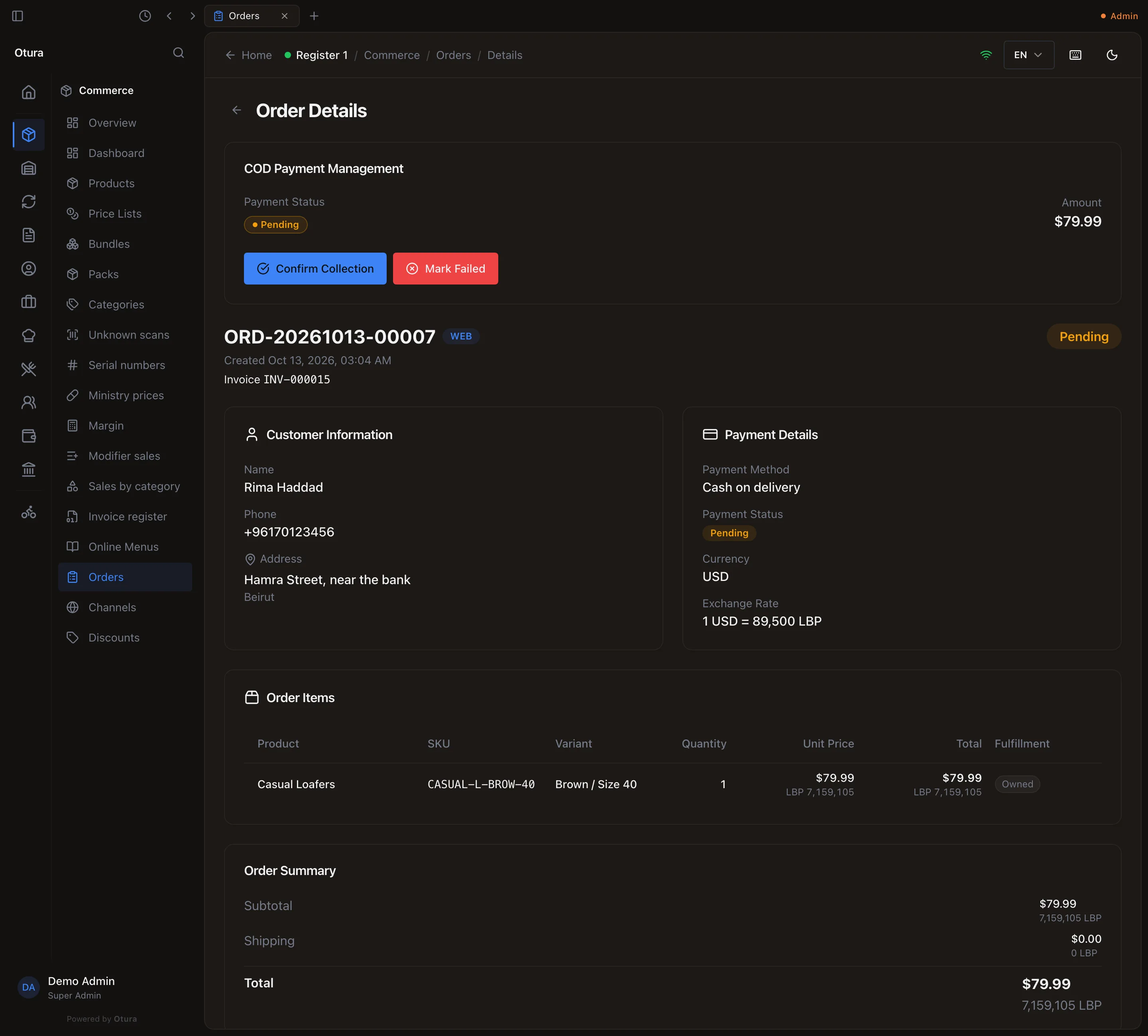
The order's page
Click an order to open it. Under the order number it shows the order's Invoice number (and, once cancelled, its Credit note), then the customer and address, the payment (Cash on delivery, its status, and the exchange rate the order was priced at), the items, the totals in dollars and lira, the history of its statuses and the notes.
Move it along
Update Status offers only the next steps an order can take:
| From | To | What happens |
|---|---|---|
| Pending | Confirmed | The stock it needs is reserved at the location that will fulfil it, so the till cannot sell it to someone else. |
| Confirmed | Processing | Nothing but the status. |
| Processing | Shipped | The reserved stock leaves the shelf (first in, first out) and its cost is booked. |
| Shipped | Delivered | Nothing but the status. |
| Pending, Confirmed or Processing | Cancelled | See below. |
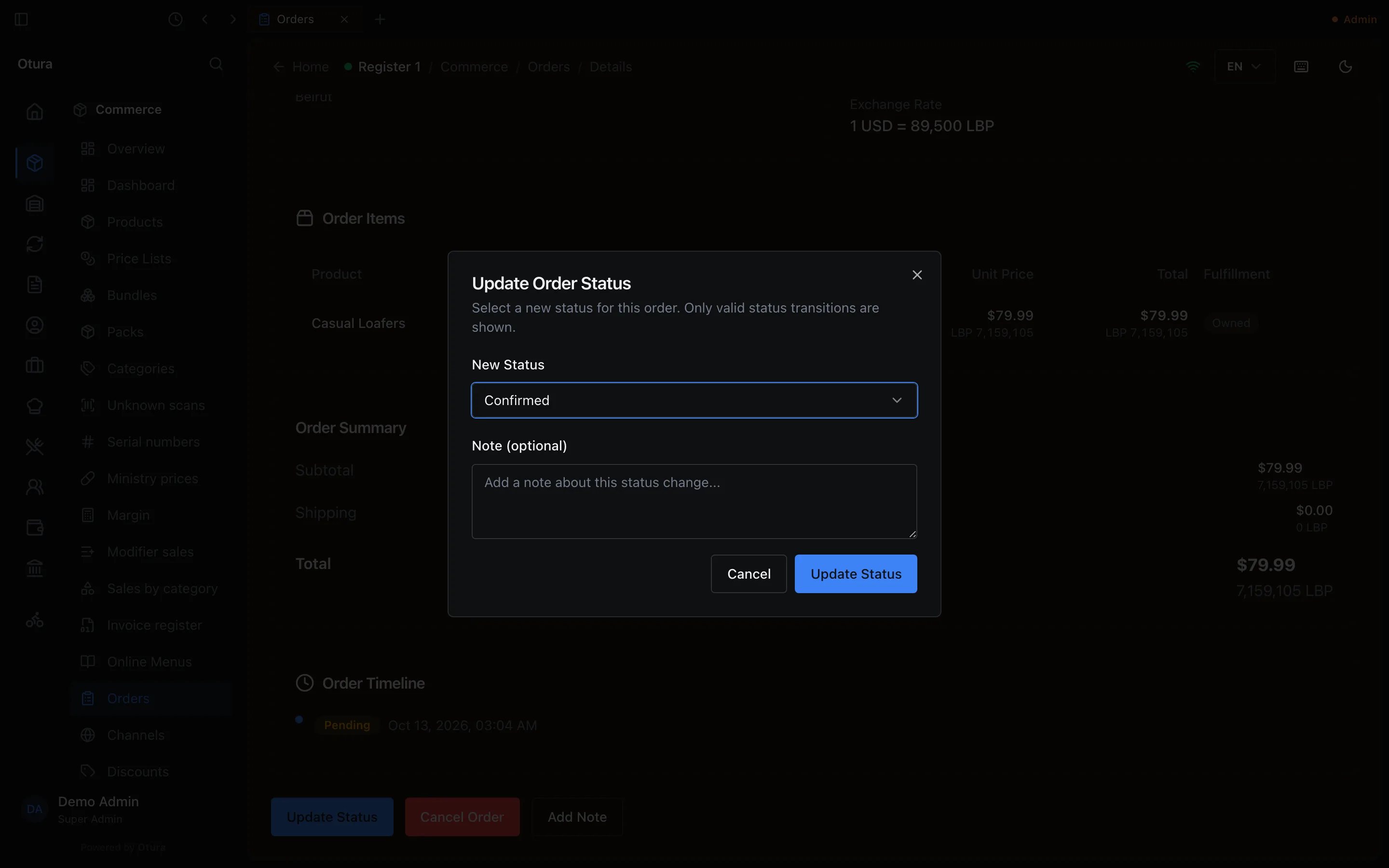
A delivered, cancelled or refunded order has no next status, so it has no Update Status button.
Cancel an order
Cancel Order
On the order, press Cancel Order. The warning reads This will cancel the order and release any reserved stock. This action cannot be undone.Yes, cancel order
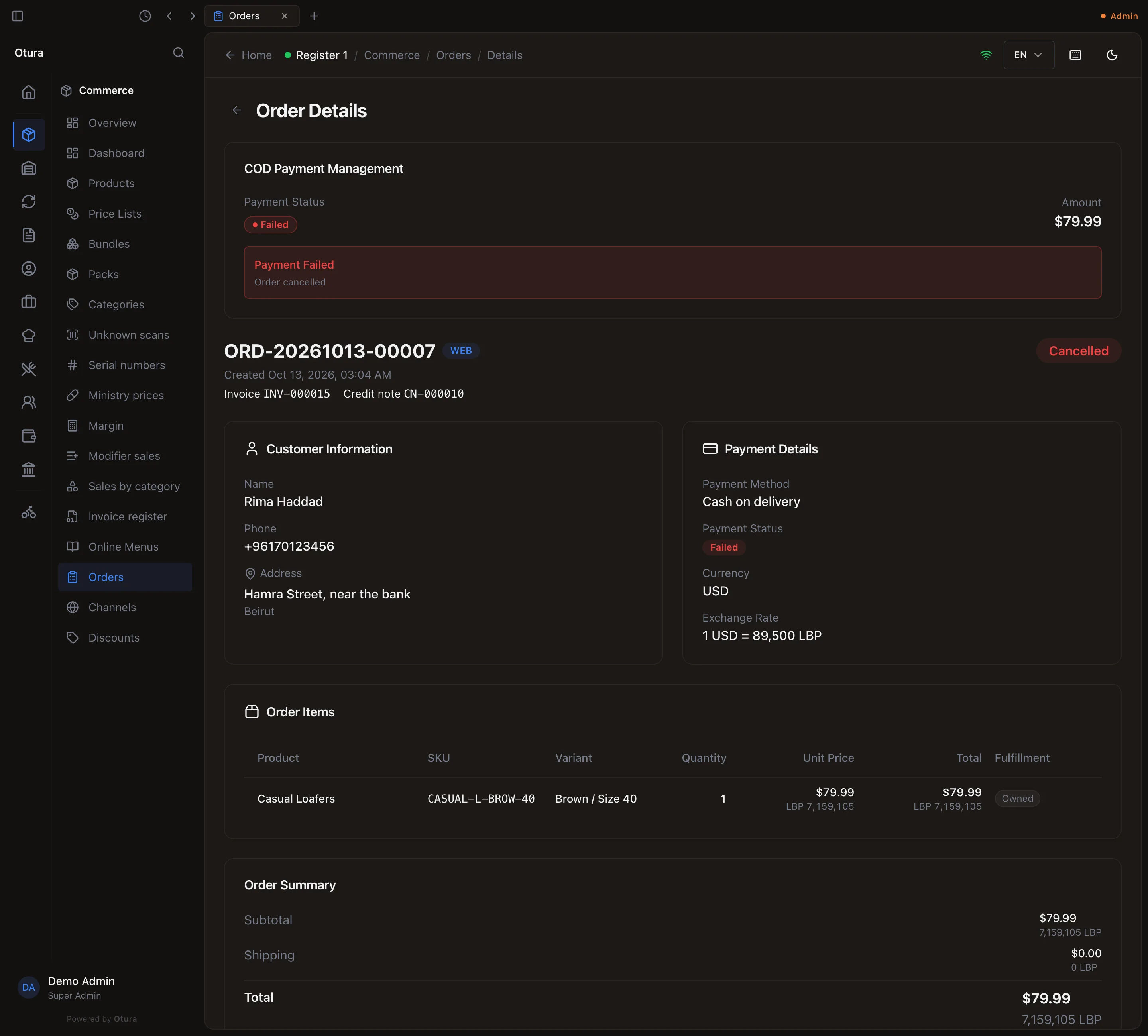
The order reads Cancelled.
In one step, Otura then:
- releases any stock the order had reserved;
- credits its invoice with a credit note from your credit-note series, shown on the order as Credit note CN-…;
- closes the cash on delivery it was waiting for (its payment reads Failed, with the note Order cancelled), so the customer no longer owes it;
- reverses the order's sale and VAT, so it nets to zero in the books and on the VAT return.
Choosing Cancelled in Update Status does exactly the same. If two people cancel the same order at once, the second is told the order was changed by someone else.
An order a till sale stands behind (an order rung up at the till and sent out for delivery) is not cancelled here: the message names the sale, and you void the sale at the till or mark the delivery delivered.
Channels
CommerceChannels is where a connection to another online shop platform would be added (Add Connection), with Conflicts listing what the two sides disagree about.