Recipes: selling an item made from ingredients
Give a dish a recipe — a pizza uses 300 g of cheese and 100 g of pepperoni — and every sale deducts those ingredients from stock and records their cost. Or make it ahead in batches with a production order and sell it from stock.
Checked against the product on 13 October 2026
A recipe lists what one of your items is made from. When the item is sold, Otura deducts each ingredient from stock — converting grams into the kilograms you count in — and records the ingredients' cost as the cost of the sale. This page walks through a real example: a pepperoni pizza that uses 300 g of mozzarella and 100 g of pepperoni.
Each product with a recipe is stocked one of two ways, chosen on the product:
| If it has a recipe | Made when | A sale takes | For |
|---|---|---|---|
| Made to order | It is sold | The recipe’s ingredients. The dish holds no stock of its own. | A pizza, a sandwich, a coffee |
| Made ahead | A production order makes a batch | The finished product, from stock. Its ingredients went when the batch was made. | Bread, cakes, sauces |
1. Create the ingredients
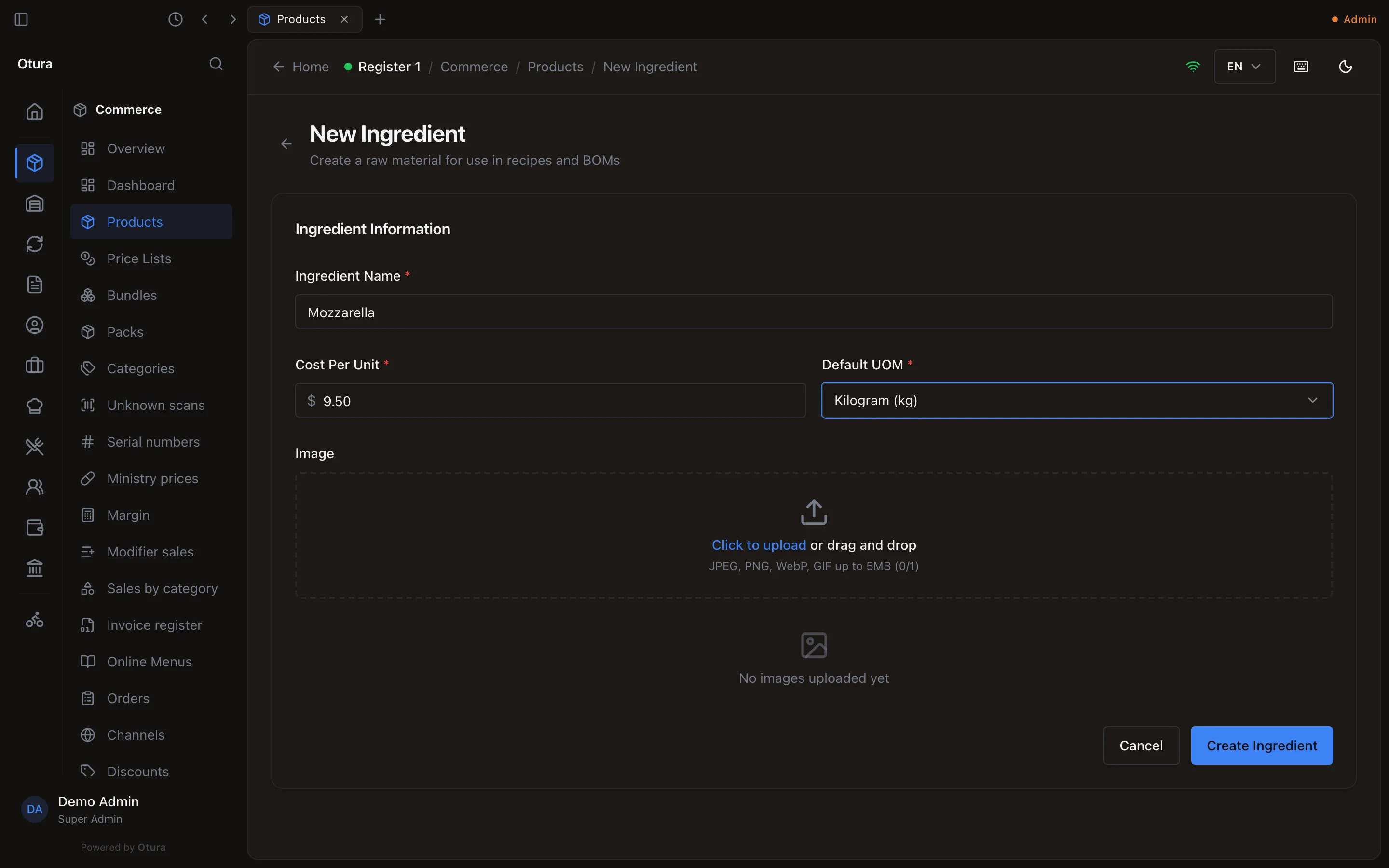
CommerceProductsNew Ingredient. For each ingredient enter the Ingredient Name, its Cost Per Unit, and — important — a Default UOM: the unit you count it in. We count cheese and pepperoni in Kilogram.
2. Put the ingredients in stock
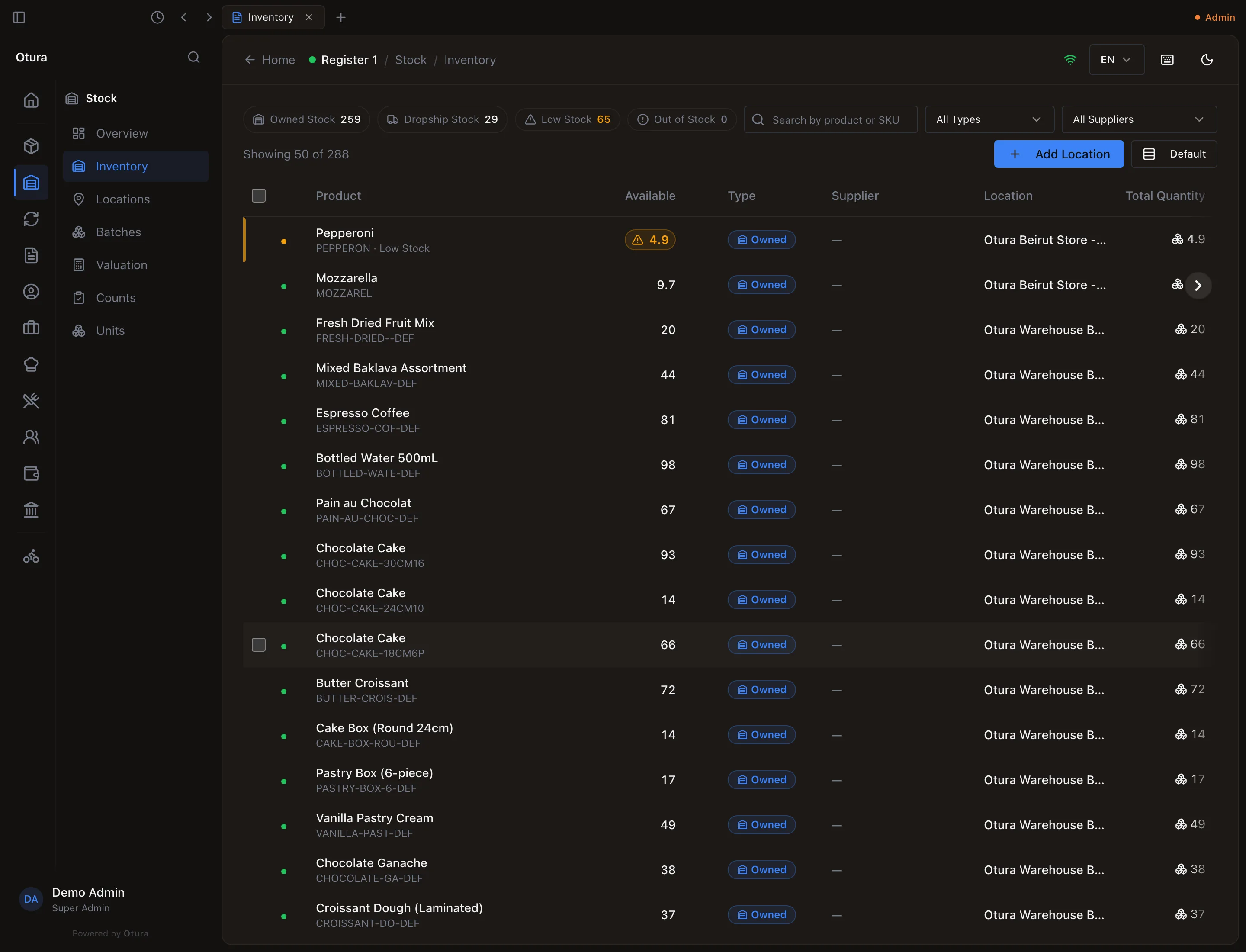
Ingredients are deducted from the location the register sells from, so their stock must be there. For opening stock use StockInventoryAdd Location — we entered 10 kg of mozzarella at Cost (USD) 9.50 and 5 kg of pepperoni at 14.00. See Getting stock in for receiving deliveries.
3. Create the dish
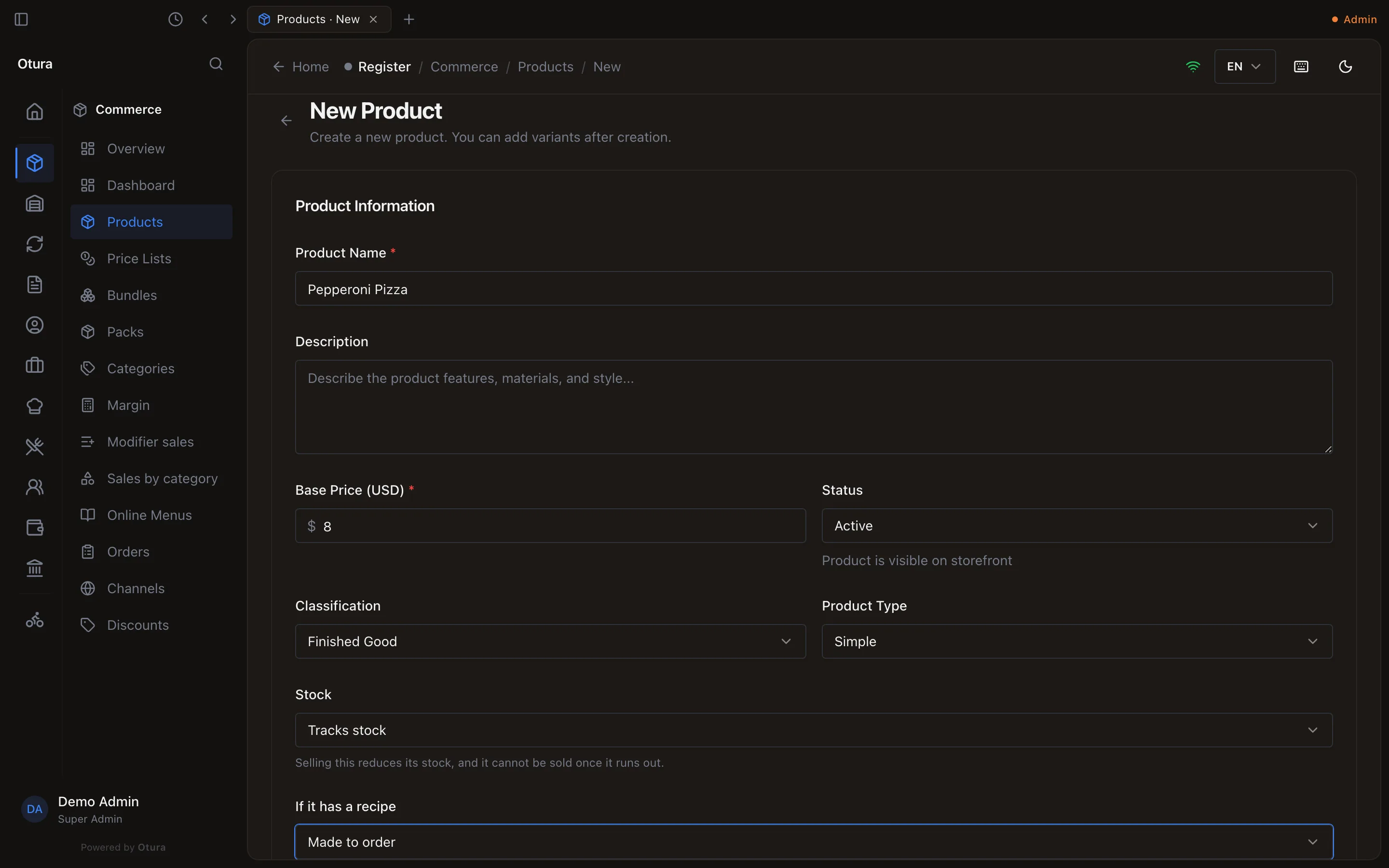
CommerceProductsAdd Product: Pepperoni Pizza, $8.00, Status Active, Classification Finished Good, Product Type Simple, Stock Tracks stock, and If it has a recipe Made to order (the default). The dish needs no stock of its own.
4. Write the recipe
Start a recipe
ProductionRecipesNew Recipe.Say what it makes
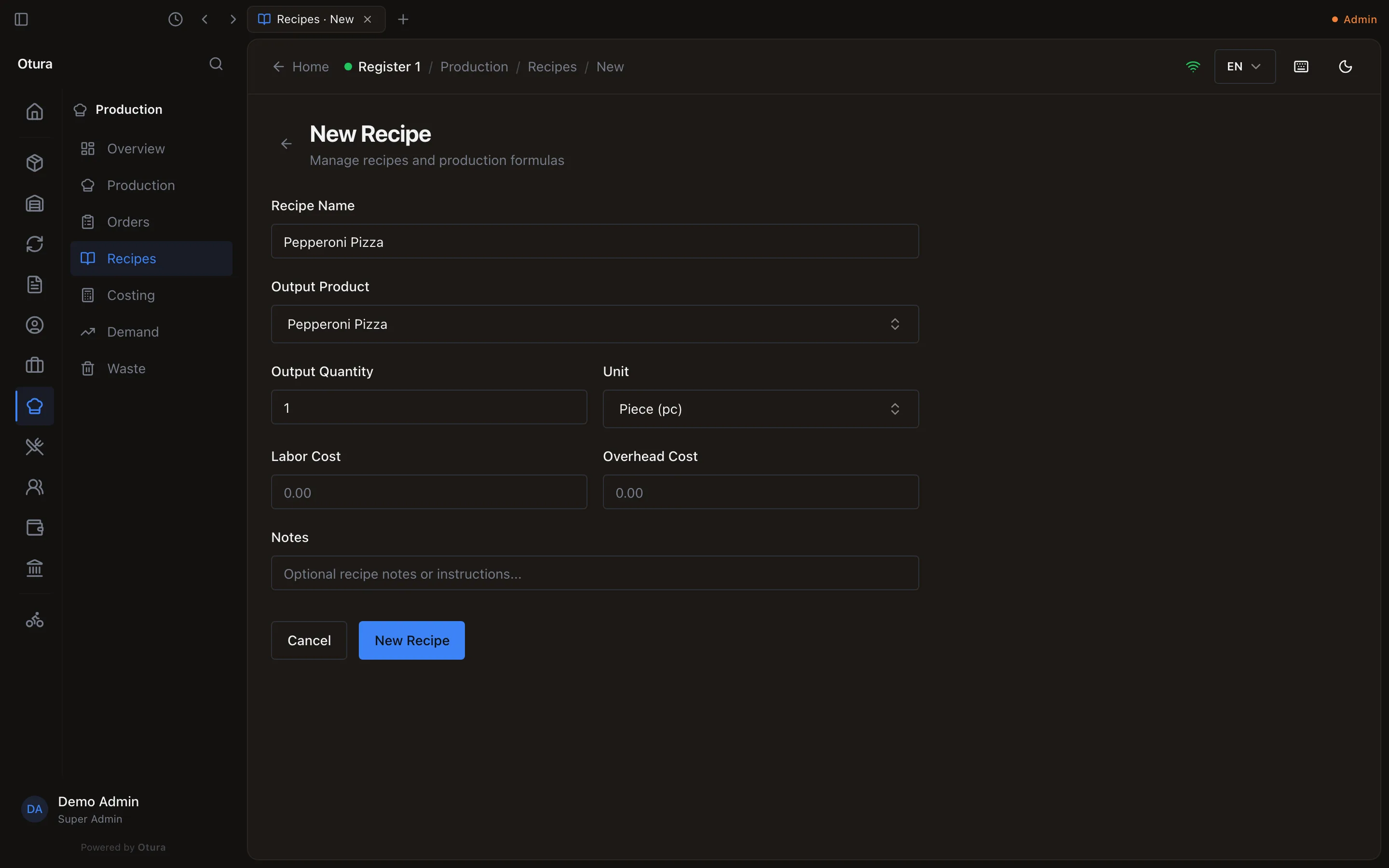
Recipe Name; Output Product — the pizza; Output Quantity 1 and Unit Piece (one recipe makes one pizza). Optionally a Labor Cost and Overhead Cost. Only the name and notes can be changed later (while the recipe is a draft), so check the rest. Click New Recipe.Add the ingredients
On the recipe page, for each line search the Ingredient (products classified as Raw Material) — or make a missing one with New ingredient beneath it — then the Unit you think in (it starts on the ingredient's own unit; Gram here), the Quantity (300) and an optional Waste %, then Add Ingredient.
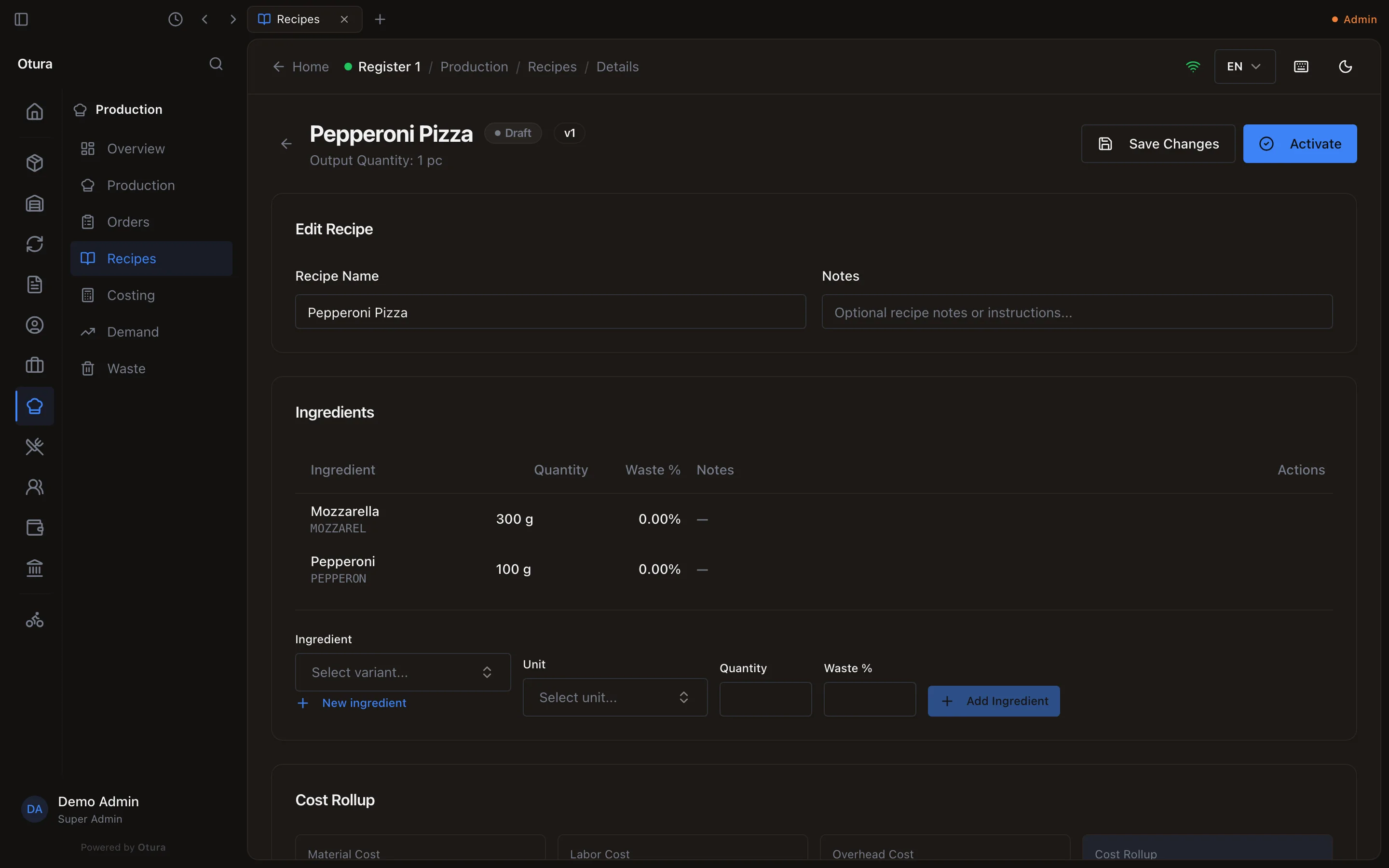
Each line shows the ingredient's name and the quantity in its unit. The Cost Rollup (and ProductionCosting) converts every line to the unit the ingredient is costed in: the pizza above costs $4.25. A line cannot be edited — remove it and add it again.
5. Activate it
A recipe starts as a Draft, and a draft does nothing at the till. Press Activate on the recipe's page, or in ProductionRecipes tick the recipe and choose Activate (key A), then confirm.
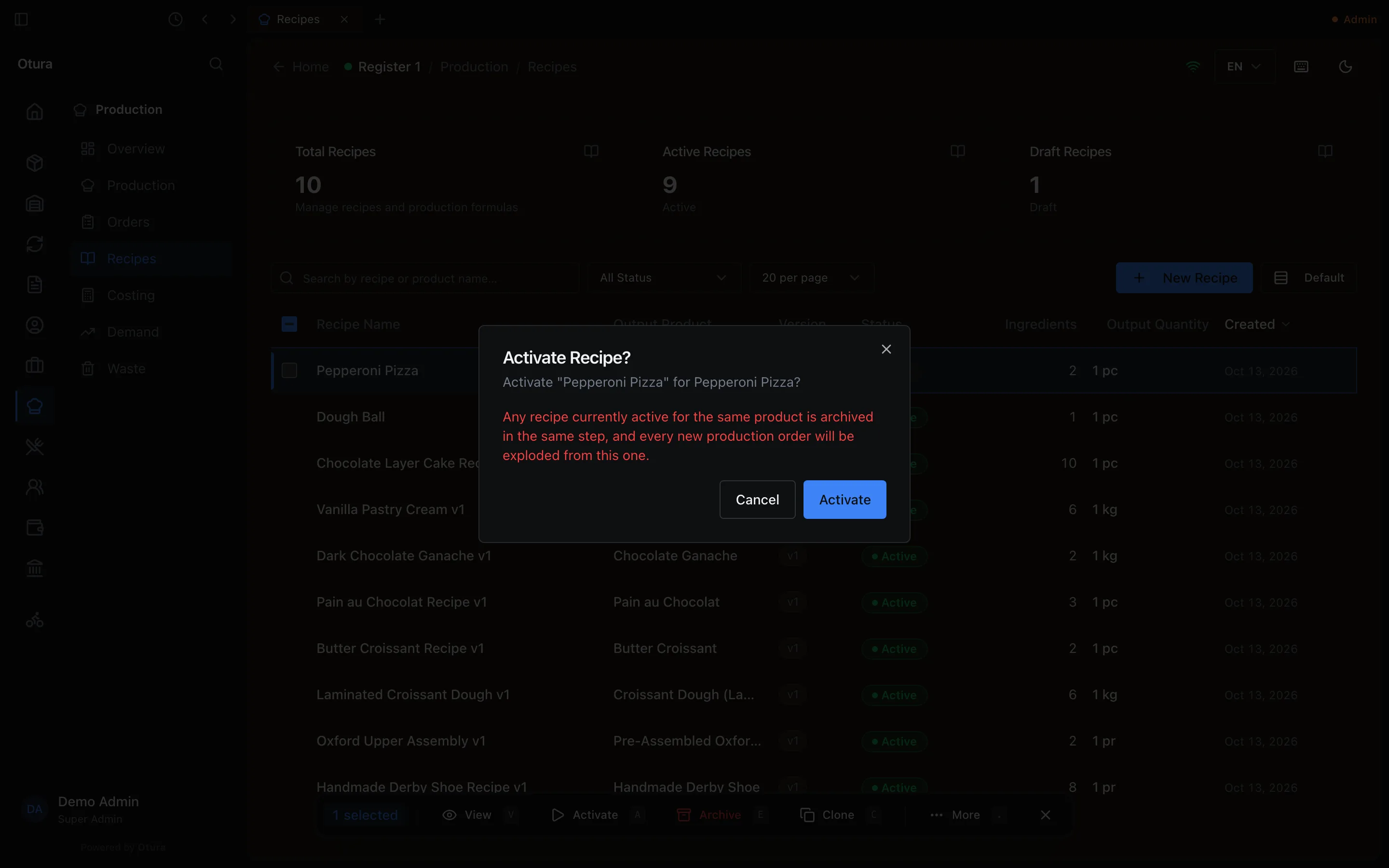
A product has one active recipe at a time: activating a new version archives the old one. Only drafts can be edited or activated; an archived recipe can never be re-activated. To change a live recipe, Clone it (key C), edit the copy, and activate the copy.
6. Selling it
The pizza is on the sale grid as soon as its recipe is active, with no stock of its own, and sells like any other item. Selling one deducted exactly 0.3 kg of mozzarella and 0.1 kg of pepperoni, and recorded a cost of $4.25 (0.3 × $9.50 + 0.1 × $14.00). The pizza itself has no stock record at all.
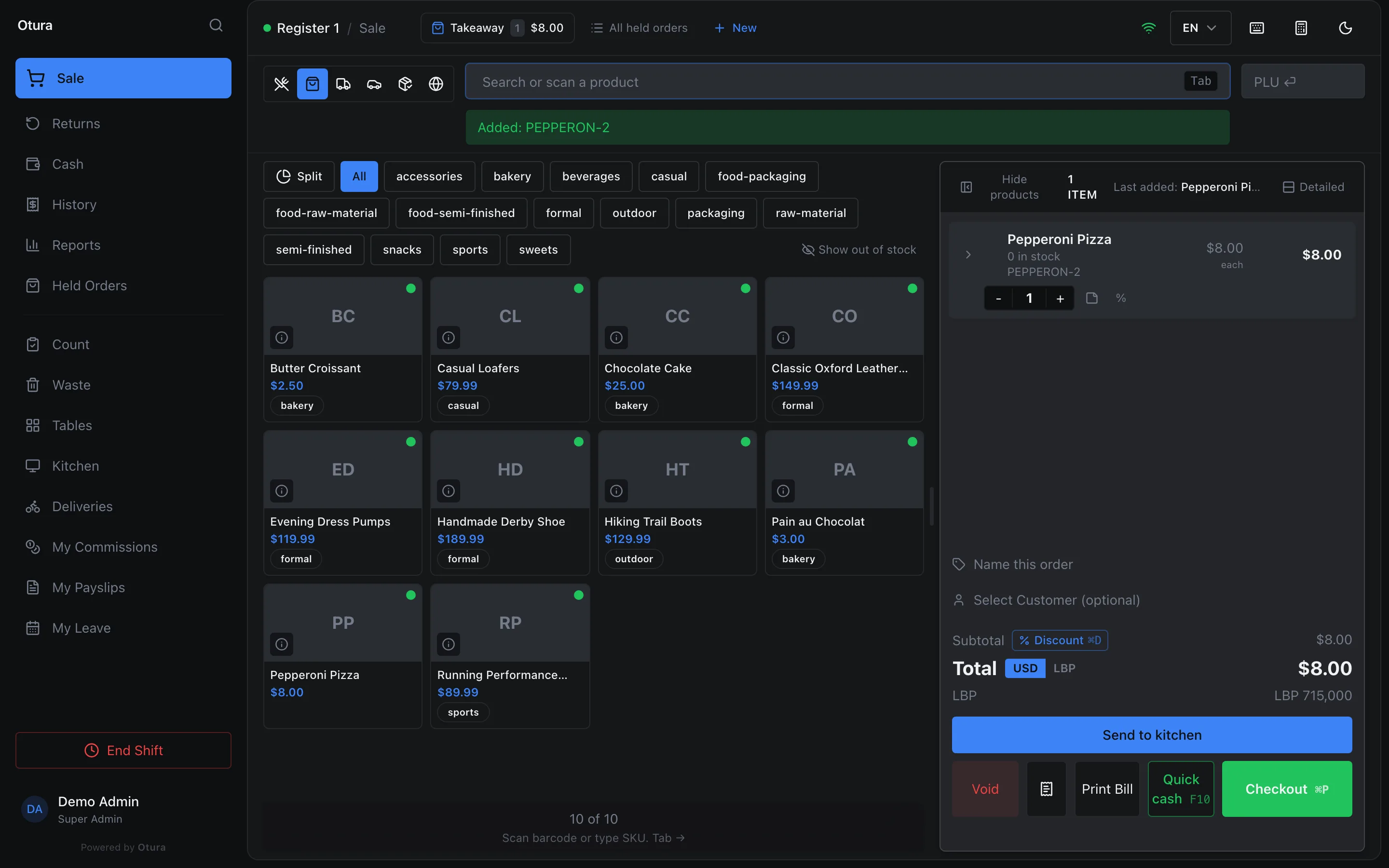
If an ingredient is short, the till refuses the pizza when it is added, naming the ingredient and the dish: “Insufficient stock for Mozzarella (for Pepperoni Pizza). Requested: 0.3, Available: 0.1”. The card is greyed out once the ingredients can make no more servings.
How much is deducted
For each ingredient line:
quantity on the line × (quantity sold ÷ output quantity) × (1 + waste %), converted into the ingredient's Default UOM.
| Sold | Mozzarella (300 g line, no waste) | With 10% waste |
|---|---|---|
| 1 pizza | 0.3 kg | 0.33 kg |
| 2 pizzas | 0.6 kg | 0.66 kg |
| Half a pizza (0.5) | 0.15 kg | 0.165 kg |
- Ingredients come from the register's location (with Advanced Inventory), the soonest-expiring batch first, then the oldest. With Do not sell stock past its expiry date on, expired batches are passed over (see Never selling expired stock). If one is short, the whole sale is refused. Checkout checks the whole order — two pizzas on separate lines share the same cheese — and names what is missing: “Cannot complete sale — insufficient ingredients: Mozzarella: need 0.6kg, only 0.5kg available (for Pepperoni Pizza)”.
- To sell half portions, see Sell half a portion.
- Modifier options can add or remove ingredients on top of the recipe.
- Voiding the sale puts the ingredients back. A return does not — the food is assumed to have been made.
Made ahead: production orders
For things you make in batches — bread, cakes, dough, sauces — set the product's If it has a recipe to Made ahead, give it an active recipe, then make a batch (the whole process is in Production runs):
Create the order
ProductionOrdersCreate Order: choose the Recipe, the Location it is made at, the Planned Qty and its unit, then Create Order.Start it
Start Order takes the ingredients out of that location's stock, converted into the units you count them in: 5 garlic knots at 100 g of mozzarella each took 0.5 kg.Complete it
Enter the Actual Qty made and Complete Order: the finished items go into stock at that location.
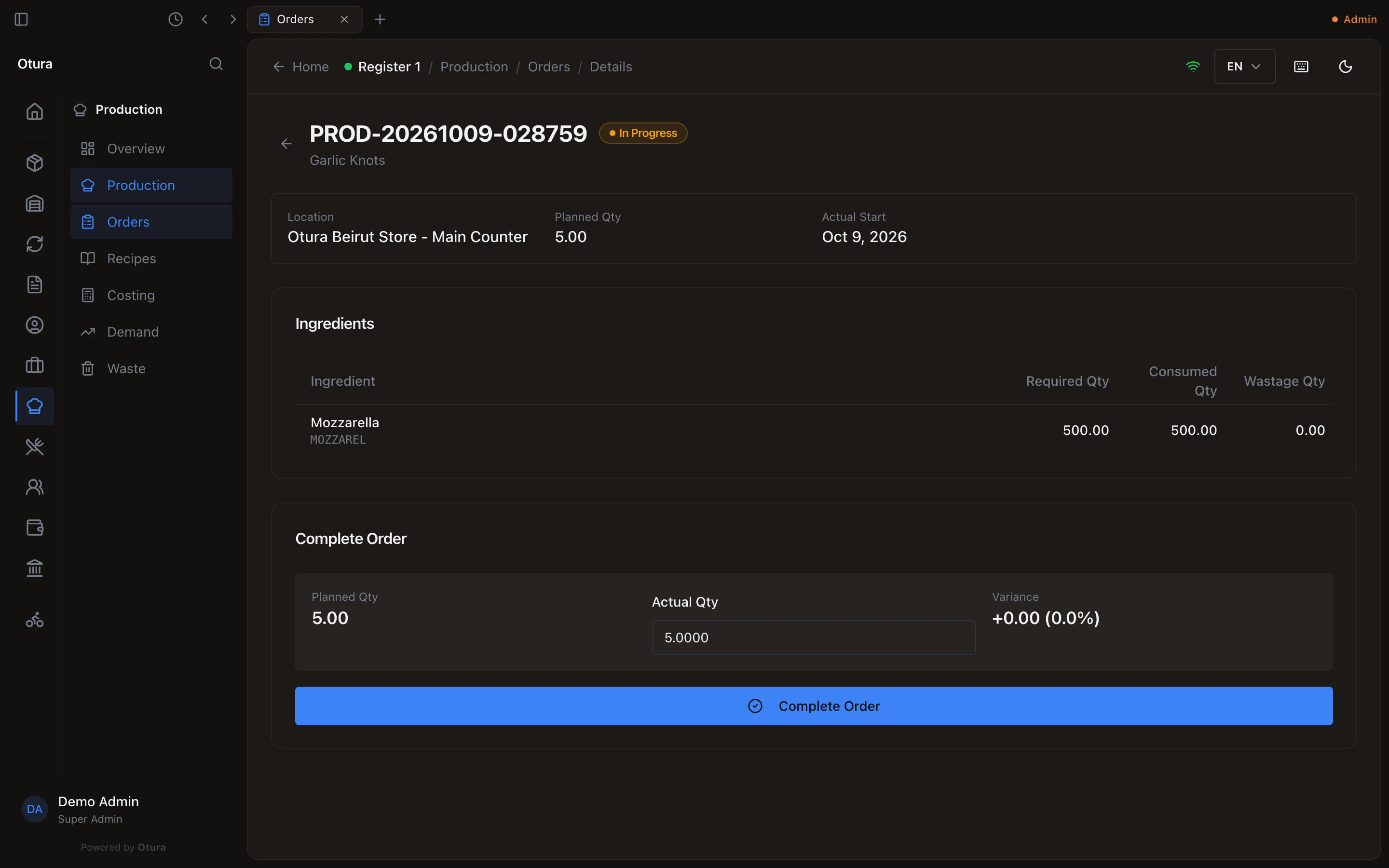
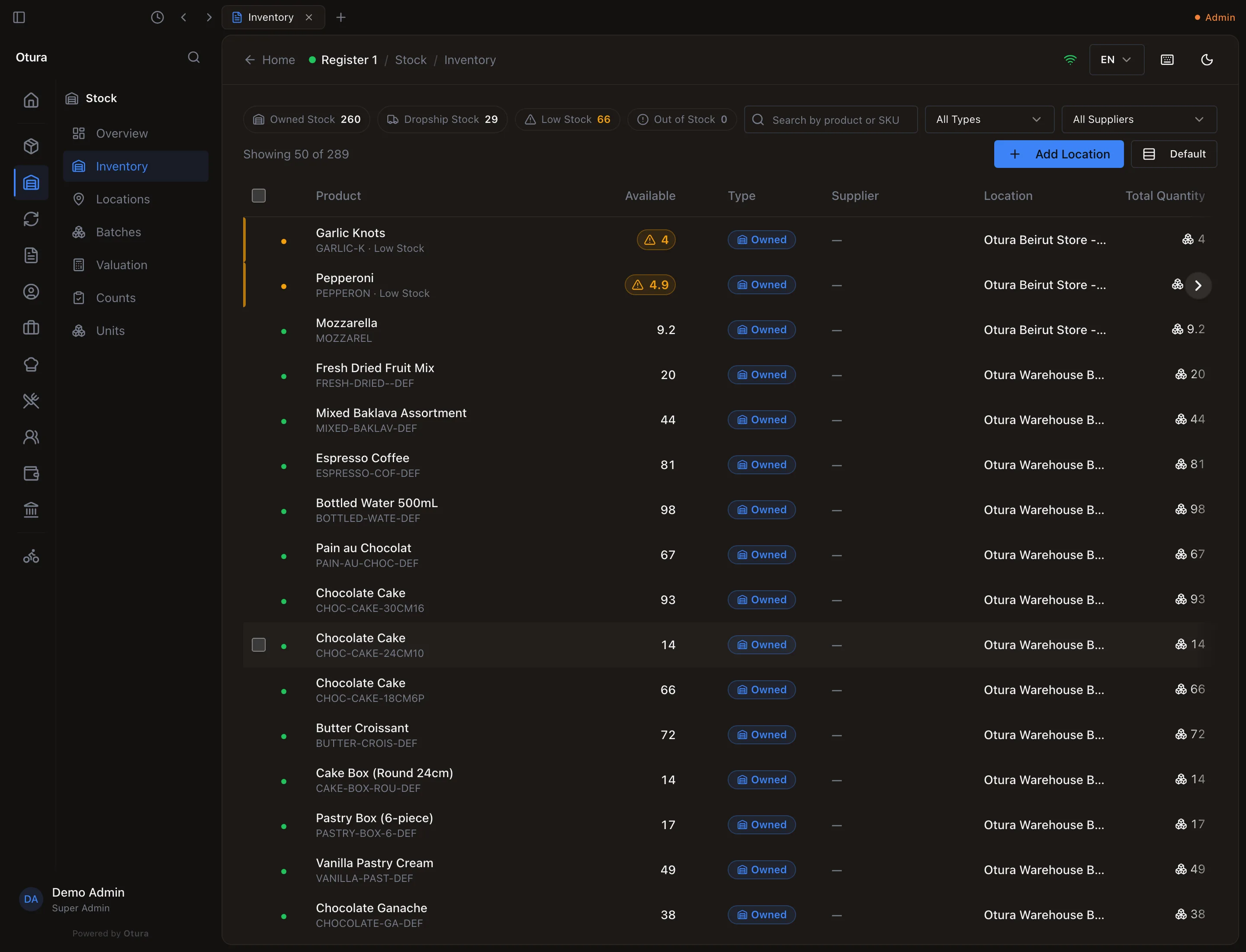
A made-ahead item then sells from its own stock, like any stocked product: the sale takes the finished item and leaves the ingredients alone, and the till refuses it once the shelf is empty, whatever its ingredients could still make. Selling one of the 5 garlic knots left 4, and the mozzarella where the production order had left it.
A made-to-order product cannot be produced, because its sale would never take what the order made: “This product is made to order: each sale takes its recipe's ingredients. To produce it in batches, open the product and set ‘If it has a recipe’ to ‘Made ahead’.” Executing a Demand forecast skips such a product and lists it: “Made to order: its sale takes the recipe, so it is not produced in batches.”
Waste
ProductionWasteRecord Waste (or Waste on the till) removes spoiled or damaged stock with a reason: Expired, Damaged, Production Loss, Quality Reject, Spillage or Other.