Employees, their pay, and attendance
Hiring an employee with their department, position and monthly salary, changing their pay from a date, monthly allowances, and the timesheet.
Checked against the product on 13 October 2026
PeopleEmployees is your staff list as an employer: who works here, since when, in which department and position, and what they are paid. It is separate from who signs in: an employee may have no login at all, and a login is linked to an employee only to show them their own payslips and leave.
Hiring someone
Open Add Employee
In PeopleEmployees, click Add Employee. The Employee Number is filled in for you (EMP-001 for the first, then the next number) and the Hire Date is today; change either if you need to.
Name, department and position
Type the First Name and Last Name. If the department or position does not exist yet, choose New department… or New position… at the end of its list, type the name and click Add: it is made and chosen without leaving the dialog.
Their monthly salary
Type the Monthly salary and choose its Currency, USD or LBP. It is paid from the hire date. You can leave it empty and set it later with Pay; payroll leaves an employee out until their pay is set.
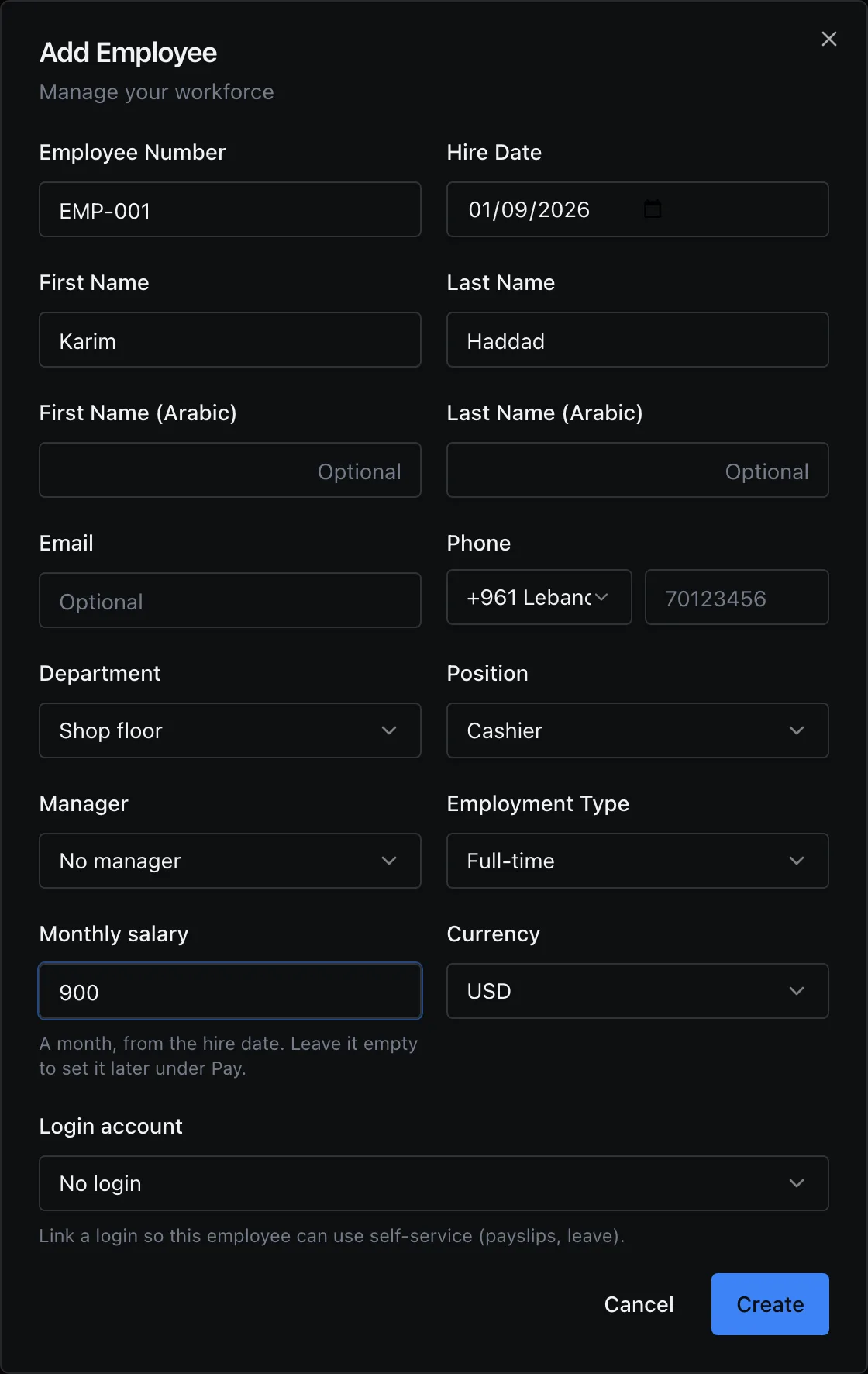
Add Employee, with a department and position made from inside the dialog and a first salary. Create
Click Create. The employee is on the list with their department and position.
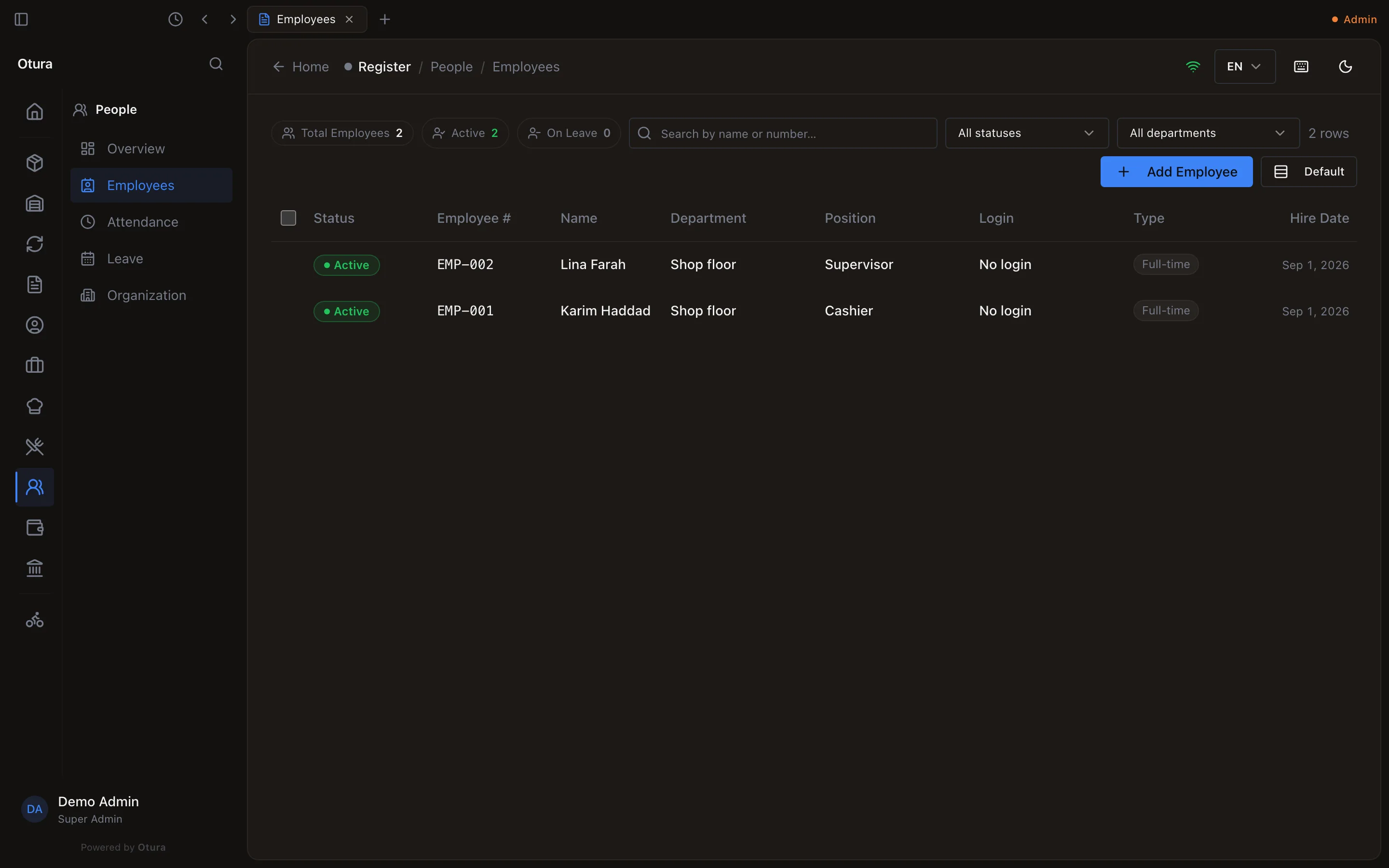
The staff list.
Departments and positions can also be made and edited in PeopleOrganization. Their Code is optional there too: left empty, it is made from the name (“Shop floor” becomes SHOP-FLOOR).
Pay: the salary payroll uses
Right-click an employee and choose Pay (or select them and press P). Current pay is what payroll uses today: the monthly salary, its currency, the kind of contract and the day it started.
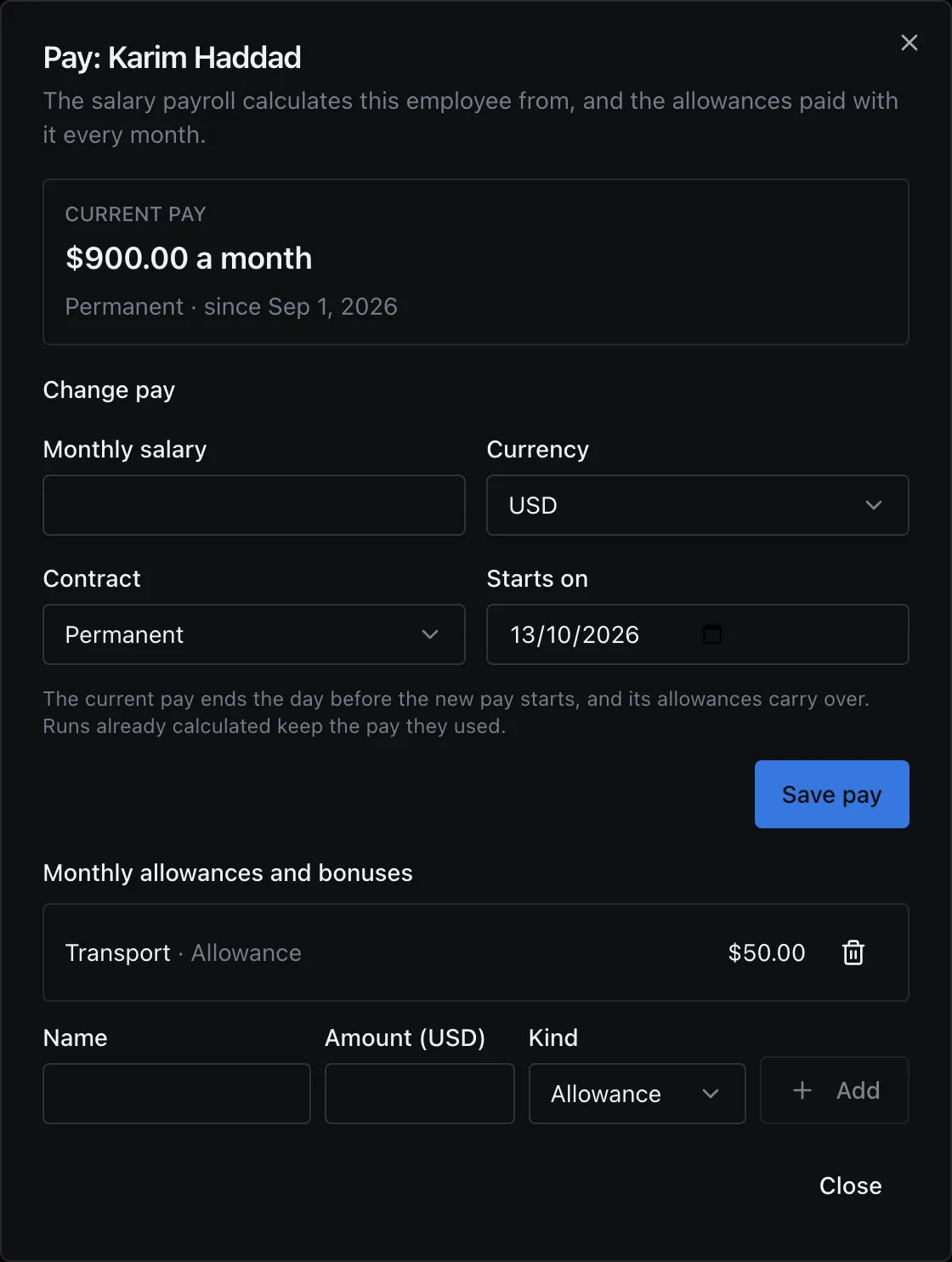
Allowances and bonuses
Under Monthly allowances and bonuses, type a Name (Transport) and an Amount in the salary's currency, choose Allowance or Bonus, and click Add. It is added to every payslip from then on; the bin beside it removes it.
Changing pay from a date
Under Change pay, type the new Monthly salary, choose when it Starts on and click Save pay. The current pay ends the day before, and its allowances move to the new pay. Until the start date, Current pay still shows the old salary, with the new one beneath it as From its date; the old one is kept under Earlier pay. A payroll run already calculated keeps the pay it used.
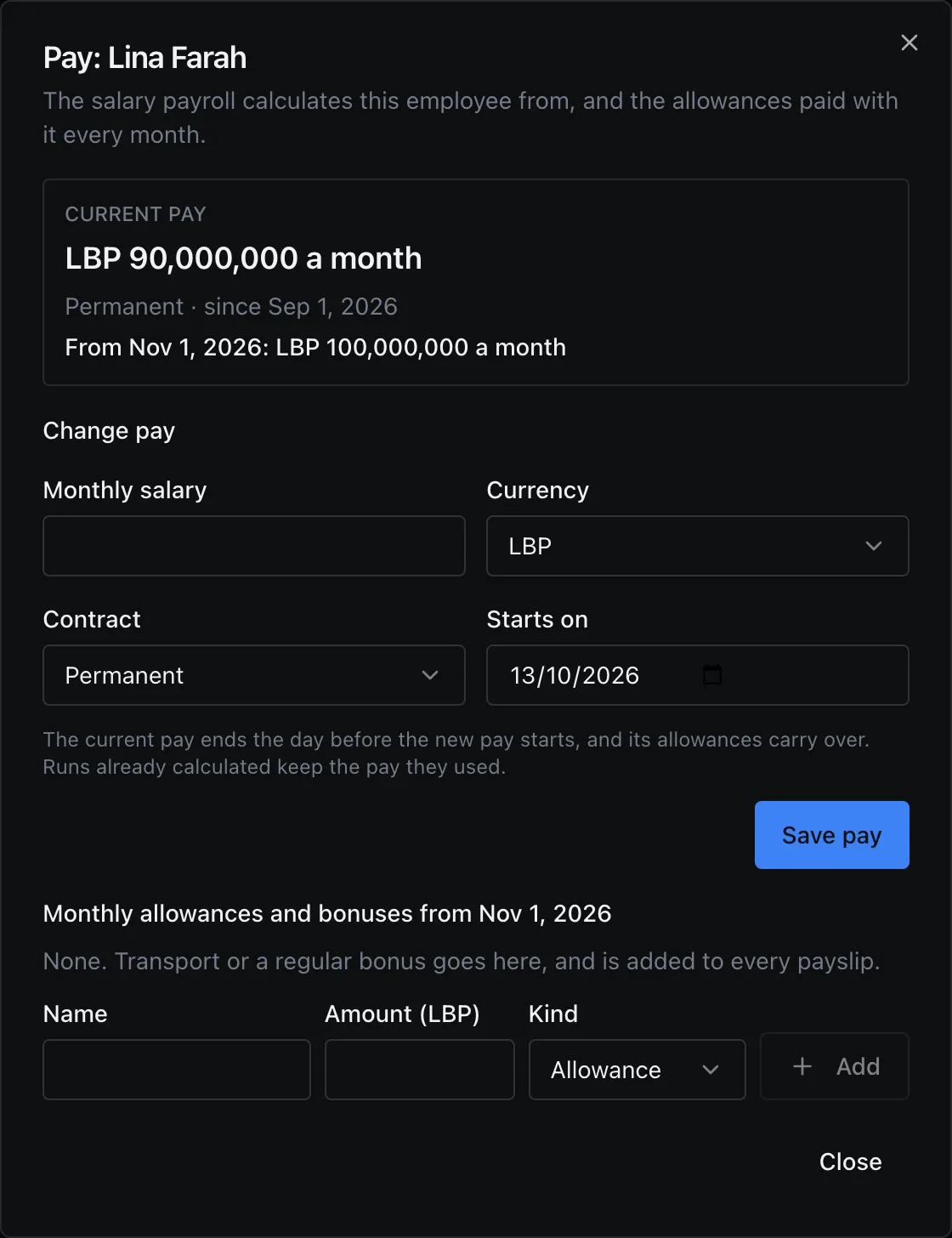
New pay must start after the current pay started; otherwise Otura refuses: The current pay started on 2026-09-01; new pay must start after that day.
| Contract | What it is |
|---|---|
| Permanent | Open-ended employment. |
| Fixed term | Employment for a set period. |
| Probation | A trial period. |
| Contractor | Not an employee: works under a service contract. |
Attendance
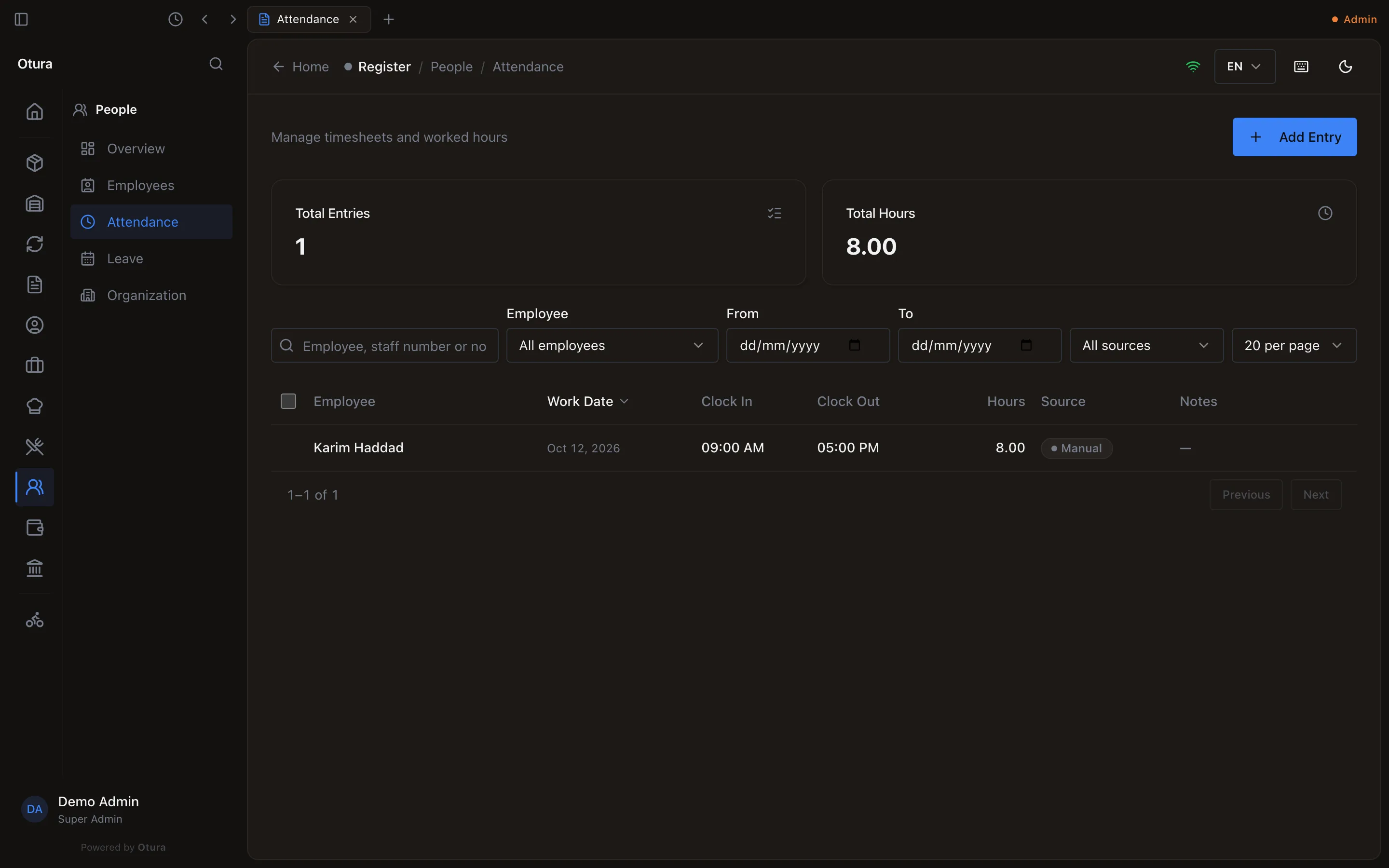
PeopleAttendance is the timesheet. A cashier who is linked to an employee gets a line on their own when their till shift closes (Source: POS shift). For anyone else, click Add Entry, choose the Employee, the Work Date, and the Clock In and Clock Out; Hours Worked is worked out from the two times when you leave it empty.