Packs
Sell and buy an item by the box, case or sack — with its own price and barcode — while stock is always counted in single units.
Checked against the product on 13 October 2026
A pack is a bigger way of selling or buying the same item — a box of 12, a case of 24, a 25 kg sack. Stock is always counted in single units: selling one box of 12 takes 12 units out of stock, and receiving one takes 12 in. A pack can have its own price and its own barcode, so scanning the box rings up the box.
Packs are set up in two places: the pack types you trade in, once, and then each item's own packs.
1. Define your pack types
CommercePacks lists the shapes you trade in. Each is defined once and reused on every item that comes in it.
Fill in the row at the bottom
Code (e.g. BOX12), Name (Box of 12), Arabic name, Unit (e.g. Box) and Units per pack (12; up to 4 decimals, so a pack of 0.25 kg is fine and 0.123456 is refused rather than rounded). Leave Offered on new lines on.Click Add pack
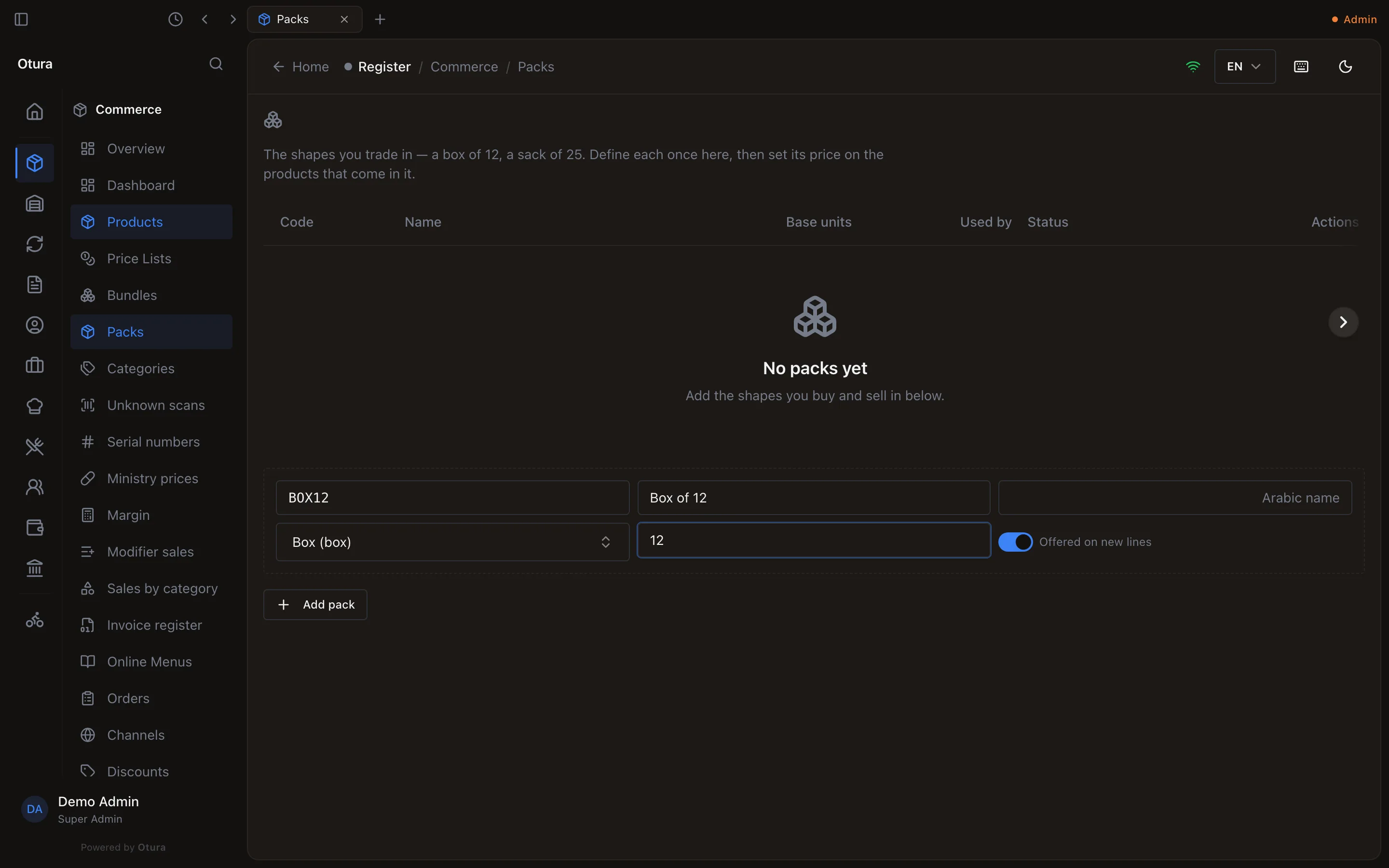
- Editing a pack type's name or size updates every item that uses it; their prices are not touched.
- A pack type in use cannot be removed. Turn off Offered on new lines to retire it: it stops being offered to new items, and items that already use it keep working.
2. Give an item its packs
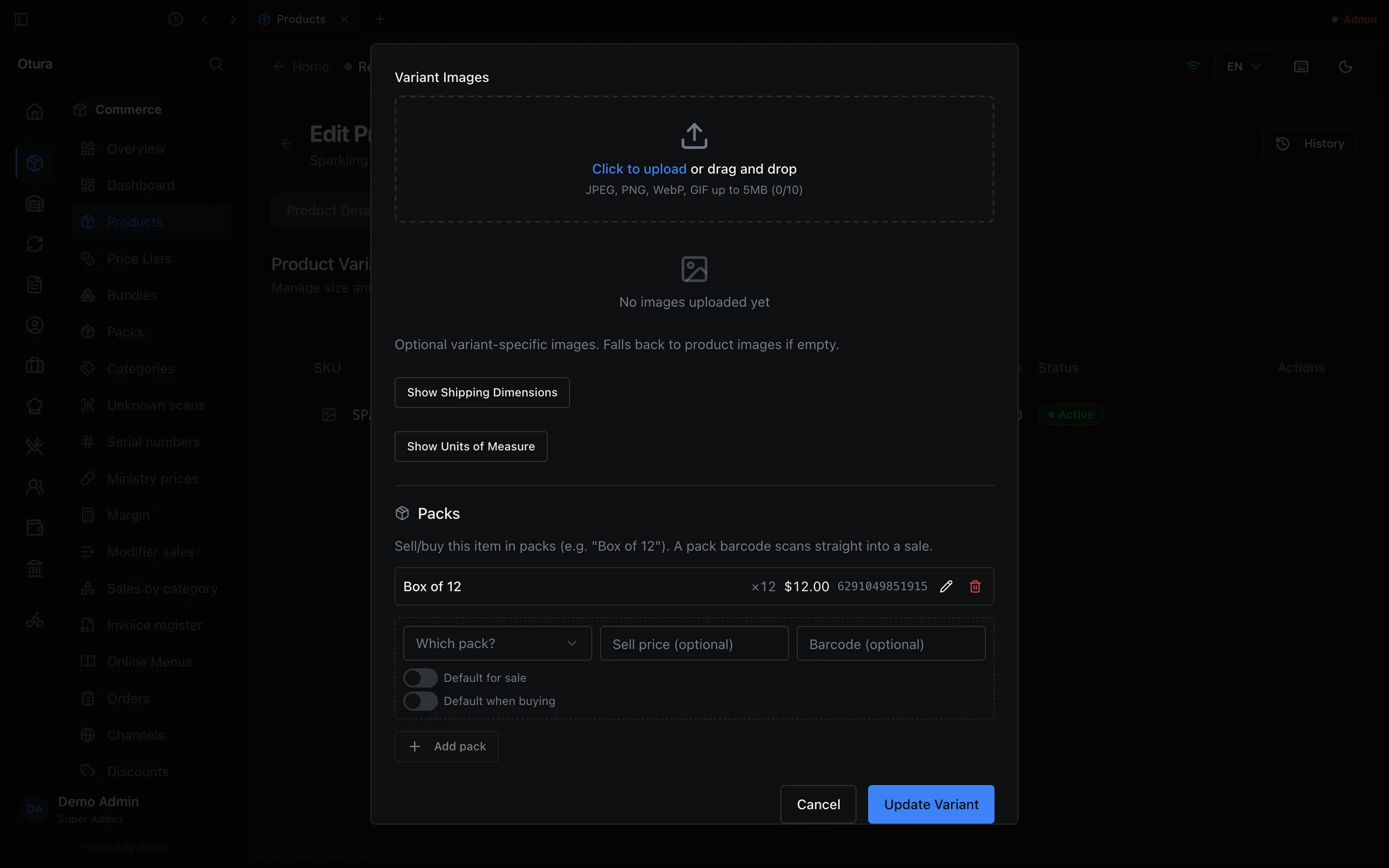
Open the item's variant
Open the product, go to the Variants tab and click Edit on the variant. The Packs section is at the bottom (it appears once the variant has been saved).Choose the pack
Which pack? — pick a pack type. Its size comes with it.Price it (optional)
Sell price (optional): the price of the whole pack. Leave it empty to charge the units-per-pack times the single-unit price.Give it a barcode (optional)
Barcode (optional): the code printed on the box. Otura refuses a code that another item, pack or deal already has, or that is an item's SKU or PLU, and names it, for example The barcode 6291097895530 is already on the pack Box of 12.Add pack
Optionally switch on Default for sale and Default when buying (see below), then click Add pack.
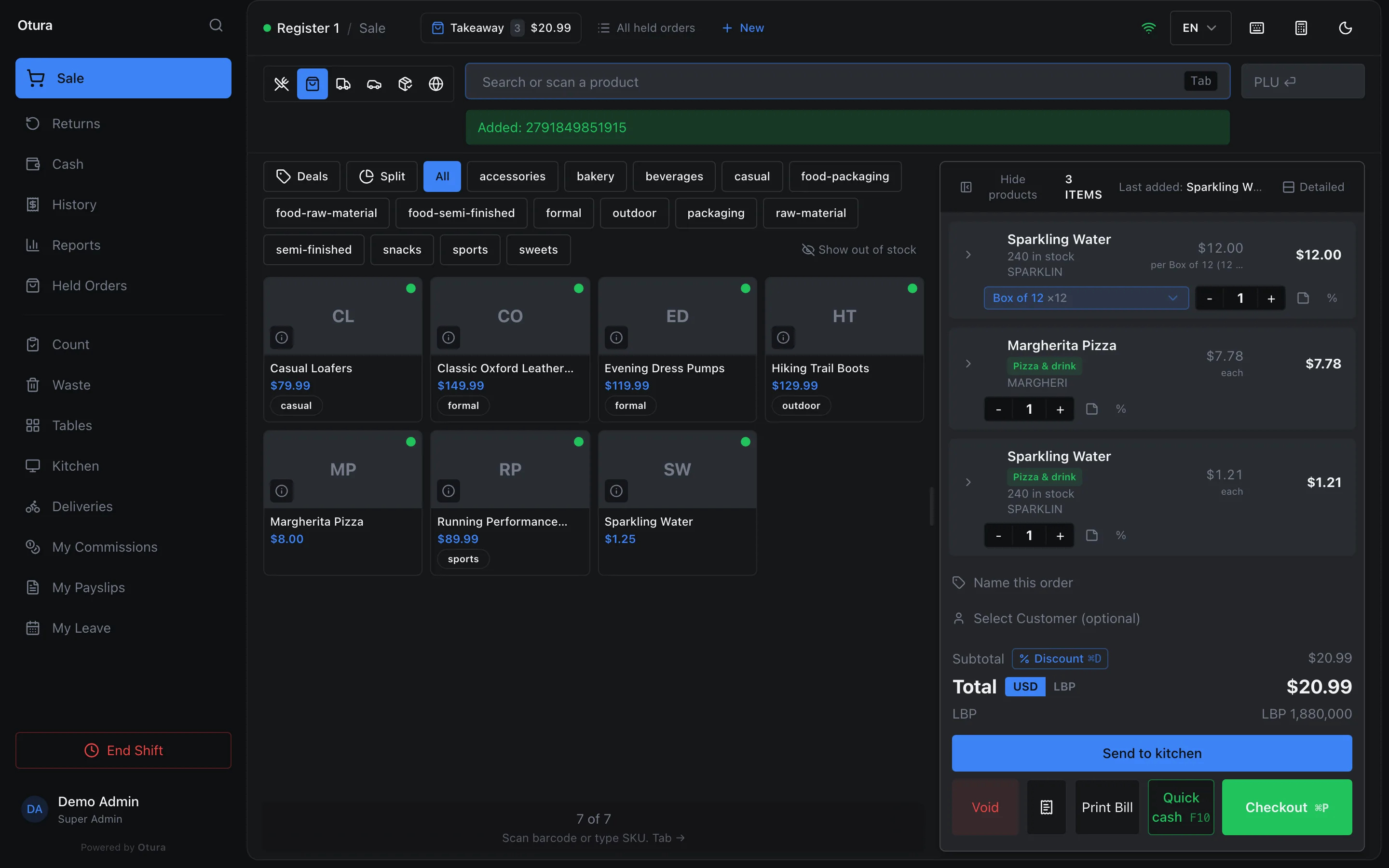
Selling a pack at the till
- Scan the pack's barcode into Search or scan a product, or with no box selected (or type it into the PLU box). The line is added as one pack at the pack price.
- Or switch an existing line: each line has a pack selector reading Each; change it to the pack. The quantity number stays the same (1 each becomes 1 box), the price is recalculated, and any discount on that line is removed.
A pack of an item sold by serial number asks for a serial for every unit in it: two boxes of three ask for six (see Serial numbers and warranties).
Buying in packs
- Supplier invoices (ReplenishmentPurchasingInvoices): the item's Default when buying pack is pre-selected,
F4opens the pack list, and you enter the quantity and cost per pack. Posting the invoice adds packs × units per pack to stock and divides the cost accordingly. - Purchase orders do not use packs; they use the variant's Purchase UOM and Base Units / Purchase Unit — see Units.