Taking a payment on account at the till
A customer or an employee paying what they owe: Receive payment on the Cash screen takes it in cash or by card, settles their oldest debts first, puts the cash in the shift’s drawer and prints a slip.
Checked against the product on 1 November 2026
When a customer, or an employee, comes in to pay what they owe on their account, take it at the till with Receive payment. The payment settles their oldest debts first, and anything over what they owe stays on the account as credit. Cash goes into this shift's drawer, so the shift expects it when it closes. It is not a sale: it is a receipt with its own number (RCP-…), from the same series as the receipts recorded in the back office.
Taking the payment
Open Receive payment
On the till's Cash screen, press Receive payment on the Receive payment card. From the sale screen, press Ctrl+K (⌘K on a Mac) and choose Receive payment, under Actions: the till goes to the Cash screen and opens it (see the command palette).
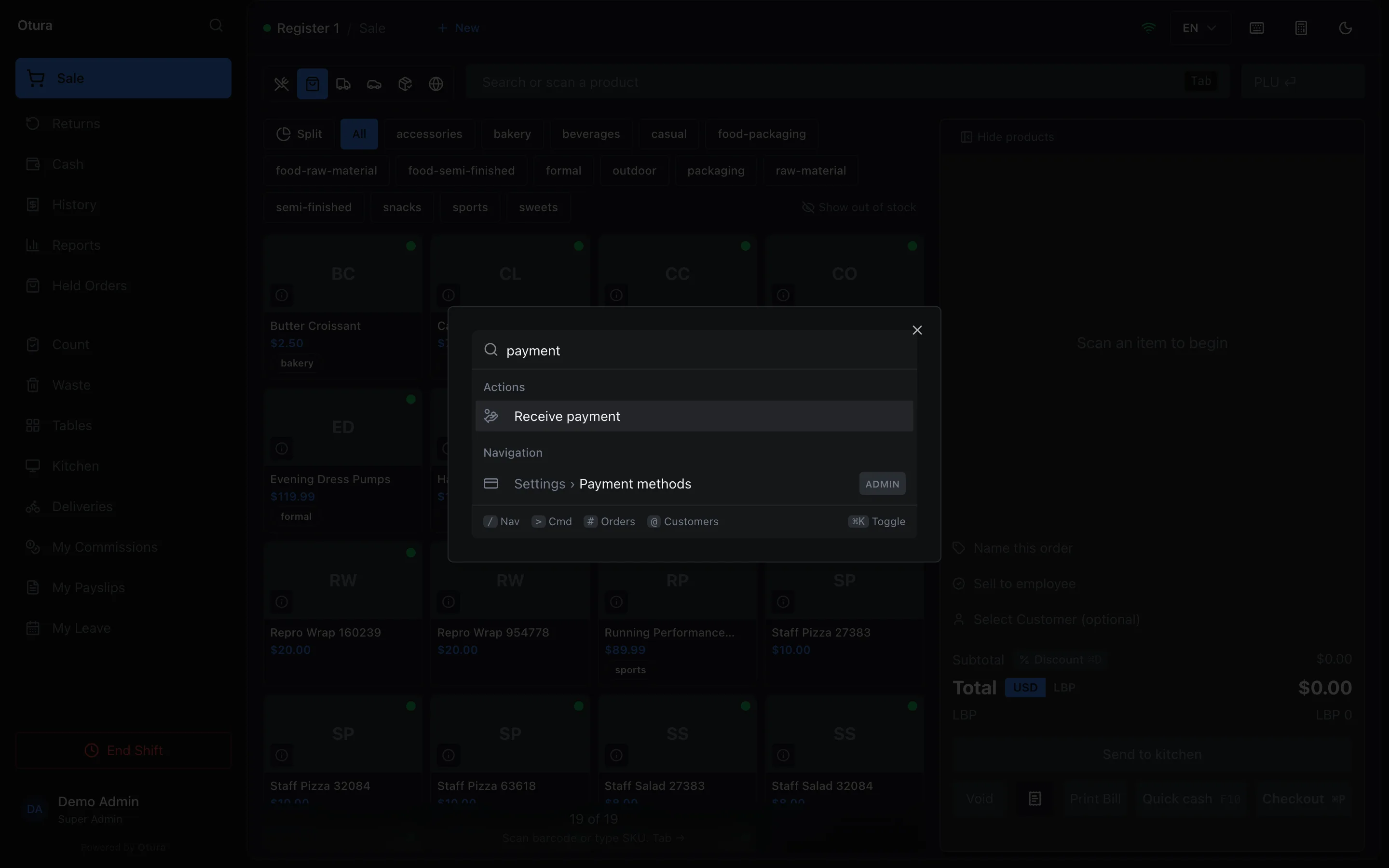
Receive payment from the sale screen, without leaving it first. Who is paying
Under Customer or employee, search for them by name, phone or email. The box below says what they Owes, or Owes nothing, any Credit on the account, and up to five of their oldest debts, each with its number and date. An employee's account carries the Employee badge. A payment settles the oldest first.
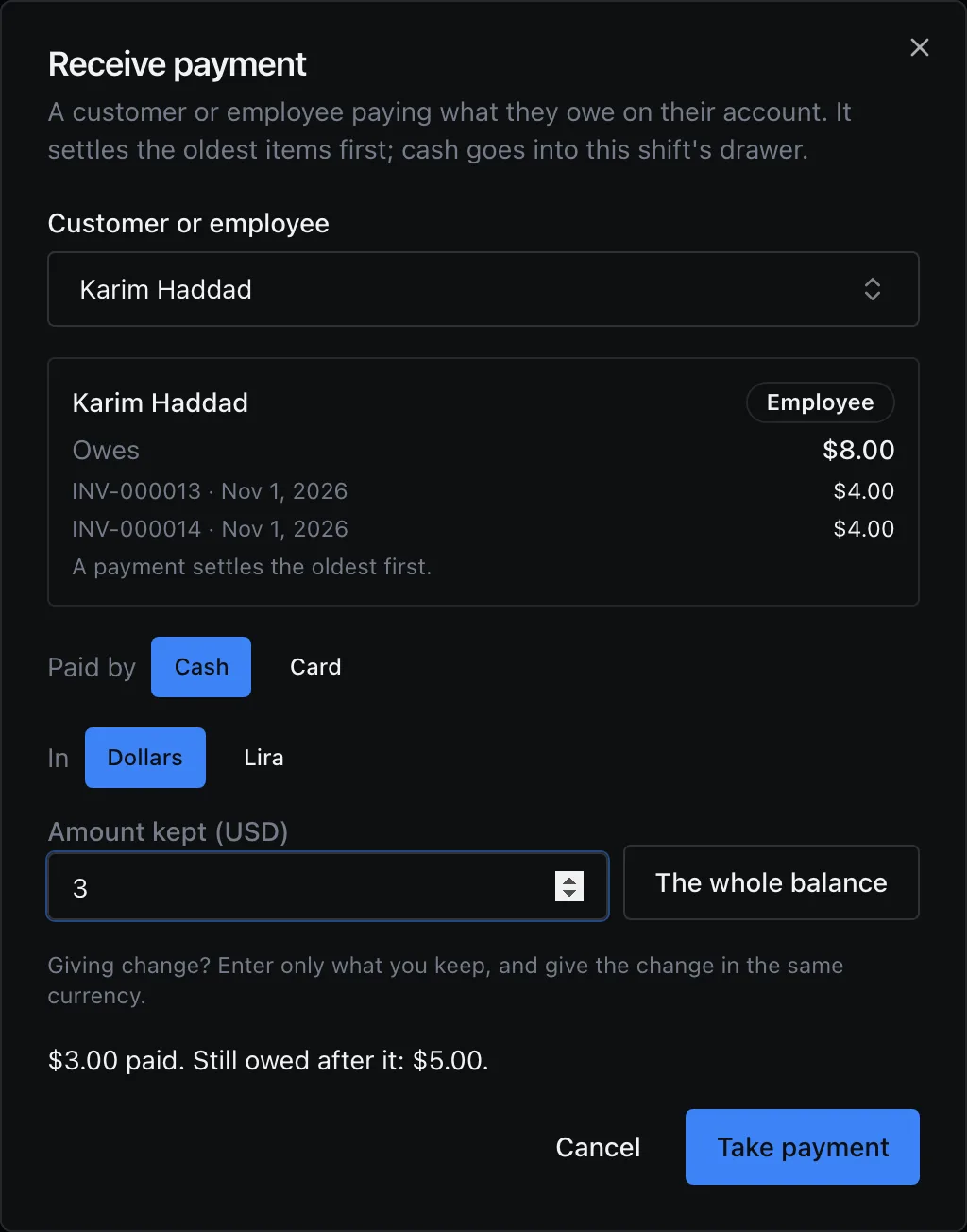
An employee paying $3 of the $8 on his tab. How they pay
Choose Paid by: Cash or Card. Where the till takes lira, choose In: Dollars or Lira. Type the Amount kept (USD) (or Amount kept (LBP)): what you keep, not what they handed you. Giving change? Enter only what you keep, and give the change in the same currency.
The whole balance fills in what they owe. In lira it rounds up to your cash step, so the notes settle it, and says what that leaves on the account as credit. Under the amount, the till says what is left: … paid. Still owed after it: …, or … paid. Nothing left owed; … stays on the account as credit.
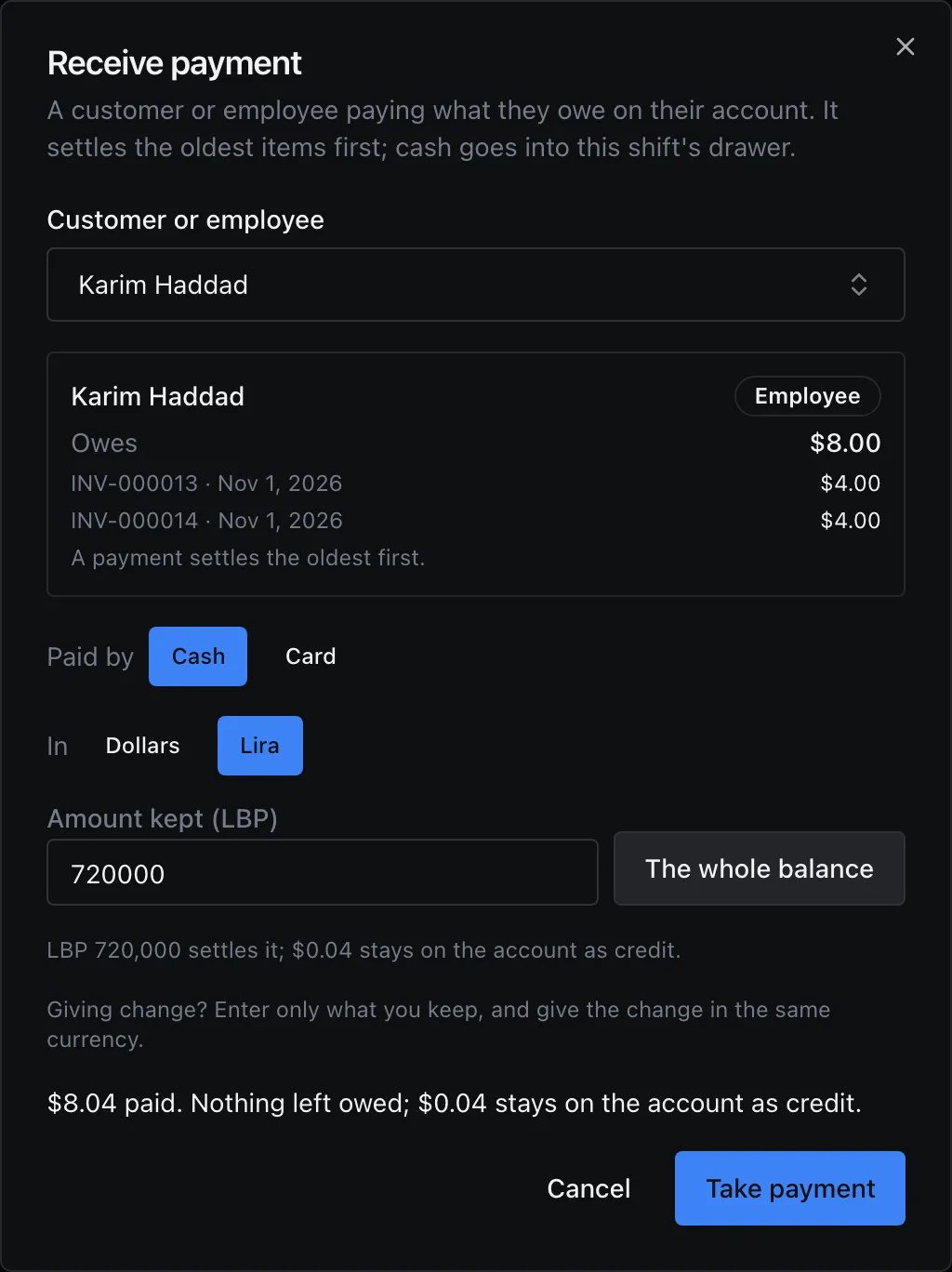
The whole balance in lira, rounded up to the notes: the few cents over stay as credit. Take payment
Press Take payment. Without Take account payments at the till, the till says so before you press it, You do not have “Take account payments at the till”: someone who has it approves with their PIN when you take the payment., and Take payment then asks for the approver: An approver's PIN takes this payment, their Supervisor PIN and a Reason for Override, then Approve Override. The approver needs Take account payments at the till and Approve at the till with their own PIN.
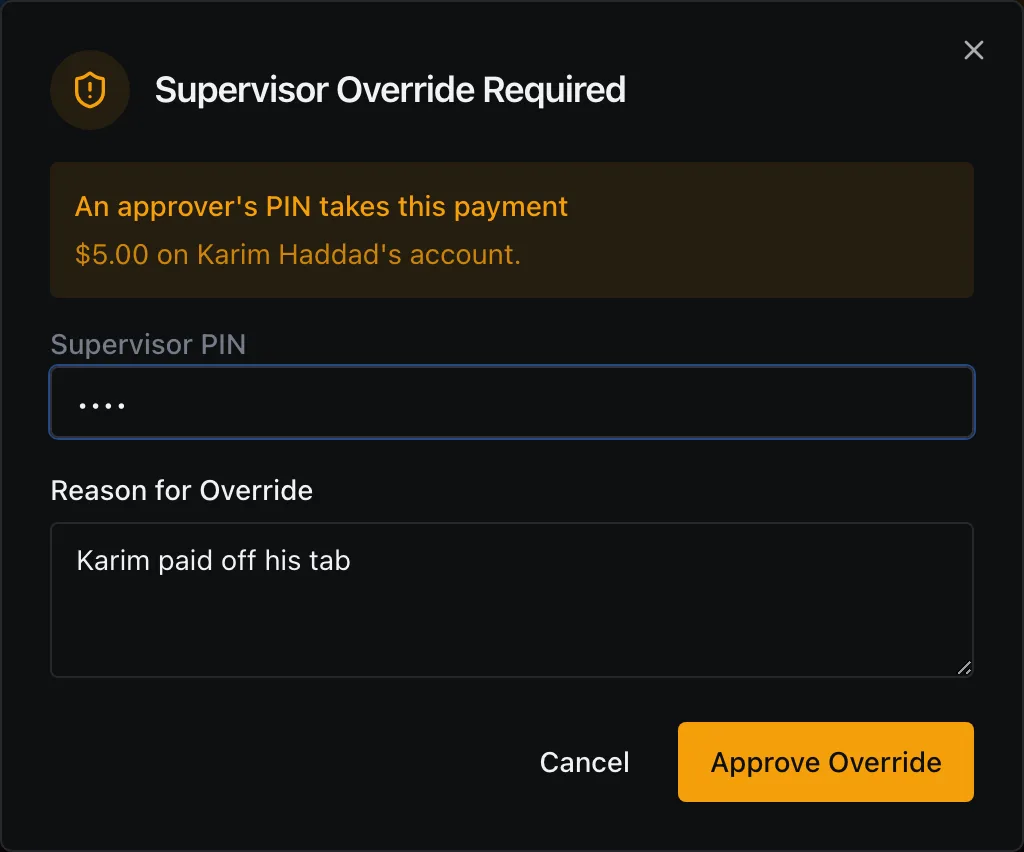
A cashier without the permission: an admin's PIN takes the payment. The slip
The dialog says Payment recorded. with the Receipt number, the Customer, what was paid, and Owed now (or Credit on the account). Print slip prints the slip, headed Payment received; with no receipt printer, it opens the browser's print window. Another payment starts the next one; Done closes.
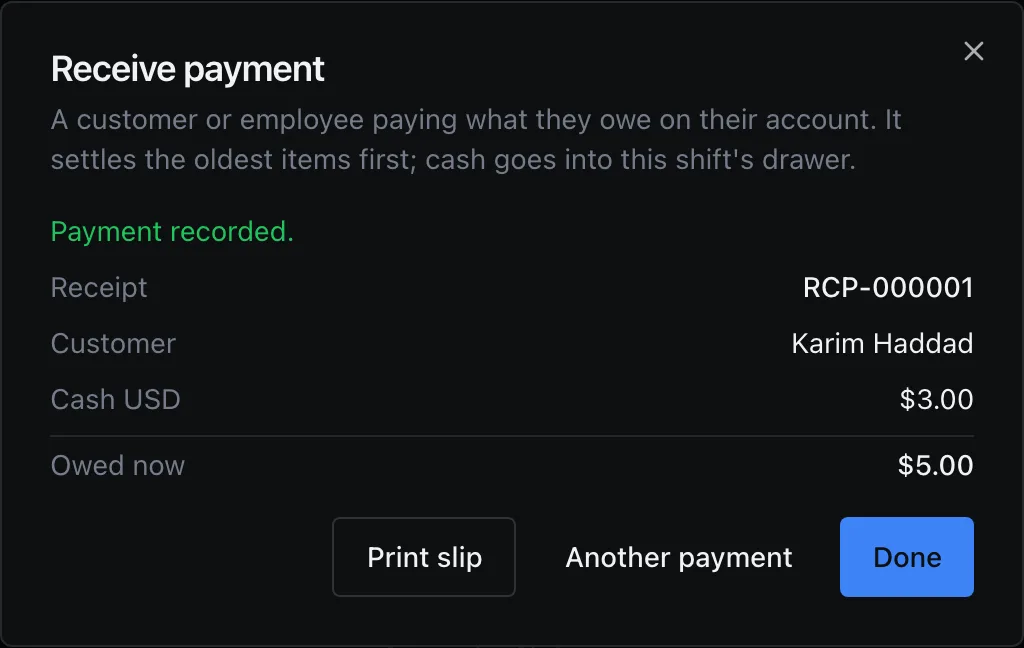
Recorded, with its receipt number.
The slip has three parts: Payment (the Receipt number, Customer, Taken at, Taken by and, when an approver was needed, Approved by), Paid (each way paid, Total paid in dollars, and the Rate for lira), and Account (Owed before, then Owed now or Credit on the account, and Left as credit when part of this payment went to credit).
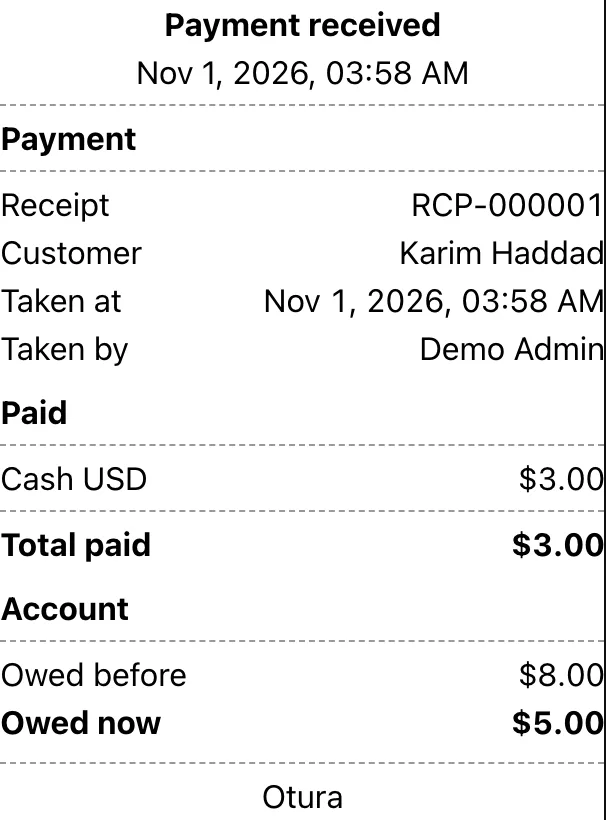
If the connection drops just as you press Take payment and you press it again, nothing is taken twice. When the first press did reach the server, the till says so: This payment was already recorded (…), so nothing new was taken. The slip shows it as it was recorded. To take a new payment, choose Another payment.
The drawer and the shift
- The Drawer Event Log lists the payment as Account payment, with its receipt number and the name.
- Cash raises the shift's expected cash: the drawer has a line Account payments on the X report, the Shift Summary and the close report, in dollars, and in the lira drawer for lira. A card payment is not in the drawer.
- The close report lists them under Account payments (not sales): by how they were paid, such as Cash USD (1), then a Total in dollars and, on screen, each receipt with its name. They are in no sales figure, the Z report included. See Closing a shift.
In your books
| Paid | Debit | Credit |
|---|---|---|
| In cash | The till’s drawer, in the currency paid (its own box, or the shared cash account) | 4110 Accounts Receivable |
| By card | 5300 card takings (5305 for lira) | 4110 Accounts Receivable |
At End of Day, the payment shows under the drawer's box as Customer Receipt. Its cash was counted at the shift close, like a sale's (see Cash and bank).
When it is refused
| What happened | What the till says |
|---|---|
| The shift closed while the dialog was open | This shift is closed. Open a shift on this register to take a payment. |
| The exchange rate changed while a lira payment was open | The exchange rate changed from 89,500 to 90,000 LBP/$ while this payment was open. Take the payment again at the new rate. |
| Today’s cash at this till was already counted at End of Day | Today's cash at this till has already been counted at End of Day, so it cannot take more money into that count. Reopen the day in the back office first, or take the payment when the next day opens. |
Reversing one
A payment taken at the till is a receipt like any other: it is listed in SalesReceivables under Receipts, and reversed there with Reverse (see Receivables). While its shift is still open, that is refused: Receipt RCP-000012 was taken at the till on a shift that is still open, and that drawer's count expects its cash. Close the shift first, then reverse the receipt. After the close, the shift's report marks it reversed since.
In the back office, Record Receipt takes cash, a cheque or a transfer, never a card, and its Goes into never offers a till's own drawer, so that cash is never counted twice: cash for a till's drawer is taken at that till, here (see Receivables).
For employees buying on account, see Selling to employees; for putting an old debt or a cash advance on an account, see Charges.