Tax returns: VAT, WHT, salary tax and income tax
Build the quarterly VAT return from your books, file it, pay it from a cash box or bank account, amend it, and handle withholding, salary tax (R10) and corporate income tax.
Checked against the product on 27 October 2026
The tax pages are under FinanceAccountingTax & Filing: Tax Calendar, VAT Returns, WHT, Income Tax and Salary Tax. Otura does not send anything to the Ministry of Finance. It builds each return from your books, so you can copy its figures into the Ministry's form; you then record here that you filed it and, separately, that you paid it.
Where the figures come from
Every sale, supplier bill, credit note and debit note that carries VAT records its VAT in Otura's tax ledger as it is posted, dated on its tax point. A return adds up that ledger for its period. A journal entry typed by hand on 4420 VAT Output / Payable is in the books but not in the tax ledger, so it is not on the return — the return's GL reconciliation (below) shows the difference.
The rates and deadlines come with the chart of accounts, as Otura's standard Lebanese set; they cannot be changed in the app:
| Tax | Rate | Form and period | Due |
|---|---|---|---|
| VAT | 11% standard (10% before 2018); zero-rated and exempt classes at 0% | D10, quarterly | 20 days after the quarter ends |
| Withholding on non-residents | 8.5% on services, 3.4% on goods | F26, quarterly | 15 days after the quarter ends |
| Salary tax withheld | From each payroll run | R10, quarterly | 15 days after the quarter ends |
| Annual salary declaration | — | R5 (with R6 and R7), yearly | 59 days after the year ends |
| Employee personal return | — | R8, yearly | 120 days after the year ends |
| Corporate income tax | 17% (15% before 2017) | Yearly | 151 days after the year ends |
A return's life
| Status | Meaning |
|---|---|
| Draft | Generated, and regenerated in place each time you generate it again. Nothing is fixed yet. |
| Filed | You recorded that it was filed. Its figures, and the sales and bills behind them, are frozen. |
| Paid | You recorded its payment, and the payment is posted. |
| Amended | A later version of the same period replaced it. |
Filing posts nothing to the books: the tax is already on 4420, 4470 or 4440 from the documents that created it. Paying posts the payment.
Tax Calendar
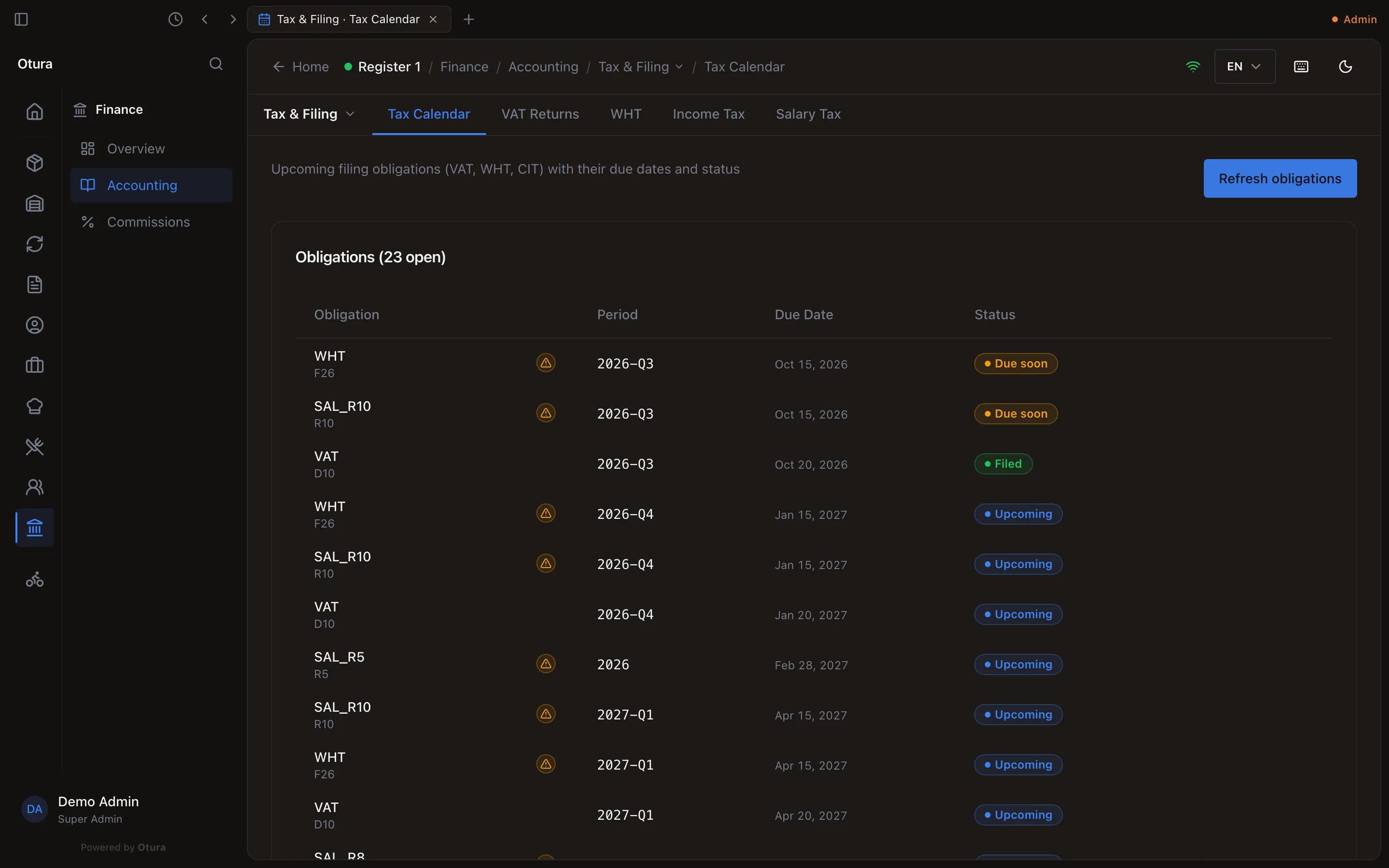
Tax Calendar lists your filing Obligations: each tax and period, its Due Date and Status — Upcoming, Due soon (within a week for a quarterly return, a month for a yearly one), Overdue or Filed (once that period's return is filed). Refresh obligations adds the periods from three months ago to twelve months ahead and brings every status up to date. File on an open obligation opens the page where it is filed.
A business not registered for VAT
A business that is not registered for VAT charges none. Say so under AccountingTaxVAT registration: choose the day it starts, today or later (tomorrow is suggested), and press Not registered from this day. From that day:
- its sales charge no VAT: the whole price is the sale, and nothing is owed to the Ministry of Finance;
- its receipts, invoices, credit notes and menus show no VAT line, and the shift report no VAT figure;
- the Tax Calendar lists no VAT return for a quarter it is not registered at all;
- the VAT on its purchases is part of what they cost, as it cannot reclaim it.
Sales made before the day keep the VAT they charged, and so do their refunds and credit notes: a refund gives back the VAT its sale charged. Registering again works the same way, with Registered from this day; the later VAT returns are listed again.
The VAT return
The output VAT on the return is the sum of the VAT on every invoice less every credit note in the quarter. To see it invoice by invoice, or month by month in lira, use the invoice register: its VAT (LBP) column is the same figure.
Generate it
On VAT Returns, choose the Year and Quarter and press Generate VAT return. The return for that quarter appears as a Draft with its boxes:
Box What it adds up Standard-rated sales (base) Sales taxed at the standard rate, before VAT Output VAT The VAT on them Zero-rated sales (base) Zero-rated sales Exempt sales (base) Exempt sales Reverse-charge memo (excl.) Reverse-charged purchases, shown for the form and not counted in the net Import VAT VAT paid at customs on imports Deductible input VAT All the VAT you recover on purchases, import VAT included Net (output − input) Output VAT less deductible input VAT Prior carry-forward applied Credit carried from the previous quarter Net payable What is due — never below zero Carry-forward to next period A credit (input above output) carried to the next quarter Lines on a box lists the sales and bills behind it, with their tax point, base, tax and journal entry; CSV and Print on the return export it. The list shows at most 5,000 lines on screen. Past that it says Showing the first 5,000 of 6,200 lines. The totals cover every line. — the return's figures always count every line. The lines of a whole return, opened from the register, say instead … Open a single box to narrow the list.
Check the GL reconciliation
GL Reconciliation compares the return with your books: the movement on GL output (4420) and GL input (4410) in the quarter. It reads The GL VAT control accounts reconcile with the return. or The GL VAT control accounts do not match the return — investigate before filing.
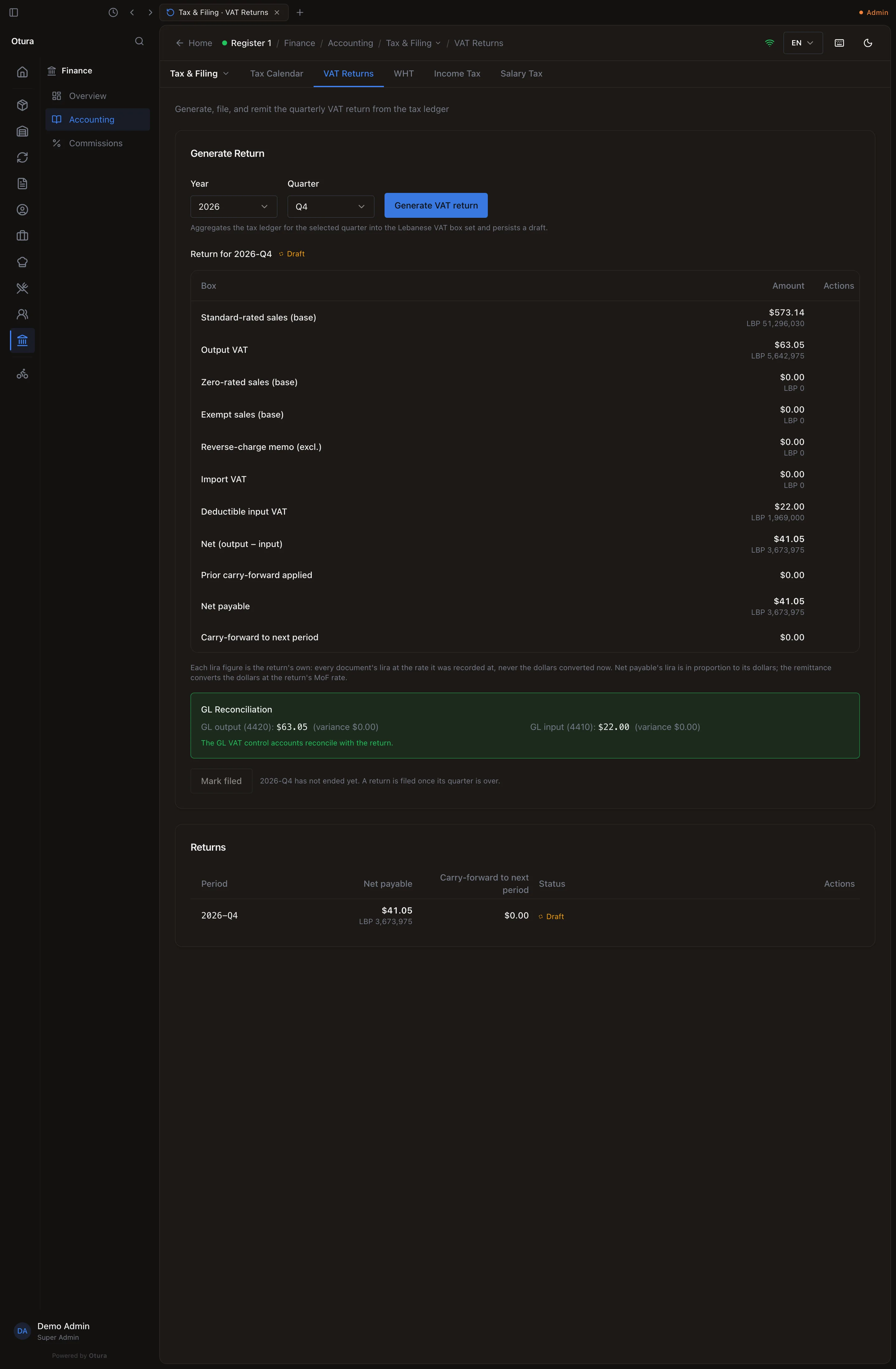
The quarter so far — till sales, a return, a void, a B2B invoice and a supplier's bill — and the books agree. It is filed once the quarter is over. File it
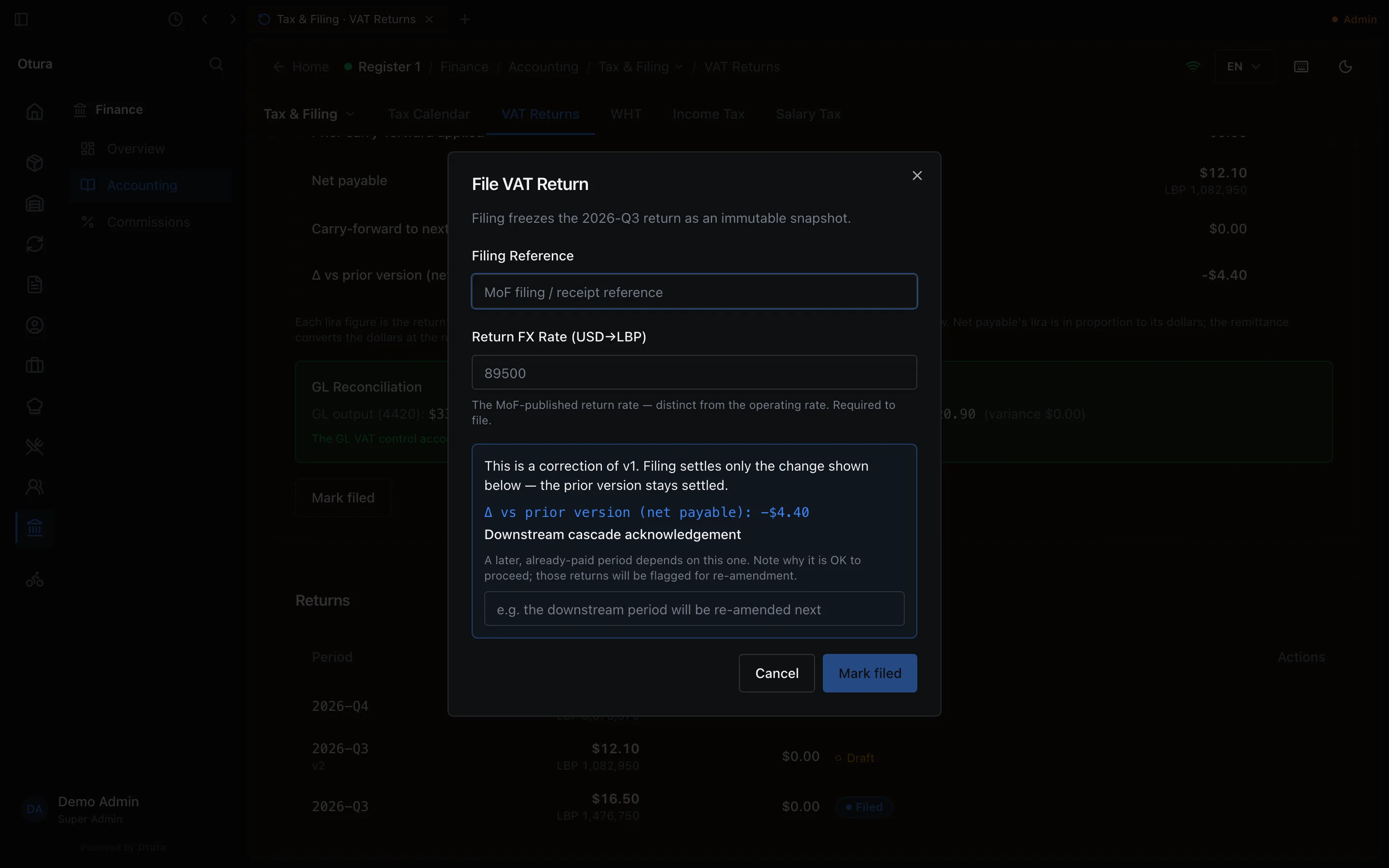
When you have filed with the Ministry, press Mark filed and enter:
- Filing Reference — the Ministry's filing or receipt reference (up to 64 characters);
- Return FX Rate (USD→LBP) — the rate the Ministry publishes for the return, which is not your day-to-day rate;
- Acknowledge GL variance — only when the books and the return disagree: why it is right to file anyway.
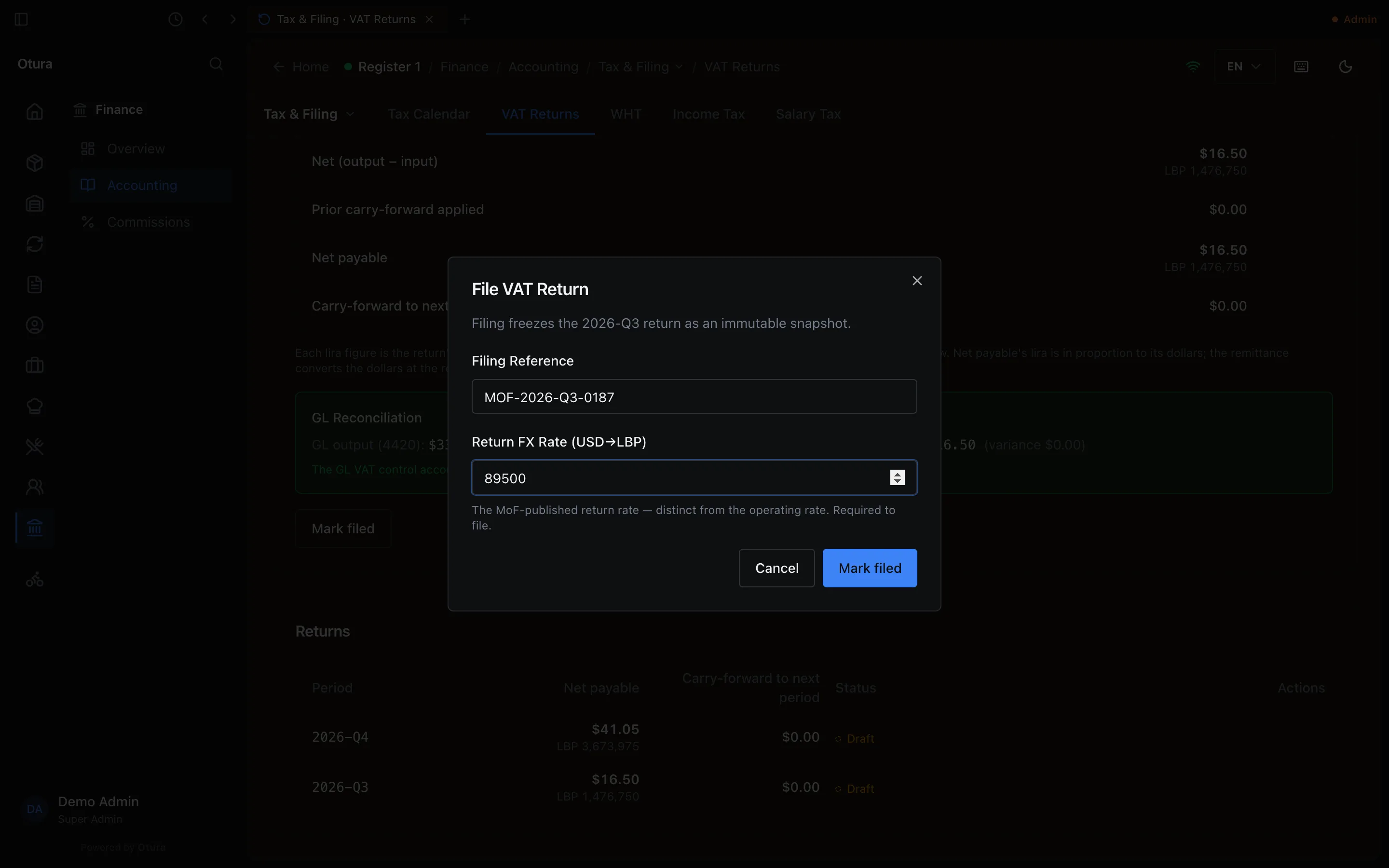
Filing records the Ministry's reference and the return's rate. On the quarter still running, Mark filed is greyed and says 2026-Q4 has not ended yet. A return is filed once its quarter is over. Filing is refused when:
- the quarter is not over: The … period runs until …, so it cannot be filed yet. It can be filed from ….;
- an earlier quarter with VAT in it is not filed, or a later one already is — VAT quarters are filed in order;
- a sale or bill in the quarter changed after you generated it: This VAT return is stale — the underlying tax ledger changed since it was built. Rebuild the draft before filing.
Pay it, or settle it
Remit, on the filed return, records the payment: see Paying a return. The return then reads Paid. A return with nothing to pay — input VAT above output, its credit carried to the next quarter, or a net payable a carried credit covers — offers Mark settled instead: it reads Paid and nothing is posted (2026-Q3 is settled. Nothing was owed, so nothing was posted.).
Paying a return
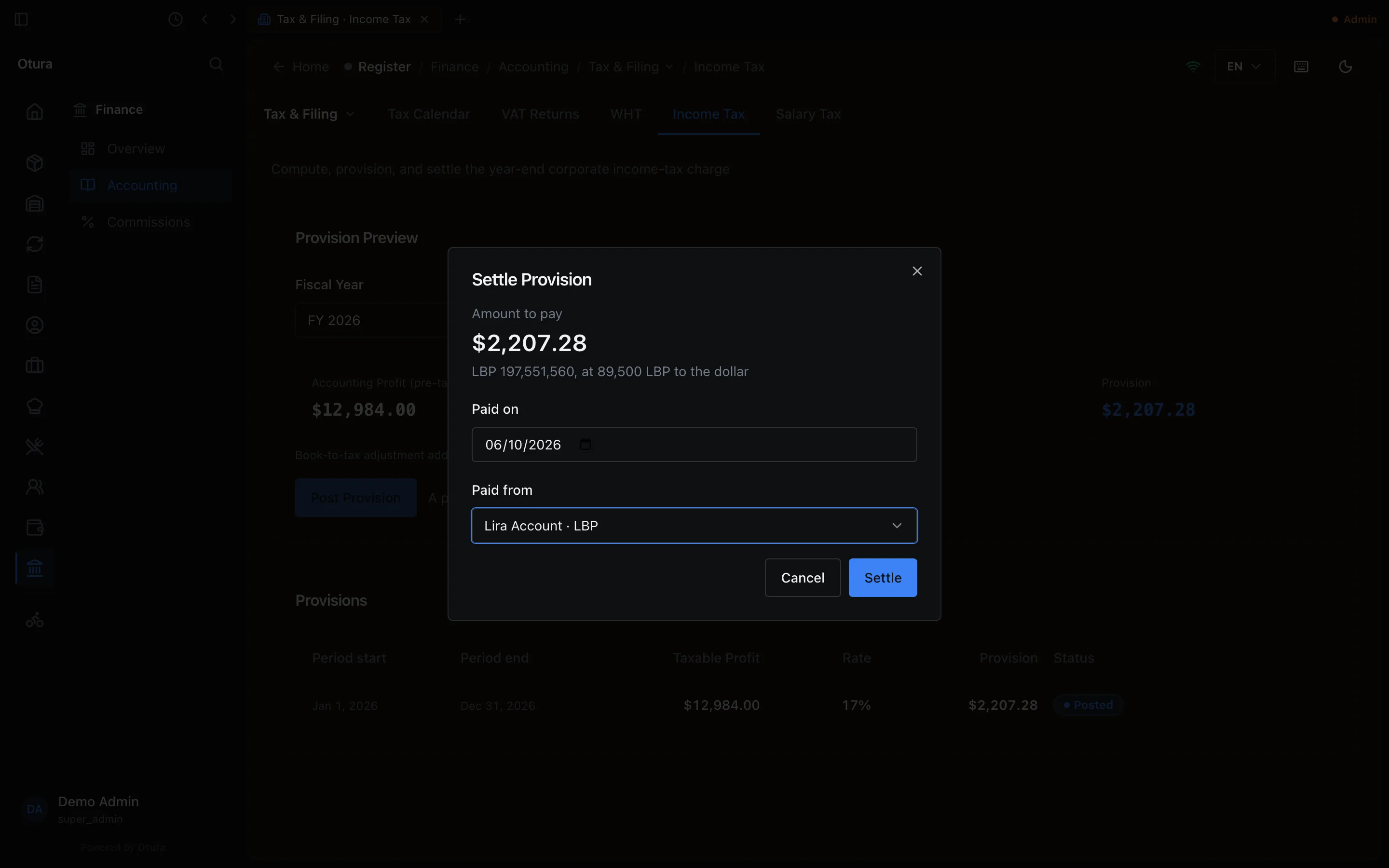
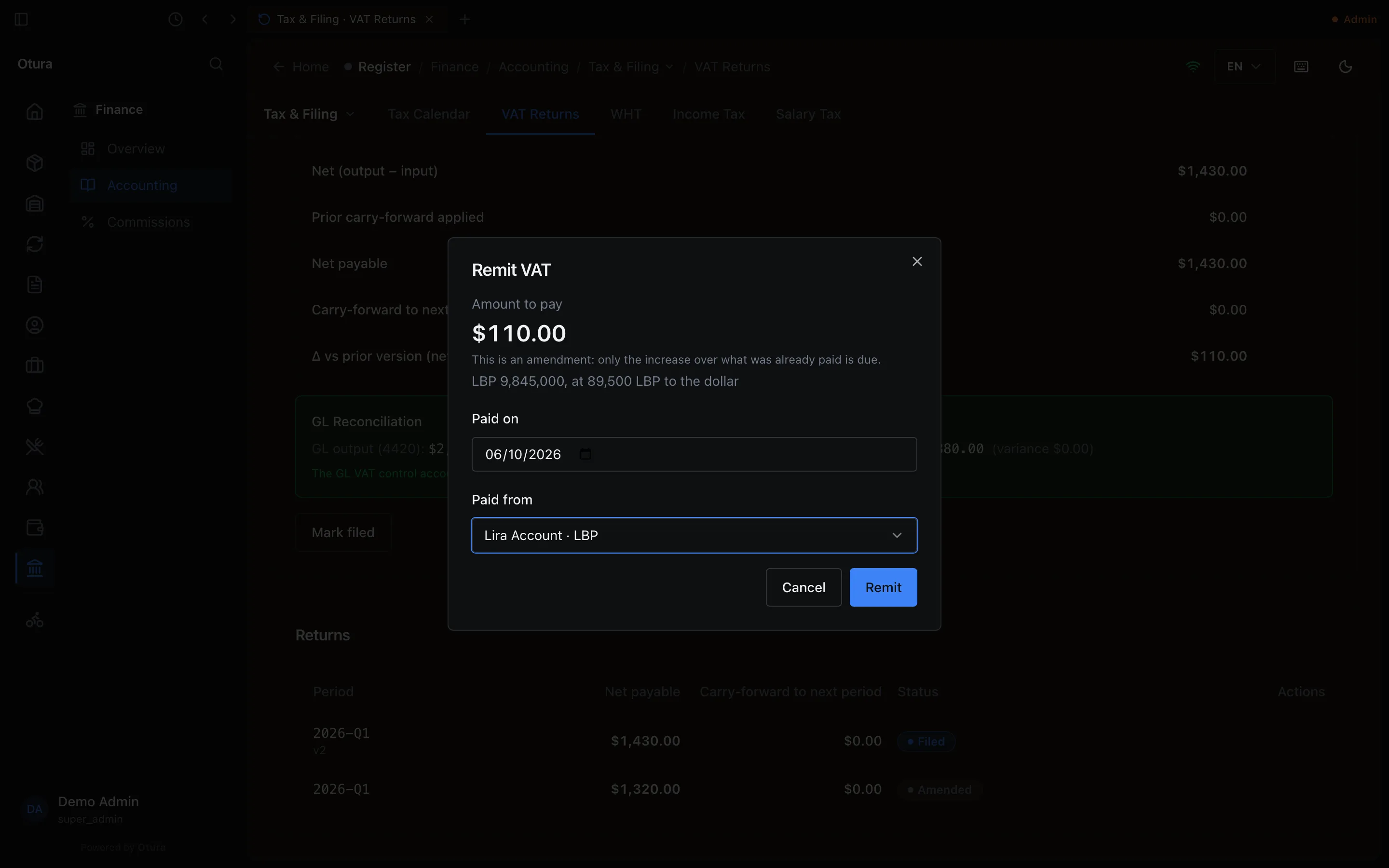
Remit (on a filed VAT, WHT or R10 return) and Settle (on an income-tax provision) open the same dialog:
- Amount to pay — worked out from the return; you cannot change it.
- Paid on — today to start with. It cannot be in the future (A payment cannot be dated in the future.) or, for a VAT, WHT or R10 return, before the last day of the period it covers (The period this tax covers ends on …. A payment cannot be dated before it.).
- Paid from — any of your cash boxes, vaults and bank accounts that make payments, each named with its currency (Lira Account · LBP). The standard bank accounts are offered as Bank account (USD) and Bank account (LBP) when no box is kept on them — which is all a shop with no boxes sees. From a lira box or account, the dialog shows the lira that leaves it and the rate: the VAT return's own FX rate for VAT, today's rate for the others.
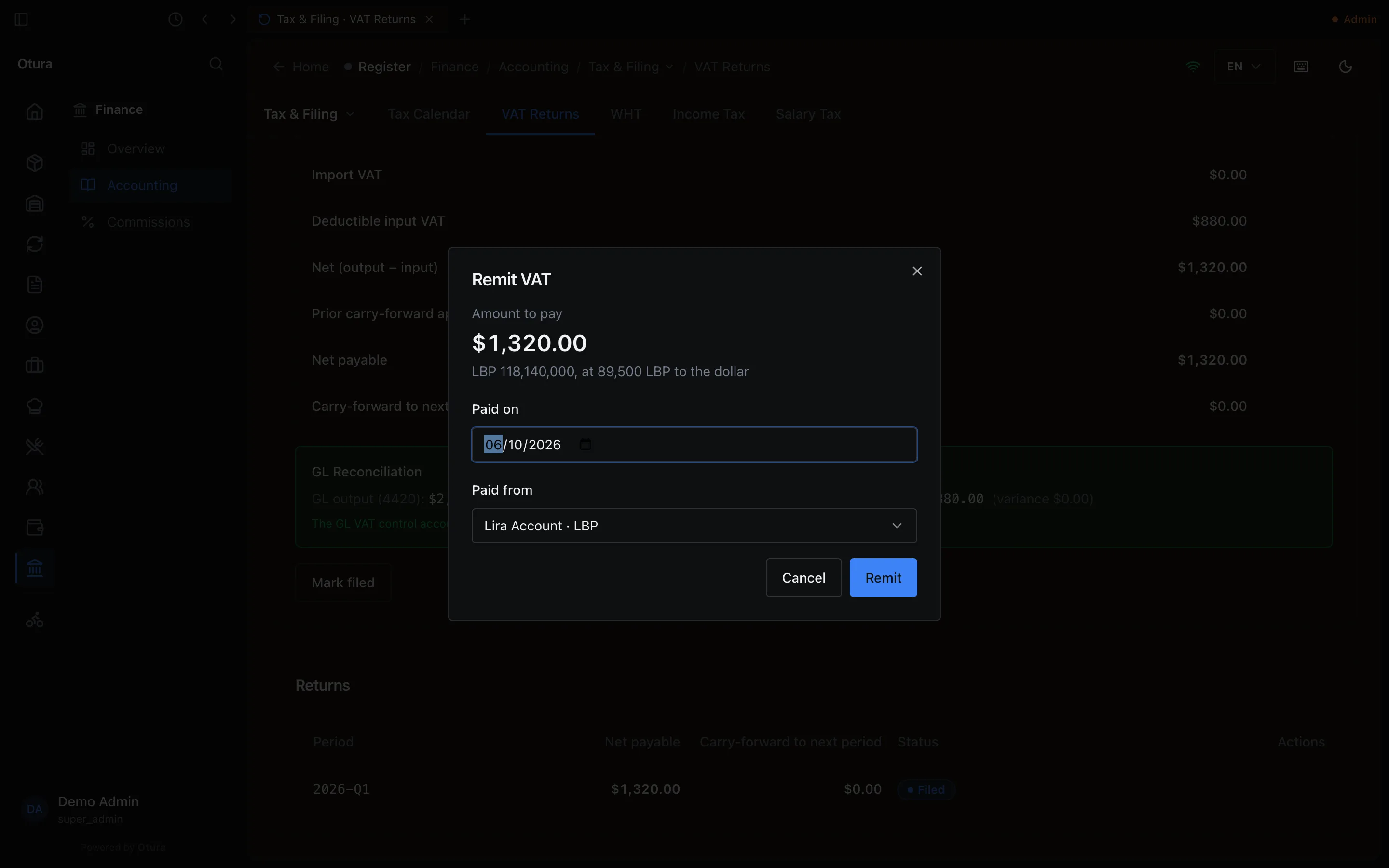
A payment from a box whose day has already been counted at End of Day is refused; someone with Post to the books is offered Record anyway on the message.
What the payment posts, dated the day it was paid:
| Tax | Debit | Credit |
|---|---|---|
| VAT | 4420 VAT Output / Payable, by the output VAT | 4410 VAT Input, by the input VAT it offsets; and the box’s account, by the net paid |
| WHT | 4470 Withholding Tax Payable | The box’s account |
| Salary tax (R10) | 4440 Payroll Tax Payable (R10) | The box’s account |
| Income tax | 4435 Income Tax Provision | The box’s account |
A lira box's line carries the lira that left it. Otura refuses a payment bigger than what the books hold on the tax account — more VAT than is on 4420, for example.
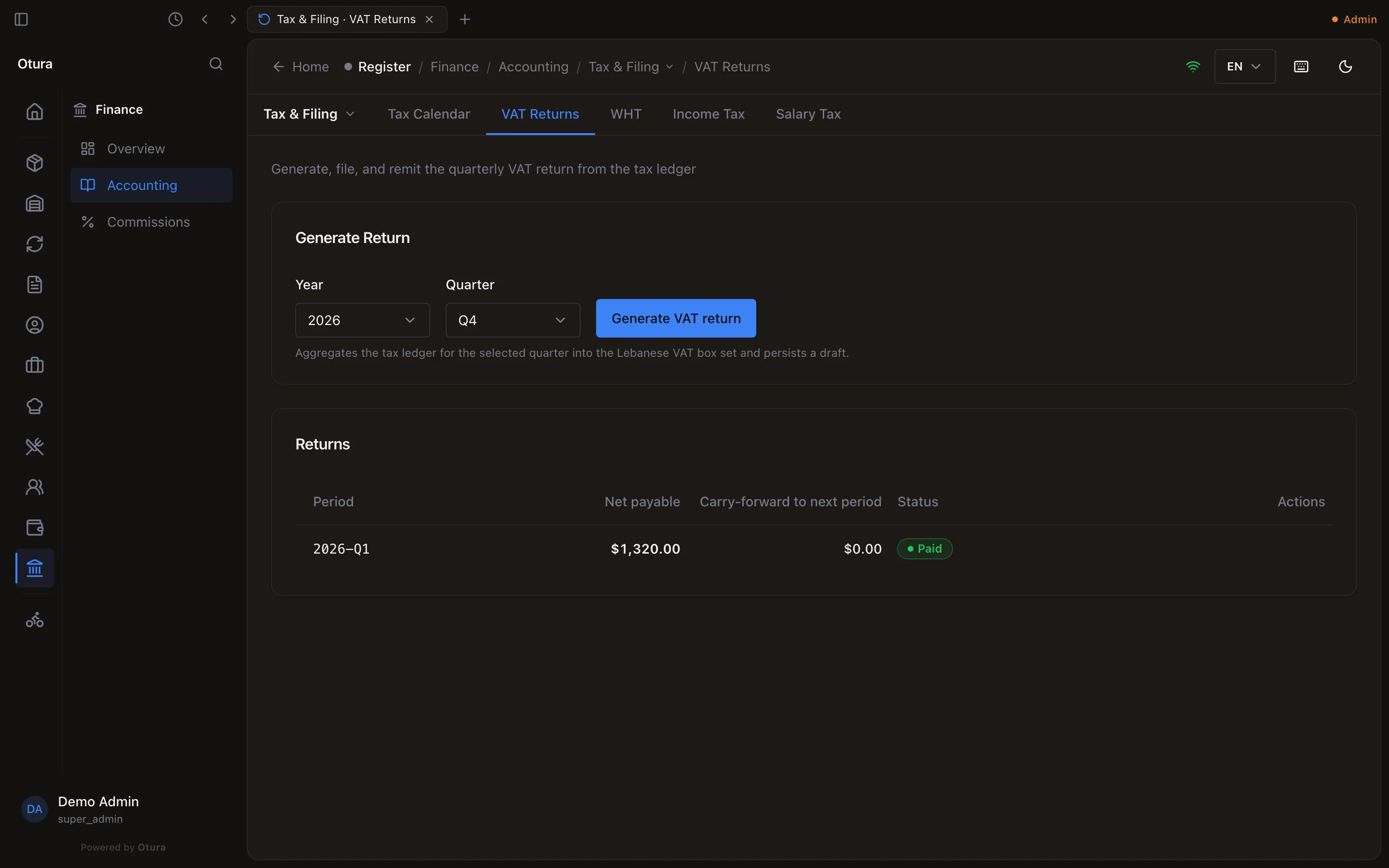
Amending a VAT return
A sale or bill dated in a quarter you have already filed — a supplier bill entered late, for example — is not on the filed return. (A void or credit note is declared in the quarter it is made, so it needs no amendment.) The page then says Amendment needed — activity arrived after filing, with the quarter and how many lines are undeclared, and Build amendment.
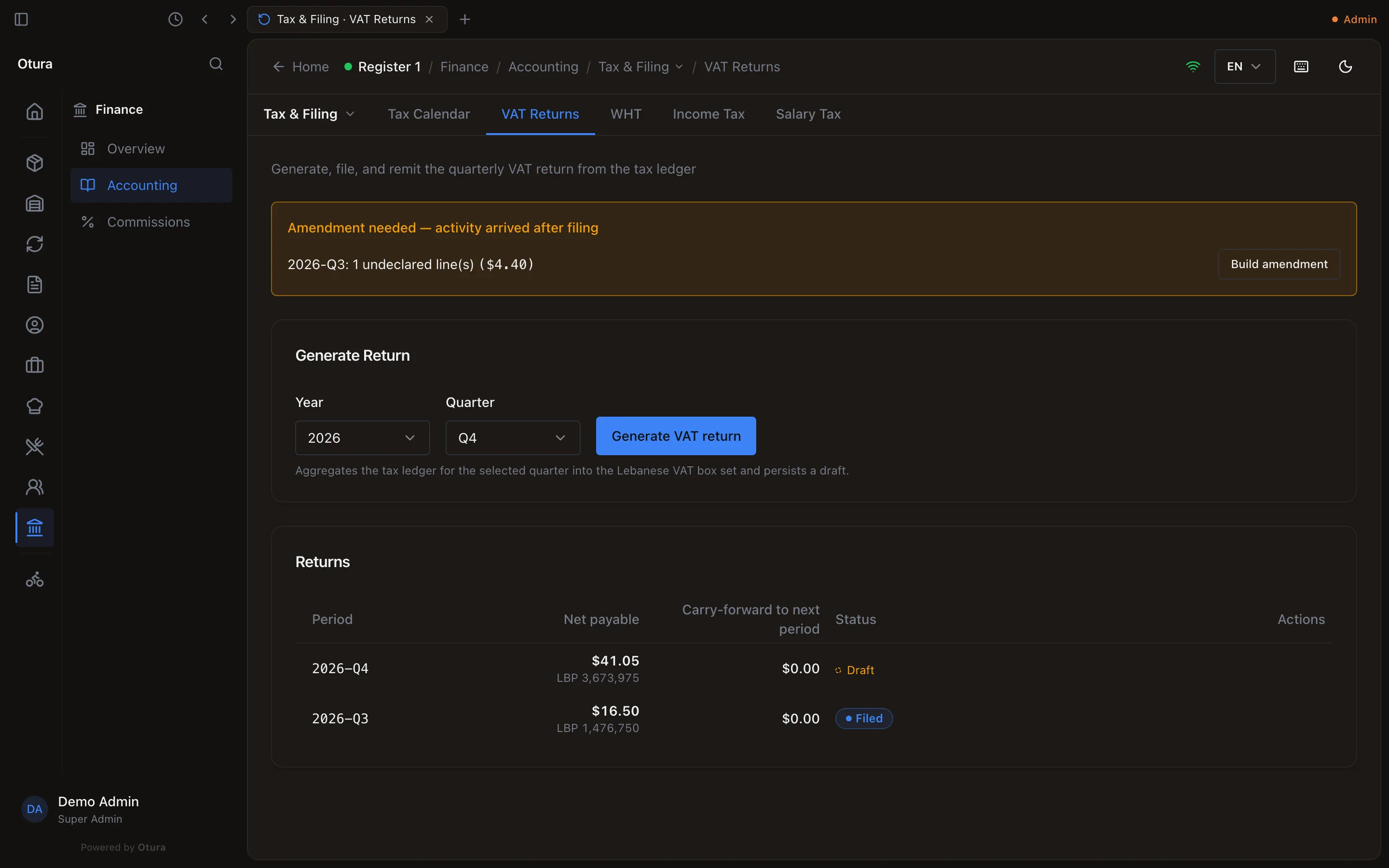
It creates the quarter's next version as a draft (v2), with every line of the quarter and a Δ vs prior version (net payable) row. File it as before; its dialog says This is a correction of v1. Filing settles only the change shown below — the prior version stays settled. The earlier version then reads Amended. If a later quarter has already been paid, filing asks for a Downstream cascade acknowledgement, and those later returns are flagged to be amended too.
An amendment that lowers the tax below what was already settled offers Owed back: Carry to the next return (taken off the next payments of this tax, nothing posted now) or Refund received (posted to the box the money went into, on the day it came).
Remit on the amendment asks only for the increase, and says This is an amendment: only the increase over what was already paid is due. (If the first version was never paid, it asks for the whole amount.)
Withholding (WHT)
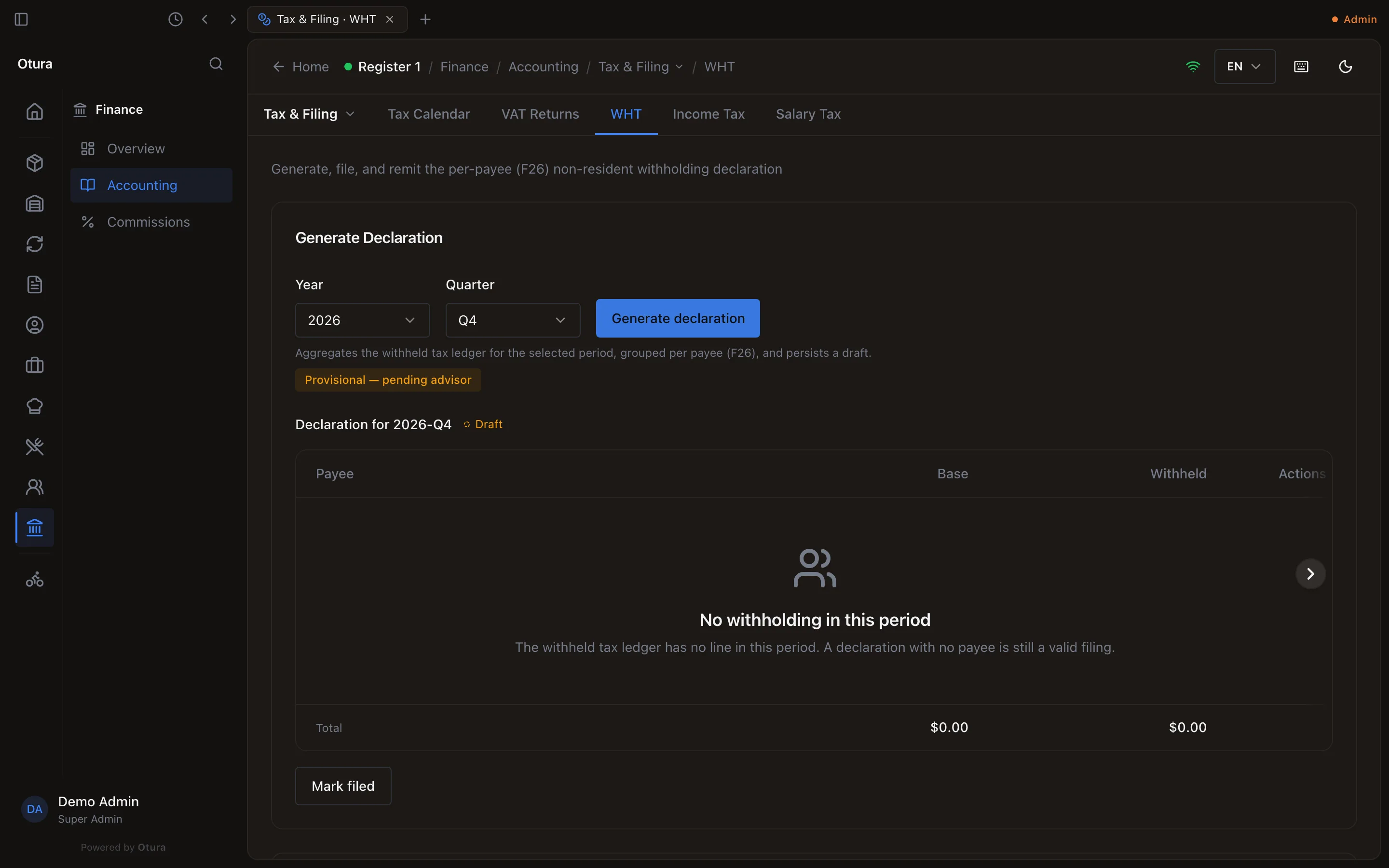
WHT declares the tax withheld from non-resident suppliers (form F26), quarter by quarter. The tax is withheld when such a supplier's bill is paid: the supplier is paid the bill less the withholding, and the withheld tax goes to 4470 Withholding Tax Payable. Choose the Year and Quarter and press Generate declaration. It lists each payee by name with the Base and what was Withheld; a quarter with no non-resident payments makes a declaration of $0.00, filed like any other. The Declarations below are filed with Mark filed and a Filing Reference, and paid with Remit once filed and above zero. The page marks the F26 cadence Provisional — pending advisor. Amendments work as for VAT.
Salary tax
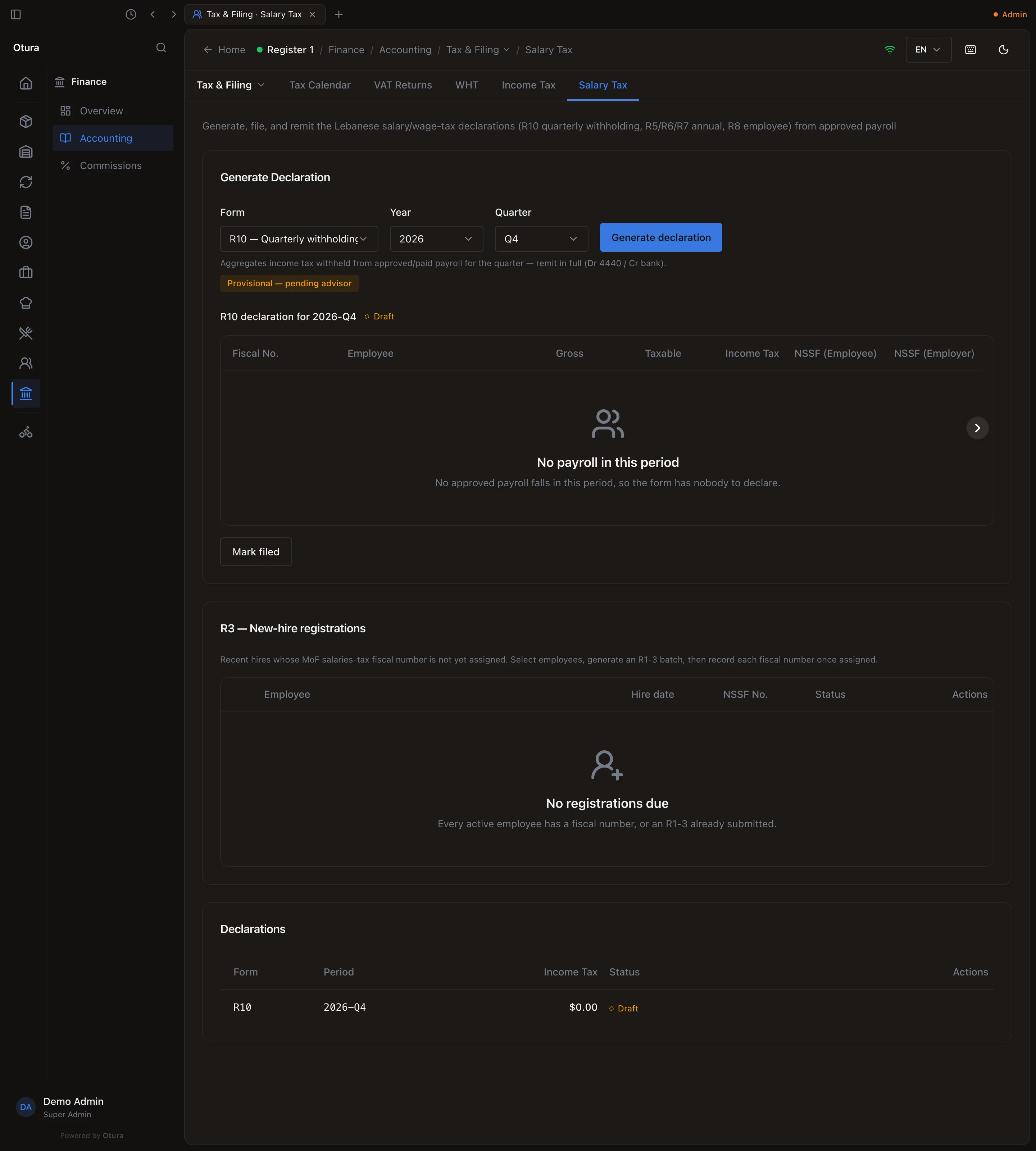
Salary Tax builds the employer's salary-tax forms from approved and paid payroll runs. Choose the Form — R10 — Quarterly withholding, R5 — Annual employer summary, R6 — Annual per-employee detail, R7 — Annual leavers or R8 — Employee personal (per employee) — the Year (and the Quarter for R10, the Employee for R8), and press Generate declaration. Each employee appears with their Gross, Taxable, Income Tax and NSSF.
Every form is filed with Mark filed and corrected with Amend (-ت). Only R10 is paid here: Remit on a filed R10 with tax due pays the salary tax withheld that quarter; one with nothing withheld offers Mark settled.
Corporate income tax
Income Tax works out the year's provision. Choose the Fiscal Year:
- Accounting Profit (pre-tax) — the year's net income, with income-tax expense left out;
- Manual Adjustment — your book-to-tax adjustment, added to it (it may be negative);
- Taxable Profit, the Rate in force at the year's end, and the Provision: taxable profit × rate.
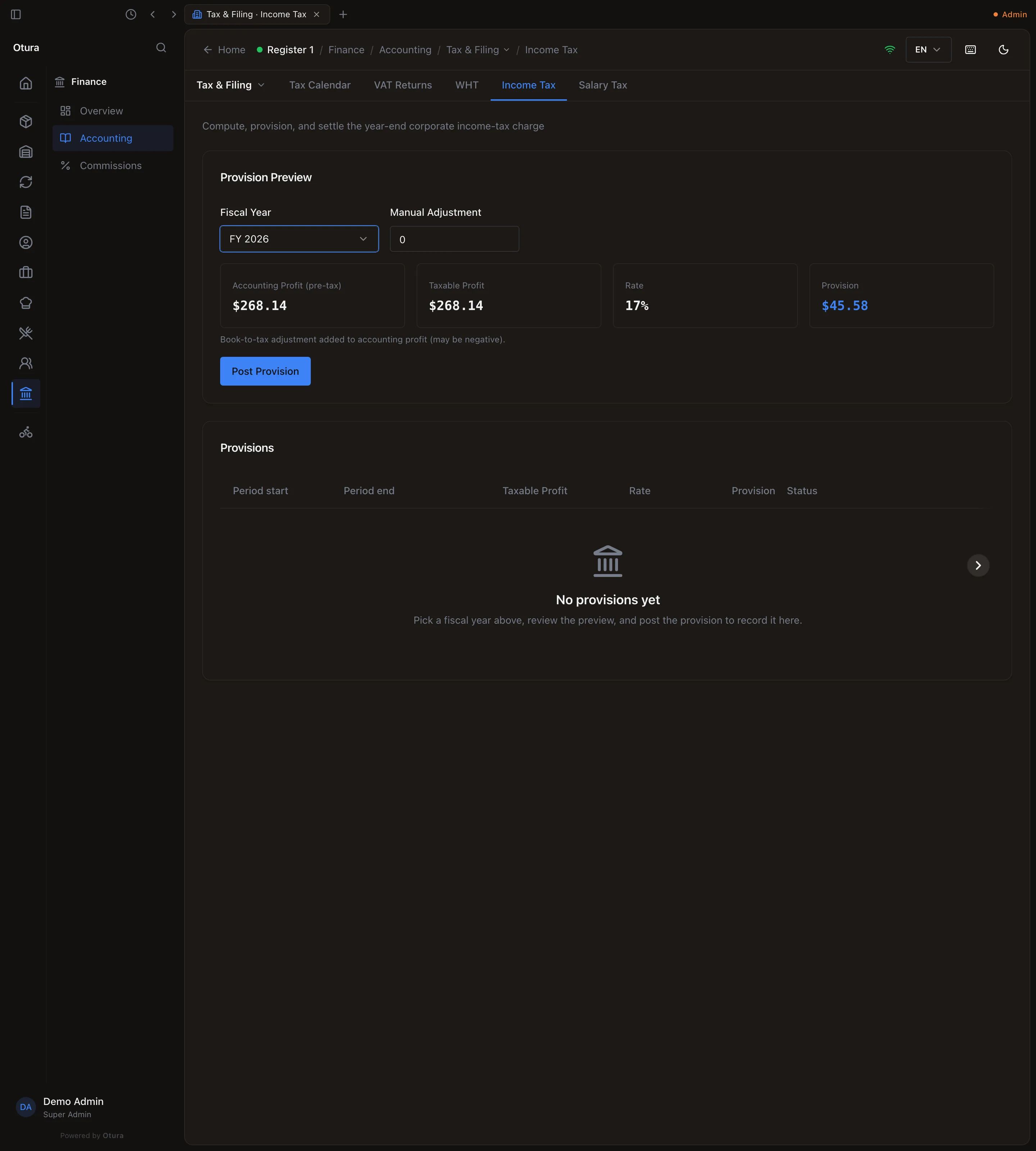
Post Provision posts it on the year's last day — debit 6360 Income Tax Expense, credit 4435 Income Tax Provision — once per year, and only when there is a taxable profit (with none, the preview says No taxable profit for this year — nothing to provision.). It appears under Provisions, with a CIT Return section to record its filing (Mark filed and a Filing Reference). Settle on the posted provision pays it in full, from the dialog above, and marks it Settled. An income-tax return cannot be amended.