Tills and registers: pairing a device, adding a register
A register is a selling point with its own drawer and shifts; a till is the device paired to it. Pairing a new till with a one-time code, revoking a lost one, and adding a register where the shop sells, which Otura turns on for a business on request.
Checked against the product on 22 October 2026
A register is a place where the shop sells: it has its own cash drawer, its own shifts, and a branch it sells from. A till is the device standing at it, a counter PC with the desktop app or a browser, paired to the business. Both are under Store in the back office.
Tills
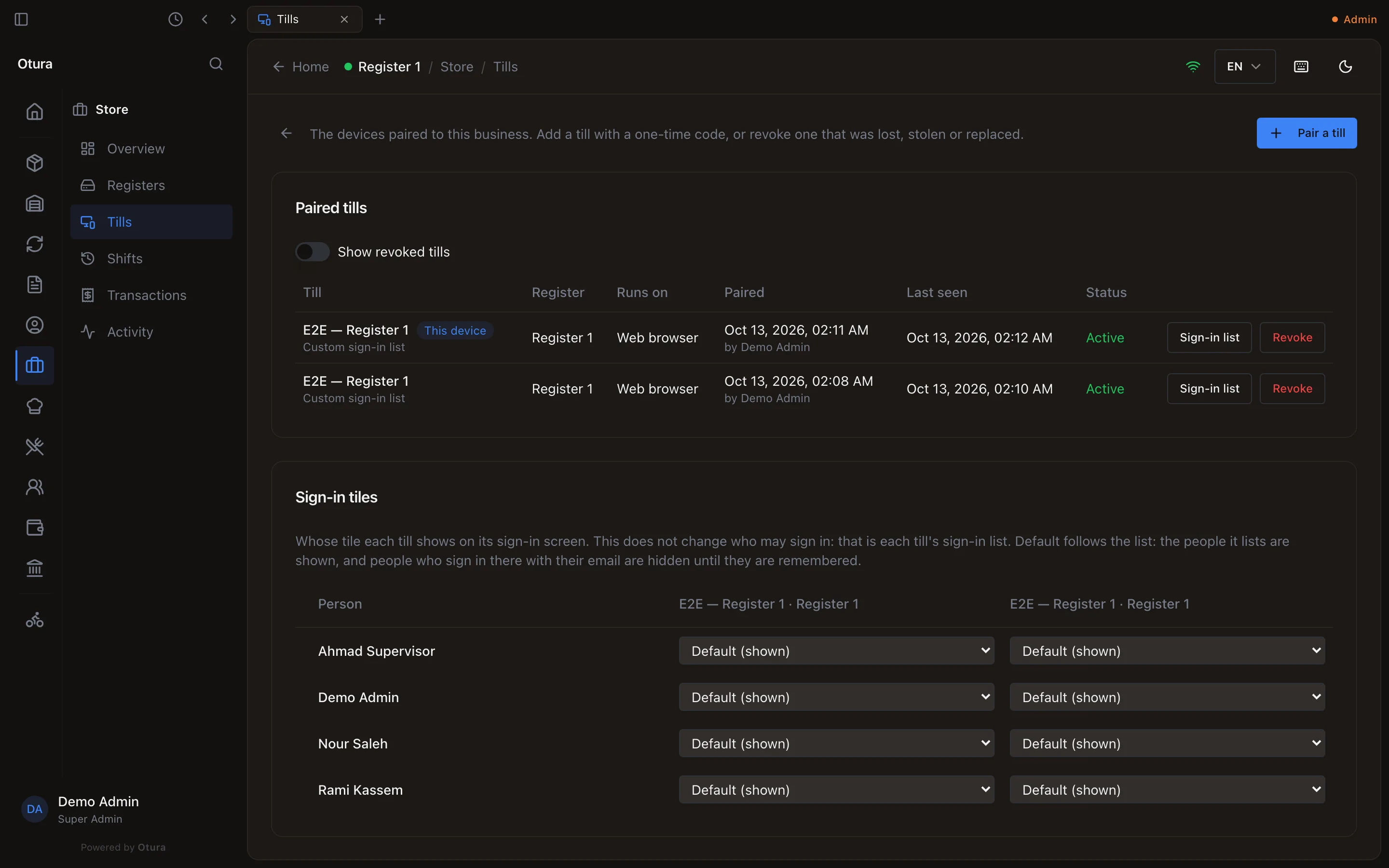
StoreTills lists every device paired to the business: its name, the register it works at, what it runs on, when it was paired and by whom, and when it was last seen. The device you are on says This device. Each till has its Sign-in list (who signs in on it with a PIN, see Choosing who signs in on a till) and Revoke.
Pairing a new till
Get a code
Press Pair a till. Give it a Name (where it stands, for example Back counter) and, if you know it, the Register it will work at; leave Choose on the till to pick it there. Press Get a pairing code.
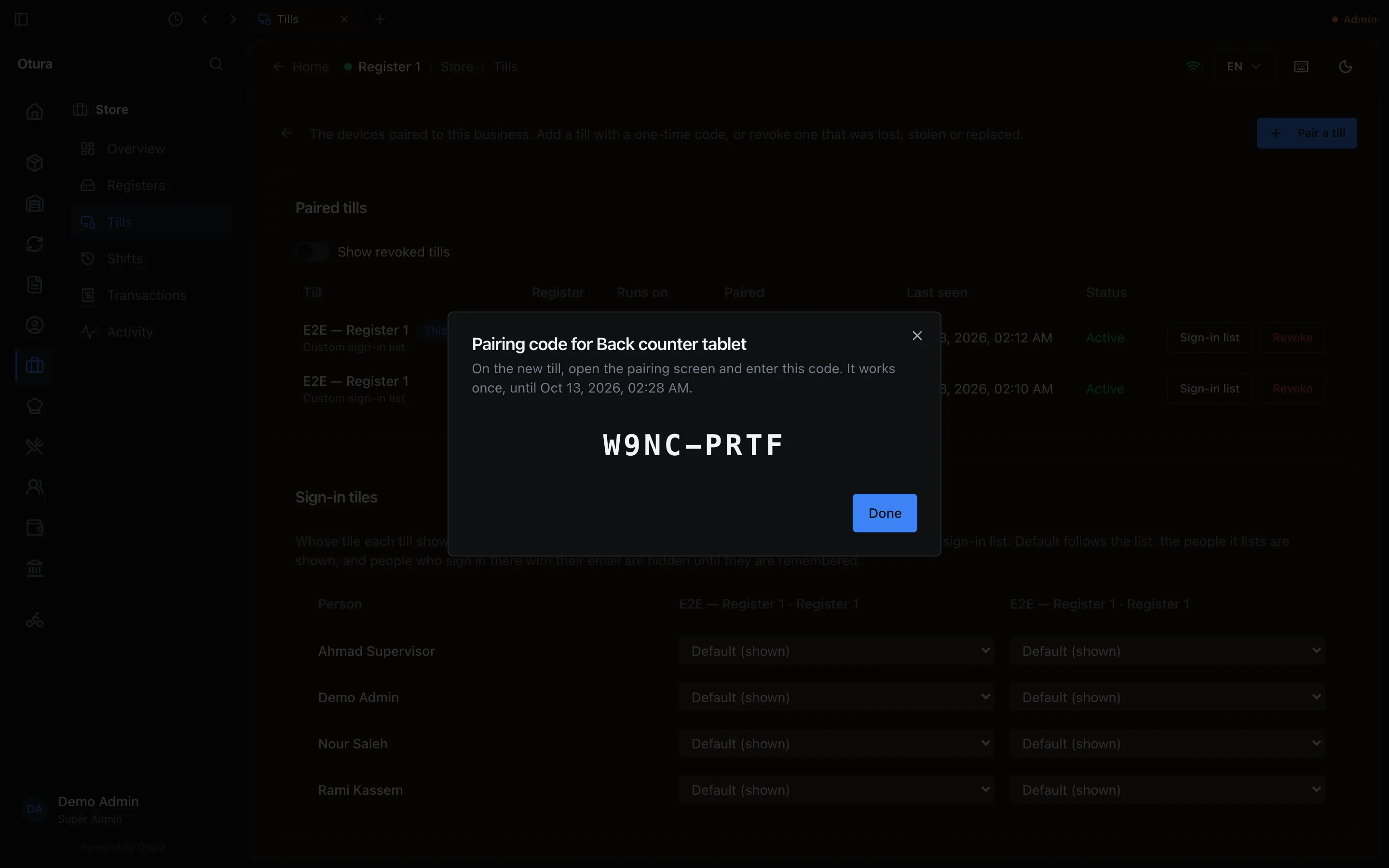
A one-time code. It works once, for 15 minutes. Type it on the new device
On the new device, open the till; it asks for the code. Type it and pair. The code works once, and for 15 minutes; after that, get a new one.
A till lost, stolen or replaced
Press Revoke on its line. The device is signed out at its next request and cannot sign in again until it is paired anew. Show revoked tills lists the ones revoked before. Sales it already sent are kept.
Registers
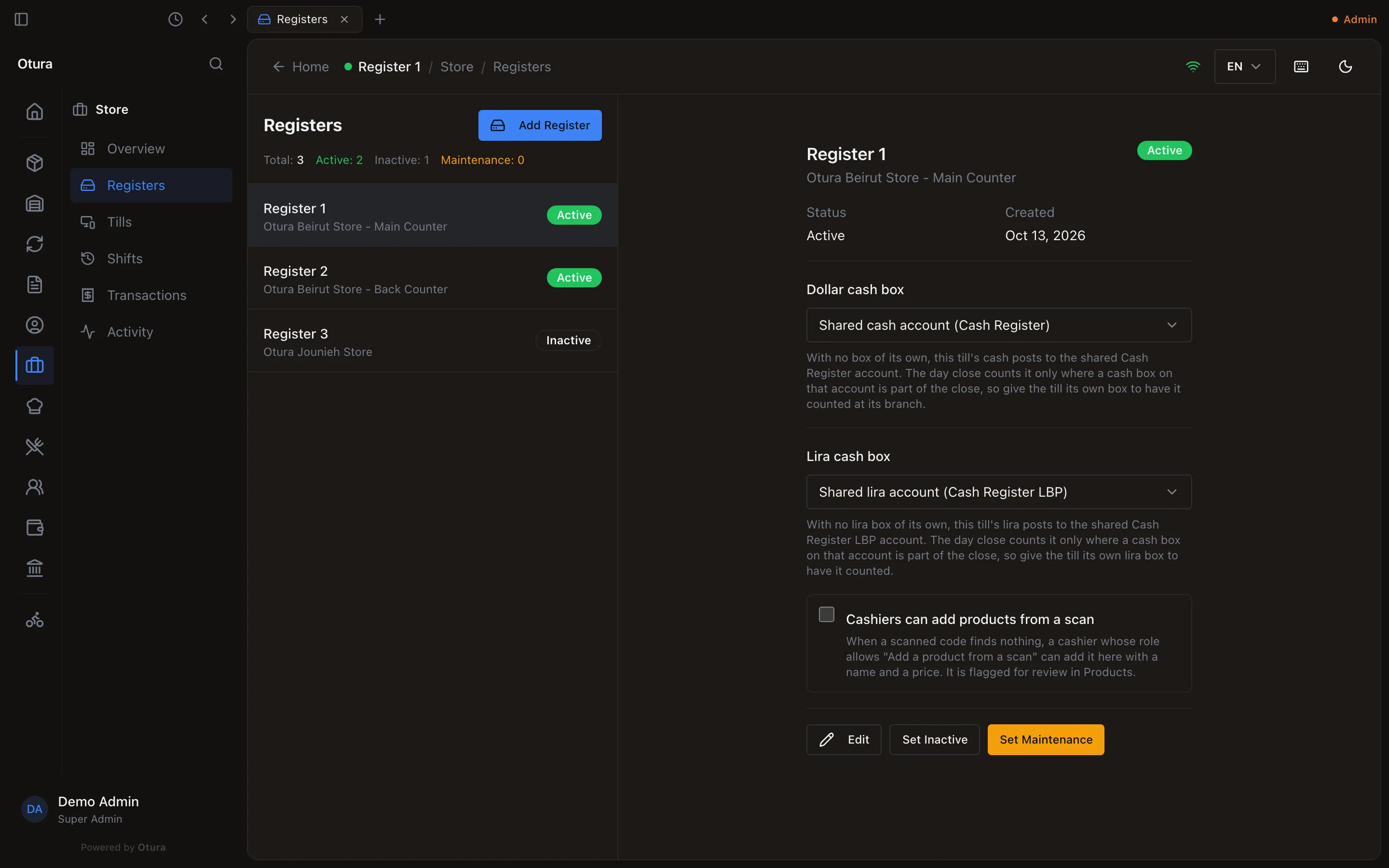
StoreRegisters lists the registers, how many are Active, Inactive and in Maintenance. Select one to see it.
| On a register | What it does |
|---|---|
| Dollar cash box, Lira cash box | Where the drawer’s cash is booked. With none of its own, the till’s cash posts to the shared Cash Register accounts. Change it between shifts. |
| Cashiers can add products from a scan | When a scanned code finds nothing, a cashier whose role allows it can add the product here with a name and a price. |
| Set Inactive, Set Maintenance | Takes it out of service. A shift cannot be opened on it until it is set active again. |
Adding a register
Every business starts with one register, Register 1, at its main branch. Adding another needs the Add tills module. No plan includes it: Otura turns it on for a business on request, and can turn it off again. Until then StoreRegisters has no Add Register, and says Adding a till is not enabled for this business. Contact Otura to add one. In SettingsModules, Add tills is marked On request, with Contact Otura (see Modules and plans).
Without the module, everything else on this page still works: renaming a register, moving it to another branch, setting it inactive or in maintenance, and pairing tills to the registers you have. An older till app may still show Add Register; pressing Create there answers with the same sentence, and nothing is added.
Once Otura has turned it on, open Registers again and:
Add Register
Press Add Register. Type its Name, unique in its branch, and choose its Location: the list offers only the places where the shop sells, not a supplier's drop-ship stock. Press Create.
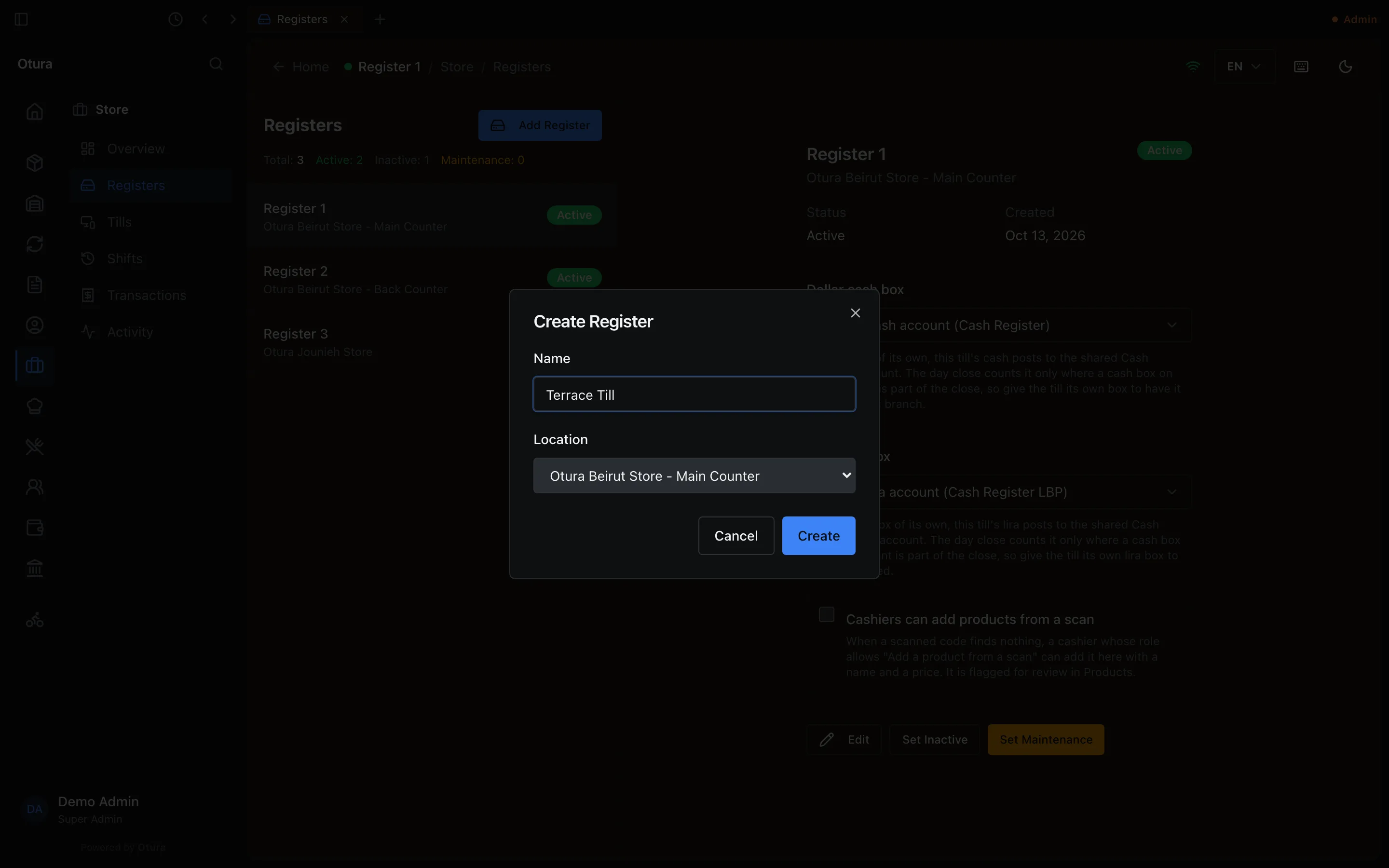
A new register, at a branch that sells. Pair a till to it
Then pair a till and choose this register, or choose it on the till.