Pricing the catalogue in lira
Setting every price in whole lira instead of dollars, so a change of exchange rate no longer moves your prices: the switch, what it proposes, and what changes at the till.
Checked against the product on 30 October 2026
Otura prices the catalogue in dollars unless you choose otherwise, and each price's lira follows the exchange rate. A shop whose prices are really round lira figures (a sandwich at 400,000) can price the whole catalogue in lira instead. Each price is then set in whole lira, and a new exchange rate no longer moves it.
Where it is
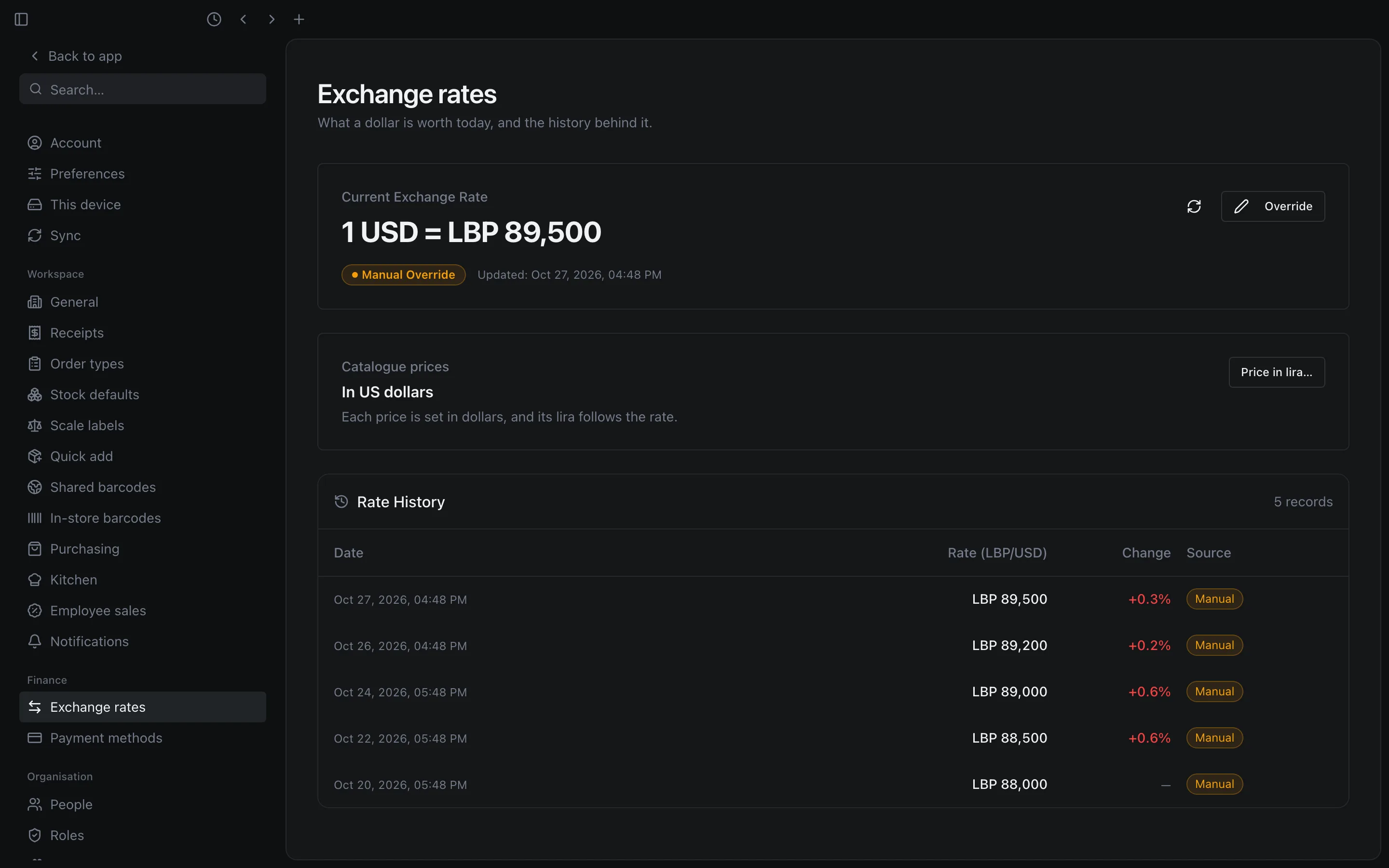
Open SettingsExchange rates. Under the rate, Catalogue prices says In US dollars or In Lebanese lira.
Before you switch
The switch is refused, with the reason on screen, when either of these is true:
- The rate was never set by hand. Lira prices are proposed from today's rate, so it has to be one you chose. Set it first (Setting today's rate).
- The shop is connected to a sales channel. A connection under ChannelsConnections still exchanges prices in dollars, so the shop keeps its dollar prices for now. Orders the shop took online before do not stop the switch.
Switching to lira
Open the switch
On Catalogue prices, press Price in lira…. Every product, and every size with a price of its own, is listed with its price In dollars and a proposed price In lira.
Check the proposals
Each proposal is the round lira figure your dollar price came from, where there is one. The line above the list says how: a multiple of your lira cash step (LBP 5,000 unless you changed it in cash rounding) that gives the same dollar price, otherwise the nearest LBP 1,000 that does, otherwise the exact lira. So $4.44 at 90,000 is proposed as 400,000, while $149.99 at 89,500 is proposed as 13,424,000, because no round figure gives $149.99.
Change any price that is wrong; a price must be a whole number of lira. Find a product searches the list, which shows the first 200. Under each lira price is what a till that still prices in dollars would charge for it (see older tills).
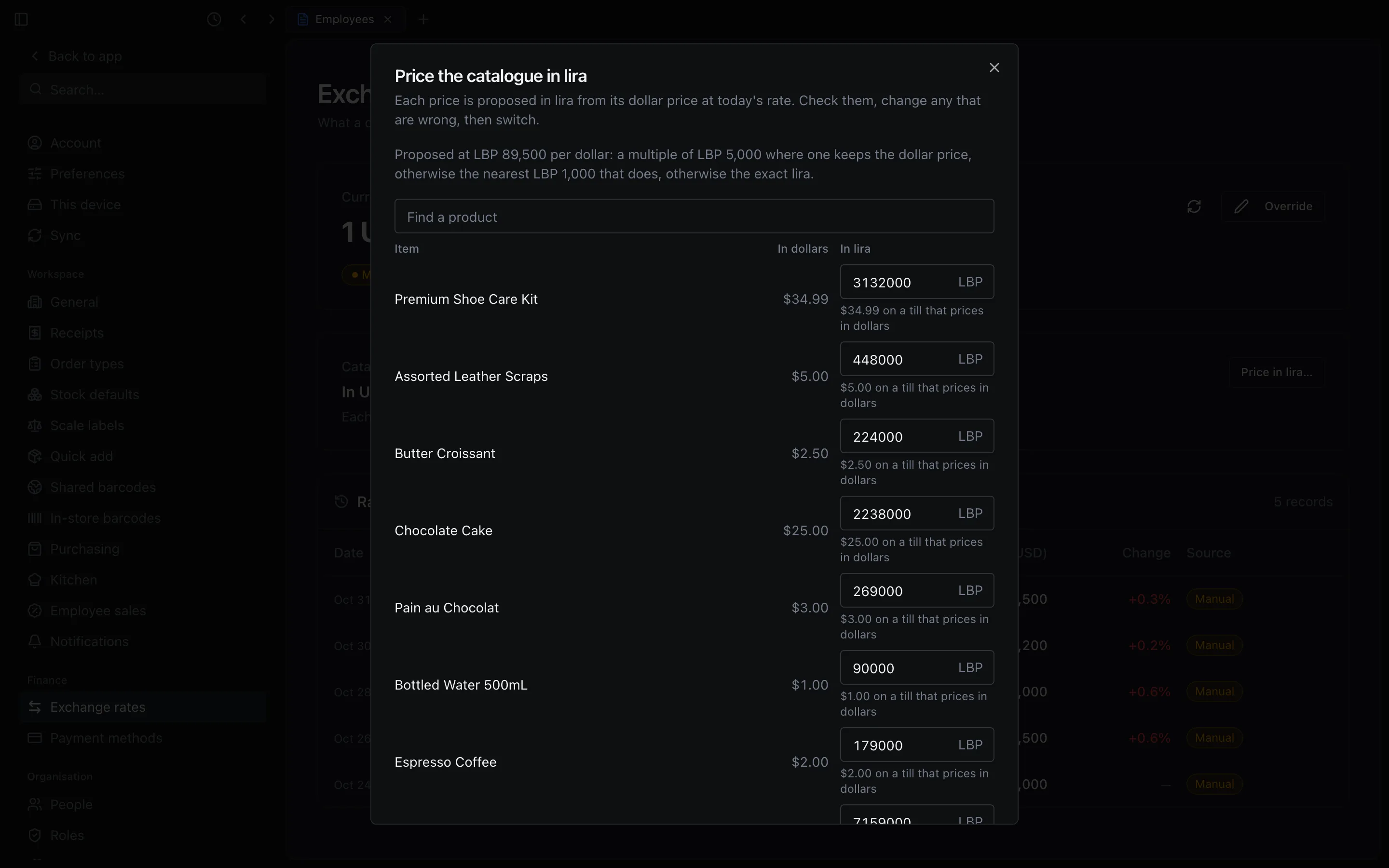
The proposals at LBP 89,500 per dollar, each one editable before you switch. See what stays in dollars
Under Still in dollars, converted at the day's rate in a lira sale, the switch counts the prices it does not change: pack prices, bundle prices, price-list prices, fixed-amount discounts and delivery app fees. They keep working, at their dollars converted at the order's rate.
A published menu follows the switch by itself and shows the new prices within a few minutes. A menu last published before menus followed the catalogue keeps its old prices until you publish it again (see When you price in lira in Online menus).
Switch
Press Switch to lira. The prices you did not change take their proposals. If the rate changed while the list was open, the switch is refused and the list is proposed again at the new rate. The largest lira price is LBP 9,999,999,999: a price, delivery zone amount or option price that would come to more is named, and nothing switches until you lower it.
The switch also prices modifiers (each option's price change) and delivery zones (the fee, the minimum order and the free-delivery threshold) in lira, the same way.
After the switch
Prices are typed in lira everywhere they are set: Price (LBP) on a product, Price Override (LBP) on a size, New Price (LBP) in bulk pricing, Price Adjustment (LBP) on a modifier option, and Delivery Fee (LBP), Minimum Order (LBP) and Free Shipping Threshold (LBP) on a delivery zone. Each field shows the dollar figure beside it as "$4.44 on a till that prices in dollars".
A new exchange rate leaves every lira price as it is. Only that dollar figure beside it moves: it is the lira at the day's rate, rounded down to the cent.
At the till
- The sale screen shows each item at its lira, as the cart will ring it: the tiles, the sizes, the options and the weight of a weighed item. A size with a price of its own shows its own lira, otherwise the product's.
- An order is priced in what it started in. An order already open in dollars when you switch stays in dollars until it is paid; the next one is in lira.
- A lira order keeps the exchange rate it was opened at until it is paid. A new rate does not move its lira, and a customer paying it in dollars pays at the rate it was opened at (see When the exchange rate changes during an order).
- A discount of an amount is typed in lira (Discount Amount (LBP)). A deal is still priced in dollars: its tile shows that price converted at the order's rate.
- The order is paid in its own lira. The payment screen opens with Paid in on Lira, for cash, card and each leg of a Split Payment. With nothing typed, Complete Payment takes the order's exact lira, and so does Quick cash (
F10), which then shows Paid LBP 1,200,000 in cash. That lira is what the lira drawer is expected to hold when the shift closes. - For a customer paying in dollars, press Dollars. The dollars are counted at the order's rate, and the change is given in either currency, as on any order (see Taking payment).
- In a Split Payment, a cash part in lira is typed in Amount (LBP). On account, the part paid now is typed in Paid now (USD), in dollars.
- A delivery paid cash on delivery is collected at the order's own lira, with its dollars beside it: LBP 669,000, or $7.47 (see Taking payment). A changed delivery fee is typed in Delivery fee (LBP), and the zone's minimum order is met in lira (see Delivery fees and drivers).
- A line or an order that would come to more than LBP 9,999,999,999 is refused, naming the product, for example Pallet comes to more than LBP 9,999,999,999, the most a price or a sale can hold in lira. Lower the price or the quantity. A whole sale past it says This sale comes to more than LBP 9,999,999,999, the most a sale can hold in lira. Split it into separate sales. The same holds for an order priced in dollars, whose lira at the order's rate is kept too: about $111,700 at 89,500.
- A till that loses its connection keeps selling in lira (Selling offline).
Older tills
A desktop till on version 0.4.7 or older still sells after the switch, but in dollars: it charges the dollar figure shown beside each lira price, which can be a little below it. Update every till before you switch.
Going back to dollars
On Catalogue prices, press Price in dollars…, then Switch to dollars. The lira prices are cleared. Each item keeps the dollar price a till charges for it today, and from then on its lira follows the rate. An order already open in lira keeps its lira until it is paid.