The activity log: who changed what
Every recorded change in your business, live: filtering it by person, record type, action and dates, reading what one change did, and exporting it.
Checked against the product on 22 October 2026
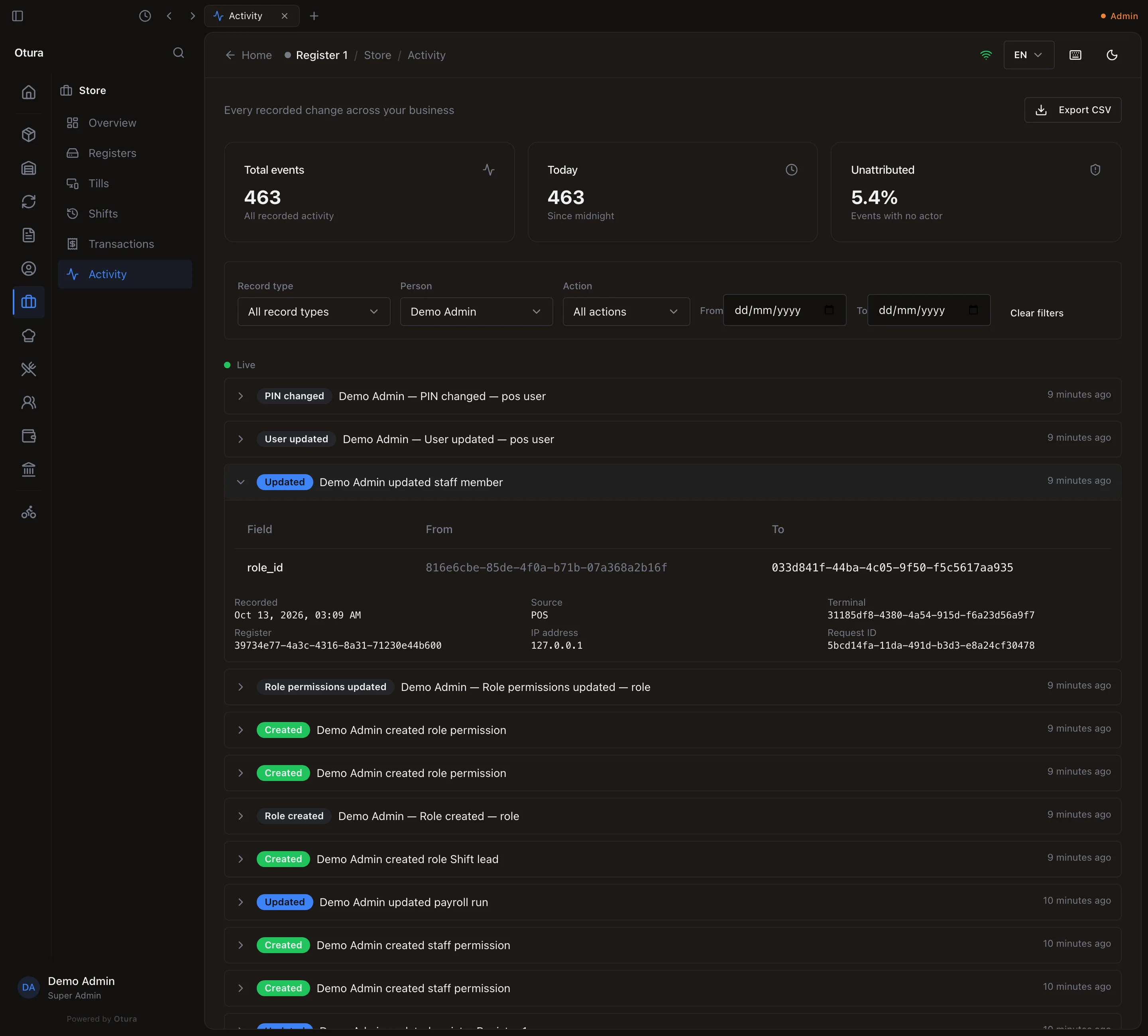
StoreActivity lists every change recorded in your business, newest first, and keeps itself up to date while it is open (Live). Each line says who did what to which kind of record: Demo Admin updated employee. At the top: Total events, Today (since midnight in your business's time zone) and Unattributed, the share of events with no person behind them, such as the system's own work.
Finding a change
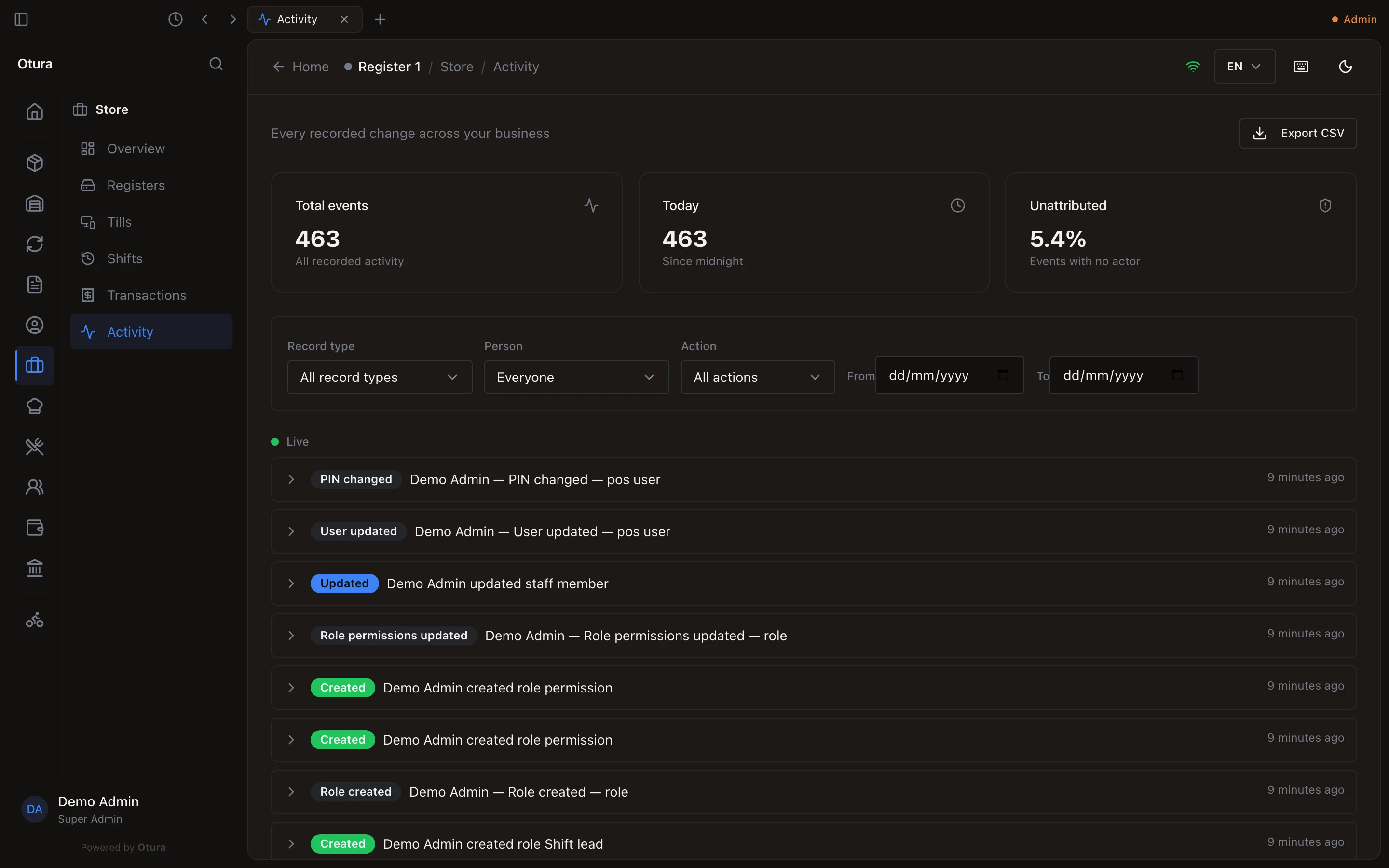
- Person: only what one person did. It lists the people who have activity, busiest first.
- Record type (employee, product, shift…) and Action (created, updated, deleted).
- From and To: a range of days. Clear filters shows everything again; Load more goes further back.
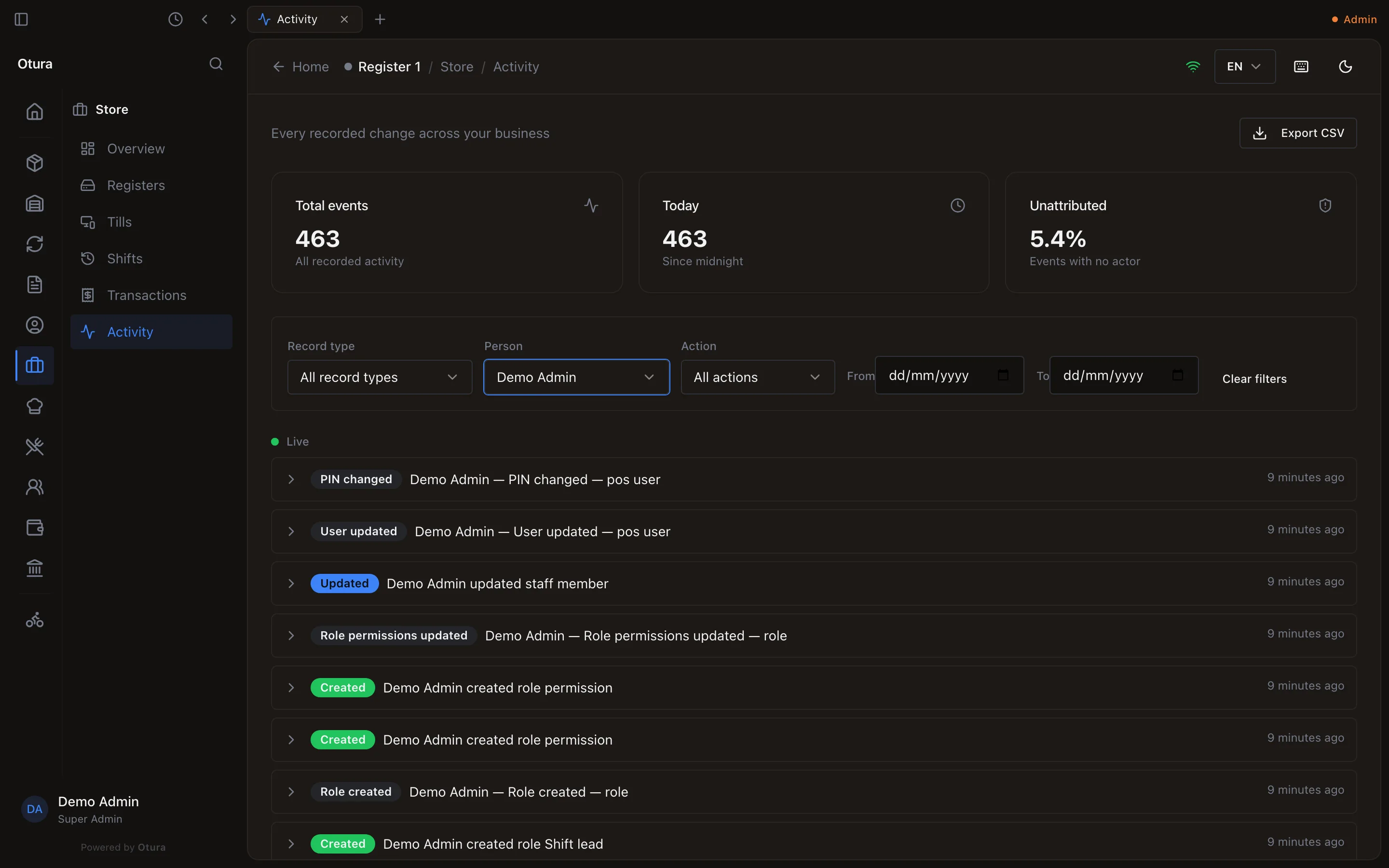
Click a line to open it: each Field it changed, From and To, then when it was Recorded, its Source, and the till and register it came from.