Consignment
Goods a supplier leaves with you and is paid for only when they sell: the agreement and the supplier’s share, and settling what was sold. Not yet usable end to end — read the first box.
Checked against the product on 13 October 2026
On consignment, a supplier leaves goods in your shop and stays their owner: you pay them their share only for what sells, and they take back what does not. Consignment is under ReplenishmentConsignment, with three tabs: Agreements, Sales and Settlements.
The agreement
Create Agreement
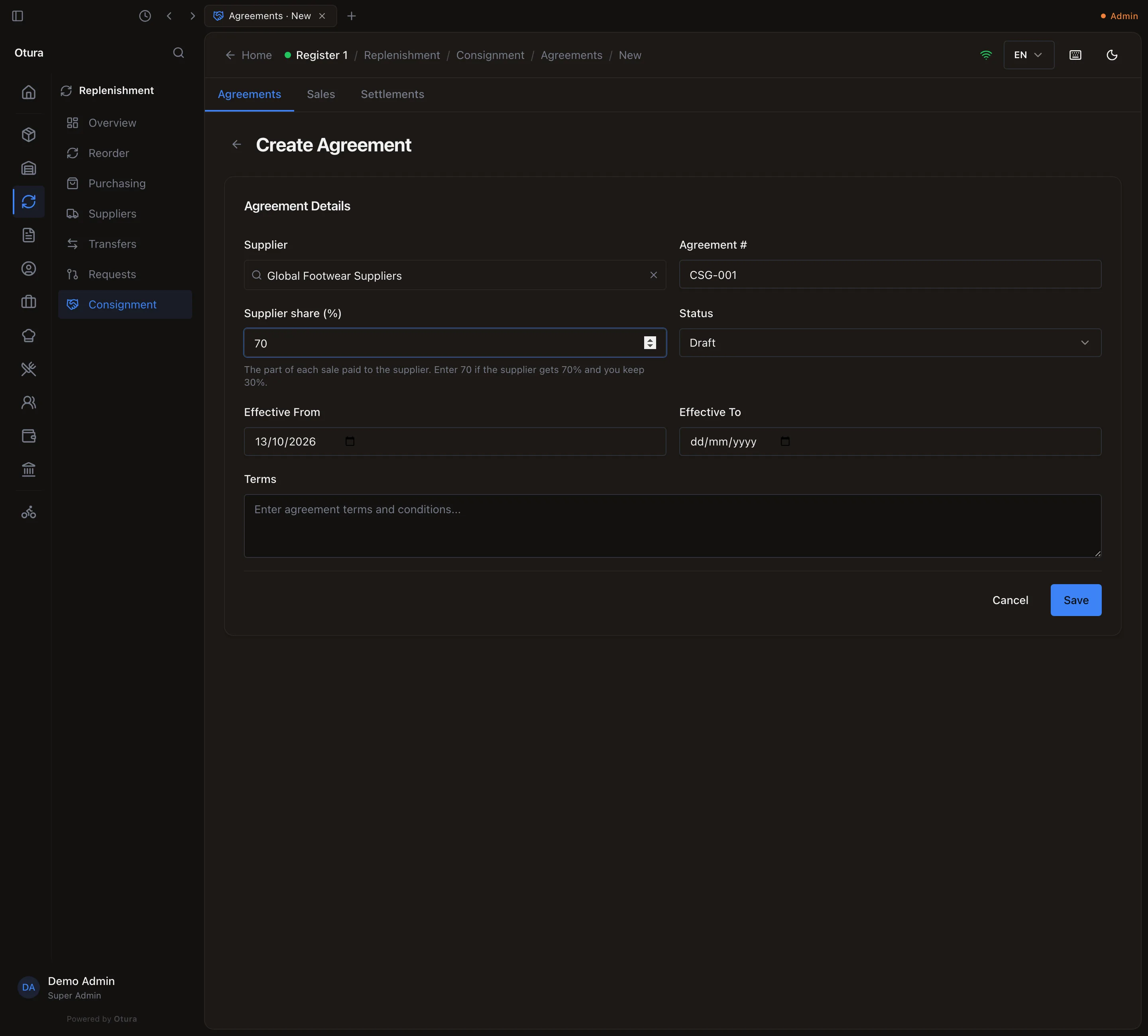
On Agreements, press Create Agreement.The supplier
Type part of the Supplier's name and pick them; a supplier not on your list yet can be created from the same box. A supplier has one agreement, ever: a terminated one cannot be replaced by a new one.The number and the share
An Agreement # (CSG-001), and the Supplier share (%): the part of each sale paid to the supplier. Type 70 if the supplier gets 70% and you keep 30%. It cannot be over 100.Dates and terms
Effective From starts on today; Effective To is optional and cannot be before it. Terms is free text. Press Save.
A new agreement is a Draft: nothing is recorded against it until you press Activate on its page. Suspend pauses it (nothing is recorded while suspended) and Activate resumes it. Terminate ends it for good; its unsettled sales can still be settled.
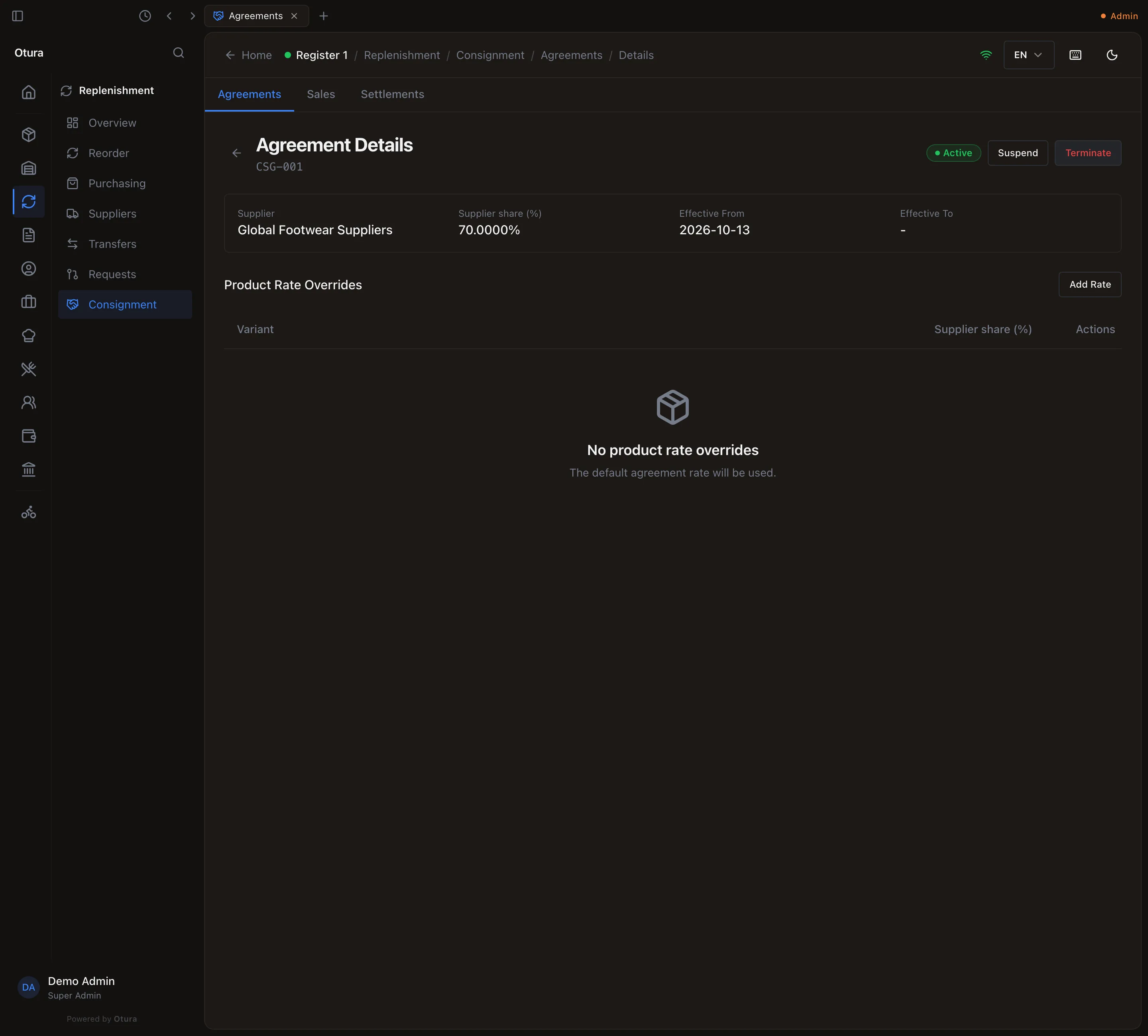
Under Product Rate Overrides, Add Rate gives one product a different supplier share; search the catalogue for it. Every other product uses the agreement's share.
What a consignment sale records
When consigned stock sells, each line records what the customer paid for it, after its discount, and splits it:
| Example: 2 at $50 with 10% off, share 70% | |
|---|---|
| Sale Amount | $90.00 — what the customer paid for the line |
| Supplier Commission | $63.00 — 70% of it, owed to the supplier |
| Business Retained | $27.00 — yours |
A return or a void of a consigned sale records the same line negative, in proportion to what came back: if the sale is not settled yet the two cancel out, and if it was already paid, the next settlement takes the money back. The Sales tab lists these lines.
Settle with the supplier
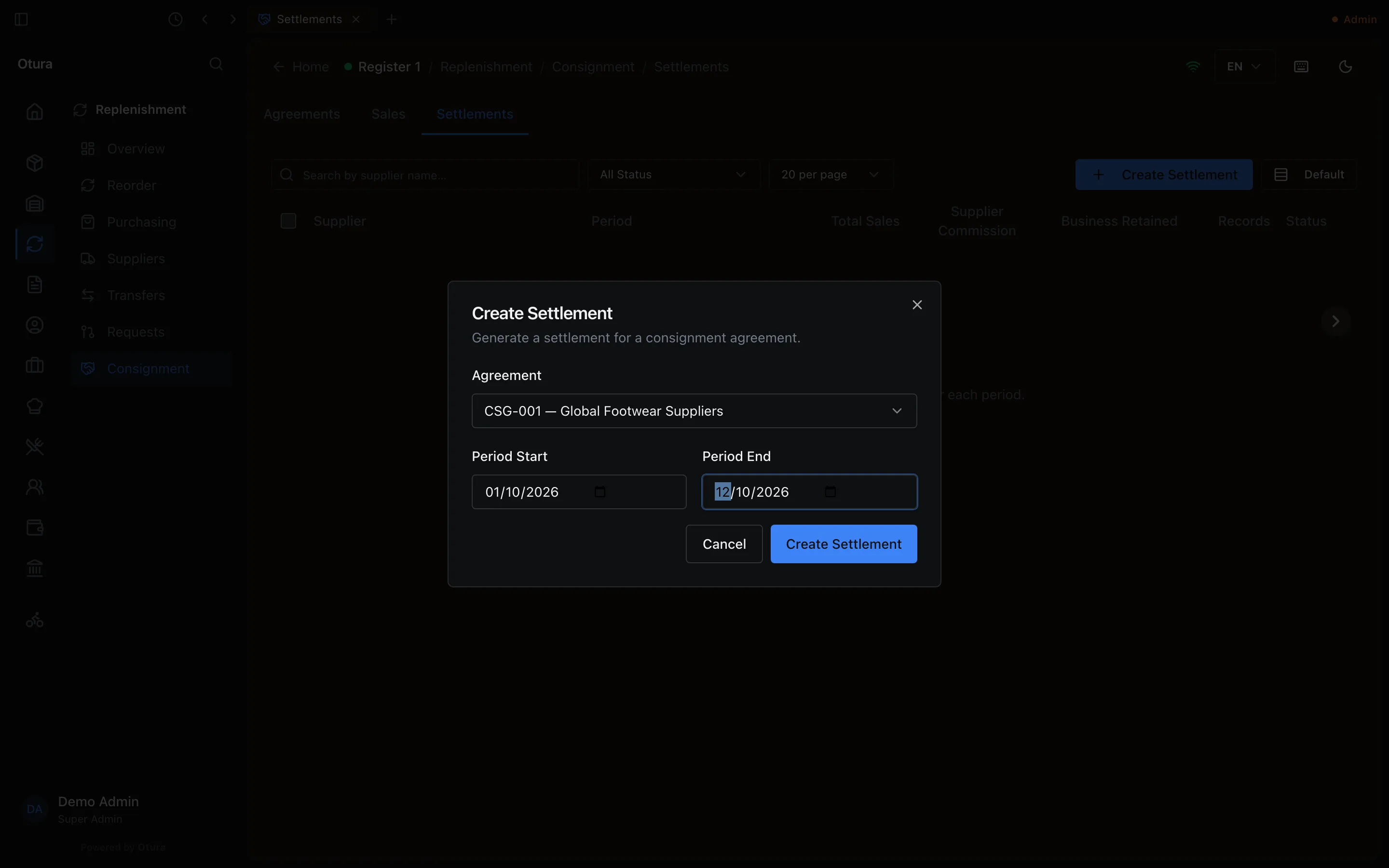
On Settlements, Create Settlement asks for the agreement (an active, suspended or terminated one) and a period, and gathers that agreement's unsettled sales in the period into one document. Approve it, then Mark as Paid once the supplier has been paid. A sale is on one settlement only. A period with no unsettled sale is refused: No pending consignment sales found for this period — which, until stock can be received on consignment, is every period.