Your money routine: every day, every month, every year
What to do with your money each day, each month and at the year end, on which screen, for one branch or several, one till or several, and one shift a day or several.
Checked against the product on 25 October 2026
This is the order to do things in, and the screen for each. It is written for one branch with one till and one shift a day; the sections at the end say what changes with several branches, tills or shifts. What each step does to your money and your books is in How money moves.
Once, before the first day
Seed the chart of accounts (see The chart of accounts). Each till gets its drawer boxes then, but there is no safe and no bank yet: add them as boxes on FinanceAccountingCash & BankTreasury, the safe on 5110, a lira safe on 5115 if you keep lira, the bank on 5120 (see Where your money sits). If the business starts with cash in the safe, record it with a journal entry: debit 5110, credit 1110 Paid-in Capital (see What Otura does not book).
Every day
Set the rate, if the market moved
SettingsFinanceExchange rates, Override, type the New Rate (LBP per USD) and Save Rate. New sales use it; sales already rung keep theirs (see Exchange rates).
Open the shift
At the till, Open Shift: type the Opening Cash (USD) and, where the till takes lira, the Opening Cash (LBP) you counted in the drawer, then Open Shift. Opening a shift posts nothing.
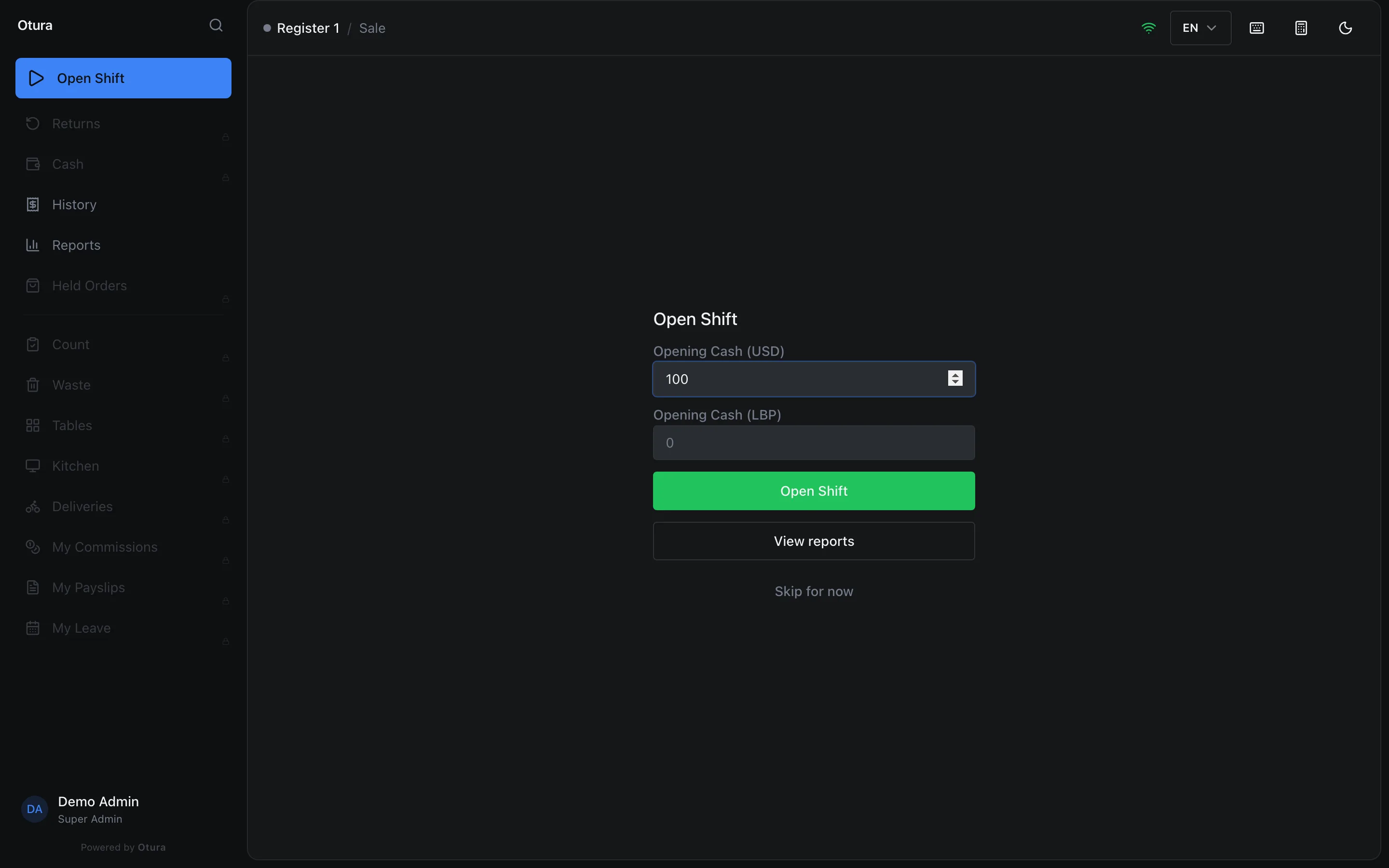
A $100 float, typed from the count. Answer the float check
If what you typed is not what the books say the drawer holds, the till asks Does the drawer match the books? If the difference came from the safe (or went back to it), press Record it: Otura records a Float to box transfer between the safe and the drawer. Not now records nothing, and the difference shows at End of Day instead.
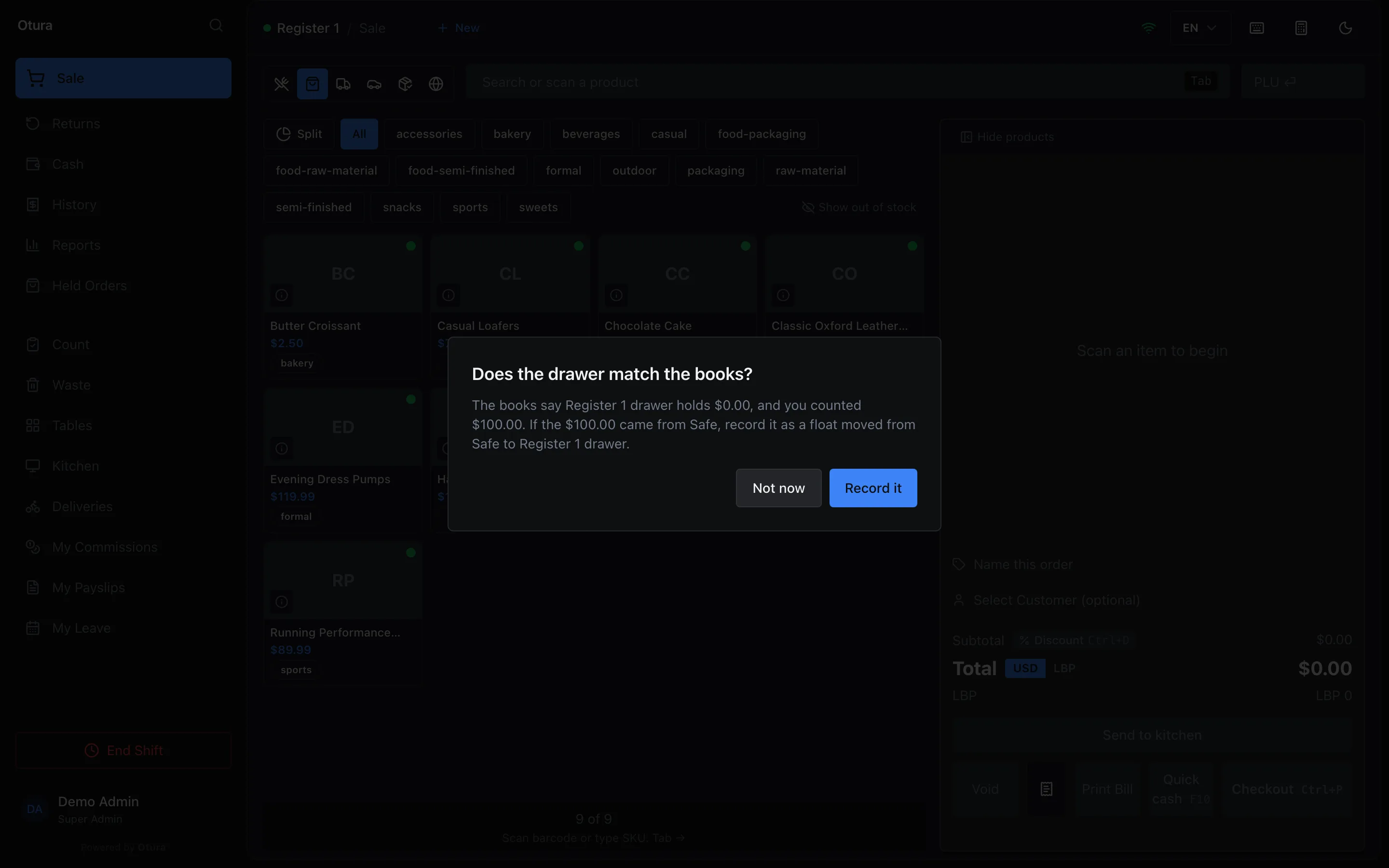
The float came from the safe: Record it. If there is no safe to take it from, the till says so and asks a manager to record it in Cash Transfers. When the check is asked, and when it is not, is in Cash and bank.
During the day: drops, change and payouts
On the till's Cash screen (see The cash drawer during a shift):
- Too much cash in the drawer: Record Drop, the Currency, the amount and, if you like, a note. It goes to the safe.
- Change needed: Record Pay In. It comes from the safe; a pay in larger than the safe holds in the books is refused.
- A small expense paid in cash: Record Payout, with the Reason (required). Write what it bought; that is how it becomes an expense later.
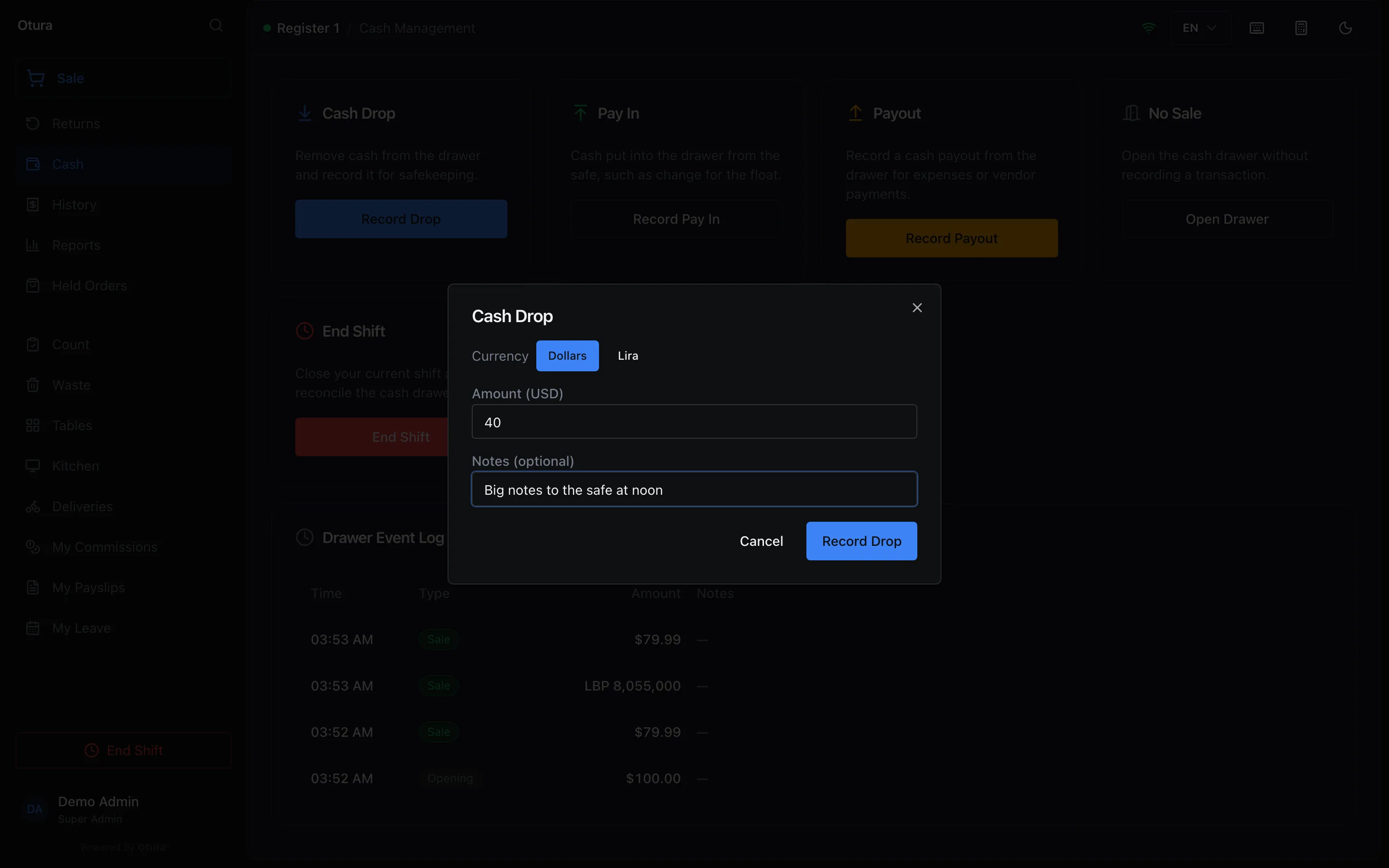
Big notes to the safe at noon. 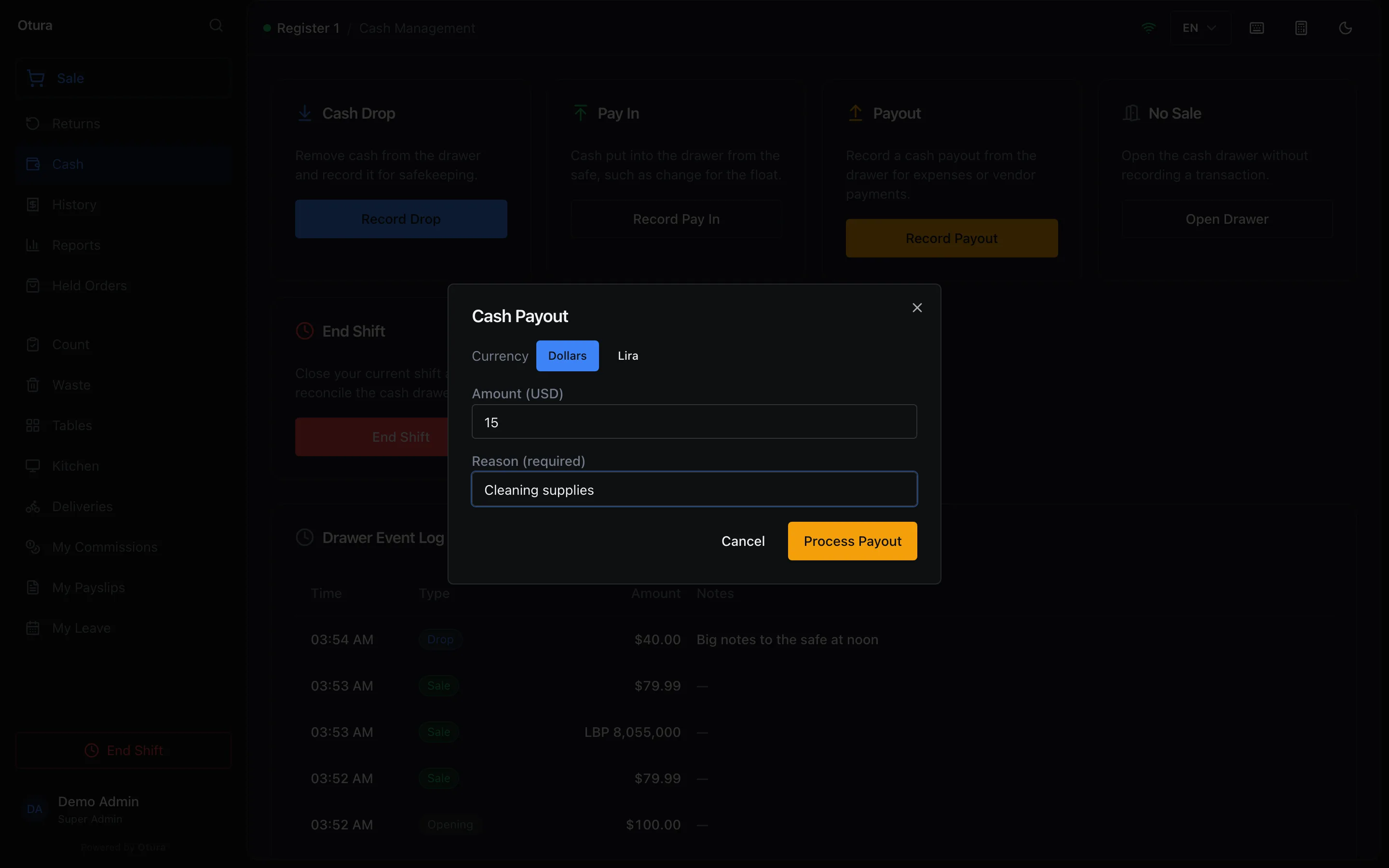
A $15 payout for cleaning supplies. Close the shift
End Shift. In Count Your Drawer, type the Total Cash in Drawer (USD) and the Total lira in drawer (LBP), or use Count Bills, then Next. The Shift Summary shows what the drawer should hold against your count, for each currency. Press Confirm Close, then Print shift report. A difference is booked as a shortage or an overage on the drawer (see Closing a shift).
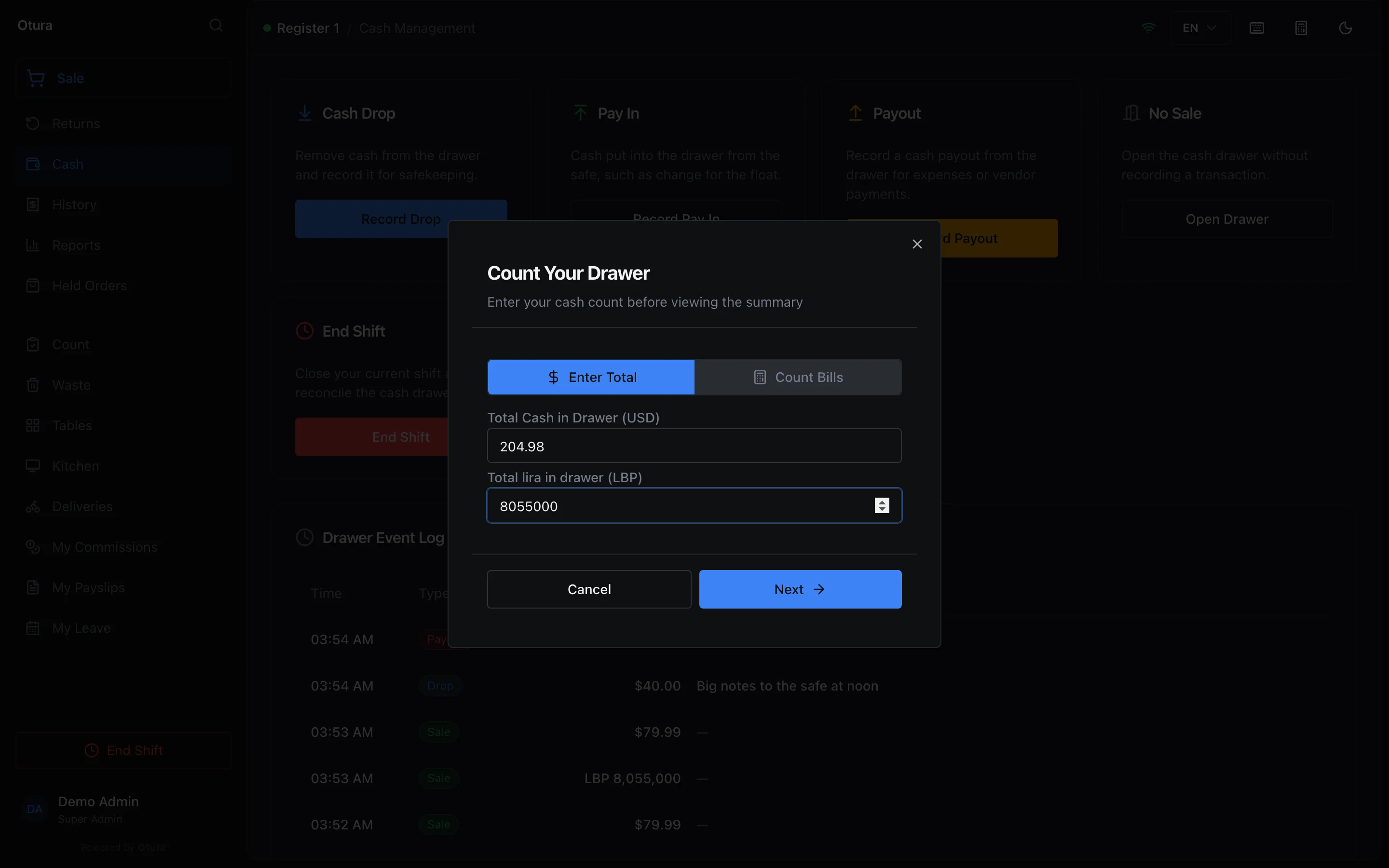
The count, dollars and lira apart. 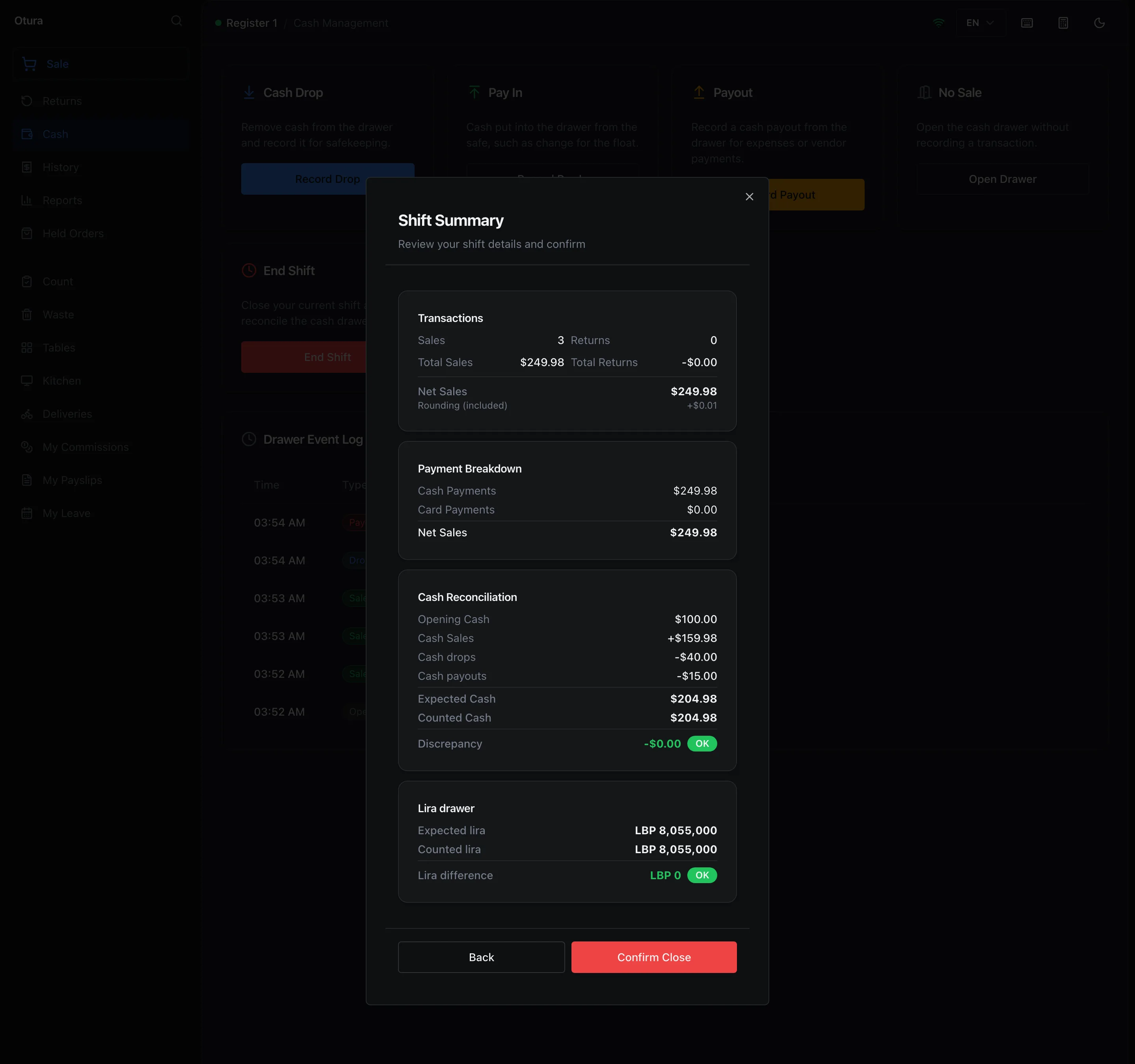
Float $100, plus cash sales, less the drop and the payout: $204.98, counted exactly. The lira sale is in its own drawer. Take the takings to the safe
Leave the float in the drawer and take the rest to the safe. The simplest way is at the till, before you close: a Cash Drop of the takings. Once the shift is closed, record it in the back office: FinanceAccountingCash & BankCash Transfers, New transfer. In Move money, choose Out of the till's drawer, Into the safe, the Purpose Drop to vault, and the Amount, then New transfer. A transfer into or out of a drawer whose shift is still open is refused: that cash is the shift's.
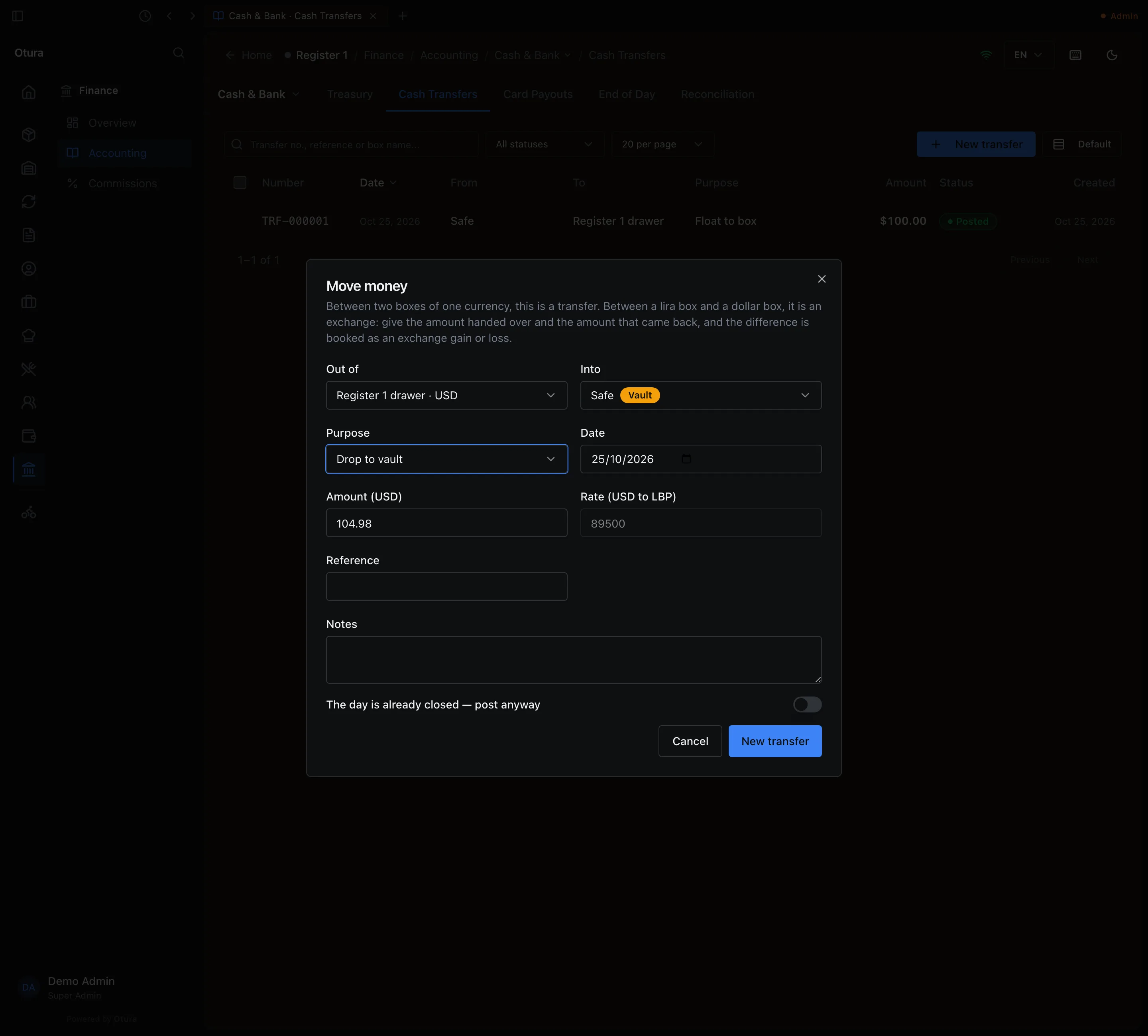
$104.98 to the safe after the close; $100 stays in the drawer as tomorrow's float. Count and close the day
FinanceAccountingCash & BankEnd of Day. Choose the Day. What we sold lists each shift by how its customers paid. Under Count the boxes, count each drawer and the safe and type what you find, in the box's own currency; type 0 for an empty box, because a box left blank is refused. What the books expect is not shown until you press Review count, so the count is yours. Review the count then shows, for each box, the Opening, the Movements with where they came from, the Expected, your Counted, and Balanced, short or over. Press Close the day, or Recount.
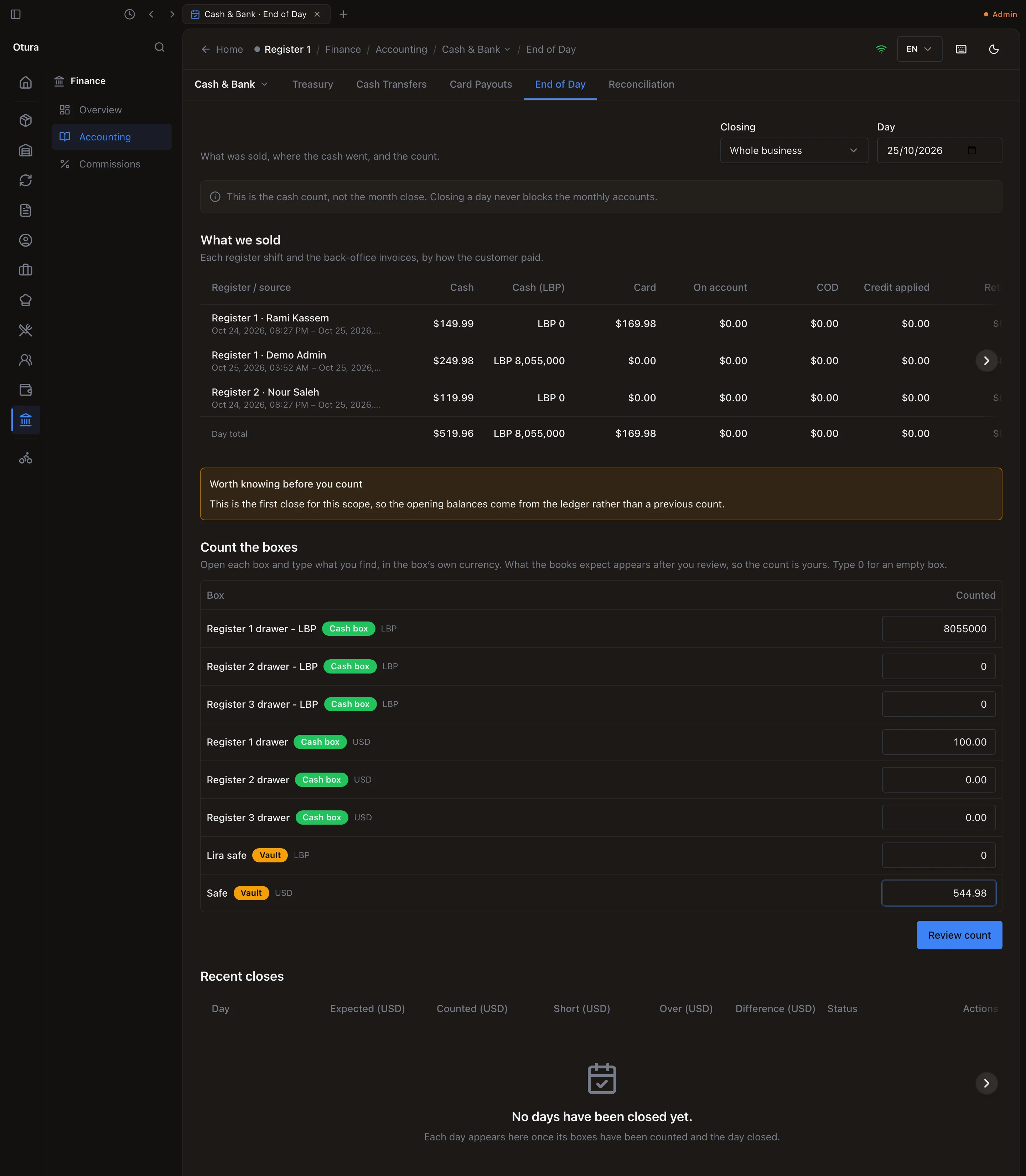
The count, typed before the books are shown. 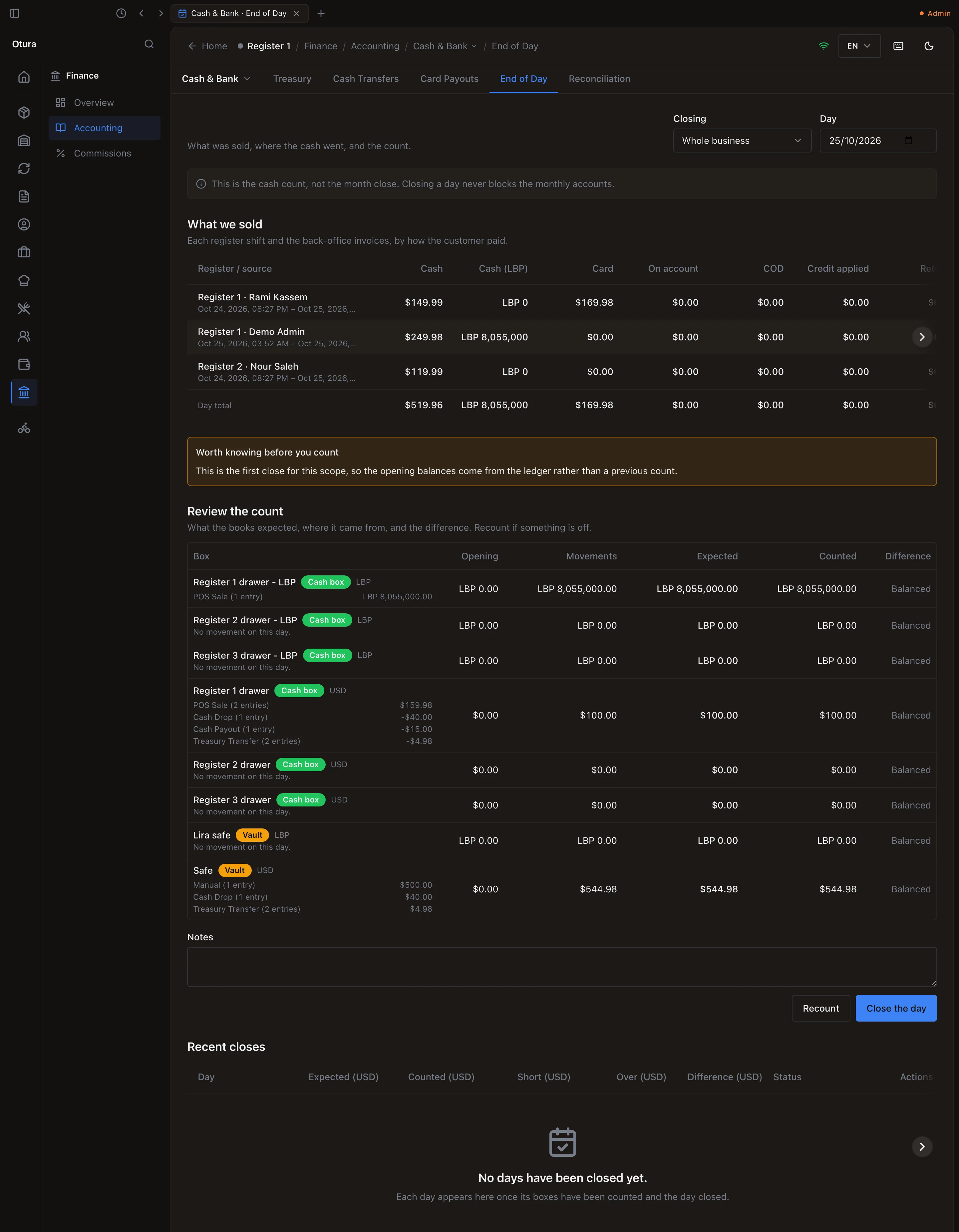
Every box balanced: the safe holds the opening $500, the noon drop and the takings, less the morning's float. The day cannot close while a shift is open on a till whose drawer it counts (Close the open shift on Register 1 first), and days close in order: once a day is closed, an earlier one cannot be. A day you skip is not lost; its movements fall into the next day you close. A short box is booked to 6700 Cash Shortage and an over box to 7700 Cash Overage, each box on its own line. More in Cash and bank.
Bank the cash
When you take cash to the bank: Cash Transfers, New transfer, Out of the safe, Into the bank, Purpose Deposit to bank.
Every month
Record what the card processor paid
FinanceAccountingCash & BankCard Payouts, Record payout, when the processor's money reaches the bank: the Bank account, the Card takings settled and the Processor fee; the rest is what Arrived in the bank.
Pay suppliers, and collect what customers owe
Supplier payments are on FinanceAccountingReceivables & PayablesPayables, with the box under Paid from (see Paying suppliers). Customer receipts are on Receivables, with the box under Goes into (see Receivables).
Match the bank
FinanceAccountingCash & BankReconciliation: match the statement's lines to the books, and use Book as charge or Book as interest for what only the bank knew (see Bank reconciliation). A lira line booked here is valued at today's rate, not the statement's date (issue #1939).
Turn the payouts into expenses
List the month's payouts and their reasons from the shift reports' Cash moved in and out. Then on FinanceAccountingLedgerJournal Entries, New Entry: debit each expense, credit 5140 Cash Payouts - Unclassified for the total.
Pay salaries and commission
PayrollRuns: New Run, Calculate, Approve. Approval books the cost and what you owe (see Payroll). When you pay, press Mark Paid, and post the payment yourself with New Entry: debit 4520 Net Salaries Payable, credit the box paid from; the same from 4510 NSSF Payable when you pay NSSF. Commission is paid on the Payouts tab of FinanceCommissions (Create Payout, Approve, Mark as Paid), but it is never in the books: post what you paid with New Entry.
Check nothing is missing from the books
FinanceAccountingLedgerJournal Reconciliation: a sale or payment that never reached the books waits here. Retry all posts them.
Close the month
If you count the month's last day, do it first: End of Day refuses a day in a closed month. You do not need to have closed any day to close the month. Then FinanceAccountingLedgerFiscal Periods, Close on the month, or Close every month that has ended. Closing first brings your lira boxes to the month's last rate, booking the difference as an exchange gain or loss (see Close a month).
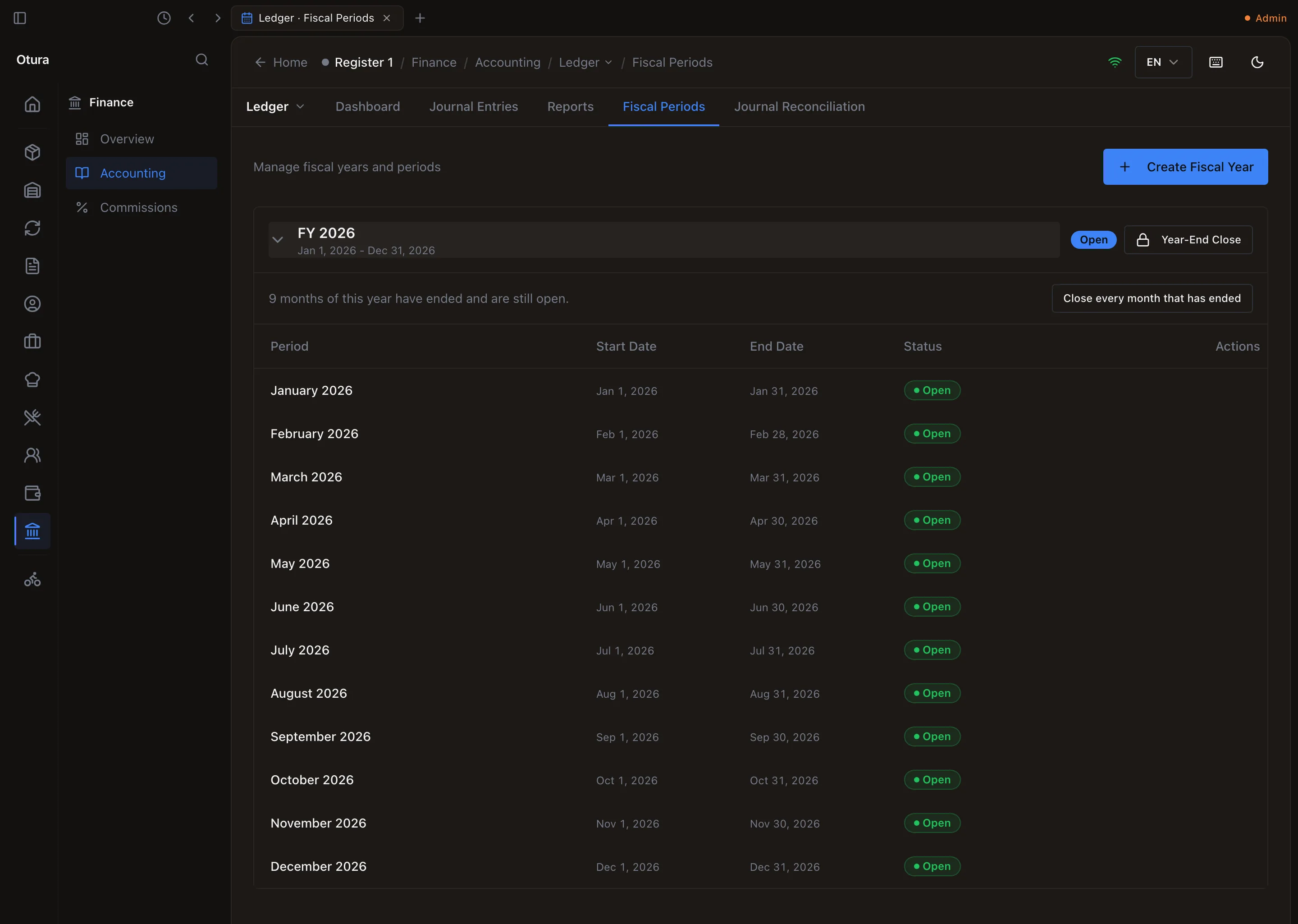
Nine months have ended and are open: one press closes them all. Every quarter: the VAT return
FinanceAccountingTax & FilingVAT Returns: choose the Year and Quarter, Generate VAT return, and check that GL Reconciliation says The GL VAT control accounts reconcile with the return. Once the quarter is over, Mark filed, then Remit when you pay. The return is due 20 days after the quarter ends (see Tax returns).
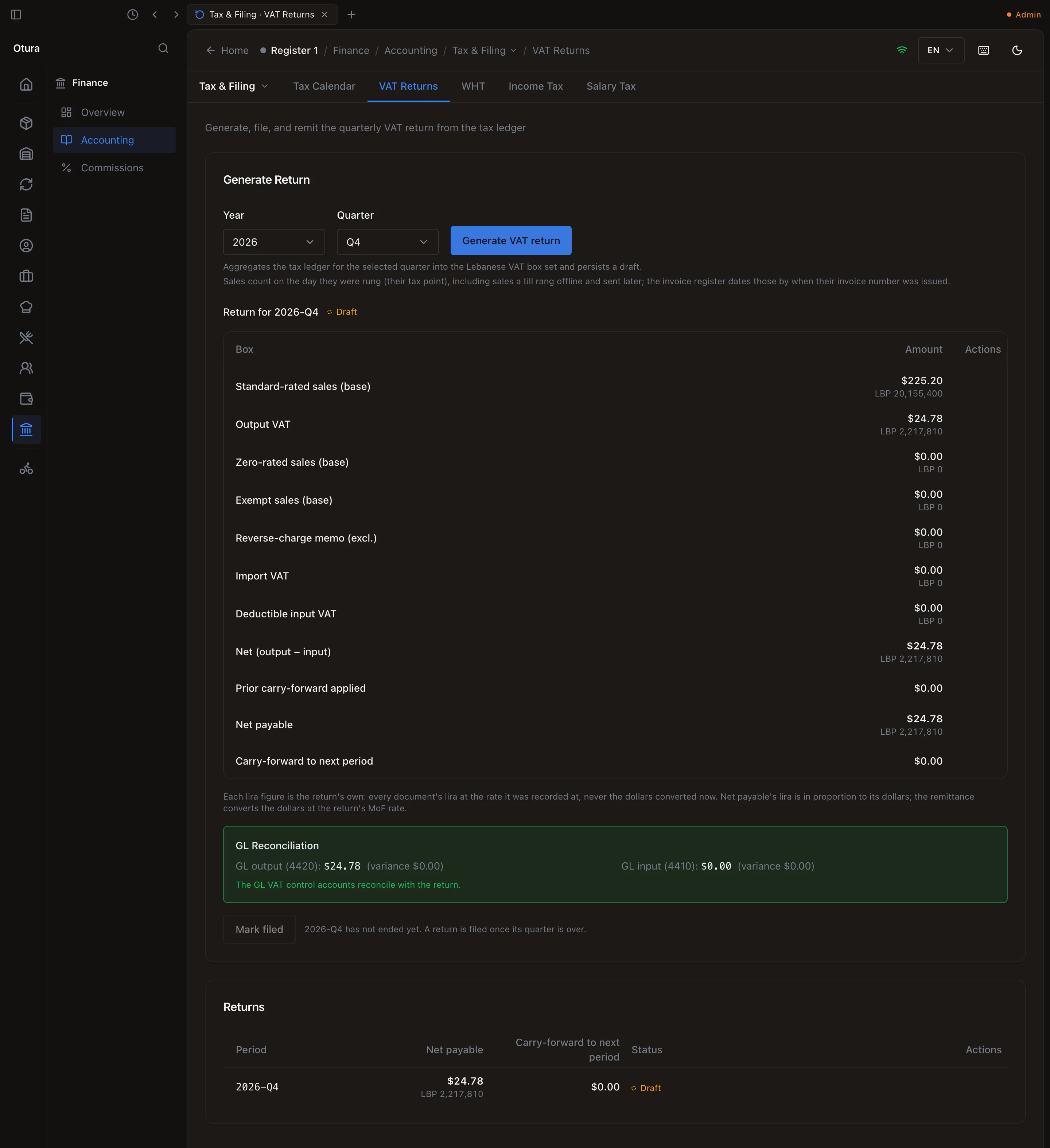
The quarter so far, agreeing with the books. It is filed once the quarter ends.
Every year
Close every month of the year
On Fiscal Periods, Close every month that has ended, and check that Journal Reconciliation is empty: the year-end is refused while any sale or payment dated in the year never reached the books.
Year-End Close
Year-End Close beside the year, then Confirm Year-End Close. The year's income and expenses move into 1210 Retained Earnings, and the year's months can no longer be reopened. The Profit & Loss still shows the year as it traded (see Year-End Close).
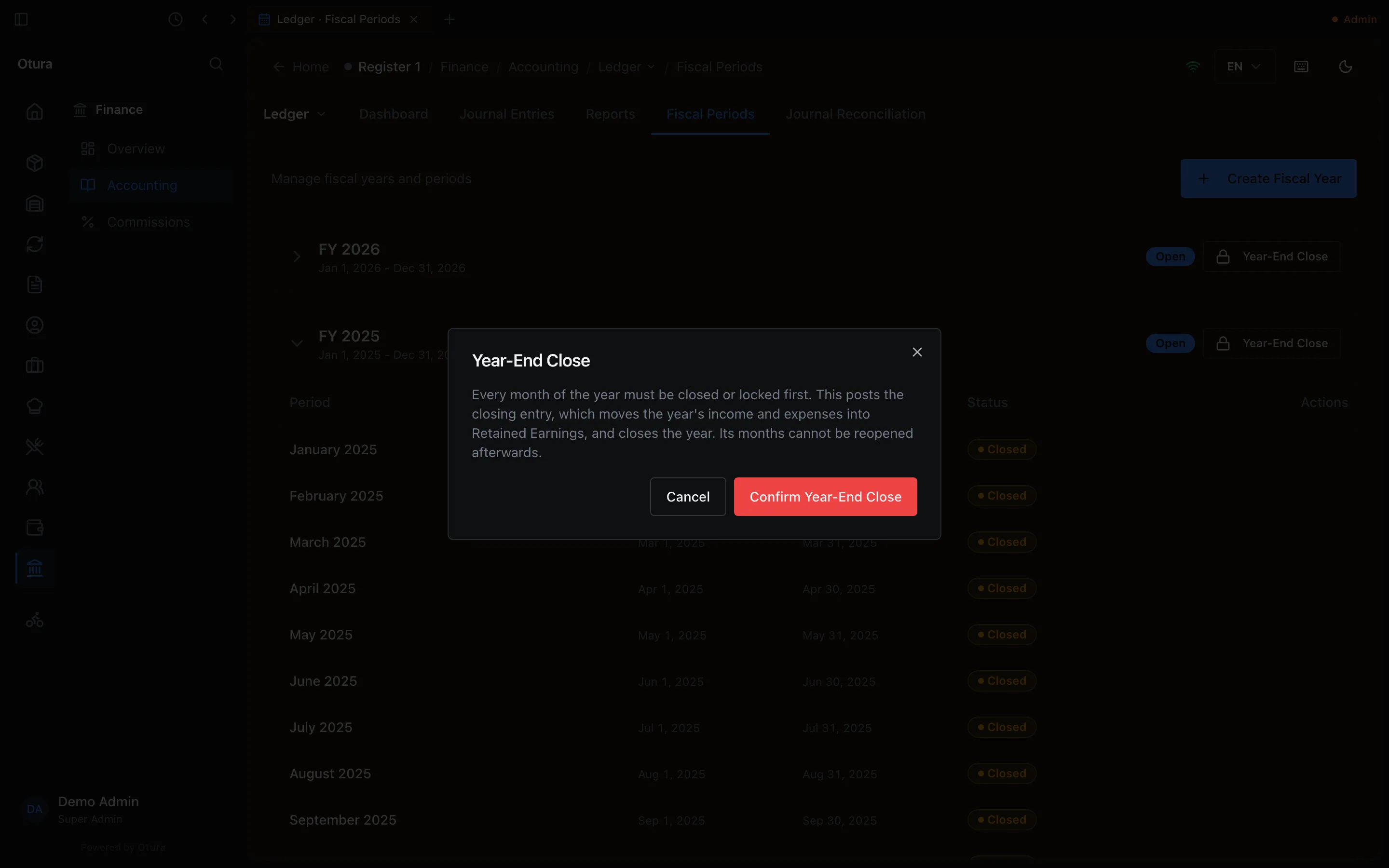
Last year, every month closed: Confirm Year-End Close. The owner's share
Profit you take out, or money you add, is a journal entry (see What Otura does not book).
The yearly filings
FinanceAccountingTax & FilingTax Calendar, Refresh obligations, lists each filing and when it is due (see Tax returns).
With several branches
- Each till's drawer boxes belong to its branch. Give each branch its own safe: a Vault box with that Branch and Default for this kind and currency on. Drops, pay ins and the float check then use their branch's safe, or the head-office safe if the branch has none.
- At End of Day, choose the branch under Closing and close each branch's day on its own. Whole business then counts the head-office boxes and any branch not closed on its own.
- The rate, the books, the month close, the VAT return and the year end are one for the whole business. The Profit & Loss can be split by location with Group by dimension (see Financial reports).
With several tills
- Each till has its own drawer boxes and its own float, closes its own shift, and is counted on its own line at End of Day. Move each drawer's takings to the safe with its own transfer.
- A till that shows Shared cash account (Cash Register) has no box of its own: End of Day does not count its drawer, the float check does not ask, and its drops land on 5110 (5115 for lira). Give it a box (see Each till's own box).
- End of Day is refused while any till whose drawer it counts has a shift open.
With several shifts a day
- A till has one shift open at a time: the next one opens after the last one closes.
- Each new shift types its float from blank: count the drawer and type what is there. If it is not what the books say, the float check asks.
- Whether everyone at the till shares one drawer, or only the person who opened the shift may use it, is a setting: SettingsFinancePayment methods, The drawer (Shared by everyone at the register or One per person).
- Take the takings to the safe after each close, or once at night after the last one. Close the day after the last shift.