Transaction history
Every sale, return and void from every till in one list: filter it, see the profit and margin on each sale, and open one to see its lines, payment and delivery.
Checked against the product on 13 October 2026
StoreTransactions lists what every till did: each sale, return, exchange and void, newest first, 20 to a page.
The list
Each row shows the Transaction # (with a button to copy it), the Invoice / credit note number (INV-… on a sale, CN-… on a return, exchange or void), the Type, the Status, Details (small icons for the buyer, the order type, how it was paid and anything notable, such as a discount, a delivery, loyalty points or a supervisor's approval), the Register, the Cashier, the Total, what is still Outstanding on an on-account sale, the Date, and the Profit and Margin. A sale part of which came back reads Partly refunded; one that came back in full, Refunded. On a narrow screen the right-hand columns scroll into view.
Above the list, five figures cover everything the filters leave:
| Figure | What it counts |
|---|---|
| Total Transactions | The rows. |
| Total Sales | Completed sales, including VAT, less refunds and exchanges; voided sales are left out. When there were refunds, it says how much was taken and how much refunded. |
| Gross profit | The profit on the sales and returns whose cost is known, with the margin (below). |
| Returns | How many returns and exchanges, and the amount refunded. |
| Voided | How many sales were voided. |
Finding a sale
Search transactions... finds a transaction by its POS number, its invoice number or its credit note number: type the number off the customer's receipt or refund slip. Any part of it will do, in capitals or not, so inv-000001 finds the sale whose receipt says INV-000001, and cn-000002 the return whose slip says CN-000002. To list or export a run of these numbers, for a month or from one number to another, use the invoice register.
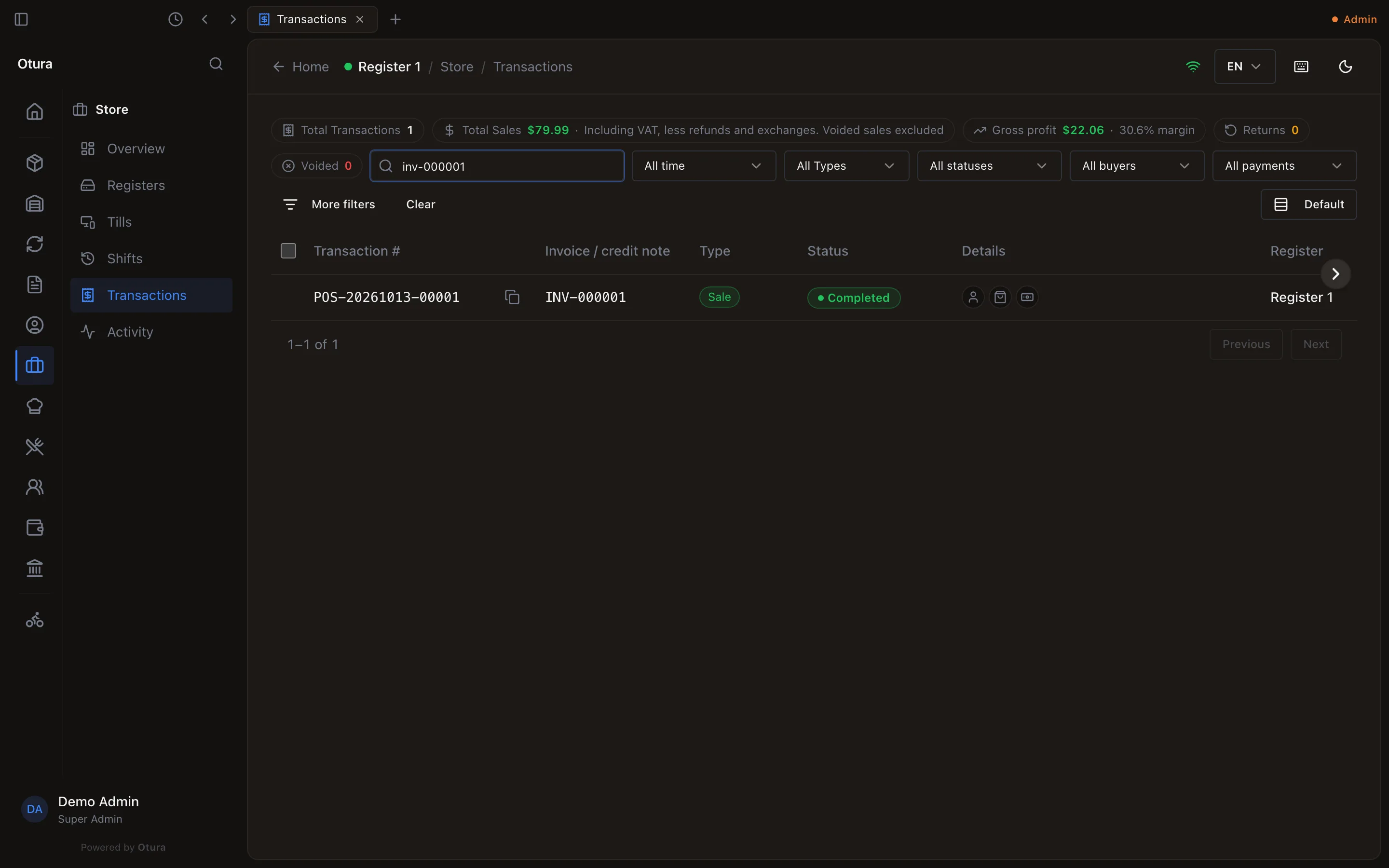
Narrowing the list
- the date range: All time, Today, Yesterday, This week, This month or Custom range, which follow the shop's own day;
- the Type (Sale, Return, Void, Exchange);
- the Status (Completed, Partly refunded, Refunded, Voided, Suspended);
- the Buyer (Walk-in, Customers, Employees), Employees being the sales to your staff;
- the Payment (Cash, Card, On account, Cash on delivery, Split payment, Paid in lira);
- under More filters: the Order type, Discount, Delivery, Supervisor approval, Register and Cashier. The cashier is searched by name or email among everyone who signs in, people since deactivated included; it needs View users. The button counts the ones set, and stays open while any is;
- Clear removes every filter.
The till's own History has the same search and filters, for the shift that is open on it.
Sales rung while offline
On the desktop till, a sale rung while the connection was down is listed with an Unsent badge and the till's POS reference until it reaches the server, then Sent with the invoice number the server gave it. Opening it shows the receipt the customer got, and Reprint receipt prints that same provisional receipt (PRV-…) until it is sent, and the numbered invoice after, with its invoice date (and the sale date, when the sale was rung on another day). The detail shows the invoice date next to the invoice number. Voids and returns of an unsent sale wait for the connection. With no connection at all, the list shows only the sales this till rang offline. See Selling when the connection drops.
Profit and margin
For each completed sale whose cost is known:
- Profit is what the sale brought in without its VAT, less what the goods cost when they came in.
- Margin is that profit as a share of the sale without VAT.
For example, a pair of loafers sold at $79.99, VAT at 11% included: the VAT is $7.93, so the sale is $72.06 without it. The pair cost $50.00. Profit is $72.06 − $50.00 = $22.06, and the margin $22.06 ÷ $72.06 = 30.6%.
| Row | Profit | Margin |
|---|---|---|
| A sale with a known cost | The profit | The margin |
| A return or exchange | Negative: the profit given back | None |
| A sale whose cost is not known (an item that does not track stock, for example) | None | None |
| A voided sale, or a void | None | None |
Gross profit adds up the Profit column for the rows the filters leave, and gives the margin of the whole. Sales whose cost is not known are left out, and it says how many: 2 sales without a cost left out. A figure below zero is shown in red.
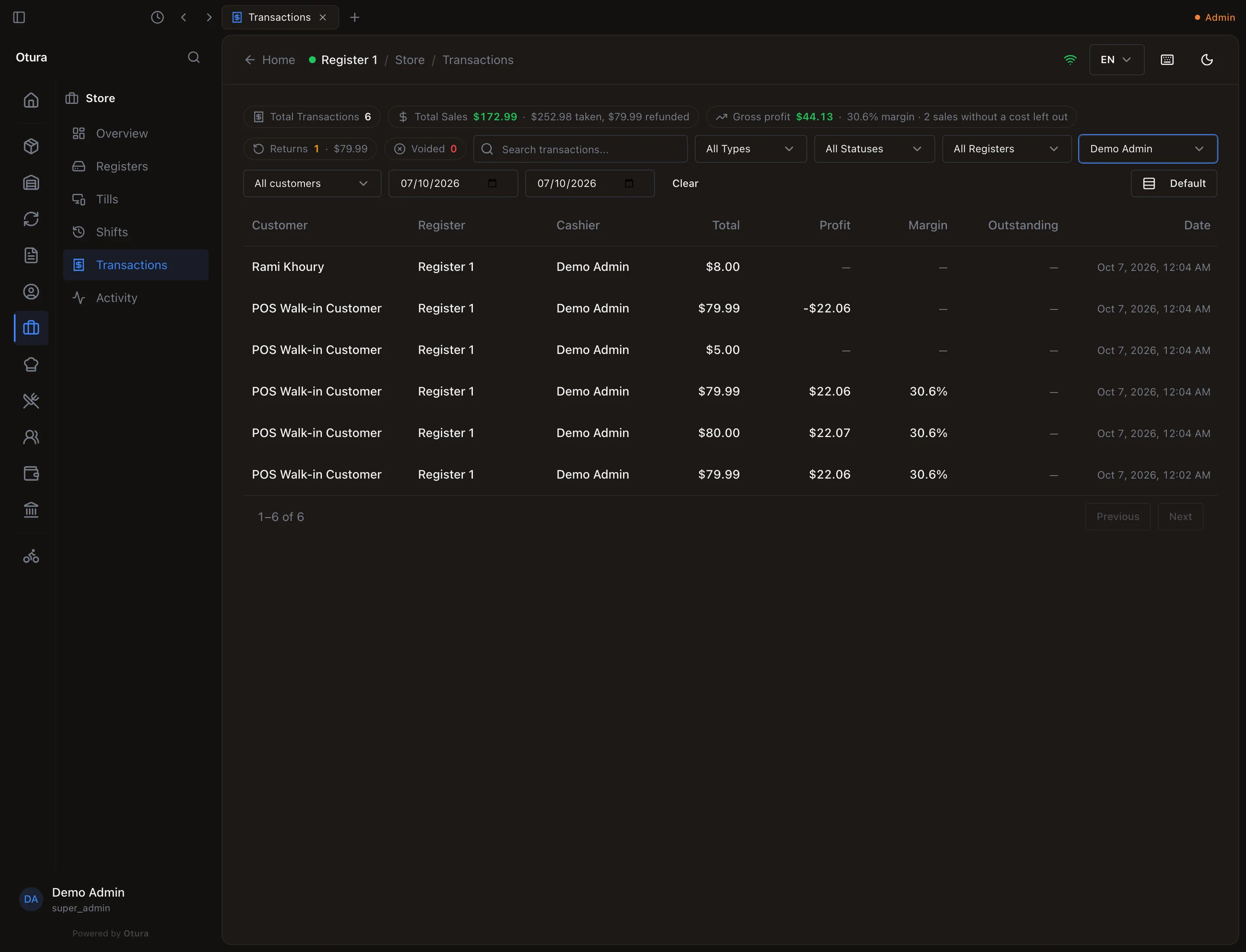
CommerceMargin reports profit too, but it also counts sales invoices and credit notes, and always covers a date range (the last 30 days unless you choose), so its figure is not the same as this one.
One transaction
Open a row (right-click, Open, or select it and press Enter). The window shows:
- the Invoice No. of a sale, or the Credit note No. of a return or void with the invoice it credits, under the transaction number;
- Items: each line's product with its SKU and variant, the quantity, unit price, discount and line total. A line's View line shows its price and discount and, with View product costs, its cost and margin.
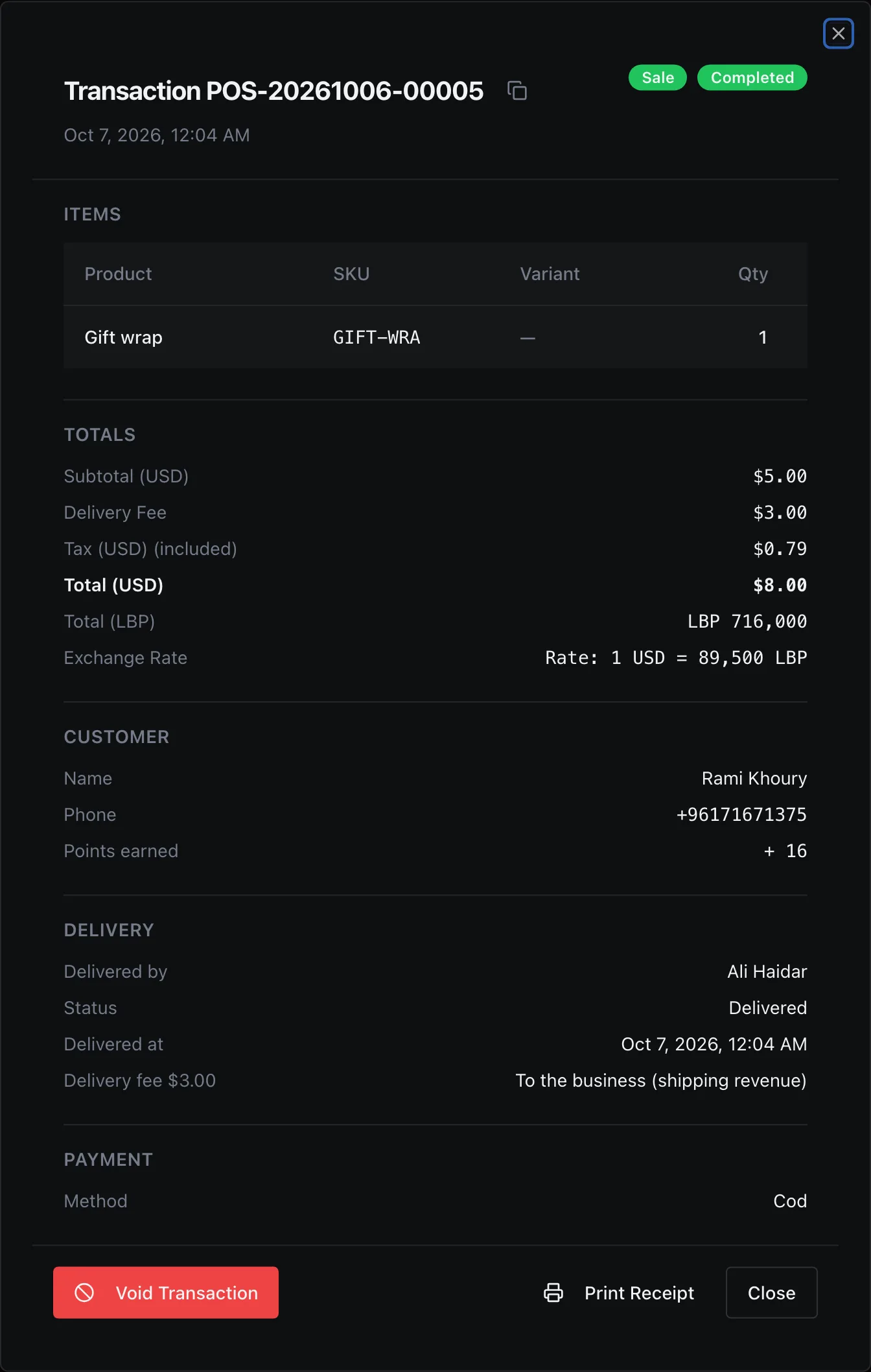
- Totals: the subtotal, the discount, the delivery fee, the cash rounding (see Cash rounding), the tax, and the total in dollars and lira at the sale's rate.
- Sale: who it was Sold to (Walk-in, a customer and their phone, or an employee at employee prices), the Order type, the loyalty points earned, anything Still owed, who rang it up on which till (Rung up by) and the Shift.
- Delivery, for a delivery (below).
- Payment: how it was paid, each part of a split payment, what was handed over and the change.
- Returns, voids and approvals: what reversed it, or what it reverses, with a link to each, and every supervisor approval it needed.
Print Receipt prints the receipt again. Void Transaction cancels a completed sale nothing has come back from; it is not offered on one that is Partly refunded or Refunded. It asks for the reason (three characters at least), and says what it does: This will permanently reverse the entire sale, restore all stock, and cancel the linked order. This action cannot be undone. The void gets a credit note number of its own, and its cash goes back from the drawer of the till you void it on, so voiding needs a paired till: in a session with none, Void says Voiding needs a paired terminal — this session has none. A void above your limit asks for a supervisor's PIN. Returns are not made here: they are made at the till, under Returns (see Voiding a sale for what a void does).
The Delivery section
A sale that was delivered shows who took it and what happened:
| Line | What it says |
|---|---|
| Delivered by | The driver, or No driver assigned. |
| Status | Waiting for a driver, Assigned, Picked up, On the way, Delivered or Cancelled. |
| Delivered at | When it was marked delivered. |
| Delivery fee | When there was one: Kept by the driver (when the fee is paid to the driver), or To the business (shipping revenue). Before the delivery is marked delivered, who will get it: Goes to … when delivered, or Goes to the business when delivered (shipping revenue). |
| Cash handed in | When the driver kept the fee: when, at which till and to whom the driver handed the cash in, or Not yet: the driver still holds it. |
See Deliveries and drivers for how a delivery is sold, given to a driver and its cash received.