Online menus that keep up with your catalogue
A published online menu follows your catalogue by itself: prices, names and photos change within minutes, while a new dish and the layout wait for Publish.
Checked against the product on 31 October 2026
You build a menu under CommerceOnline Menus and put it online with Publish. From then on the published menu follows your catalogue by itself. You do not publish it again to change a price.
What changes by itself
- Prices.A product's or a variant's price, or a price list, changed in the catalogue. A price list that starts or ends on a date changes the menu on that day as well.
- Names.A line shows the product's name from the catalogue, unless you gave it a name of its own on the menu, which it keeps. The Arabic page shows the Arabic name, and the English name when there is no Arabic one. The English page shows the English name, and the Arabic one when there is no English name.
- Photos.The catalogue's photo, unless you gave the line a photo of its own.
- A product the till cannot sell. When the till would refuse a product (it was archived or set back to draft, its variant was made inactive, or it was deleted or made an ingredient rather than something for sale), or it has no price, its line is left off the public menu. It keeps its place on the menu, and comes back there by itself once it can be sold again. The menu stays online with the rest. A discontinued variant stays on the menu: the till sells off what is left of it.
A change usually shows on the menu within two or three minutes. While you are still changing many products, the menu catches up every couple of minutes until it has them all.
The Online Menus page names any line the public cannot see, under the menu, by reason:
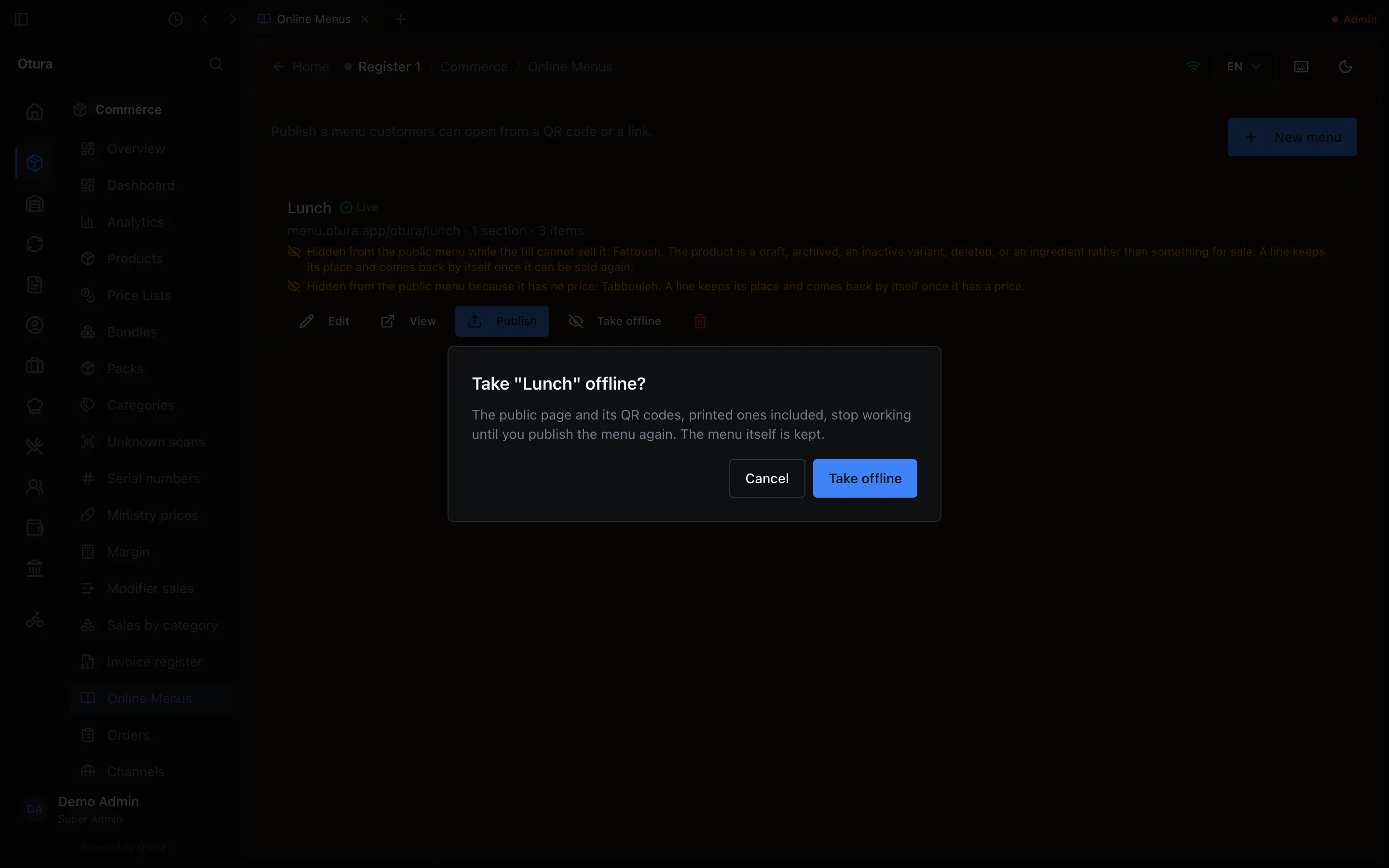
- Hidden from the public menu while the till cannot sell it: Fattoush. The product is a draft, archived, an inactive variant, deleted, or an ingredient rather than something for sale. A line keeps its place and comes back by itself once it can be sold again.
- Hidden from the public menu because it has no price: Tabbouleh. A line keeps its place and comes back by itself once it has a price.

If every line on a menu would be hidden, the menu keeps the page it had. The menu shows Publish failed, with the reason under it (The online menu could not be updated, so it still shows the last published version: Every line on this menu is deleted, cannot be sold or has no price in the catalogue.), until a product can be sold again.
What waits for Publish
- A product you add to the catalogue never appears on a menu by itself. Add it to the menu, then publish.
- Adding, removing or moving a dish or a section.
- The menu's own texts: its name, section names, and a line's description, ingredients, allergens, calories and spice level.
While you edit a menu, the live page does not change. It keeps following the catalogue, on the layout you last published, until you publish your edits.
What Publish does with a dish the till cannot sell
- Not for sale for now (archived, a draft, or an inactive variant): Publish leaves it off the page, in its place, and the Publish dialog warns, for example "Fattoush" is left off the page, in its place, until the till can sell it again (archived, a draft or an inactive variant). It comes back by itself once it can be sold. You do not have to remove it to publish.
- Never on a menu (its product was deleted, or it is an ingredient rather than something for sale): Publish is refused, naming it: "Fattoush" points at a product that is deleted or is not for sale, so it cannot be on a menu. Remove it from the menu.
- No price: Publish is refused, naming it: "Fattoush" resolves to $0.00.
- A menu whose every line would be left off is refused: Every line on this menu is deleted, cannot be sold or has no price in the catalogue.
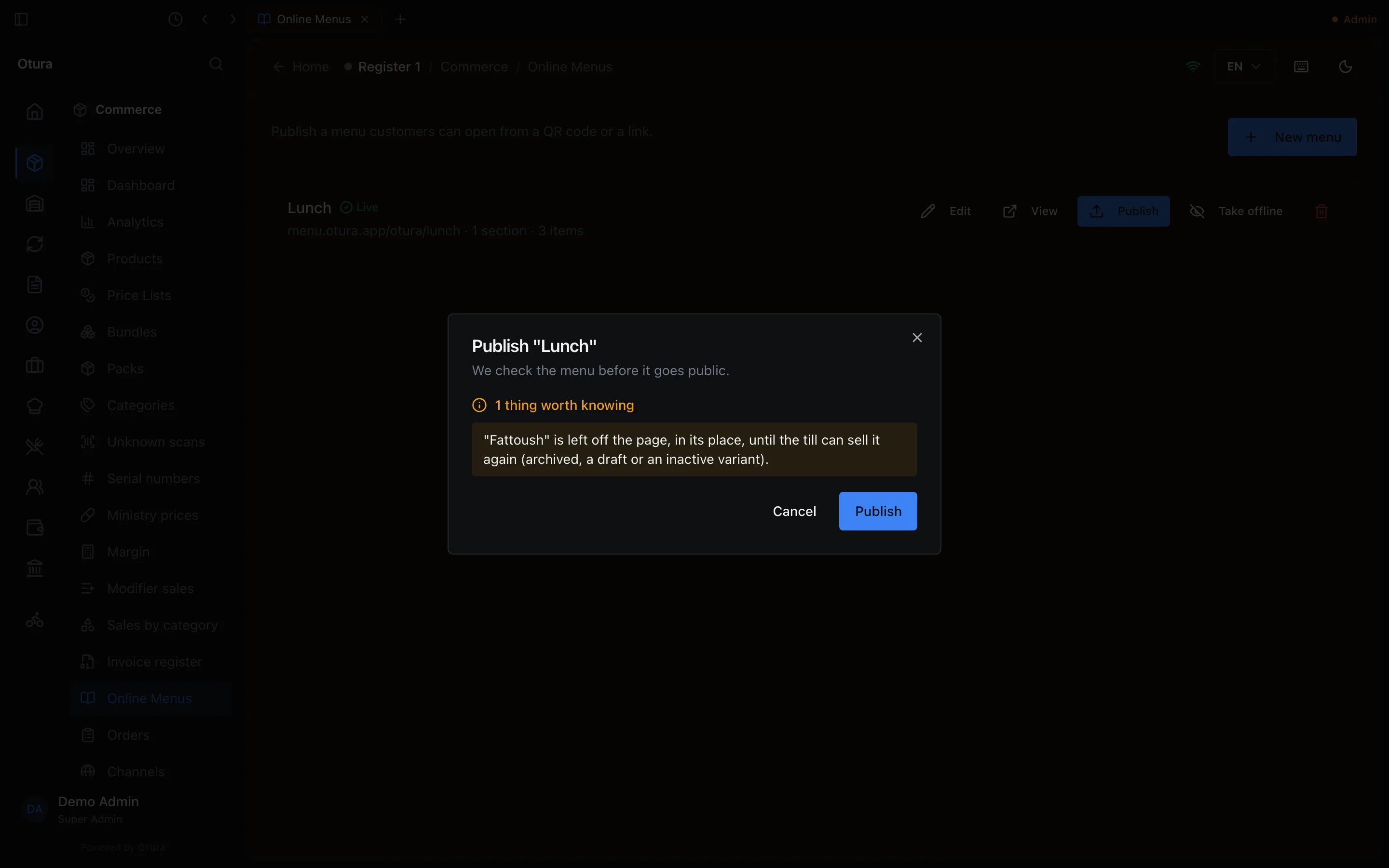
The menu editor says the same on each line before you publish: a dish only unavailable reads The till cannot sell this product now: the public menu leaves it out until it can be sold, and one that can never be on a menu reads This product cannot be on a menu: remove it from the menu to publish. When you add a dish, the product search lists products only: Products only: a bundle offer cannot go on an online menu.
If Publish refuses your edits, the reasons are named under the menu on the Online Menus page: Your last Publish was refused, so your edits are not online: … The public menu still shows the last published version. The public menu keeps following the catalogue meanwhile, so the badge can read Live again; the line stays until a Publish goes through or you take the menu offline.
If Publish could not finish putting your menu online (the upload failed), the page says so instead: Your last Publish could not finish uploading, so the public menu may not show your edits. Publish again to put them online.
These notes, the Publish dialog and the messages when a Publish or Take offline does not go through are in the language you use Otura in: English, Arabic or French. A note recorded before Otura 0.4.9 stays in English until the menu's next Publish or update.
Taking a menu offline
Take offline, on the menu's row on the Online Menus page, is offered while the menu is online, including when its last upload failed and the version before it is still public. It asks first: Take "Lunch" offline?, The public page and its QR codes, printed ones included, stop working until you publish the menu again. The menu itself is kept. Cancel leaves it online; Take offline takes the page down, and the menu stays offline until you publish it again. If it cannot be taken down at that moment, Otura says Could not take the menu offline and why, for example This menu is being updated right now. Try again in a few seconds.
When you price in lira
If your shop prices its catalogue in lira, each dish on the menu shows the lira you typed, exactly, with its dollar figure under it. When the exchange rate changes, the lira stays as it is and the dollar figure follows within a few minutes. Switching your shop to lira, or back to dollars, changes the menu's prices the same way.
An order a customer sends from the menu on WhatsApp lists each dish in lira. The total is rounded with your lira cash rounding, as the till rounds a lira cash payment: see Cash rounding on your online menus.